

Boost performance and time management with insightful productivity quotes that inspire action, and well-being. Discover how to use quotes for success.
Swarmia and Jellyfish read the same engineering data but answer different leadership questions.

Key Takeaways
Swarmia is stronger on team-level feedback loops and published pricing. Jellyfish is stronger on org-level investment reporting.
Both tools report AI adoption and cost, but neither ties AI cost to a single Jira issue. Tempo Workforce Intelligence records it against the work item.
Decide whether you're solving for team delivery habits or investment reporting before you shortlist.
Swarmia and Jellyfish are engineering intelligence platforms that read your source control and issue tracker to report on DORA metrics and AI adoption. That’s why they often end up on the same shortlist.
But the two platforms answer very different questions:
Swarmia was built to help engineering teams improve their delivery processes, and that's where it excels.
Jellyfish was built to show leaders where engineering investment went, and goes deeper on reporting.
The one you choose usually depends on which question is more urgent. Do you need to improve delivery, or help executives understand ROI? Swarmia and Jellyfish each answer one of those well. Neither shows what a specific piece of work costs, in AI or human time, at the level of a single Jira issue.
The table compares Swarmia and Jellyfish on the criteria engineering leaders raise most often: Integration breadth, AI cost depth, and pricing.
| Swarmia | Jellyfish |
Best for | Teams that want delivery metrics and developer feedback in one platform | Orgs reporting R&D investment to finance and the board |
Key differentiator | Working Agreements that teams set for themselves, with Slack or Teams alerts | Allocation model that produces audit-ready capitalization |
Measurement basis | Git and issue tracker activity, plus team and salary data for capitalization | Activity allocated to business initiatives |
Developer experience | Surveys with benchmarks, plus Working Agreements | DevEx data alongside financials |
AI cost depth | AI adoption, activity, cost, and AI-assisted vs. other PR impact | Token spend by tool, team, and initiative |
Integrations | GitHub, GitLab, Jira, Linear, Azure Boards, Slack, Microsoft Teams | GitHub, GitLab, Bitbucket, Jira, Linear, Azure DevOps, Slack |
Jira role | One supported issue tracker | Core input to the allocation model |
Financial output | Software capitalization reports, included in Standard plan | DevFinOps module, SOC 1 Type II |
Starting price | $45 per developer/month (Standard, billed annually); free under 10 developers | Quote only, seats plus modules |
Free trial | Yes, no card required | Demo and quote only |
Capabilities, pricing, and certifications were checked against each vendor's own pricing, security, and product documentation in September 2026. Confirm against the live pages before an evaluation.
Swarmia and Jellyfish read the same raw material, including Git activity and issue tracker data. What they do with it is where they diverge.
Swarmia turns that data into feedback loops for teams. Its “Working Agreements” help teams set numeric thresholds, such as closing bugs within three days or capping review turnaround time, and Slack or Microsoft Teams notifications flag when a team slips.
Jellyfish allocates engineering effort to business initiatives. Its data model maps activity to the projects it belongs to. That produces investment distribution reports and R&D capitalization output certified to SOC 1 Type II.
Of course, there’s overlap. Swarmia offers software capitalization, and Jellyfish tracks developer experience. But Swarmia goes deeper on team habits, and Jellyfish on investment reporting.
Here’s a deeper dive into both platforms.
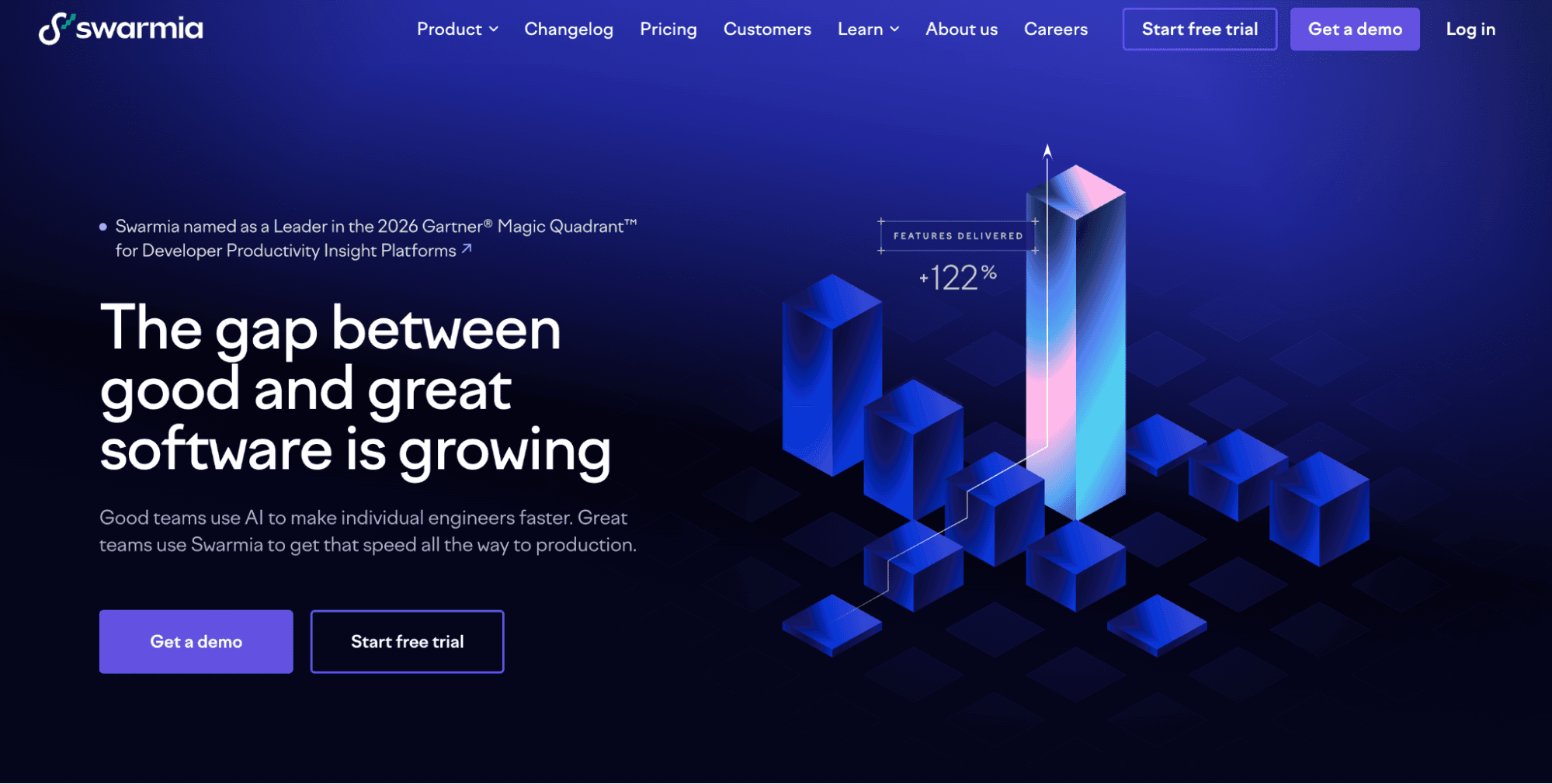
Best for: Engineering organizations that want delivery metrics and developer feedback in one platform, priced per developer.
Not for you if: Investment reporting across a large organization is the reason you're evaluating. Where Swarmia targets team habits, Jellyfish targets the investment report.
Swarmia is a Helsinki-based engineering intelligence platform that connects to source control, issue trackers, and chat. Its Standard plan bundles AI adoption and cost, developer surveys, software capitalization, and productivity and AI impact.
Working Agreements: Teams set numeric targets, such as review turnaround time, and get Slack or Microsoft Teams notifications when they slip. The team corrects course without waiting for a leadership review.
DORA and code metrics: Change lead time, deployment frequency, change failure rate, and recovery time sit next to pull request cycle time and review time. One dashboard covers both the delivery outcome and the review habits behind it.
AI adoption, cost, and impact: Swarmia tracks AI licenses and unused seats, spend against adoption, and how AI-assisted pull requests perform against the rest. You can see whether the tools you pay for get used and whether they change delivery.
Software capitalization: Reports blend Swarmia data with team and salary information, and Swarmia describes them as audit-ready. Finance starts each period from a finished report.
Developer surveys: Survey results and benchmarks sit beside system metrics, so sentiment can be read next to cycle time.
Unlike Jellyfish, Swarmia publishes its prices. The “Standard” plan costs $45 per developer/month billed annually and includes all four areas: Business outcomes, developer productivity, developer experience, and AI impact.
“Enterprise” costs $55 and adds on-premise integrations, HR system integrations, and professional services. Billing counts only the developers added to Swarmia teams, so other users, such as product managers, use the platform without being billed.
Teams can also buy individual modules, from $5 per developer/month for AI adoption to $23 for developer productivity. Buying all four modules separately costs more than the Standard bundle. A free plan covers companies with fewer than 10 developers, and the trial needs no credit card.
Published per-developer pricing lets you model cost before a sales conversation.
Working Agreements and chat notifications give teams feedback while work is in flight.
AI cost, capitalization, and surveys come in one plan, with SOC 2 Type 2 compliance.
Capitalization effort is modeled from activity plus team and salary data, and engineers do not log the hours.
HR system integrations and on-premise connections require the “Enterprise” plan.
It runs as a separate platform, so Jira data reaches it through an integration.
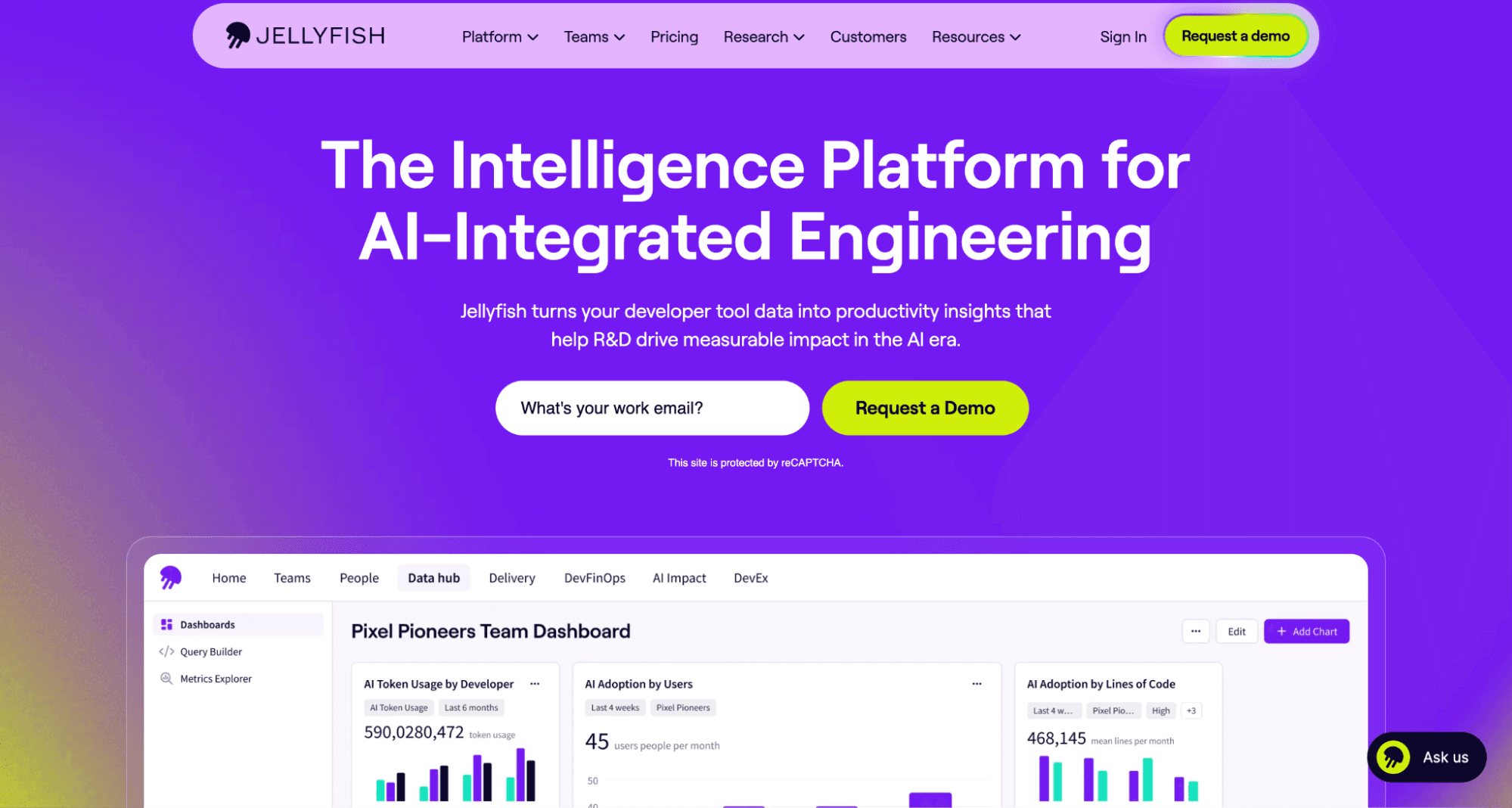
Best for: Organizations where the forcing function is R&D investment reporting or a board-level question about engineering spend.
Not for you if: Your priority is giving teams feedback loops they can act on. Where Jellyfish targets the investment report, Swarmia targets team habits.
Jellyfish is a software engineering intelligence platform organized around AI Impact, operational effectiveness, business alignment, DevEx, and DevFinOps. Its allocation model turns engineering activity into financial categories your finance team can work with directly.
Patented allocation model: Git and Jira signals map to business initiatives through a documented model, not a spreadsheet built by hand each quarter. When someone asks what an initiative consumed, the answer comes from the system.
DevFinOps module: Automated work categorization and audit-ready R&D capitalization reports, certified to SOC 1 Type II, plus R&D tax credit support. Finance receives a report it can defend without rebuilding it.
AI token spend tracking: Spend and usage by tool, team, or initiative, tied to throughput and quality outcomes. You can see whether the teams spending most on AI ship more.
DevEx alongside financials: Developer experience data sits in the same platform as investment allocation. The engineering conversation and the finance conversation draw on one dataset.
Broad signal ingestion: Git, Jira, and HR data feed the allocation model. That is what makes cost per initiative possible, and it also lengthens onboarding.
Jellyfish doesn't publish pricing. Quotes combine seat count with the modules you select, and DevFinOps is priced on top of the base platform. Ask for the total monthly bill for the modules you need, so the number you budget matches the number you're billed.
Capitalization output is certified to SOC 1 Type II for audit defensibility.
The allocation model connects engineering activity to initiatives at a level of detail finance can use.
Developer experience and investment data share one platform, which removes a reconciliation step.
Quote-only pricing means you can't model cost before a sales conversation.
There is no self-serve trial, so evaluation starts with a demo and a quote.
HR data imports and initiative mapping widen the deployment surface, and third-party comparisons cite slower onboarding.
Best for: Engineering leaders who need AI and human cost attributed to Jira work, for capitalization or to prove AI ROI.
Not for you if: Your work does not live in Jira, or your pressing question is delivery flow.
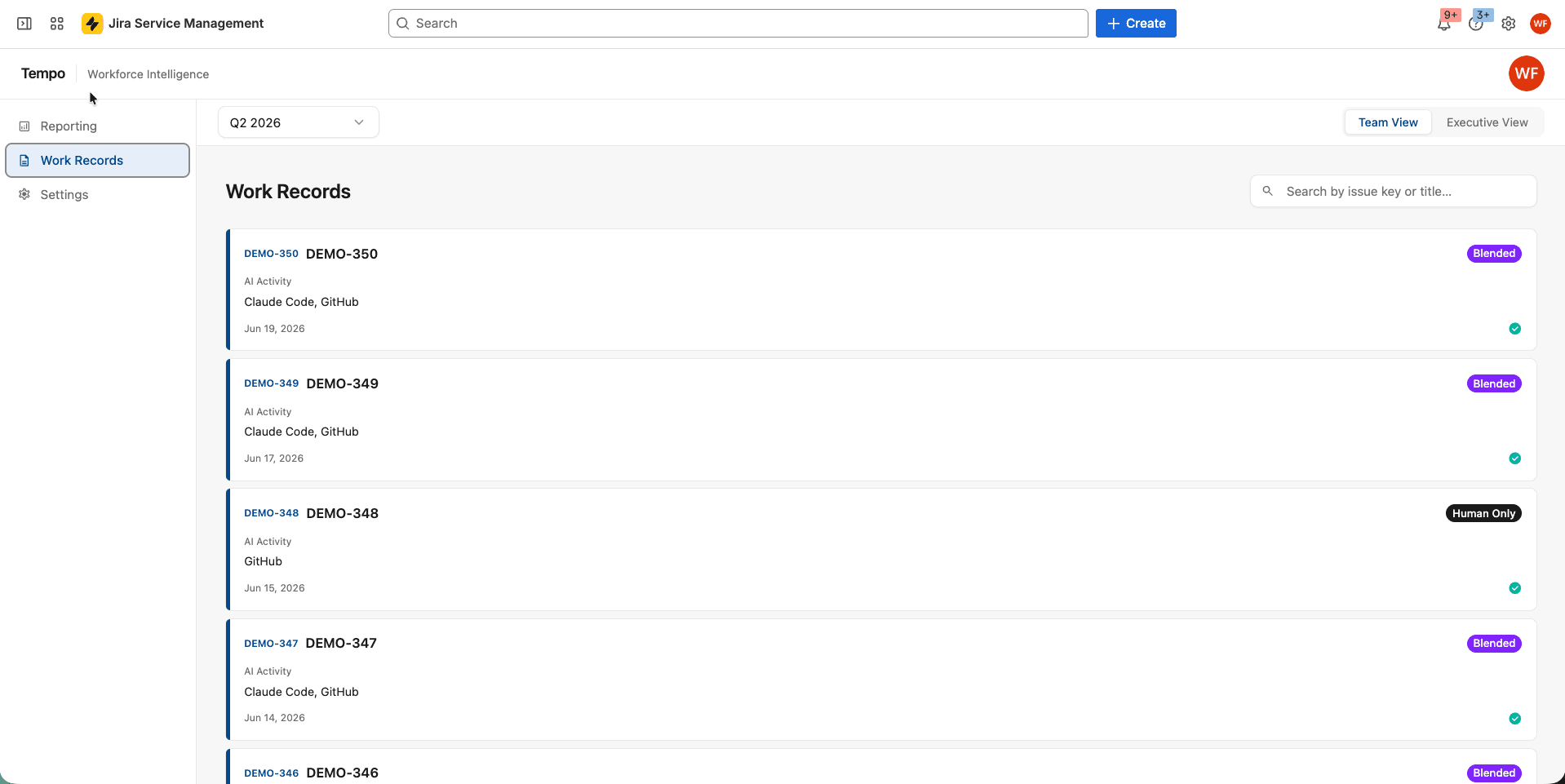
Tempo Workforce Intelligence is a Jira-native app that records human effort and AI activity against the same work item. It approaches effort from the opposite direction.
Both platforms above read Git and issue trackers, and both model effort from that activity. Swarmia blends its data with team and salary information for capitalization. Jellyfish allocates effort from connected engineering and business-system signals. Neither starts from time engineers log against work items.
Either model can satisfy an audit when its controls and methodology meet your requirements. Logged time matters when finance asks what an initiative cost, or when AI governance reviews ask what your AI tools returned. Whether capitalization needs a time record is a question for your auditor.
Engineers log effort inside Jira through Tempo Timesheets, with suggestions drawn from calendar and development tool activity. Workforce Intelligence reads that effort alongside system-detected AI tool activity. Usage from tools such as Claude Code and GitHub Copilot then maps to the issues and initiatives it supported. The monthly vendor invoice gains a work-item breakdown.
Blended effort on the work item: Human hours and detected AI activity sit against the same Jira issue. You can plan around AI as part of the workforce and see what a sprint consumed.
AI cost attribution: Tool activity ties to the issues and initiatives it supported. A flat vendor invoice becomes spend you can defend line by line.
CapEx and OpEx output: Recorded effort feeds a classification finance can use. This requires Timesheets running alongside Workforce Intelligence.
Plan against actuals: Tempo Capacity Planner reconciles planned capacity with logged effort through a two-way Jira sync. Next quarter's plan starts from what last quarter took.
Jira-native architecture: The measurement reads work where it already happens, with no separate system to sync and nothing new for engineers to open.
Priced per user through the Atlassian Marketplace, with a Marketplace trial. CapEx and OpEx classification is available to customers who also run Timesheets. Budget it as a two-product commitment.
AI and human cost attach to the individual Jira issue, which is finer than a team total.
The effort record is a direct time entry, which suits capitalization policies that ask for one.
Nothing new to deploy alongside Jira, so the instrumentation burden is lower than a standalone platform.
Capacity planning and time tracking draw on the same data, which removes a reconciliation step.
No pre-merge workflow automation and no prebuilt DORA benchmarking. Custom Charts for Jira can build DORA-style views from Jira data, but delivery flow problems need a different tool.
It runs inside Jira Cloud, so teams that plan elsewhere need another approach.
The record is only as good as the logging discipline behind it, which is a real adoption cost.
Swarmia and Jellyfish both do what they're built to do well. Neither one shows what a specific Jira issue cost in human and AI effort. Neither reads it from a logged time entry.
If that's the number you're missing, Tempo Workforce Intelligence runs alongside either platform. It doesn't replace delivery metrics or investment reports. It adds the work-item record that both are built without.
Try Tempo Workforce Intelligence for free and see human and AI effort attributed to each Jira issue.
Workforce Intelligence
The only solution that ties AI vendor spend to the teams, epics, and Jira issues it supported.
Start a Free TrialCouldn't find what you need?Go to our documentation
Not as a like-for-like swap. Swarmia and Jellyfish cover delivery metrics and developer analytics, which Workforce Intelligence does not. Its strength is the effort record on each Jira issue. Many teams keep an intelligence platform for delivery metrics. They add Workforce Intelligence for the effort behind cost, especially as AI becomes part of the workforce.
Yes, through Tempo Timesheets, and that is a real adoption cost. Timesheets suggests entries from calendar and development tool activity to reduce manual entry. Start with one team so you can judge the effort before a wider rollout.
Swarmia lists GitHub Copilot, Cursor, Claude Code, Codex, and CodeRabbit among its integrations. Jellyfish reports on AI coding tools such as Copilot and Cursor. Workforce Intelligence detects activity from tools such as Claude Code and GitHub Copilot and attributes it to Jira issues. Confirm each vendor's current connector list before you commit.
Swarmia also connects to Linear, Azure Boards, Shortcut, and GitHub Issues. Jellyfish connects to Linear and Azure DevOps. Workforce Intelligence runs only inside Jira Cloud, so teams on other trackers need a different effort record. Either platform still works for delivery metrics.
Boost performance and time management with insightful productivity quotes that inspire action, and well-being. Discover how to use quotes for success.

Strategic workforce planning still runs on headcount. For CIOs planning human and AI-agent teams, here's how to understand real capacity and cost.

In our latest Battle of the Apps, we compare Bloompeak's Reports - Charts and Graphs for Jira with our own app, Custom Charts.

There are pros and cons on both sides of the waterfall versus agile divide. Here’s how to choose the right methodology for your project.
Master Jira reporting basics to track project progress, analyze team performance, and make data-driven decisions with built-in report types.

Learning about business forecasting can help you prioritize projects to better align your team with company strategies and leverage changing markets.

See where shared capacity actually went. Team timesheets roll up Jira worklogs by person, project, and account so managers spot overload fast.

Whether it’s your first time or you’re a seasoned pro, this guide to SAFe PI planning will help you get the most out of each session.
Discover the importance of production planning. Explore each type and its advantages. You’ll reduce waste, improve margins, and increase efficiency.


















