

Discover how to conduct a product audit and how it improves manufacturing productivity, quality assurance effectiveness, and customer satisfaction.
Ground your workforce plan in delivery data, then extend it to AI agents

Key Takeaways
Strategic workforce planning is only as reliable as the capacity data beneath it, and in technology orgs that data lives in delivery, not HR.
An AI agent's capacity is compute and spend, not headcount, so a headcount-based plan can neither size it nor govern it.
Plan human and agent work in one view, with every dollar including AI compute tied to the outcome it was funded for.
CIOs are being asked to plan a workforce that now includes human teams and AI agents. The problem is that most workforce plans still start with headcount.
That works only if the people on the org chart are fully available, and they usually are not. Engineers lose time to incidents, meetings, and work that never appears on the roadmap. AI agents create a different problem: They add capacity, but that capacity shows up as compute and spend rather than seats.
That is why capacity planning has become a strategy problem. In Tempo’s 2026 State of SPM report, a survey of 667 planning and PMO leaders across 43 countries, capacity planning ranked as the number one barrier to strategy execution, ahead of prioritization and budget.
The solution isn’t to replace the workforce plan. It’s to ground the plan you already have in delivery data, then extend it to AI agents as another kind of capacity. This guide shows how.
Strategic workforce planning means looking three to five years ahead and asking what capacity your strategy will need. When the plan shows the business won’t have enough people or skills, you act early by hiring or training your team to have the skills you need. If the work is repeatable, you automate.
This way, strategic workforce planning is more about knowing whether the business will have the right roles and skills for the work you need to do.
This is different to capacity and resource planning. Where capacity planning matches the people you have to the demand for this quarter, resource planning focuses on assigning people with known skills to specific tasks.
The three blur together constantly, so it helps to lay them out.
Planning layer | Time horizon | The question it answers | Who owns it |
Strategic workforce planning | 3 to 5 years | Will we have the right skills and capacity for where the business is going? | CIO, transformation lead, CHRO |
Capacity planning | This quarter to a few quarters | Can the people we have meet the demand in front of us? | PMO, engineering directors |
Resource planning | Days to weeks | Who, specifically, works on which task? | Team leads, delivery managers |
Most workforce-planning frameworks anchor on five rights: The right number of people, with the right skills, at the right level, in the right place, and at the right cost. That fifth one, cost, is what AI is about to change.
Only 37% of leaders say they have good or complete visibility across projects, per the 2026 State of SPM report.
Most technology workforce plans start with what team leaders say they need, then translate that into headcount. The problem is that those inputs often assume people are more available than they are.
Ten engineers on the org chart do not equal ten engineers of usable capacity once incident response, meetings, and unplanned work are accounted for.
Planning from headcount typically assumes full capacity, which just isn't realistic.
While headcount is a useful starting point, it cannot show how much work teams can take on. Availability changes as teams absorb incidents and unplanned work, so the plan needs to stay connected to what your teams are delivering.
Timing makes that harder. In the 2026 State of SPM report, 46% of organizations review plans only quarterly or annually, while just 31% review continuously. A plan built from team inputs and left untouched for a quarter can drift from delivery reality before the next review.
That is why the plan has to run on delivery data, not headcount alone.
Delivery reality is the work already on your teams’ plates, plus the time and skills available for new work. Bring that data into the workforce plan, and leaders have a capacity number they can defend. The teams that already plan this way have mature, adaptive portfolio practices and deliver measurable ROI on 81% of projects, versus 45% for the least mature, according to the 2026 State of SPM report. In practice, maturity means planning from real availability and with capacity data.
The difference comes down to whether your plan can answer these four questions with real data instead of estimates.
The question a workforce plan must answer | The data that answers it honestly | Where it lives today |
How much can these teams deliver? | Real capacity by team, individual, and skill, after meetings and incidents | Tempo Capacity Planner |
Did the plan match what happened? | Hours logged against planned work | Tempo Timesheets |
What does the whole portfolio look like across business units? | Projects, programs, and portfolios in one hierarchy | Tempo Structure PPM |
What is the work costing us? | Labor cost, CapEx versus OpEx, budget against actuals | Tempo Financial Manager |
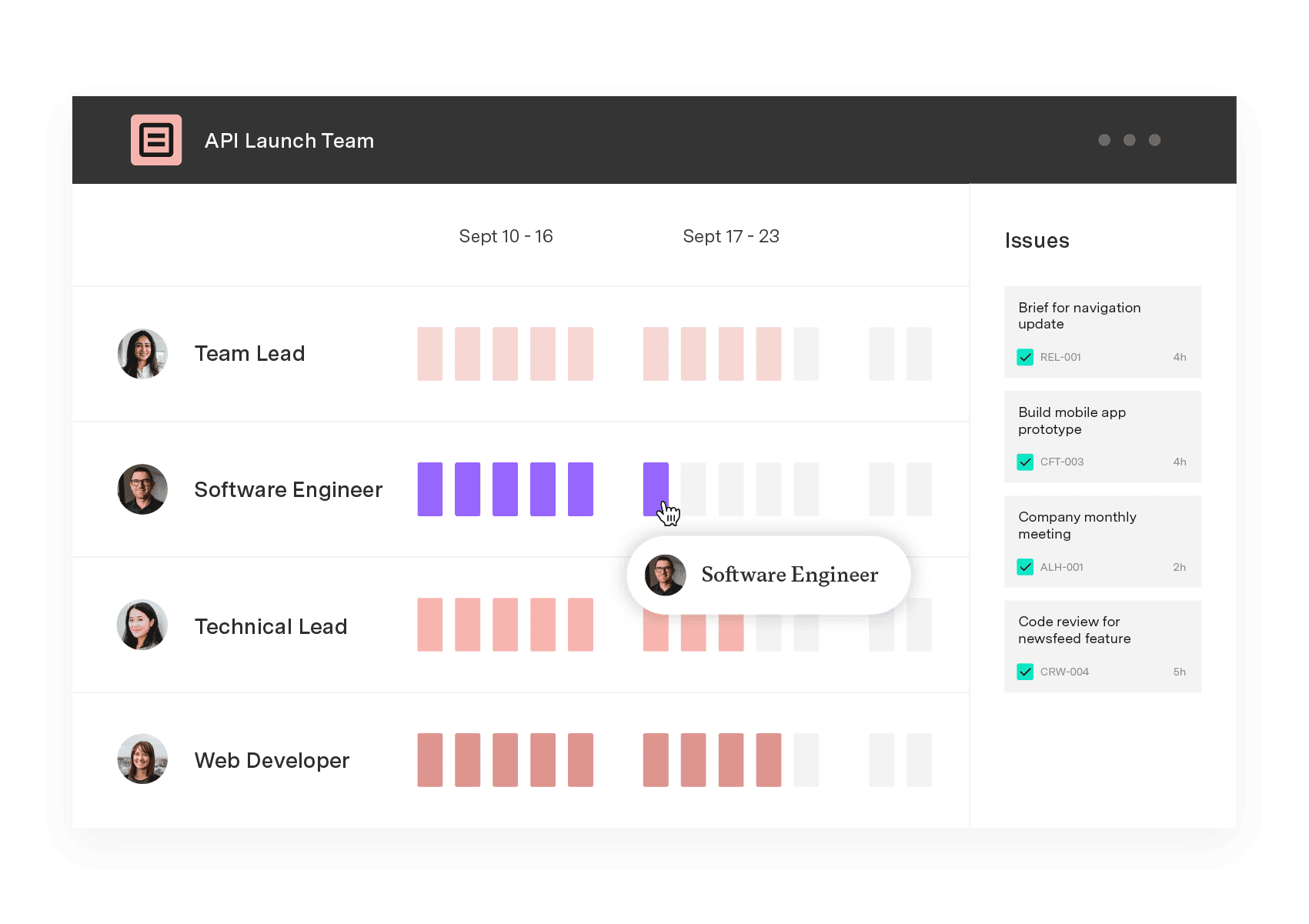
Start with capacity, because this is where most workforce plans become either useful or misleading. Tempo Capacity Planner shows who is available and where work is already committed. From there, teams can schedule work at the task or ticket level based on availability and skill, so the plan reflects the specialists the work needs rather than the number of people on the org chart.
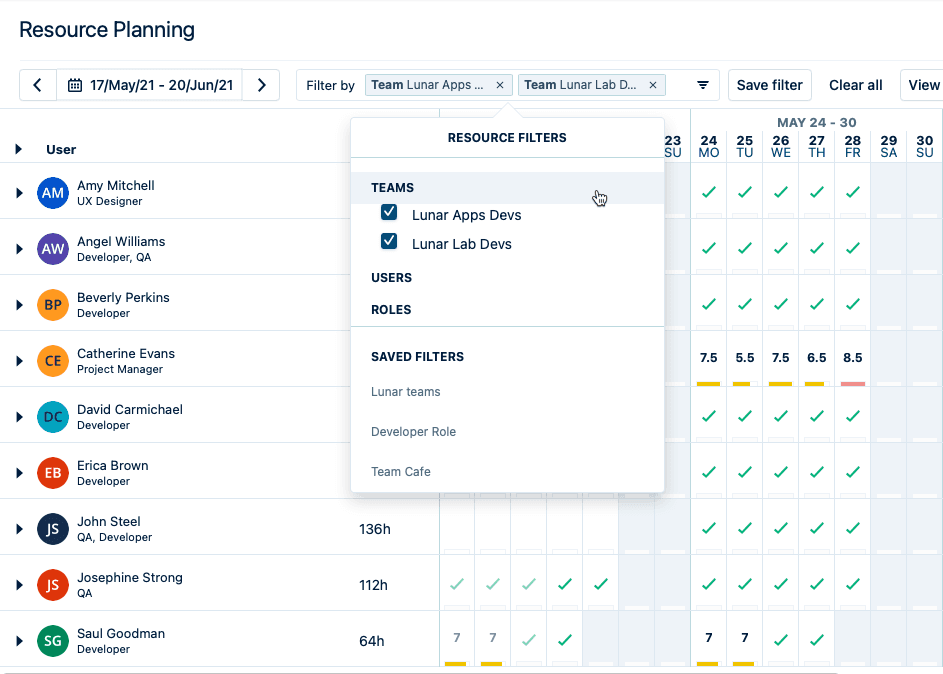
For context, OTP Bank Group, as one of the Central and Eastern Europe’s largest banking groups, needed a clearer way to plan and govern work across a growing Jira environment. Tempo became part of that operating model: Agile teams and product owners use Capacity Planner to allocate and forecast resources at the start of each quarter, while units such as the Serbian subsidiary map IT capacity against project demand.
That is the shift: Capacity is not treated as a static estimate from leadership. It’s connected to the work teams are already planning, which makes the plan easier to defend when there’s a change in priorities or demand.
Tempo Timesheets capture the actuals inside Jira. Your engineers can log time on the Jira ticket they’re already working on, without switching into a separate system. Tempo Timesheets also uses signals from calendars and coding tools, including VS Code, to suggest time entries. Logging time then becomes a matter of confirming the work they already did, rather than recreating the day from memory.
Paired with Tempo Capacity Planner, planned time and actual time sit side by side. Leaders can see whether the sprint goals are still achievable without rebuilding the comparison of time spent (and on what) at the end of every month.
That same logged-time foundation is what the blended view builds on: Tempo Workforce Intelligence, launching on the Atlassian Marketplace in early Q3 2026, adds system-detected AI activity on top of the human time Timesheets already captures.
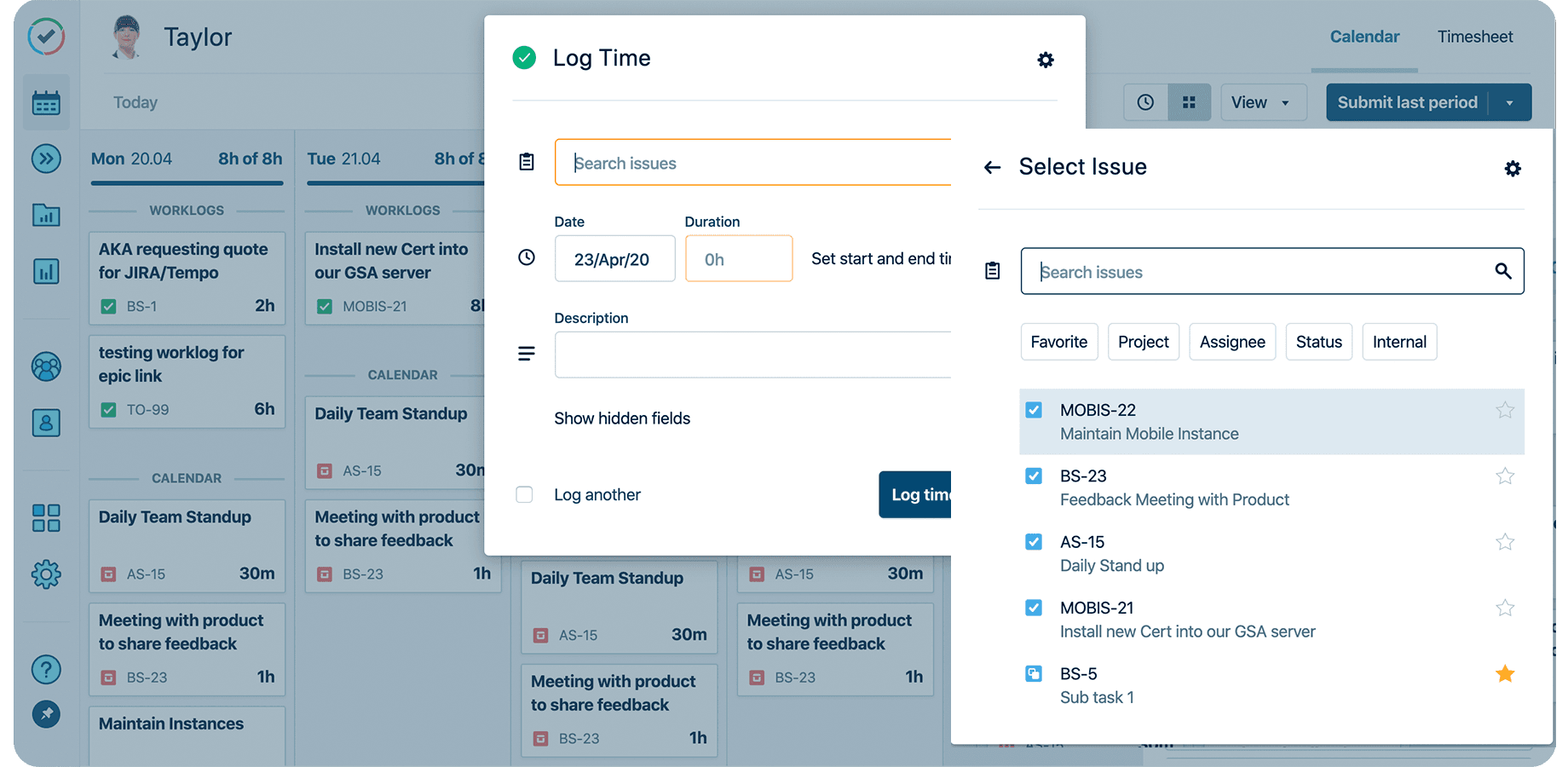
Paired with Capacity Planner, planned and actual sit side by side as a live comparison, not a month-end reconstruction.
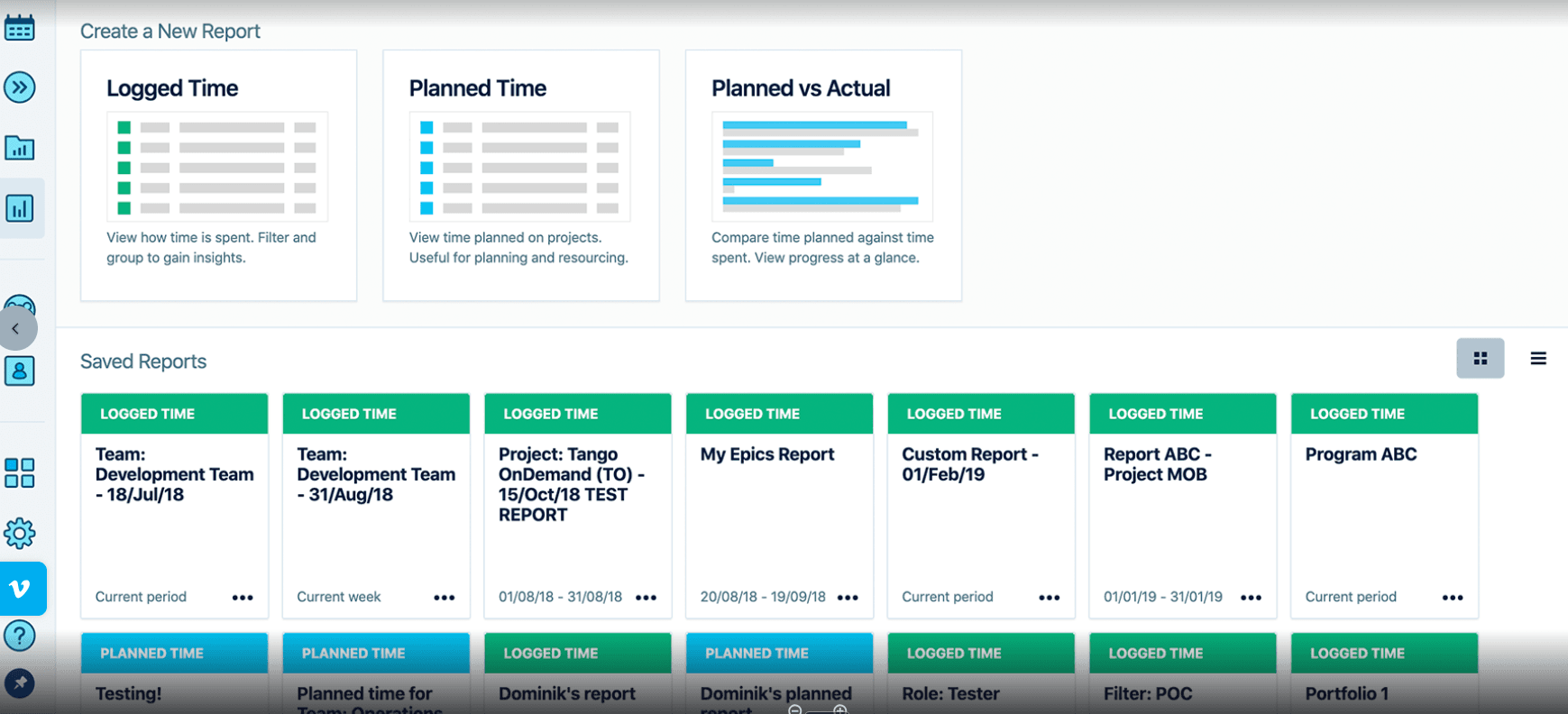
That same delivery record also rolls up into the portfolio view. With Tempo Structure PPM, you can see work done across business units, so you can see where the portfolio is overcommitted beyond any one team’s plan.
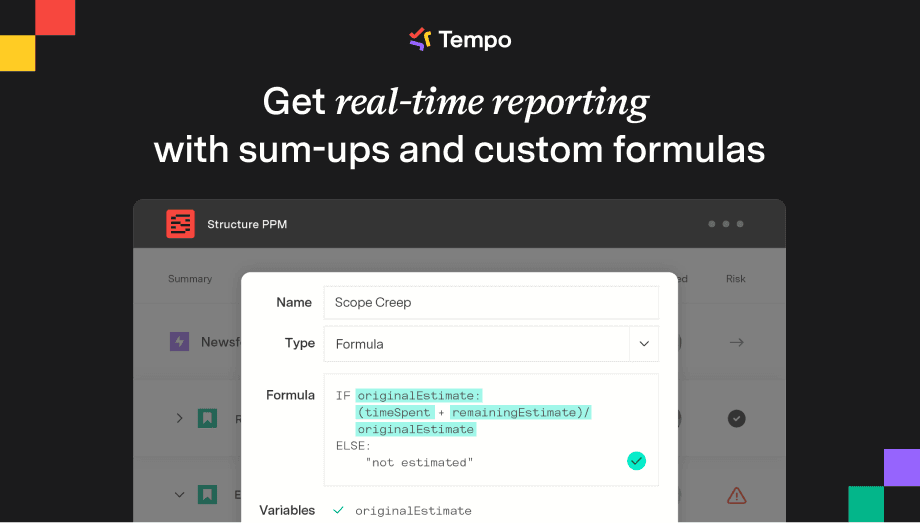
Tempo Financial Manager adds the cost view. It turns logged hours into labor cost and tracks CapEx versus OpEx, grouping projects into strategic portfolios so you see budget against actuals at the level finance reports on.
There are limits though. Tempo grounds the plan when delivery runs in Jira, so work outside the Jira environment still needs to be connected. It also doesn’t replace HR systems for succession planning or compensation modeling. Its role is the delivery-capacity and cost side of workforce planning.
When a workforce plan needs more capacity, the standard move is one of the six B's:
Build (train internally)
Buy (hire)
Borrow (contract)
Bind (retain)
Bounce (exit a role)
Boost (automate)
There is a seventh now: Bot, meaning deploy an AI agent to do part of the work. It reshapes the plan because an agent's capacity is measured in compute and spend rather than headcount.
This is not a new concept. KPMG and Deloitte both now describe workforce planning as covering human and digital workers alike. They tend to skip the mechanics.
A human and an agent are different units of capacity, and a plan that treats them the same will misprice both.
A person is fixed and discrete: Real usable hours after time off, with a ramp measured in months
An agent is elastic and continuous: It scales with the compute you give it and bills for that compute the whole time it runs
Add an agent to a headcount sheet and one of two things happens: It disappears because it has no seat count, or it shows up as spend with no clear link to the work it supports.
When you plan people and agents as two kinds of capacity, you can size each one properly and fund each one honestly.
The teams pulling ahead are already the ones bringing agents into the work. In the 2026 State of SPM report, 30.3% of the highest-performing planners use AI extensively, against 0% of the lowest.
As agents take on more, strategic workforce planning moves from an annual document to something closer to continuous. Three things have to be true for it to work, and none of them are true in a headcount spreadsheet.
1. First, human and agent work belong in one view
The blind spot today is that agents finish work and spend budget outside the reporting rhythm, so leadership sees a partial picture without knowing it is partial. Planning a blended team means seeing both kinds of workers against the same plan and the same capacity.
2. Second, every dollar connects to an outcome, including the dollars going to AI compute
The board is already asking about the return on AI spend. You can only answer that when compute is tied to the initiative it funds, the same way labor cost is tied to delivery work.
This means you need to map how each AI compute charge supports the initiatives they’re meant to support. This link lets finance compare the agent’s cost vs its intended outcome to know if there’s a relevant ROI to increase (or reduce) AI spend.
Connecting AI spend also helps you know if you’re spending more than you need to.
3. Third, you decide how much autonomy each agent gets
A useful way to think about agent autonomy is to figure out what it can do on its own and what still needs a human’s approval.
At the cautious end, the agent only surfaces a signal and a human decides what to do
In the middle, the agent recommends an action and waits for approval before making any changes
At the far end, it acts on its own within clear limits, while the most consequential calls remain with the people accountable for them.
Autonomy level | What the agent does | Who decides |
Observe | Surfaces a signal | You |
Assist | Recommends an action | You approve it |
Delegate | Acts within limits you set | The agent, inside guardrails |
The version that holds up runs on the same delivery data your human teams already produce. Same model, wider population. This is what Tempo workforce intelligence is built for.
It captures human time and AI activity together at the work-item level inside Jira, so an agent's contribution and its cost land in the same system of record as everyone else's work, rather than in a separate vendor invoice. Tempo's view is that the organizations that plan their agents the way they plan their people are the ones that will not be surprised by either.
That is where workforce planning is going.
You do not need an 18-month program. The best way is to stop planning from headcount and move to delivery reality one layer at a time.
Baseline real capacity. Use what your teams can deliver from their availability and skills, not their seat count.
Make planned versus actual live. Connect the plan to logged time, so you catch overload in week two instead of at quarter-end.
Bring cost into the same view. Compute the price of the workforce from the work itself.
Set your autonomy posture before agents scale. Decide what each agent can do on its own, from flagging a signal to acting within limits you set.
The organizations that plan a blended workforce well will be the ones already planning their people from real capacity and real cost, because it is the same muscle. Build it now, on the workforce you have.
Start a free trial of Tempo Capacity Planner and build your first capacity-based plan from real Jira data.
Capacity Planner
Capacity Planner is the only tool in the Atlassian Marketplace that allows planning for multiple resources on one issue. Users can customize the UI to include their existing Jira issues and projects.
Start a Free TrialCouldn't find what you need?Go to our documentation
Strategic workforce planning is the practice of matching the workforce your strategy will need over the next three to five years to what you have today, then closing the difference through hiring, training, contracting, or automation. It works at the level of roles and skills rather than individual task assignments, and it sits above capacity planning and resource planning.
Strategic workforce planning sets long-range skills direction over years; Capacity planning matches the people you have to the demand in front of you over the next quarter or two. They are the same discipline at two altitudes, and the strategic plan is only as reliable as the capacity data beneath it, which is the layer most technology organizations cannot see clearly.
The five rights are the right number of people, the right skills, the right level, the right place, and the right cost. They work as a checklist for any workforce plan. For a technology organization, the last one is getting harder to answer, because AI compute is now part of what the workforce costs.
The six B's are the levers for closing a workforce shortfall: Build (train internally), buy (hire), borrow (contract), bind (retain), bounce (exit roles you no longer need), and boost (raise output through automation). Many teams now add a seventh, bot, for deploying AI agents to do part of the work.
Discover how to conduct a product audit and how it improves manufacturing productivity, quality assurance effectiveness, and customer satisfaction.

Scenario planning software spans three categories. Compare the best tools for portfolio and delivery planning against real team capacity.

Understand Scrum master responsibilities, who can become a Scrum master, and how to train for the role. Find out how Scrum masters benefit teams.
Now you can make detailed reports on the status and progress of your custom structures on a Jira dashboard.

Connect your high-level strategy with day-to-day planning by syncing your data seamlessly between Strategic Roadmaps and Jira.

Learn how companies manage variable expenses to control costs, prevent overspending, and reach their financial goals.

Discover what the Kano model is and how it can help guide customer feedback and product prioritization. Learn more about the Kano model from Roadmunk.

Learn resource planning to increase the likelihood of project success. Deploy company assets and workers to deliver outcomes on time and under budget.

Avoid the pitfalls of poor planning and pave your way to success with seven reasons why strategic plans fail – and how you can avoid them.

















