

How to move Tempo data from Jira to any business intelligence tool with a user-friendly interface, flexible configuration, and no technical skills.
Build portfolio dashboards that stand up to scrutiny.

Key Takeaways
Organize Jira work around your business hierarchy, so projects contribute to the correct program and initiative totals.
Apply consistent status definitions and calculation rules across the portfolio.
Let stakeholders trace summary figures to their source records, with owners responsible for keeping those records current.
Use Tempo Structure PPM to build business-aligned hierarchies and inspect rollups, then Custom Charts to present Jira data in executive views.
Your CIO points to the budget-consumption rate on your portfolio dashboard and asks which projects contributed to it. You can see the total, but verifying it means pulling Jira reports into Excel.
Leadership might track investments by business initiative, while delivery teams manage work in separate Jira projects. Unless your dashboard connects those projects and applies consistent calculation rules, it can show a figure without making its source clear.
A reliable portfolio dashboard lets you trace totals to their source records and explain the calculations during reviews.
A project portfolio dashboard summarizes performance across projects and programs. It helps you assess progress against business commitments and identify where leadership needs to intervene.
An individual project dashboard tracks delivery within one project. In project portfolio management, you also need to see how related projects contribute to the same investment.
Suppose engineering and compliance teams manage work in separate Jira projects while supporting one business initiative. Your portfolio dashboard should combine their results under that initiative.
In Tempo's 2026 State of SPM report, 37% of respondents at organizations with siloed portfolio processes reported good or complete cross-project visibility, compared with 82% at organizations with fully integrated processes. The survey included 667 planning and PMO leaders across 43 countries.
A project portfolio dashboard typically includes the following portfolio management metrics:
Metric | What it shows | Decision it supports |
Project and program health | Status across the portfolio | Which initiatives need attention? |
Schedule and milestones | Delivery commitments and forecast changes | Which dates require intervention? |
Budget vs. actual spend | Spending against approved budgets | Which projects need financial review? |
Resource capacity | Available capacity versus planned demand | Can the organization meet its commitments? |
Risks and dependencies | Material risks and connections between projects | Where could a problem affect other initiatives? |
Strategic alignment | How projects contribute to business objectives | Which initiatives should remain priorities? |
Decide which changes require action before choosing how to display your portfolio metrics.
Suppose two initiatives need the same engineering specialist during the same planning period. A capacity chart might show that the engineer is overbooked, but your CIO still needs to know which delivery commitment the overbooking puts at risk.
Compare the engineer's planned hours across both initiatives with their available capacity. If demand exceeds availability, identify the affected commitment and who can adjust the assignments.
Agree on which exceptions program managers can resolve and which require leadership approval. Then set dashboard thresholds to flag those issues when they arise.
Suppose you're overseeing a digital modernization initiative. Engineering tracks application development in one Jira project, while compliance manages its work in another. Both projects also contain work for other initiatives.
To bring together only the work related to digital modernization, you can identify the relevant Jira items using a shared label or custom field. For example, teams could tag their work with a digital-modernization label, making it possible to select those items across both projects.
Structure PPM lets you use those criteria to organize Jira work under a business initiative without changing the underlying projects.
Here's how to create that hierarchy using Structure's Power mode, which lets you build custom hierarchies with automated rules called generators:
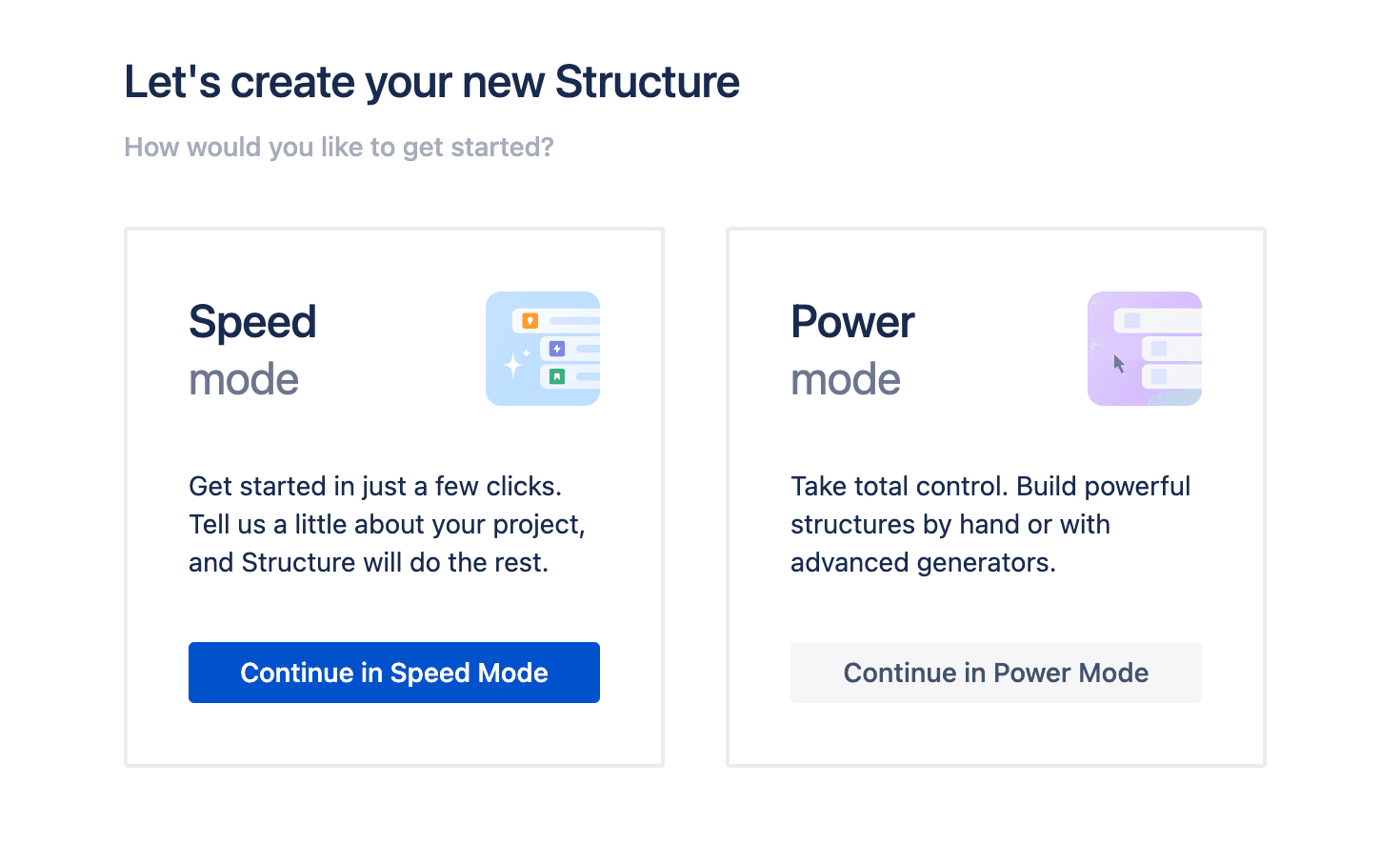
Create a Structure in Power mode. Add a Flex item, which acts as a grouping item without creating another Jira work item. Name it “Digital Modernization”.
Beneath the Flex item, add an Insert generator. Configure it to select items from the engineering and compliance Jira projects with the digital-modernization label.
Add a Group by Field generator beneath the same Flex item, after the Insert generator. Group the selected items by Jira project so engineering and compliance appear as separate workstreams.
Add columns for the fields you want to review, such as status and due dates.
You can now expand digital modernization to see the engineering and compliance work grouped beneath it. As teams add or update Jira items, the insert generator updates the hierarchy based on your selection criteria.
Once you've organized the Jira work under digital modernization, decide how each project's results contribute to the initiative's overall status and metrics.
Take project health. One manager might report amber when a critical milestone is likely to slip, while another waits until the deadline has passed. You should define what amber means so that teams assess risks consistently.
Budget calculations need similar consistency. Consider these figures for two projects within digital modernization:
Metric | Project A | Project B | Initiative total |
Approved budget | $100,000 | $200,000 | $300,000 |
Actual spend | $80,000 | $20,000 | $100,000 |
Budget consumed | 80% | 10% | 33.3% |
Illustrative figures.
Averaging the two project percentages gives you 45%. But that ignores the difference in their budgets.
To calculate how much of the initiative's budget you've spent, divide total spending by the combined approved budget:
$100,000 ÷ $300,000 = 33.3%
You can calculate this in Structure PPM if finance maintains the required financial values in Jira.
For example, if each project has one designated Jira item containing its approved budget and actual spend, add those fields to your Structure grid. Then create a Formula column using SUM { actualSpend } / SUM { approvedBudget } and map the variables to the corresponding Jira fields.
At the initiative level, the formula calculates budget consumption using the financial values in the hierarchy.
Restrict the calculation to the designated financial reporting records. If teams record the same budget on parent and child Jira items, the formula could count both amounts.
Also, check how the formula handles missing values or a zero approved budget. Flag incomplete or invalid results before using them in your dashboard.
Before using a figure in your portfolio reporting, check that it includes every relevant project and uses current financial records. A calculation can be correct while leaving out part of an initiative.
Let's go back to the digital modernization example from the previous section. The 33.3% budget-consumption rate accounts for two projects. But if finance's approved list includes a third project, the figure doesn't represent the full initiative.
In Structure PPM, you can expand digital modernization and compare the projects in the hierarchy with finance's approved list.
If a project is missing, check the Insert generator's selection rules. For example, its Jira items might lack the digital-modernization label used to identify work belonging to the initiative.
Once you've confirmed that the project belongs to digital modernization, correct the missing label or selection rules. Check that its financial reporting item appears in the hierarchy and review the updated total.
You can also add the Structure dashboard gadget to your Jira dashboard and select a view containing the budget, spending, and calculated columns.
Stakeholders can expand the hierarchy and inspect the financial records behind each total directly from the dashboard, without rebuilding the figures in Excel.

Assign an owner to each metric and agree on how often the owner updates it.
For example, project managers can update milestone forecasts whenever an approved delivery plan changes. Finance can provide actual spending after closing its reporting period.
When the information comes from another system, agree on how it reaches your dashboard. If finance maintains spending data in an ERP system, you'll need a supported integration or a process for updating the corresponding Jira records.
Include these responsibilities in your project dashboard setup. Show the reporting period alongside financial metrics so leadership can distinguish the latest delivery forecasts from last month's spending.
Your dashboard should reveal when a delay in one project puts another project's commitments at risk.
Say an application release depends on a security assessment managed by another team. Engineering remains on schedule, but the security team now expects to finish its assessment after the required approval date.
Both projects might report progress against their own plans without clearly showing what the delay means for the release.
When managing multiple projects, track these dependencies alongside the milestones they affect.
In this case, show the security assessment as a prerequisite for release approval, along with its latest forecast date. Identify who owns the assessment and flag the release milestone if the revised date threatens delivery.
Leadership can then see which commitment is at risk and decide whether the release date or the underlying plan needs to change.
Different stakeholders need different levels of detail from the same portfolio data.
Instead of building separate reports for each audience, use the same underlying project records and reporting rules. Adjust which metrics appear in each view and how much detail people can see.
Wienerberger AG uses Structure PPM to support portfolio reporting across its global operations. Regional teams organize their Jira work through generated structures, while executives, including finance leadership, have access to dedicated Structure views.
You can take a similar approach with Tempo Custom Charts.
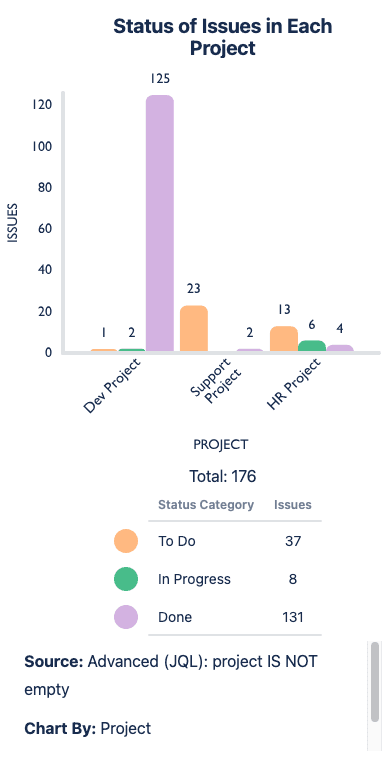
For example, to compare project progress, add a Custom Charts gadget to your Jira dashboard and select the relevant Structure as its data source. Create a grouped bar chart with Project as Chart By and Status Category as Group By.
The chart shows how many Jira items are in To Do, In Progress, or Done across projects. If one project has substantial unfinished work, you can investigate its milestones to determine whether delivery is at risk. Work-item counts alone won't tell you that.
Teams may break their work into differently sized items. So, compare the remaining work against delivery forecasts before treating the chart as evidence of a schedule risk.
If your organization supports public sharing and your Jira administrator enables it, you can use Custom Charts Shared Dashboards to share portfolio views with executives who don't have Jira access.
Check permissions before distributing sensitive information, since public dashboards display data using the permissions of the person who last saved the Shared Dashboards gadget.
The metrics leadership needs can change as the portfolio evolves.
For example, your dashboard might initially emphasize milestone delivery and actual spending. If leadership becomes more concerned about future cost overruns, those measures won’t show what each initiative will cost by completion.
You may need to add forecast costs alongside approved budgets and actual spending.
Before introducing the new measure, agree on how teams will calculate their project cost forecasts and who will maintain them. Otherwise, you'll end up comparing estimates prepared using different assumptions.
Use your strategic portfolio management reviews to check whether the dashboard still supports the decisions leadership needs to make. Update the measures when those decisions change, and remove reporting that no longer serves a purpose.
A portfolio dashboard earns its place in leadership reviews when you can explain the figures without rebuilding them in Excel. Start with a hierarchy that matches how the business funds work. Use reporting rules that produce consistent totals, and make sure someone owns the records behind them.
Structure PPM lets you organize Jira work under business initiatives and inspect calculated rollups. Custom Charts can present the underlying Jira data in views suited to different stakeholders.
With those foundations in place, you can spend the review discussing which commitments need attention instead of reconciling another spreadsheet.
Book a demo to see how Tempo supports portfolio reporting.
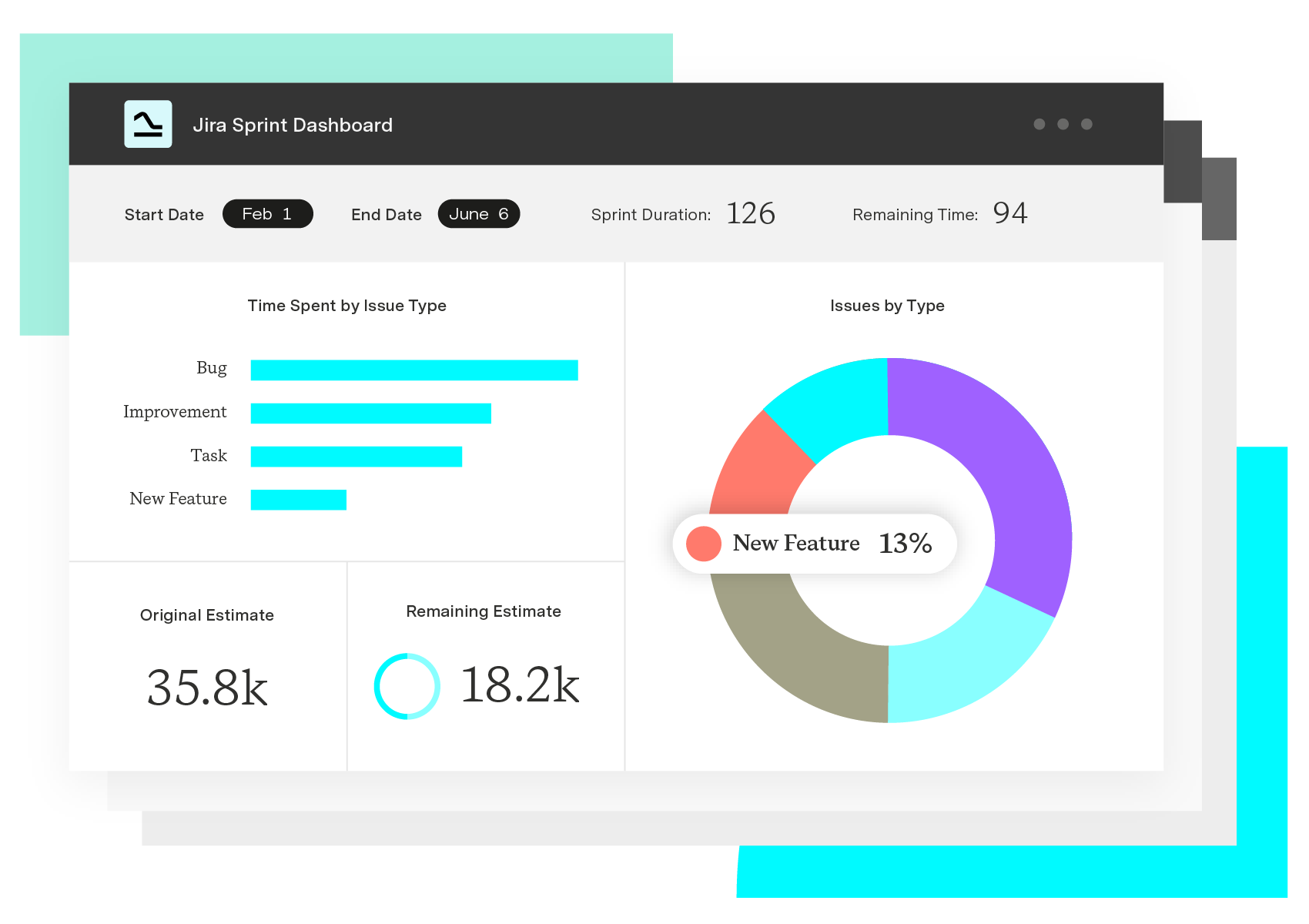
Custom Charts for Jira
Build charts and dashboards to evaluate delivery, capacity, and speed for all teams with Jira's most flexible custom reporting app
Start a Free TrialCouldn't find what you need?Go to our documentation
Use portfolio measures tied to shared delivery commitments rather than comparing incompatible activity metrics. An agile team might report completed story points while another team tracks milestone completion. Those figures describe different aspects of delivery.
At the program level, compare agreed milestones against current forecasts. Teams can retain their own delivery metrics while reporting against common commitments.
A dashboard can reduce the preparation required for a review, but leadership still needs to make decisions about emerging risks.
Use the dashboard to identify issues before the meeting. Then discuss the decisions that require approval, such as changing an initiative's priority or revising a delivery date.
Record the decision and its owner so the next review can check progress.
Include both when leadership needs to assess future financial commitments.
Actual spending shows what has already been spent. A forecast estimates the remaining expenditure required to complete the work.
Keep the measures separate and show when someone last updated the forecast. Review it when an approved project plan changes.
How to move Tempo data from Jira to any business intelligence tool with a user-friendly interface, flexible configuration, and no technical skills.

There are clear advantages to program management: Visibility, dependency control, resource alignment. So how do you implement these capabilities?

AI spend management software controls buying and meters usage. See the leading tools and how finance attributes AI cost to the work it produced.

Learn how to establish target profit goals. Use this business metric to develop sales goals, increase profitability, and motivate employees.

Discover 10 project management pitfalls to avoid for achieving success. Enhance your skills and lead projects effectively! Read more here.

Not every delayed dependency is a program risk. Learn the 4 conditions that trigger escalation, and spot exposure before it reaches leadership.

Boost efficiency with project portfolio optimization. Align resources, focus on high-value projects, and make smart decisions for long-term success.

Learn how to create compelling visual project timeline roadmaps that outline milestones, track dependencies, and keep your team aligned.

Support your team by using the best project planning tools out there, and discover how Tempo’s products can enhance your workflow.




















