

Selecting portfolio management dashboards and metrics that drive decisions and align with how different stakeholders actually work.
Ready to make the most of Tempo? Unlock powerful analytics and drive smarter decisions with intelligent insights.

Intelligent insights turn raw project data into recommendations teams can act on. Natural language processing and dynamic visualizations compress complex datasets into targeted, decision-ready information — the kind you can use before the next steering committee, not after it.
Tempo puts that information at your fingertips. Teams customize data views, monitor real-time progress, and manage risks in the same workspace they already plan in. The result: faster decisions, tighter execution, and fewer surprises.
Intelligent insights are data-driven views that improve decision-making across the project lifecycle. By pulling from your live project database, they monitor effectiveness, surface actionable opportunities, and support informed decisions at every stage.
Dashboards and visualizations make the data legible. They show how projects, resources, and outcomes connect — so managers spend less time interpreting reports and more time acting on them.
Intelligent insights support a range of project and portfolio needs. A few of the most common:
Project risk management: Self-service access to real-time data lets teams monitor project health and spot bottlenecks early. Catching risks before they escalate keeps projects on track and stakeholders informed.
Resource allocation: Visualizations of availability and workload distribution reveal over- and under-utilized resources. Teams rebalance the work, hold to schedule, and stay under budget with less downtime.
Performance monitoring: Centralized dashboards track team performance and productivity trends. Metrics aligned to strategic goals help leaders reinforce what's working and fix what isn't.
Here are the tangible benefits intelligent insights deliver:
Faster, more accurate decisions: Insights integrate data from multiple sources to expose emerging trends and highlight the performance drivers that move the business.
Competitive advantage: Advanced analytics surface hidden trends and opportunities, so you can adjust strategy — prioritizing high-impact projects instead of reacting to whichever fire is loudest.
Risk management: Real-time monitoring flags budget overruns, resource shortages, and slipping timelines while there's still time to correct them.
Customized data views: Tailored dashboards let users define the metrics, visualizations, and reporting formats that match their work. Less clutter, better alignment.
Open API integration: Tempo connects to the tools and databases you already run on, keeping reporting consistent and insights context-rich.
Here's how to put intelligent insights to work in Tempo:
Log into your account or sign up for a free trial to access the platform's full feature set.
Open the Dashboard from the home screen. It's your hub for metrics, visualizations, and updates — a single place to track assets, budgets, and team performance.
Organize dashboards around the metrics that matter to your team or project. A focused view of tasks, risks, and resource allocation makes it easier to act on what the data is telling you.
Connect Tempo to Slack, Jira, and the rest of your stack. Updates flow across platforms without manual reconciliation, which is how you keep professional services automation from turning back into copy-and-paste.
Intelligent insights turn raw data into direction. Continuous monitoring compares real-time metrics against historical baselines, flagging query delays, excessive wait times, and timeout requests as they happen.
Tempo pairs that signal with root cause analysis and improvement recommendations. Intuitive dashboards give teams a clear read on database and portfolio performance, so managing it becomes proactive rather than reactive.
The bigger payoff is accessibility. Self-service reporting means team members no longer wait on a BI team to answer basic questions — they tailor the view themselves and get on with the work.
Tempo provides a set of tools that turn project data into decisions:
Planning Intelligence delivers dynamic schedules that adapt to change, surfacing workload and risk information in real time. With it, you can:
Use data-driven insights to improve performance
Visualize progress
Review metrics
Make informed decisions about your project portfolio
Prioritization becomes straightforward instead of political.
A multi-project portfolio hides a lot of moving parts, especially across teams. Schedule Insights lets you:
Identify schedule and workload risks as they happen
See the potential impact
Access the data needed to resolve issues
Make the right decisions at the right time
Dashboards visualize work metrics and monitor schedules across the project lifecycle. Enable guest access when it's time to bring stakeholders in. Use Table Reports to:
Customize settings, columns, and filters
Capture the time and effort driving priorities
Compare availability against workload
Report on utilization
Custom Data Fields sharpen tracking, visibility, and reporting. Filter and build views around the data you care about — client, program, risk level, or anything else that matters to how you run projects.
The Open API extends Planning Intelligence beyond Tempo. Integrate work metrics, schedule insights, and custom data into your digital ecosystem. Filter and download schedule data, push information to other platforms, or update plan items based on user actions elsewhere.
Not every analytics tool earns its seat at the table. The ones that do share a few traits.
Customizable dashboards let users visualize data around their goals. Tailored layouts, filters, and visuals surface trends without hunting for them, and real-time views keep critical metrics in front of the people making the calls.
Natural language support lets users query data in plain English. It removes the technical barrier that keeps business intelligence stuck inside the analyst team.
Self-service access democratizes data. Users retrieve and analyze information without waiting on IT, which is how you get an organization that responds to signals rather than requesting reports about them.
Comprehensive database insights pull structured and unstructured data into one view. Decision-makers see the full picture, identify opportunities, and adjust strategy from a shared source of truth.
Planning Intelligence delivers reality-based schedules that adapt as things change, surfacing workload and risk in real time. Use it to improve performance, visualize progress, and make informed calls across the project portfolio.
Dashboards are generated at the package and project level for immediate insights. Build custom workspace dashboards to refine the data set, and get productive with easy setup and widget configuration. Dashboards update in real time — no maintenance required — and cover work metrics and schedule insights across the project lifecycle.
Custom data fields track visibility, and reporting on the plan attributes unique to your business. Categorize by client, program, or risk level using a wide variety of field types. Filter and create views to analyze exactly what you need. Custom data fields enrich tracking in your workspace and make it fit the way your organization actually operates.
Multi-project portfolios have a lot of moving parts. Schedule Insights highlights schedule and workload risk as it emerges. Tempo surfaces the risk, shows the potential impact, and gives you the data to resolve it — so the right decision lands at the right time.
Share Planning Intelligence across organizational boundaries. Integrate work metrics, schedule insights, and custom data into your broader digital ecosystem. Use the Open API to filter and download schedule data, push information to other platforms, or update plan items based on actions in other systems.
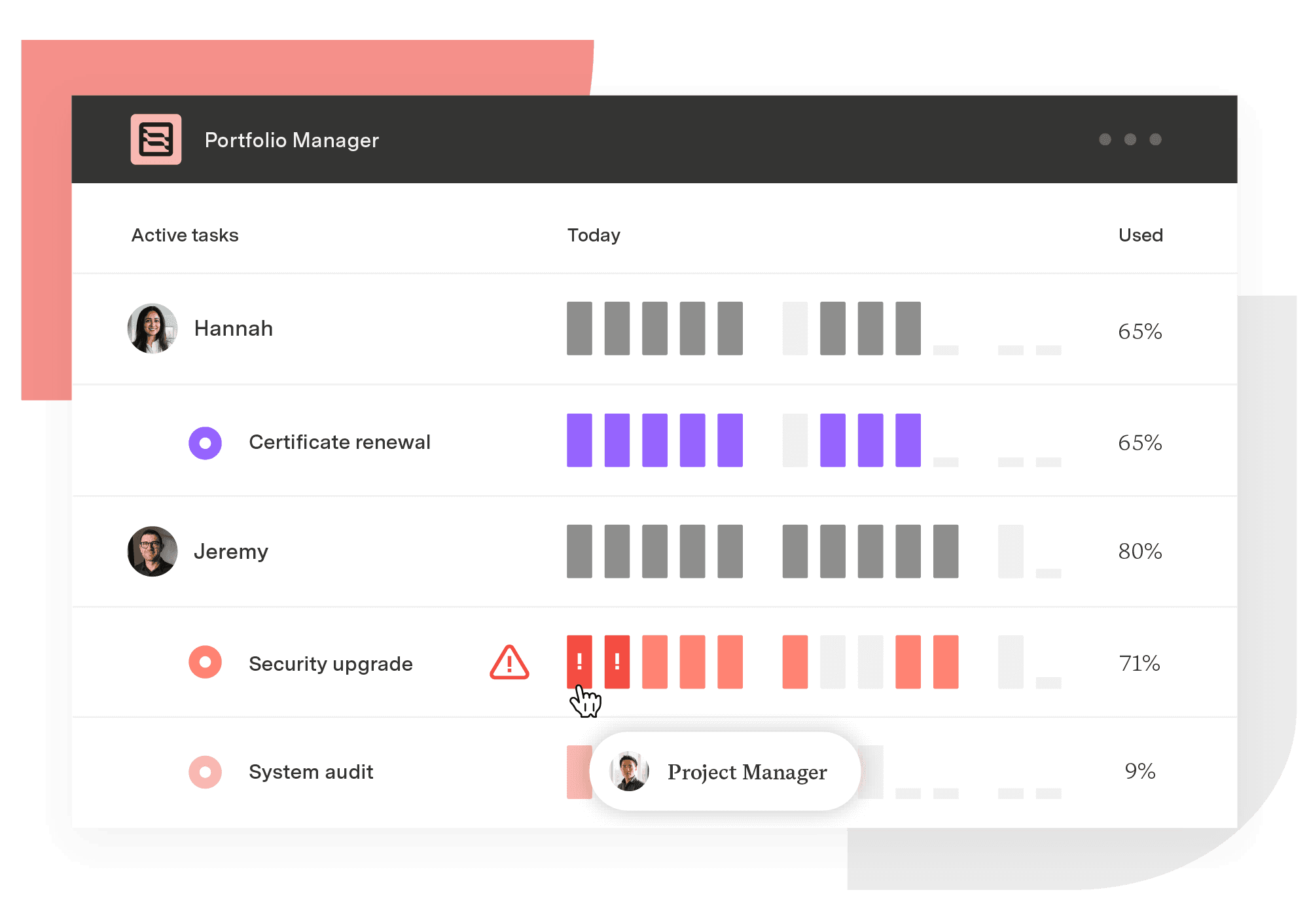
Portfolio Manager
The only project management solution that adapts to change and manages uncertainty to help teams plan, predict, and perform.
Start a Free TrialCouldn't find what you need?Go to our documentation
Visualizations and centralized reporting provide insights that distill data into actionable information, enabling informed, strategic choices. Analyzing large datasets and highlighting key trends and risks lets teams quickly respond to changes and optimize strategies.
Intelligent insights analyze structured and unstructured data from transactional records, customer feedback, social media, operational logs, and more. Structured data includes numerical and categorical formats, whereas unstructured data comprises text, images, and other non-tabular information.
By integrating diverse data types, you get a holistic view that uncovers trends, correlations, and patterns supporting effective decision-making.
Dashboards in Portfolio Manager help businesses track key performance indicators (KPIs), monitor projects, and visualize critical data through intuitive graphs, charts, and tables. These visual tools enable users to identify trends, track progress, and detect anomalies. Customizable dashboards highlight the most relevant data, ensuring quick, informed decision-making at every level of the organization.
Portfolio Manager offers tools such as customizable dashboards, data filters, and reporting features to personalize results for specific business needs. Users can adjust views, generate tailored reports, and set alerts aligned with priorities. Advanced options like natural language processing (NLP) and AI-driven recommendations provide deeper customization, enabling businesses to analyze data in ways that align with their unique objectives and workflows.
Selecting portfolio management dashboards and metrics that drive decisions and align with how different stakeholders actually work.

Learn how ecosystem mapping helps you visualize relationships, spot opportunities, and make smarter decisions for your projects.

Leverage performance measurement and analytics to improve organizational performance and make data-informed decisions about the company’s future.

Learn the pros, cons, and use cases of qualitative vs. quantitative data to make smarter business and project decisions.

Learn what an affinity diagram is, how to create one, and how it helps teams organize ideas and turn insights into action.
Discover how operational data, such as sales transactions and system logs, empowers businesses to boost efficiency and effectively manage risk.

B2B CRM software streamlines sales, enhances collaboration, and improves forecasting. Explore top options, and find the right one for your business.

Successful implementations follow a structured process that starts with understanding decision needs and ends with sustainable governance practices.

There are the unpredictable and devastating external factors like COVID-19 that can create project delays on an unprecedented scale.

















