

Best project portfolio management software for 2026

Tempo Team
Key Takeaways
Match the tool to your context, not a feature checklist. The best PPM tool is the one your delivery teams will actually use.
Pricing is more than the per-seat rate. Entry-level tools start at $4 to $9 per user per month, but enterprise platforms add implementation, onboarding, and professional services on top. Ask for a total cost of ownership estimate before comparing line items.
If your teams are in Jira, a Jira-native option removes a real adoption barrier. Standalone PPM platforms require separate logins, onboarding, and data sync. Tempo Structure PPM works directly inside the environment your teams already use.
Most organizations have more projects than they have people and budget to run them. Project portfolio management (PPM) software exists to make that gap manageable – helping teams decide what to work on, in what order, and with which resources.
This isn't only an enterprise problem. Any company juggling shared resources across multiple projects runs into the same prioritization headaches. The tools on this list range from lightweight options for smaller teams to full-scale platforms built for PMOs managing hundreds of concurrent programs.
Here's what to look for, and how the leading options compare in 2026.
What is project portfolio management?
Project management is the process used to plan, organize, and execute a task, event, or project. It draws on specific knowledge, skills, resources, and techniques to deliver value to stakeholders.
Project portfolio management (PPM) is the process of selecting, prioritizing, and steering all company projects so they align with strategy, fit within budget, and use people and money wisely. By looking at every project together, leaders can compare value, risk, and timing – then decide which work to start, pause, or stop.
For businesses, PPM helps increase the value of each project, balance the overall portfolio, and align work with the company's strategic objectives. An effective portfolio management strategy requires an honest analysis of where the company is today, where it wants to go, and what it will take to get there. It accounts for possible risks, expected rewards, and actual performance of each project to determine which ones are worth the investment.
Say your company has six large projects in the pipeline but only enough resources to take on four. How do you choose which come first? How do you sequence them, and when does each one start? How do you evaluate fit based on your goals, resources, and capabilities? PPM software is built to answer exactly those questions.
These tools establish a prioritization process to govern both existing and future work, ranking projects by value, risk, budget, and resource requirements. Businesses find value in PPM software because it produces realistic outcomes, forecasts revenue, and balances workload across the team.
A straightforward PPM process follows six steps:
Create clear evaluation criteria
Collect and document every incoming project request
Select the requests that meet your criteria
Prioritize the selected projects
Check resource availability against the plan
Track progress, review results, and adjust
Top PPM features
PPM software gives you a single view of project status, dependencies, and resource demand across the entire portfolio. The core function is helping you prioritize work with the greatest potential value and keep it aligned with your strategic objectives. Three features drive most of that value.
1. Portfolio balancing
Portfolio balancing is the foundation of the portfolio management process. It offers the ability to plan, coordinate, and allocate project resources – budget, staffing, and human capital – in line with the organization's strategic direction. Key stakeholders gain a clearer picture of which items in the portfolio have the greatest impact and the most potential.
2. Prioritize projects across the organization
The prioritization process ranks elements within a company's strategic initiatives and areas of organizational focus: budget savings, product growth, customer satisfaction, project maintenance, and internal operations. This feature orders project needs to support the analysis required to validate and balance the portfolio.
3. Reporting
Reporting is what keeps a portfolio honest. Without it, leaders are making decisions based on stale data or gut instinct. Good PPM reporting provides recurring insight into performance indicators and surfaces which portfolio items are actually tracking against business strategy, resource targets, and resource utilization. Most reporting features examine all portfolio elements against the timeline goals the organization has set.
Benefits of project portfolio management software
Features only matter if they produce real outcomes. These are the five areas where a well-chosen PPM tool should show up in practice.
Make optimal funding and resource decisions
Align departments and business leaders to company-wide priorities
Schedule resources most efficiently
Scenario-plan when priorities change
Analyze project performance across the portfolio
Make optimal funding and resource decisions
Leaders need a portfolio-level view of projects and resources to decide where money and people should go. When they can see priorities, schedules, and forecasts in one place, they can allocate shared resources with confidence.
Every organization has a longer list of projects than it has budget to fund. That's not a sign of poor planning – it's just reality. What matters is having a defensible process for deciding which requests move forward and which ones don't.
Align departments and leaders to company priorities
Different departments competing over shared resources is common in enterprise organizations. PPM software aligns the entire company around organizational priorities. By grounding resource allocation decisions in company-wide goals rather than gut instinct or internal politics, the right PPM tool delivers insights, aligned schedules, and outcomes that remove the friction slowing many teams down.
Schedule resources efficiently
Beyond capital expenditures, shared equipment and people are often the most contested resources between teams. PPM tools quickly show which resources are available and which are most constrained across the portfolio, allowing leadership to eliminate bottlenecks and drive efficiency.
This type of strategic alignment, grounded in strong capacity management, makes planning and scheduling projects much easier and more cost-effective.
Plan scenarios when priorities change
Thinking about taking on a new project, shifting priorities, or reducing spend? Leadership needs to scenario plan realistically before making those decisions. The best PPM tools make scenario planning fast and easy, showing leaders how changes affect project timelines across the portfolio in real time.
The best PPM tools are dynamic enough to visualize best- and worst-case outcomes side by side, so leaders can make the most informed decisions possible.
Analyze project performance across the portfolio
Portfolio-wide performance visibility is where PPM tools earn their cost. When leaders can see how every project is tracking – not just the ones that show up in status meetings – they make better funding and resource calls. The dashboard view isn't a nice-to-have; a live look at portfolio metrics is how you spot the project that's quietly burning budget before it becomes a problem.
10 best PPM software tools for 2026
Tempo Structure PPM
Adobe Workfront
Wrike
Oracle Primavera P6
Planview AdaptiveWork
Zoho Projects
ClickUp
Monday.com
Microsoft Project
Smartsheet
1. Tempo Structure PPM
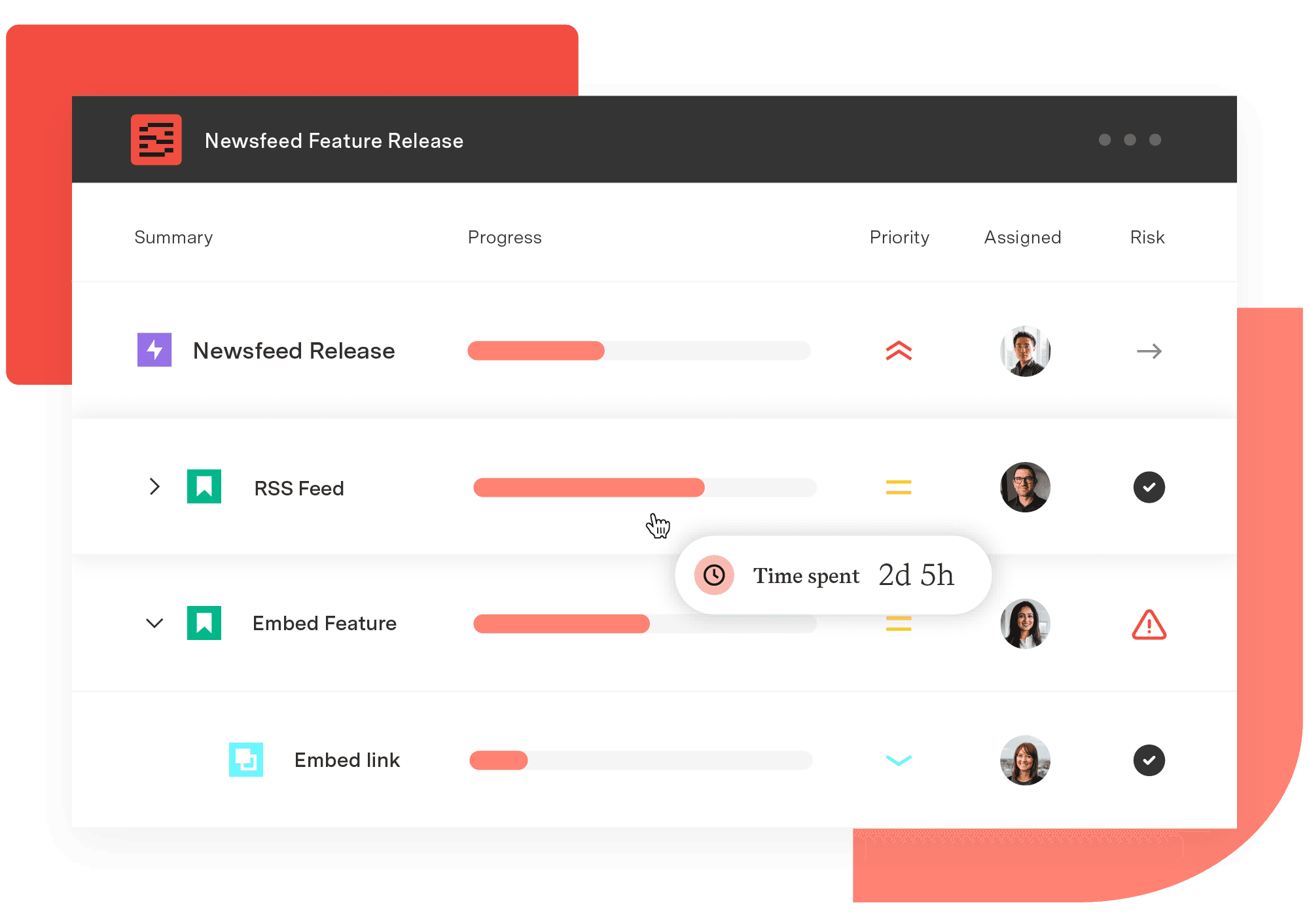
Tempo Structure PPM is a Jira-native project and portfolio management solution built for mid-market and enterprise teams managing complex, multi-project programs. Unlike standalone PPM platforms that require teams to adopt an entirely separate tool, Structure PPM surfaces portfolio visibility, dependency tracking, and resource planning inside the Atlassian environment your teams already use.
The Program Collection – Structure PPM, the Gantt Charts add-on, Capacity Planner, and Custom Charts – gives PMO and program leaders a unified view across the portfolio without disrupting how delivery teams work. A Big Four professional services firm uses Structure PPM to manage more than 500 active projects and 35,000 users, which makes it one of the most proven enterprise-scale options on the Atlassian Marketplace.
Tempo's approach is modular by design. Organizations can start with Structure PPM alone to solve immediate program visibility needs, then add capacity planning, resource leveling, financial management, or reporting as their requirements evolve. This stands in contrast to monolithic enterprise platforms that require full adoption upfront before delivering value.
Top features:
Portfolio-wide view of all Jira projects, programs, and issues in a structured hierarchy
Gantt charts with dependency management and baseline tracking
Real-time capacity planning across teams and programs
Custom dashboards and charts for program, portfolio, and executive reporting
Role-based permissions and governance controls at scale
Modular structure – start with one product and expand as needs grow
Pricing: Tempo Structure PPM is available on the Atlassian Marketplace. Pricing is based on the number of Jira users and can be combined with other Tempo products as part of the Program or Portfolio Collection. Visit tempo.io for current pricing.
2. Adobe Workfront
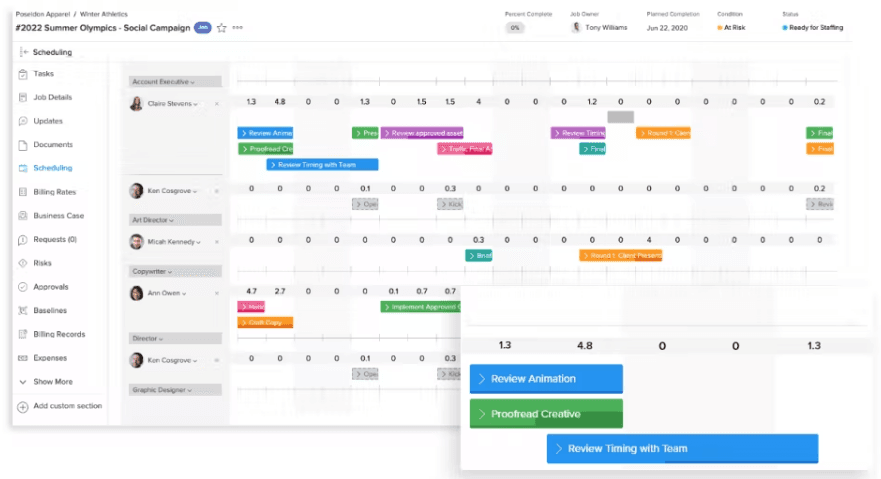
Adobe Workfront is an enterprise work management platform for planning, monitoring, and executing projects at scale. It connects to other Adobe Experience Cloud products and integrates with CRMs, financial applications, and creative tools through a broad library of connectors. Workfront is built for enterprise organizations that need to streamline complex review and approval workflows across large teams.
Workfront now offers three tiers – Select, Prime, and Ultimate – each adding progressively more capability around resource management, automation, and API access. Select suits teams getting started with structured work management; Ultimate is designed for enterprises running high-volume, cross-functional programs.
Top features:
Centralized communication for more efficient collaboration
Work automation integrations with CRMs, financial applications, and more
Project plan templates and standardized statuses to improve workflow
Integration with agile processes
Enterprise security with ISO 27000
Directly from the customer: "It has given us the ability to plan, manage, and measure work based on data, which helps organization executives to monitor work in real-time. The most important thing is that their support team worked with us from the beginning to create a platform that best fits our job environment." – Faith, Technician, Banking Industry
Pricing: Adobe Workfront uses quote-based pricing and does not publish rates publicly. Pricing typically ranges from $49 to $99 per user per month depending on tier and configuration, though exact costs depend on user count, modules selected, and implementation scope. There is no free plan.
2. Wrike

Wrike combines strategic planning, project tracking, and insight gathering in one platform. Its PPM capabilities include reporting, resource monitoring, and time cards that support better budgeting decisions across the portfolio. The platform enables collaboration from a single secure environment and updated its pricing structure in early 2026.
Top features:
Customized request forms and templates
Gantt charts and Kanban board views for agile and waterfall projects
Budget scenario planning
RAID logs, escalation workflows, and progress reports
400+ integrations available via paid add-ons
Directly from the customer: "Having a clear view on each department, clicking through departments on Wrike is fantastic. I've been able to implement a process for people to just log on to Wrike to see the status of their jobs." – Steven, Integrated Project Manager
Pricing: Free | Team $10/user/month | Business $25/user/month | Enterprise and Pinnacle: contact for pricing. All paid plans include a 14-day free trial.
3. Oracle Primavera P6

Oracle Primavera P6 EPPM is a cloud-based PPM tool that integrates project and portfolio planning with risk management, resourcing, and scheduling. Primavera is purpose-built for the construction industry but can accommodate projects of any size within that sector. Its adaptable project views help teams increase planning efficiency and reduce the risk of delays.
Top features:
Current and future resource usage visibility
Overallocation resolution through resource reassignment
Enhanced risk mitigation for portfolio and project health
Comprehensive integrated planning with critical path method (CPM) and lean scheduling
Integrated resource management
Directly from the customer: "It is pretty user-friendly, fast, and easy to use and performs many functions. I have been using the tool for the past eight years in the construction industry. I've had a chance to use other planning tools as well, but no other software can even get close to Primavera." – Usama, Planning Engineer
Pricing: Pricing is quote-based and not listed publicly. A single-user perpetual license starts around $3,500, with enterprise pricing negotiated based on user count. There is no free plan or free trial.
4. Planview AdaptiveWork
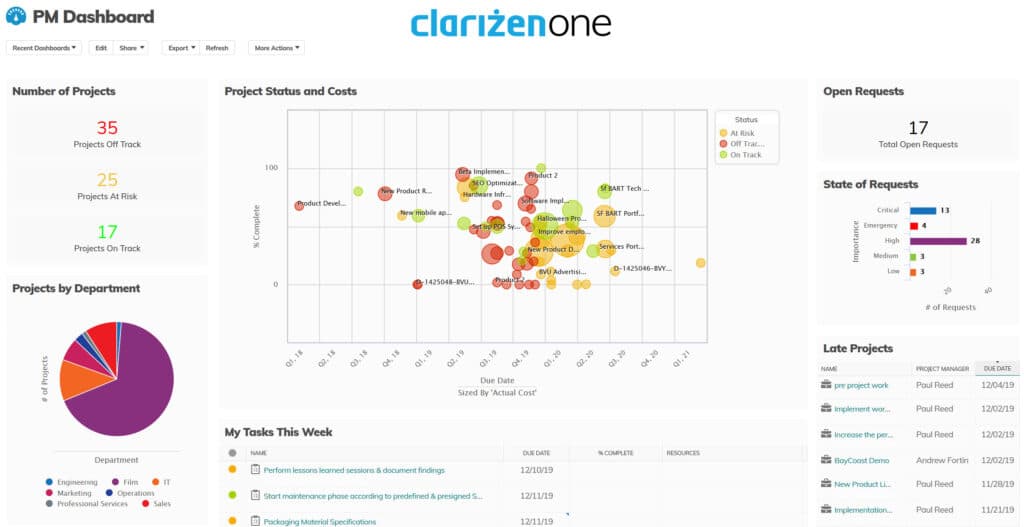
Planview AdaptiveWork (formerly Clarizen) is an enterprise project and portfolio management platform with real-time visibility across all workstreams. It helps PMO and EPMO leaders optimize portfolios, balance capacity, prioritize work, and manage resources. Planview competes at the top end of the PPM market alongside ServiceNow and Broadcom, with a focus on connecting strategy to execution across large, complex organizations.
Top features:
Waterfall, collaborative, and Lean-Agile portfolio workload views
Real-time insights and predictive risk monitoring
Goal visibility for every team in the organization
Unified dashboard view to keep all stakeholders aligned
Financial planning down to the project decision level
Directly from the customer: "Planview came across as a complete package. One of the most crucial factors I understand now is the consultant who works with you. Their expertise in project management and the in-depth knowledge of the solution are essential for the implementation and successful adoption of the solution." – Rohan, Business Consultant
Pricing: Pricing is not publicly listed and is available upon request. A 30-day free trial is available.
5. Zoho Projects
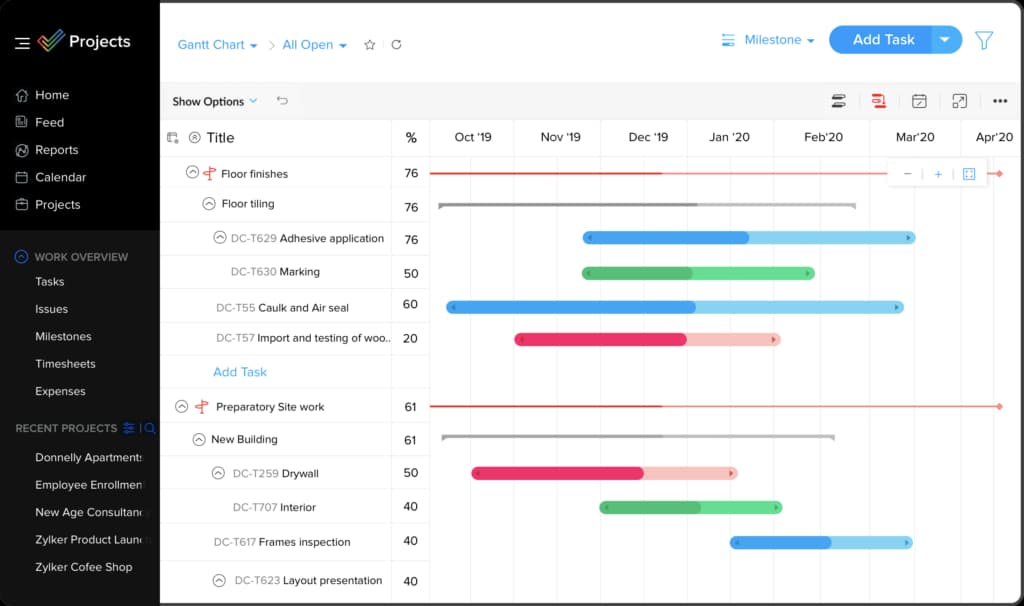
Zoho Projects is a cloud-based project management tool for teams that need to track tasks, plan work, and collaborate without a steep learning curve. It works well for smaller teams with less complex projects that need core project management features. Its interface includes customizable color themes and dark and light modes.
Top features:
Gantt charts to build and visualize your project plan
Routine task automation
Billable and non-billable time tracking with timesheets
Customizable fields, layouts, and statuses
Integration with other Zoho apps and third-party tools
Directly from the customer: "Our presence is now completely virtual. We save a ton of money using Zoho Projects and appreciate that Zoho continues to evolve and improve." – Steven, TurningWest
Pricing: Free (up to 5 users and 3 projects) | Premium $4/user/month billed annually | Enterprise $9/user/month billed annually
6. ClickUp

ClickUp is an all-in-one productivity platform for planning, organizing, and collaborating on work. It offers hundreds of automations for assigning tasks, updating statuses, and connecting with other tools. ClickUp works for teams of any size across industries and reduced the pricing on its core paid plans significantly in 2024.
Top features:
Multiple views including list, board, Gantt, and whiteboard
35+ ClickApps to customize tasks and workflows
Import work from other tools
Real-time in-app chat
Real-time project updates in dashboards
Directly from the customer: "ClickUp is easy to use and understand. I love that it can help me plan and prioritize my work and shared work with colleagues. I appreciate that there are multiple ways to view project spaces, and I love that I get a daily reminder of what's on tap." – Julia, Mid-Market Company
Pricing: Free | Unlimited $7/user/month | Business $12/user/month | Enterprise: contact sales
7. Monday.com

Monday.com is a flexible work platform that gives teams a bird's-eye view of outstanding projects, available resources, and projected timelines. Its visual design and straightforward interface make it easy to plan timelines, assign tasks, communicate, and manage projects. The platform works for businesses of all sizes and industries.
Top features:
Simplified decision making through dashboards
Time-saving automation and integrations
Kanban views for task prioritization
Gantt charts for timeline visualization
File and document uploads
Directly from the customer: "Monday.com allows banks to be synchronized between the top-level management figures and local KPIs." – Director of Innovation
Pricing: Free | paid plans start around $10/seat/month and scale based on features and team size. Contact Monday.com or visit their pricing page for current rates, as they update them regularly.
8. Microsoft Project
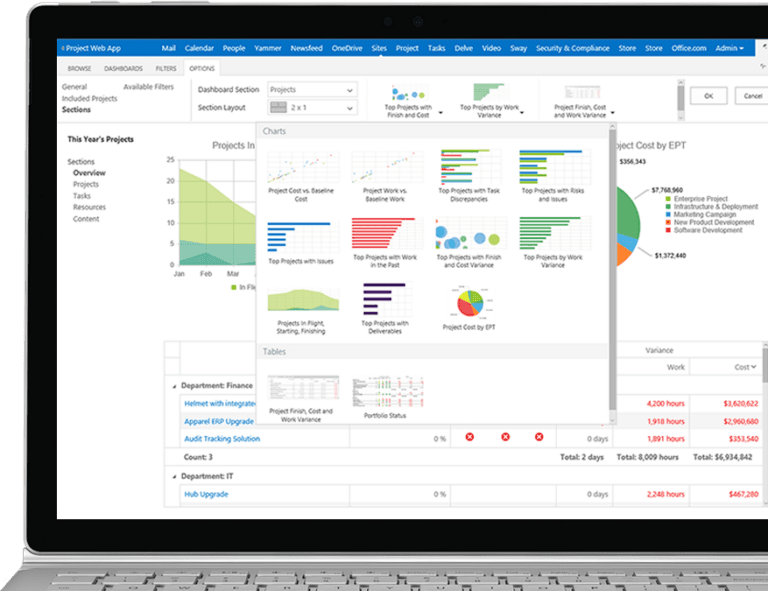
Microsoft Project offers customized work management for individuals, teams, and enterprises. It helps teams plan, prioritize, and manage project and portfolio investments, weighing project proposals against strategic business drivers while accounting for cost and resource constraints.
Important note for 2026: Microsoft Project Online is scheduled to retire on September 30, 2026. Organizations currently using Project Online should find an alternate solution or plan their migration to Microsoft Planner Premium (the rebranded Project for the Web), which carries forward core scheduling, resource management, and portfolio capabilities.
Top features:
Portfolio scenario modeling and optimization
Interactive roadmap aggregating portfolios and projects
Built-in reports including burndown charts and Power BI dashboard integration
Capture and evaluate project ideas
Customized work views
Directly from the customer: "Microsoft Project allows me to organize projects and provides me with the tools I need. It's pretty easy to use, especially if you have experience with other Microsoft products." – Mochammad, Technical Administrator
Pricing: Project Plan 1: $10/user/month | Project Plan 3: $30/user/month | Project Plan 5: $55/user/month. A 30-day free trial is available.
9. Smartsheet

Smartsheet is an enterprise cloud platform for work management. It helps teams plan, execute, and report on work while connecting organizational strategy to task execution. The platform offers on-demand data analysis and automated reporting to help teams prioritize and eliminate process inefficiencies.
Top features:
Integrations with many popular platforms
Standardized processes for project consistency
Strategic planning tools to align vision with business reality
Multi-tier intake feature to gather requests
Directly from the customer: "Smartsheet has an Excel-like interface that allows you to get started quickly, and then adds a ton of features around reporting, dashboarding, and workflows that make tracking and managing projects and portfolios easy and effective." – Frank, Program Manager
Pricing: Pro $9/user/month | Business $32/user/month | Enterprise: contact for details. No free plan.
Summary
No single tool on this list is the right answer for every organization. Oracle Primavera P6 is built around construction workflows and doesn't make sense outside that context. Zoho Projects is priced and scoped for smaller teams. Workfront is designed for large marketing and creative operations that live in the Adobe ecosystem. The tools that work best for most PMO and engineering-led organizations are the ones that fit where their delivery teams already work.
On pricing: the per-seat rate is only part of the number. Implementation, onboarding, and professional services can add significantly to the first-year cost, particularly with enterprise platforms. Ask vendors for a total cost of ownership estimate before you start comparing line items.
Most tools here offer a free trial or demo. Use them. Reading a feature list is not the same as discovering that the interface slows your team down, or that resource views don't work the way you expected. A two-week trial with real data tells you more than any comparison article can.
Pricing data is current as of early 2026. Verify current rates on each vendor's website before making purchasing decisions.















