
Portfolio prioritization: How to rank projects strategically

Key Takeaways
Teams that revisit priorities throughout the year deliver ROI on 81% of projects, compared with 45% for teams that plan annually
Score each initiative on customer impact, financial value, capacity needs, and risk. Then start with the most urgent work, based on what the business can lose when that work waits
Use live delivery data to update the ranking as work progresses. Agree on continuation rules upfront, so review meetings focus on evidence instead of sponsor pressure on which projects to pause or continue
Tempo’s 2026 State of SPM report shows that portfolio prioritization needs a more active operating rhythm.
In the report, which surveyed 667 planning leaders across 43 countries, 29.5% of respondents said capacity planning is the top execution struggle, followed by prioritization and resource allocation.
The report also found that Dynamic Planners (teams that use scenario planning and review their capacity plans at least monthly) deliver measurable ROI on 81% of projects.
By comparison, “Plodders” (teams that plan quarterly or annually and don’t use scenario planning) deliver measurable ROI on 45% of projects.
That goes to show that when teams review priorities more often and measure capacity before commitment, they do better at portfolio prioritization.
This guide explains how to succeed at portfolio prioritization by choosing clear scoring criteria and sequencing initiatives by value and urgency.
What is portfolio prioritization?
Portfolio prioritization ranks active and proposed initiatives against one shared set of criteria. Portfolio leaders use that ranking to decide what to fund and when each initiative should start. It comes before project prioritization because you need to first decide which strategic investments deserve money and people across the portfolio.
Here’s what that difference looks like:
Question | Portfolio prioritization | Project prioritization |
What gets ranked? | Initiatives, programs, or major strategic bets | Tasks, features, or work inside one initiative |
What constraint matters most? | Shared budget, available people, strategic value | Team capacity, sprint scope, delivery timeline |
Who uses the output? | PMO, portfolio leaders, finance, executives | Project teams, product teams, delivery leads |
What decision does it support? | What to fund, defer, pause, or resequence | What to deliver next |
Once leaders agree on what the ranking should measure, the next step is turning that ranking into an operating process. This can start with reviewing existing commitments, scoring new demand, sequencing initiatives by value and urgency, and comparing the final list with available capacity.
How to prioritize a portfolio of projects
Your prioritization work starts with knowing the evidence leaders use to decide which initiatives to fund first. So, start with these steps:
1. Review existing commitments before approving new demand
Before you approve another initiative, review the work already in progress. You need to know which commitments still align with the business case and the highly funded ones. You also need to know the projects that need more capacity to achieve your goals.
According to the 2026 State of SPM report, over 33% of projects are canceled or stopped early because of misalignment or lack of ROI. The same report found that frequent reviewers cancel more projects than infrequent reviewers, but deliver measurable ROI on a higher share of the projects they keep.
This doesn’t mean you should look for work to cut. It means every review should compare active initiatives against the same evidence:
Current progress
Capacity used
Remaining cost
Expected value
Strategic fit
When the evidence (or business case for an initiative) no longer supports the commitment, you can pause said initiative or reduce its scope. You can even transfer capacity to higher-value work to stop spending money and time on tasks with no strategic impact on the business.
Before the review, though, agree on what would justify a change. This can include missed milestones or a project that’s becoming more expensive than the expected ROI.
2. Use a scoring framework that matches the decision you’re making
The right scoring framework depends on the decision you need to make. Some frameworks are useful at the early stage while others are better for comparing funded initiatives or sorting urgent work. Some are even great at deciding what to invest time on based on available capacity.
Common options include:
Reach, Impact, Confidence, and Effort (RICE): These four factors provide a simple way to evaluate potential initiatives . The framework works best when each initiative has a clear scope, target users, and expected outcome, so you can compare the final RICE scores fairly.
Weighted scoring: Useful when leaders want to compare initiatives against agreed criteria, such as customer impact, financial value, risk, and capacity needs
Value versus effort: Useful for quick triage when you need a simple view of high-value, lower-effort work
MoSCoW: Useful when you need to separate must-have work from should-have, could-have, and lower-priority work.
These frameworks can help guide your discussion, so you can choose the best projects to fund. In practice, you may use more than one framework.
For example, you can use MoSCoW to identify the non-negotiables, then use weighted scoring to compare the remaining initiatives. You can also use your capacity planning report to decide which projects to start with first.
The key to portfolio prioritization here is to define the scoring criteria before teams submit their preferred work. This way, there’s an objective baseline every project must meet before it gets funded.
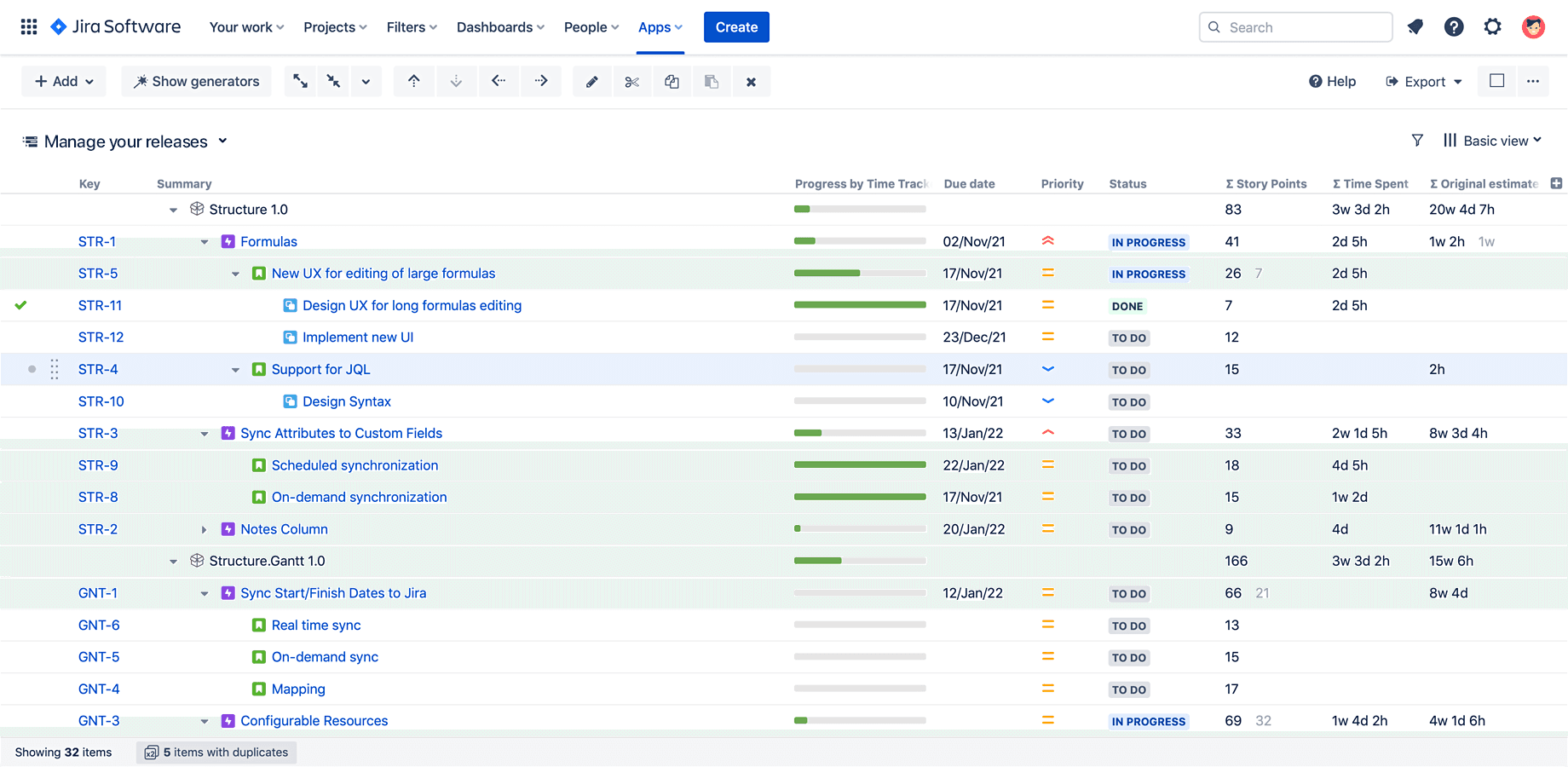
If your projects are already tracked in Jira, use Tempo Structure PPM to turn that Jira data into a portfolio prioritization view for leaders.
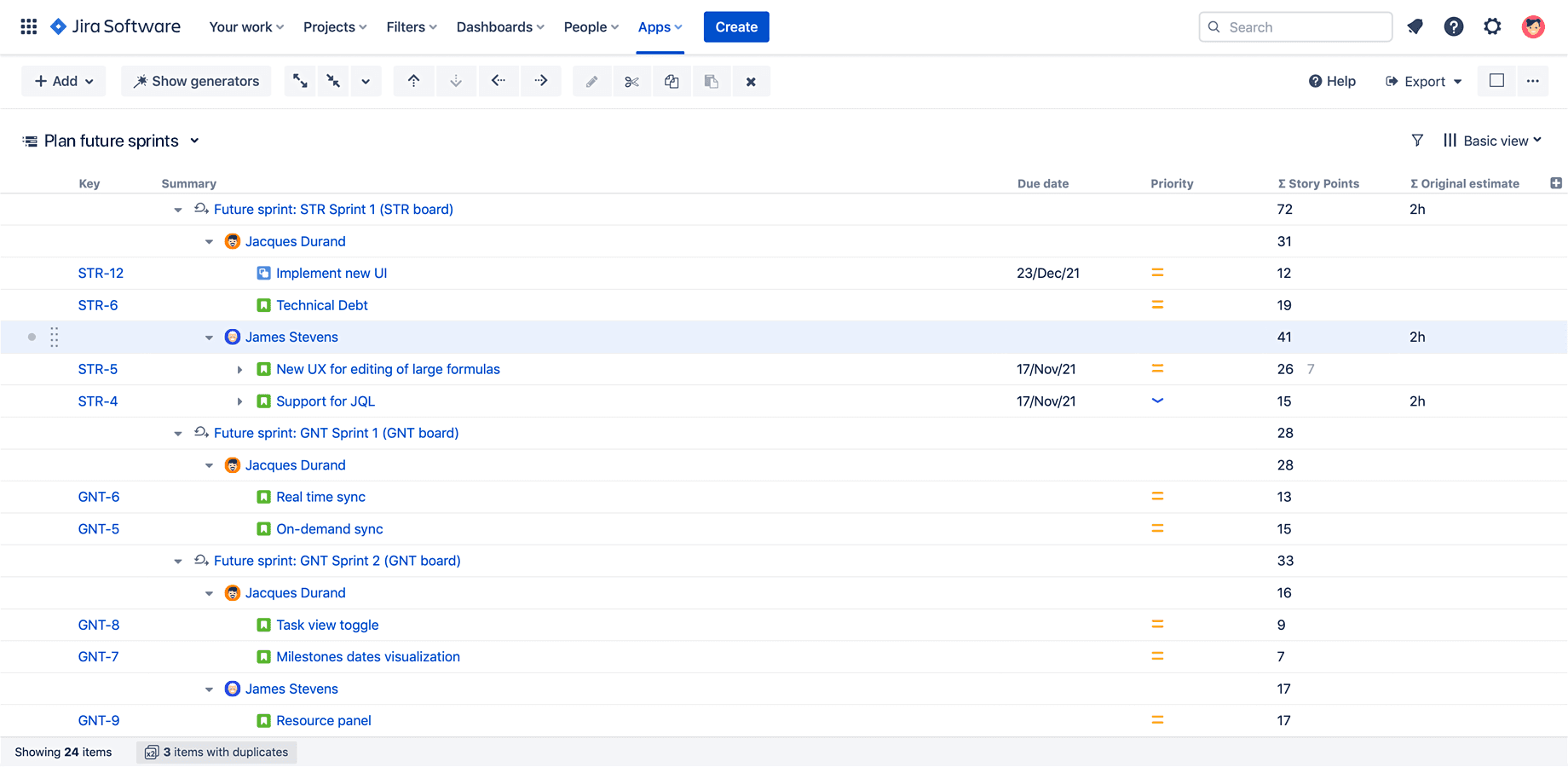
This way, instead of explaining why you chose some projects over others in a spreadsheet, you can show each initiative and the Jira work connected to them. You can even share the formula used to compare chosen initiatives with others so you can defend your ranking with clear evidence during portfolio reviews.
3. Sequence urgent, high-value initiatives first
After you decide which initiatives are worth funding, decide the order. A useful way to do this is the cost of delay (CoD) concept: The business cost of waiting.
Cost of delay combines value and urgency. It helps you move time-sensitive, high-value initiatives ahead of work that still matters but doesn’t lose value as quickly.
You can make this more structured with Weighted Shortest Job First, or WSJF. The method compares the cost of delay with the estimated delivery effort, so you can prioritize work that has stronger business urgency and a reasonable delivery path.
This gives you a more defensible portfolio. Instead of ranking initiatives by sponsor or shareholder preference, you can explain why one initiative should be prioritized over another based on value, timing, and delivery effort.
Cost of delay works best when you can tie urgency to a clear business cost, such as lost revenue or contract penalties. Some work also needs a separate rule because the deadline is not optional. For example, if compliance-related tasks have a fixed deadline, they may need to come first even when they score lower on your ranking model.
4. Compare the ranked list of priorities with available capacity
A ranked list of projects to prioritize isn’t enough. Before you approve the portfolio, you need to know whether there are available people (and skills) for the task.
This is where many PMOs realize portfolio plans are unrealistic. Headcount isn’t the same as capacity. A team of ten people doesn’t give you ten fully available people for strategic work. And that’s because meetings, maintenance work and existing commitments can reduce the overall time available for new initiatives.
Once you have a clear ranking of initiatives, compare each initiative with the capacity it needs. The work that fits within available capacity can move forward. The work that doesn’t, you need to decide whether to:
Reduce the scope of work to be done
Change timing
Add capacity
Move it lower in the ranking
This helps you create a clean portfolio roadmap that is factually correct because it’s based on available capacity.
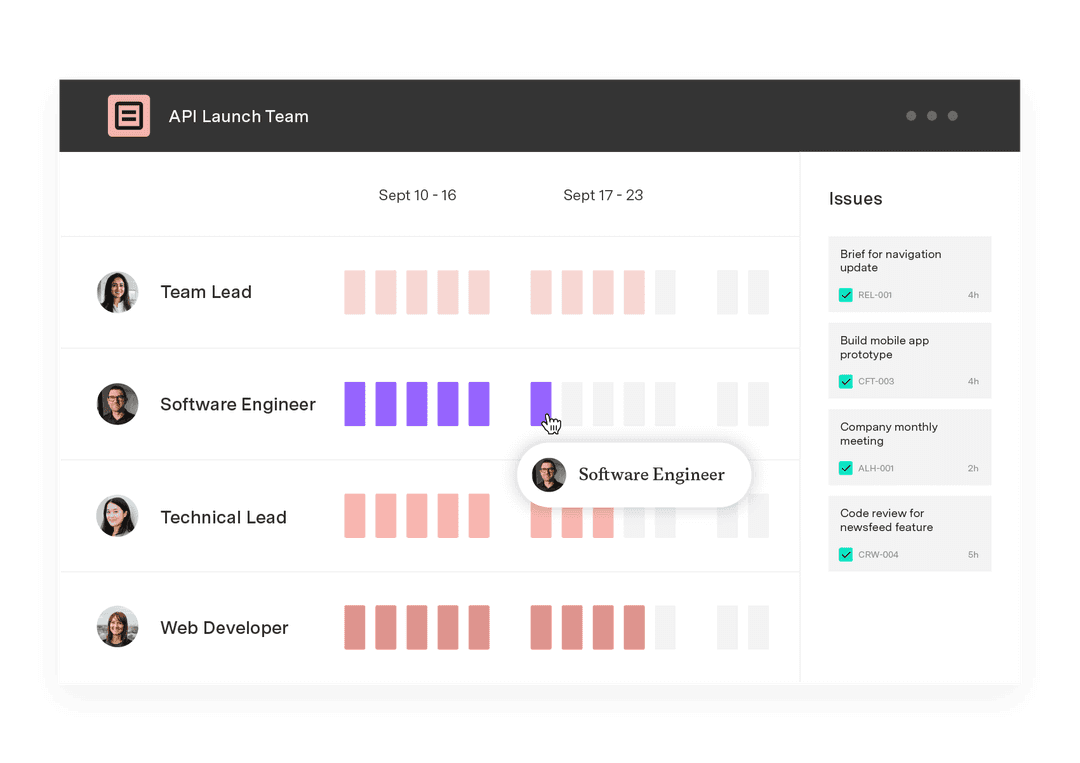
Tempo Capacity Planner can help here if your teams already work in Jira. You can compare planned work with available capacity by team, role, or skill, then identify overcommitment before leaders approve the portfolio.

That makes the trade-off easier to explain: The initiative is important, but the people or skills required to deliver it are already assigned to other work.
5. Refresh project priorities and the ranking with delivery data
Your first portfolio score is usually based on estimates. That’s fine at the start. As work progresses, you need to update the ranking with what actually happened.
Start with actual effort and cost. Then review delivery progress and dependency status. These details help you see whether an initiative still deserves its place in the ranking, or whether another initiative now deserves the next round of capacity.
For example, after consolidating work into Jira with Tempo Timesheets, TransUnion was able to connect capacity with strategic goals instead of reviewing them separately. That gave leadership a clearer way to ask whether too much capacity was going toward one goal while other priorities needed attention.
"Before, they were sort of flying blind. Now they've got some connectivity to it”, said John Rager, Vice President of Enterprise Transformation at TransUnion.
The consolidation into Tempo Timesheets also cut TransUnion’s time-tracking cost from about $1 million a year to $62,000 and put 95% of the company’s work into one system.
That is the point of delivery data in prioritization: You can update the ranking with the work, cost, and capacity evidence already being captured as teams execute.
6. Set the review cadence and decision owner
Your review cadence should help you reassign money and people while the decision can still affect delivery. Tempo’s 2026 State of SPM report found that 55% of organizations can reallocate resources within two weeks after priorities change. Among Dynamic Planners, this rises to 80%, which shows how much faster mature teams can adjust when priorities change.
The right cadence depends on how often your portfolio changes. A stable portfolio may only need a quarterly review. If demand, budgets, or capacity change more often, use a monthly review and add an extra review when a major change affects committed work.
You also need a clear decision owner. This is usually the portfolio leader or governance group responsible for funding and sequencing decisions. They should have the final call because they can compare initiatives across the portfolio, not just within one team or department.
You should also agree on how to handle close calls before a review. A close call is when two initiatives both look valuable but compete for the same budget or specialist capacity. In that case, use the agreed scoring criteria and current capacity data to decide the one to prioritize.
This makes the process easier to defend. Everyone knows who owns the decision, what evidence they will use, and what kind of change is serious enough to update the ranking.
Where portfolio prioritization is heading
The strongest portfolio teams are moving from periodic prioritization to continuous prioritization. Tempo’s 2026 State of SPM report found that teams using scenario planning see a 17-point advantage in ROI delivery. Among scenario planning users, 85% say they’re very or extremely confident in adapting to change, compared with 46.3% of non-users.
Scenario planning matters because it lets you test the ranking before leaders commit to it. You can model a budget reduction, a change in capacity, or a shift in timing to see how the portfolio order would need to change.
The next step is adaptive portfolio management. In practice, that means your ranking updates as delivery data changes. This helps you spot risks early and capacity changes sooner, with review meetings that focus more on deciding what should happen next.
For portfolio leaders, this changes the role of prioritization. It shifts from defending last quarter’s plan to helping the business choose the next best move with current evidence.
Make portfolio prioritization continuous with Tempo
If your team already works in Jira, Tempo Structure PPM helps you turn that Jira data into a ranked portfolio view leaders can use. You can show each initiative, the Jira work connected to it, and the formula used to compare it with other initiatives. This means you can defend the ranking with clear evidence during portfolio reviews.
From there, you can connect prioritization to capacity planning when the decision depends on who is available to do the work. That helps you move from a ranked list to a portfolio plan leaders can fund, review, and adjust as conditions change.
Start a free trial of Structure PPM to build a clearer portfolio view inside Jira.