

Learn how predictive scheduling can boost your project team’s operational efficiency, and help members achieve better work-life balance.

Risk management in the world of project management solutions is an important part of managing successful projects, teams and client relationships. But for many project managers—whether you’re a certified project management professional or an accidental project manager, you might not have any formal risk management training. Or, it could be time to refresh your knowledge about the fundamentals of managing risks. Wherever you fall on the scale of your risk management experience and know-how, here’s a rundown of the best practices.
Let’s start at the very beginning:
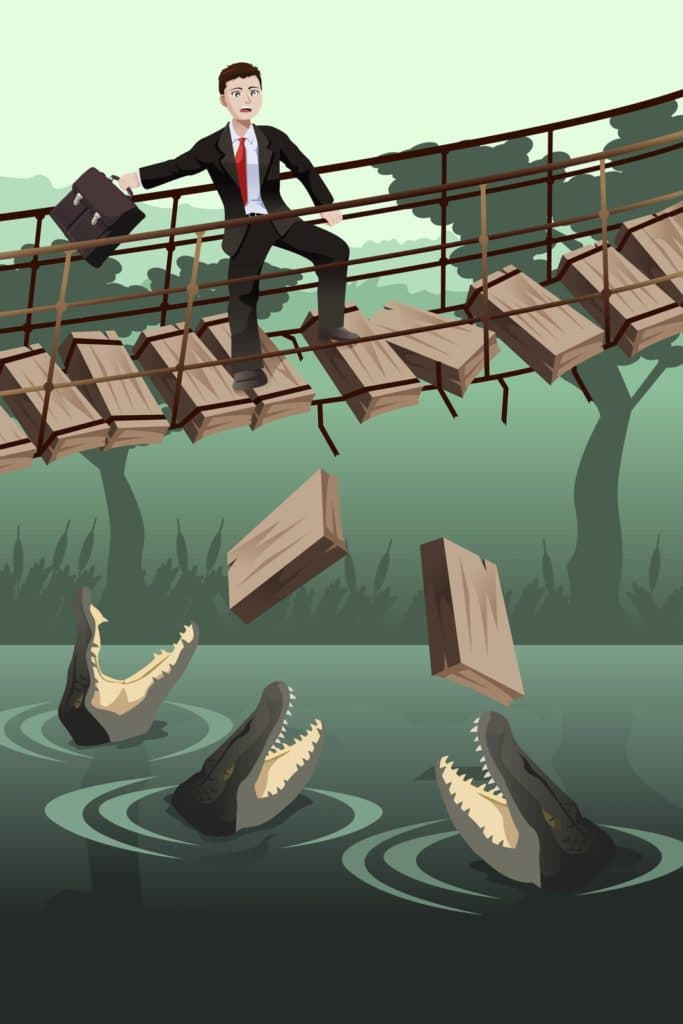
A risk is an uncertain event that, if it occurs, has a positive or a negative effect on the project’s objectives. In other words, a risk is anything that might happen during the planning and execution of your project that will result in a change to the project’s timescales, cost, quality or benefits.
Risk management is not the same thing as an issue with a project. An issue is an event that has already happened and is currently impacting the project’s objectives. For instance, consider you are managing a project task of organizing a concert. Risk management would entail anticipating what to do if a performer falls ill and is not able to carry out the concert. An issue, on the other hand, is when the performer does become ill on the evening of the performance.

As a project manager it’s important to be on top of all your project risks so it doesn’t get derailed. This means you’ll need to reduce the likelihood of each risk happening and reduce the impact in case the risk does happen. In the concert example above, you can reduce the likelihood of the performer falling ill by making sure she looks after herself in the days before the concert, and that she gets enough sleep, for instance. But the risk still remains, so to lower the impact—in case it does happen—you can prepare a plan B by lining up another performer.
It’s good practice to follow a risk management process that will help you identify and deal with all the project’s risks in an appropriate and thorough manner. When you’re good at managing risk, it means that fewer issues crop up and that you’re prepared for all eventualities. The following nine risk management steps will help you get going:
Create a risk register to identify potential risks for your project in a spreadsheet. Include fields in your risk register for: date of the risk being logged, a description of the risk, risk likelihood, project impact, owner, risk response, action and current status.
Your team should brainstorm all current risks to your project with key members and stakeholders. Go through all the essential factors to completing the project and ask people about their concerns or problems. Identify risks that relate to project requirements, technology, materials, budget, people, quality, suppliers, legislation, and any other element you can think of.
When you identify risks, also factor in positive risks and opportunities. For example, include all events that could affect your project in a positive manner. What would the impact be if too many people turned up to the concert? What could you do to exploit this opportunity and plan for it? Just as you anticipate and plan for problems, prepare for unlikely successes.
Establish how likely the risk is to occur (on a scale from 1-5). Then determine the impact of each risk according to time, cost, quality, and even benefits if it were to occur (again on a scale from 1-5). For example, a likelihood of five could mean that the risk is almost certain to occur, and an impact of four could mean that the risk would cause serious delays or significant rework if it were to happen.

Focus your attention on those risks that have the highest potential impact and likelihood of happening (i.e., an estimate of three or more on the scale mentioned in No. 4). Identify what you can do to lower the likelihood and impact of each project risk. To lower the impact, get to the root cause by asking why, why, why?
Once you’ve determined what you’ll do to address each risk, estimate how much it will cost you to do so. For example, how much will it cost to look after the performer’s health before the concert, and how much will it cost to prepare for a backup? Provide a range of estimates (best case/worst case) and add the aggregated cost of these risk responses to your overall project estimate as contingency.
Assign an owner to each risk. The owner should be the person who is most suited to deal with a particular risk and to monitor it. Assign risk owners with involvement from your team and stakeholders to get the best possible buy-in. Collaborate on the best possible actions that need to be planned, taken, and by when.
Set aside time at least once a week to identify new risks and to monitor the progress of all logged items. Risk management is not an exercise that only happens at the beginning of the project, but something that must be attended to in all of the project’s lifecycles.
Make sure that all project risks with an impact and likelihood of four-and-higher (on the 1 – 5 scale; see No. 4) are listed on your status report. Encourage a discussion of the top 10 risks at steering committee meetings so that executives get a chance to provide input and direction.
Managing risks is imperative if you want your project to succeed. Many projects fail as a result of risks that were not properly identified and mitigated. The key to good project risk management is to regularly assess everything that could impact the success of your project and determine how to best deal with it.
Managing risk is not a mechanical process to be carried out on a spreadsheet while sitting behind your desk. It’s something you need to do in close cooperation with your team and stakeholders. When you involve other people, not only do you improve the quality of the process, you also help promote a shared sense of responsibility for the project’s successes and failures.
What is the difference between a risk and an issue?
How can you reduce the impact of a risk?
What is a positive risk?
What is a risk owner?
If you liked this story and would like to gather more project management skills and best practices, be sure to visit our blog for more insightful resources.
Learn how predictive scheduling can boost your project team’s operational efficiency, and help members achieve better work-life balance.

The best developer productivity tools for 2026, compared by category, from AI coding assistants to real-capacity measurement.

Learn how to use a production schedule to monitor the production process, provide accurate completion predictions for products, and set shipment dates

To get the most out of your employees, you have to create a positive work environment for the entire team. Here are 5 tips to create that enviroment!

All you need to know about ServiceNow and Tempo’s connectors, why you should connect these tools together, and the use cases

Yes, Jira works for waterfall. Learn how to configure native workflows, Advanced Roadmaps, and Gantt Charts to run sequential or hybrid projects.

Manage all of your projects in a prioritized portfolio that builds your organization’s priorities into the schedule from the start.

Visualize sprint progress with Tempo Burndown Reports. Track time, forecast accurately, and stay on schedule – all within Jira.

Compare the 7 best software development analytics tools of 2026 across delivery, developer experience, and R&D capitalization.





















