

Connect delivery, capacity, and financial data in real time with Tempo's Custom Charts, Structure PPM, and BI Connectors.
Plan, balance, and forecast portfolio capacity with Tempo's Capacity Planner and Structure PPM – built for enterprise PMOs.

Enterprise PMOs rarely have a resource problem. They have a resource visibility problem. Capacity is split across portfolios, multi-teaming is the norm, and the spreadsheets used to plan it all are stale the moment they are sent. The result is predictable: Late projects, burned-out specialists, and an executive team that cannot tell whether the next strategic initiative has the people to deliver it. Resource management and capacity planning, done at the portfolio level, is what closes that gap.
Resource management is the discipline of matching the right people, with the right skills, to the right work, at the right time. Capacity planning is the forward-looking half of that discipline – modelling whether your teams can absorb new commitments without breaking existing ones.
At the portfolio level, both stop being a single-project exercise. You are no longer asking "does this team have room for this story?" You are asking which initiatives the enterprise can deliver this quarter, where the dependencies are, and which roles you need to hire, contract, or reallocate to make the strategy land.
That requires three things: A single source of truth for what work exists, a model of who can do it, and the ability to compare planned effort against actuals so the next plan is sharper than the last.
When capacity is invisible, leadership commits to portfolios the organization cannot deliver. Gartner reports that only 16% of organizations are effective at resource and capacity planning, and that, by 2025, 70% of digital investments will fail to deliver their expected outcomes without a strategic portfolio management approach. The connecting thread is resourcing: Strategy without capacity is a wish list.
The business stakes are concrete. Misallocated specialists drag program timelines and inflate costs. Multi-teaming, where the same engineers are committed to three or four initiatives at once, masks itself as productivity until a dependency slips and exposes the truth. Hiring decisions made without portfolio-level capacity data lead either to overstaffing or to the last-minute scramble that erodes margin and morale.
For PMO directors, CIOs, and finance partners, portfolio-level resource management is a governance function. It is how you defend the plan to the board, how you decide which initiatives get funded next quarter, and how you protect delivery confidence when priorities shift mid-cycle.
Portfolio-wide capacity in one view. See workloads, skills, and availability across teams and initiatives without exporting Jira data into a spreadsheet.
Skills-based allocation. Match work to the right specialists by tagging team members with skills and assigning them where their expertise has the highest return.
Plan vs. actual learning loop. Compare planned capacity to logged time and use the variance to sharpen the next forecast.
Earlier hiring signals. Spot capacity gaps far enough in advance to hire, reskill, or rebalance before a deadline is at stake.
Multi-teaming visibility. Surface employees committed across too many initiatives and rebalance before burnout becomes attrition.
Tempo pairs Capacity Planner with Structure PPM so capacity is modelled in the same place portfolios are governed. Capacity Planner gives resource managers and team leads the ability to view and balance workloads across multiple individuals and teams, schedule the same employee across more than one initiative, and tag people with skills so allocation decisions reflect real expertise rather than headcount.
Structure PPM provides the portfolio scaffolding. Custom hierarchies aggregate work from across Jira projects into the views a PMO uses – by program, by portfolio, by strategic theme – so capacity questions are asked in business language rather than Jira filter syntax. When capacity data flows through Structure, executives can see which strategic initiatives are resourced and which are at risk.
The forecasting loop closes when Timesheets is in the mix. Capacity Planner integrates with Timesheets to compare planned time against actual time logged, turning every quarter into a learning event. Forecasts get more accurate. Estimates get more credible. The PMO stops apologizing for plans that drift from reality.
For executive reporting, Custom Charts for Jira visualizes capacity, utilization, and plan-vs-actual data on Jira dashboards and Confluence pages – without the IT ticket cycle that usually surrounds enterprise BI. Together, these products form Tempo's Program Collection, the bundle Tempo recommends for organizations that need governance and resource clarity at program and portfolio scale.
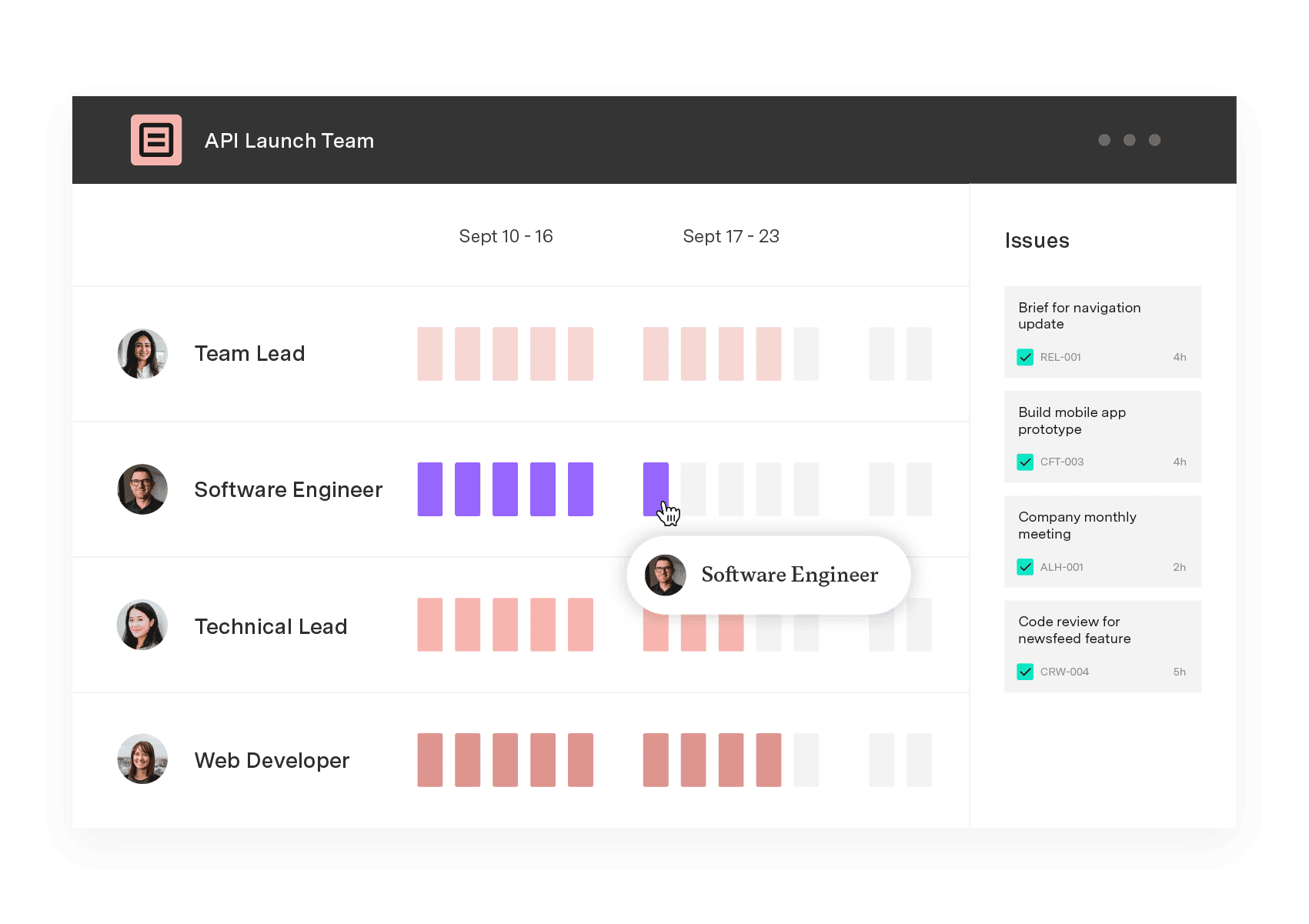
Capacity Planner
Capacity Planner is the only tool in the Atlassian Marketplace that allows planning for multiple resources on one issue. Users can customize the UI to include their existing Jira issues and projects.
Start a Free TrialCouldn't find what you need?Go to our documentation
Tempo is Jira-native, so the strongest fit is organizations using Jira as the system of record for delivery work. Many enterprises run Jira alongside other tools – Capacity Planner and Structure PPM still deliver portfolio capacity views for the work that lives in Jira, which is typically engineering, IT, and increasingly business teams. For mixed environments, Custom Charts and Tempo's BI connectors can surface Jira data into the broader reporting stack.
Structure PPM is used by enterprises managing 500+ active projects and tens of thousands of Jira users. The architecture is built for that scale, not retrofitted to it.
Tempo's products are sold through the Atlassian Marketplace and licensed per Jira user. They install into your existing Cloud or Data Center environment, which keeps procurement, security review, and admin overhead contained inside the Atlassian relationship you already manage.
Tempo maintains SOC 2 Type 2, ISO 27001, ISO 27701, GDPR, and CCPA compliance. Capacity, allocation, and time data inherit your Jira permissioning model, and audit-ready records support governance reviews. For regulated industries, Tempo customers in pharmaceuticals, financial services, and aerospace use the platform under their existing compliance regimes.
Connect delivery, capacity, and financial data in real time with Tempo's Custom Charts, Structure PPM, and BI Connectors.
Tempo's Structure PPM, Gantt Charts, and Timesheets close the gap between strategy and shipped outcomes at portfolio scale.

Capacity management works when you consider roadmap and operational load. See how engineering leaders plan real capacity in Jira.

Headcount on paper rarely matches who's free for your roadmap. Build capacity plans from real hours and catch overbooking before it affects a sprint.

Learn how workload planning helps you balance team capacity, prevent burnout, and deliver projects on time with the right tools and strategies.

Plan sprints inside a longer schedule. Connect agile execution to portfolio delivery dates with Gantt Charts for Structure PPM.

See how Structure PPM brings overdue task tracking into Jira with real-time reporting, dashboards, and portfolio rollups built for delivery teams.

Tempo Timesheets and Tempo Capacity Planner work better together to empower teams to create, improve, and deliver on time and on budget.
The Planner team has been bridging the gap between individual and team planning, and helping leaders manage their resources, people, and projects.



















