

Learn to allocate resources, balance workloads, and prevent burnout. Practical strategies and real examples for project managers and team leads.
Learn how workload planning helps you balance team capacity, prevent burnout, and deliver projects on time with the right tools and strategies.

The busiest teams aren’t always the most productive. Back-to-back meetings and endless to-do lists may look like progress – but more often, they point to misaligned priorities and looming burnout.
That’s where workload planning comes in. Instead of asking your team to do more, you make sure they’re doing the right things. By looking at skills, availability, and capacity before assigning tasks, you create balance.
Move projects forward and keep people focused and energized. Let’s unpack what workload planning really means, why it matters, and how to put it into practice so your team can do their best work without burning out.
Workload planning is the practice of allocating work to the right people on the right schedule. Instead of piling tasks onto whoever seems available, you allocate resources based on each team member’s skills, capacity, and availability. The result is a balanced workflow where projects move forward without constant stress or overload.
At a practical level, workload planning means looking ahead at upcoming assignments, calculating your team’s total capacity, and distributing work in a way that matches your project timelines. This kind of resource management helps you set realistic deadlines and increase productivity.
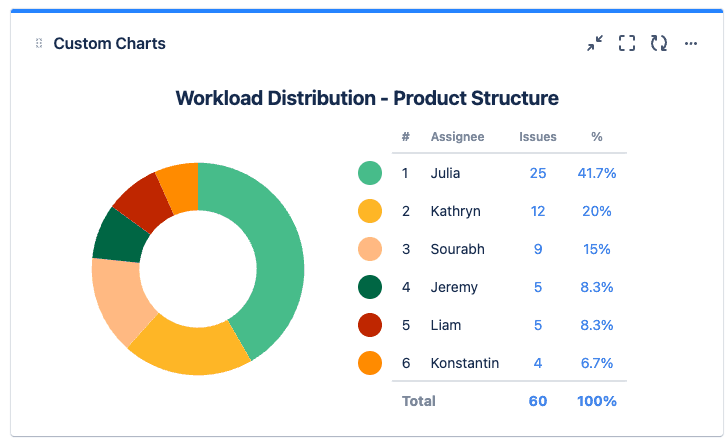
Some teams use a workload planning template or a simple calendar to map out working hours, while others lean on more advanced workload planning tools like Kanban boards or full capacity planning software. Whatever the approach, the goal is to give everyone visibility into who’s working on what and keep the schedule balanced.
Workload planning helps you look beyond the chaos of to-do lists and create a structure that keeps projects moving and your team motivated. Here’s how.
When you don't distribute work fairly, you overload some team members and underutilize others. Over time, that imbalance leads to overwhelm, mistakes, and employee turnover.
With proper resource loading and capacity planning, you can see exactly how much each person can realistically handle before assigning more workload. The result is a healthier, more sustainable pace that keeps people engaged and productive.
Without a clear plan, it’s easy to underestimate effort or miss hidden bottlenecks. Using a workload planning template helps you break down assignments and map them against timelines. This improves forecasting and makes sure stakeholders aren’t blindsided when something slips.
Clarity fuels efficiency. With the right workload planning tools – whether that’s a Kanban board or integrated project management software – everyone knows what they’re working on and why it matters. People spend less time chasing updates and focus on moving projects forward.
Frustration builds when some people carry the load and others have lighter schedules. Workload management strategies change that by making assignments transparent and accessible. When everyone can visualize the full workflow, conversations about priorities and resource allocation become easier.
Handling one project is challenging enough, but juggling several without a system is chaos. With structured workload management, project managers can align schedules and monitor progress across all projects in real time.
Workload planning is about making smart choices so your team can deliver quality work without burning out. Here’s a step-by-step process:
Start by laying everything on the table – not just the “big” projects, but also the routine tasks that eat away at your team’s time, like weekly reports, customer emails, and recurring check-ins. A workload planning template captures the full picture and avoids overloading people.
Large projects can feel like black boxes until you break them into smaller, measurable tasks. Don’t just guess. Lean on past time tracking data and ask team members for input. Their estimates might surprise you, and they’ll feel more invested when they’ve had a say in planning.
Urgent requests and last-minute changes always show up. Smart project managers plan for them by leaving a buffer, like 10–20% of each person’s time. This breathing room avoids extra stress and helps you absorb unexpected work without derailing project timelines.
Instead of piling work on whoever looks free, allocate resources thoughtfully. Match tasks to skills, availability, and even personal development goals.
A simple workload management example could be assigning a complex coding task to a senior developer while giving a junior team member smaller bug fixes that build confidence and skills.
When everything feels urgent, nothing actually gets done. Work with stakeholders to set real priorities. Then, map things out with a calendar or chart. Visuals make it easier for everyone to see how their work connects to the bigger picture.
Workload planning isn’t a “set it and forget it” process. Check progress regularly and use project management tools with time tracking features to display when things drift off course. If someone hits a bottleneck or gets overloaded, reassign tasks to shift timelines before it turns into burnout.
Even if you’ve built a solid process, how you approach workload planning can make or break it. The right habits keep teams motivated and moving in the same direction. Here are a few practices that really help:
Not all tasks deserve equal attention. When everything feels urgent, deadlines slip and quality takes a hit. Instead, double down on what drives the biggest impact.
Some frameworks – like “must do, should do, nice to do” – make it easier to draw the line. This way, your team’s energy goes into the right tasks.
Workload management strategies live or die on transparency. If people don’t feel comfortable saying, “I’m stretched too thin” or “I’ve got room to take this on,” plans fall apart fast. Build check-ins into your rhythm for honest conversations about capacity. This lets you catch bottlenecks earlier.
Meetings, admin tasks, quick favors all eat up hours. If you don’t leave space for them, your plan will always look better on paper than in reality. A good rule of thumb is to plan a percentage of people’s time (like 80%) for project work and leave the rest (20%) for everything else.
Spreadsheets can get you started, but they can’t give you real-time visibility. That’s where workload planning tools come in. Whether it's a simple Kanban board or a full resource management platform, these tools help managers visualize workloads, reassign tasks faster, and make decisions with confidence.
No plan stays perfect for long. Projects grow, timelines shift, people go on leave. If you set and forget, things slip.
Build in regular reviews – weekly is usually enough – to compare actual effort against estimates and rebalance where needed. This flexibility keeps momentum going even when surprises hit.
A full calendar doesn’t equal productivity. In fact, it often signals burnout waiting to happen. Protect working hours and encourage people to log off at the end of the day, and don’t forget to model those boundaries yourself. Teams that feel balanced stay creative and resilient over the long haul.
Workload planning only works when you have clear visibility into capacity and progress. Spreadsheets can show assignments, but they don’t reveal when someone’s overbooked or how you spend time. Tempo changes that.
Capacity Planner gives managers a real-time view of team availability, making it easier to forecast work and distribute tasks fairly.
Pair it with Timesheets, which turns time tracking into actionable insights by showing how you spend time compared to the estimated. Together, they give you the real-time clarity you need to spot overloads early and keep delivery predictable.
With Tempo’s Jira-native tools, you can plan with confidence and lead your team toward healthier, more productive work. Try Tempo today.
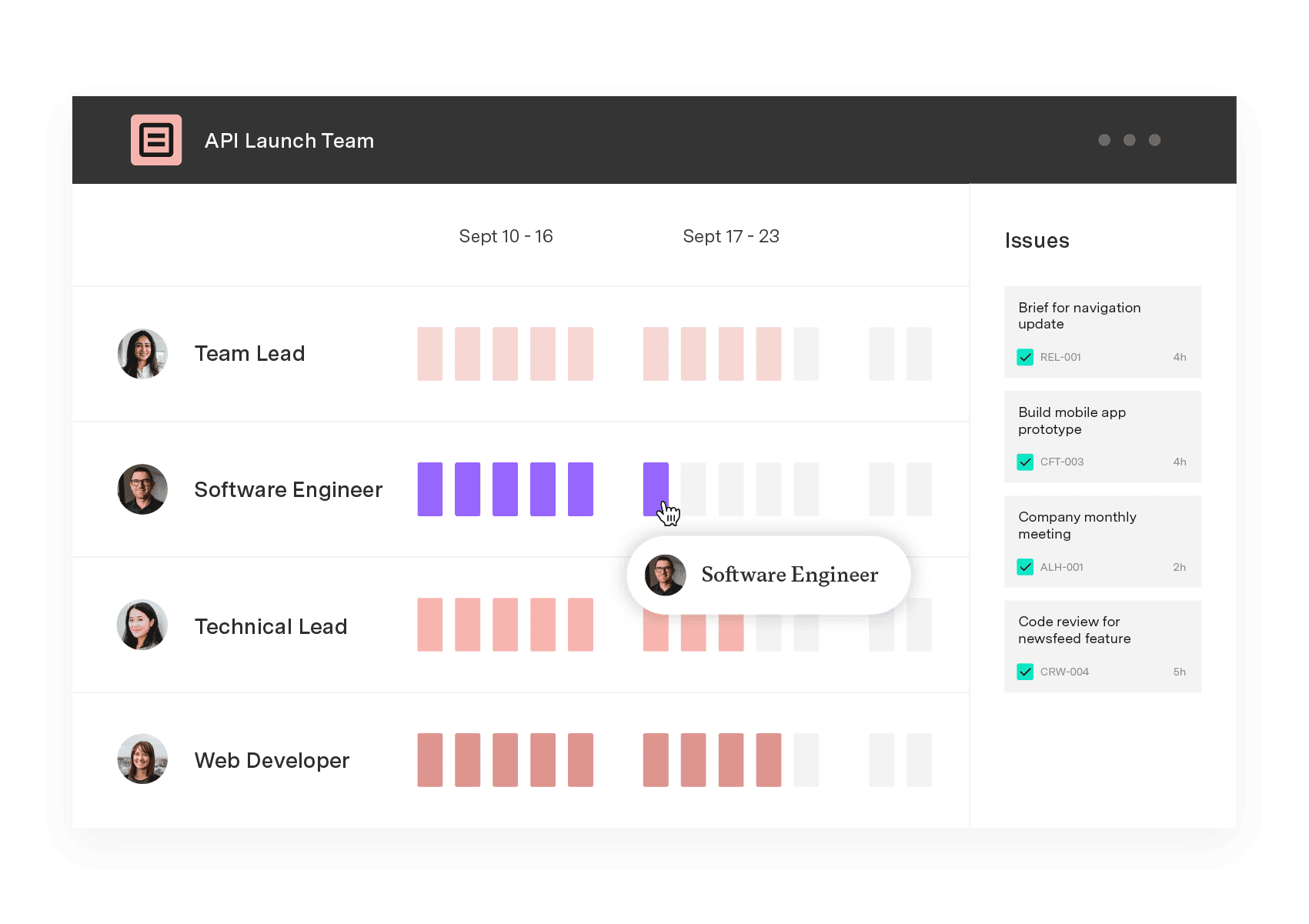
Capacity Planner
Capacity Planner is the only tool in the Atlassian Marketplace that allows planning for multiple resources on one issue. Users can customize the UI to include their existing Jira issues and projects.
Start a Free TrialCouldn't find what you need?Go to our documentation
While the terms overlap, workload planning focuses specifically on distributing tasks across your team based on capacity and timelines. Resource management is broader – it encompasses workload planning but also includes budget allocation, equipment needs, and managing contractors or external resources.
Think of workload planning as the "who does what and when" piece of the larger resource management puzzle. Both are essential, but workload planning zeroes in on keeping your team balanced day-to-day.
Start by tracking actual completion times, not just estimates. You'll quickly see that your fastest developer might finish tasks in half the time of someone newer to the team. Once you have that data, adjust your capacity calculations accordingly – if someone consistently completes work 20% faster, you can plan their workload differently than others.
Just be careful not to punish efficiency by constantly overloading your top performers. Instead, use the extra capacity for skill development, mentoring, or tackling technical debt that benefits the whole team.
Build a response protocol before disruptions hit. First, assess whether the urgent work is truly urgent or just loud –not every "emergency" deserves to derail your plan. If it's genuinely urgent, look at your priorities and identify what can shift or pause temporarily.
Communicate the trade-offs to stakeholders clearly. Then update your workload plan immediately so everyone sees the ripple effects.
Learn to allocate resources, balance workloads, and prevent burnout. Practical strategies and real examples for project managers and team leads.

Learn about team capacity planning. Discover the various types, strategies, and best practices for improved deliverables.

Plan, balance, and forecast portfolio capacity with Tempo's Capacity Planner and Structure PPM – built for enterprise PMOs.

Optimize IT capacity management with forecasting, workload prioritization, and real-time monitoring. Improve resource utilization with Tempo.

Compare the best capacity planning software for engineering teams on Jira. See how six tools handle two-way sync, utilization, and plan vs. actual.

Learn step-by-step processes for Agile release planning, overcome common challenges, and discover how to deliver value faster with practical tools.

Jira resource allocation helps teams assign tasks and manage workloads. Learn to use Jira’s tools and enhance your planning with Tempo.

Struggling with competing priorities? Learn the best tactics to balance deadlines, stakeholder demands, and resources while keeping projects on track.

See where shared capacity actually went. Team timesheets roll up Jira worklogs by person, project, and account so managers spot overload fast.

















