

Learn how scheduled floats in project management can increase team efficiency and productivity while ensuring you never miss a client deadline.

A project timeline template is key to perfecting timely delivery within budget and schedule constraints.
In project management, success hinges on clear communication, goal alignment, and prompt identification of potential issues to prevent schedule delays. Whether you’re working in a waterfall or agile framework, a project timeline template is invaluable in this context, enabling managers to balance multiple stakeholder needs while meeting tight project plan deadlines.
It relieves some managerial burden and allows leaders to focus on other crucial aspects, such as budget control, output quality, and team progress.
In this piece, we'll cover the best template for different project types, and how you can spot a good one at a glance
A project management timeline template is a visual roadmapping tool that chronologically maps tasks, activities, and events from the project’s work breakdown structure. It enables project managers to estimate task durations accurately, anticipate potential obstacles, and plan for resource needs, enriching the project plan with vital details.
Project leaders also use this timeline planning template for precision in project control. It helps outline the critical path, track progress through milestones, and identify dependencies requiring workflow or schedule adjustments.
When integrated with project management software, the template becomes an effective communication hub, centralizing stakeholder information and visually showcasing the team’s progress.
Incorporating even a simple project timeline template into the management process can foster accountability among team members, enhancing overall productivity and performance. Using historical timeline data further refines task duration predictions, contributing to improved scheduling efficiency and management efficacy.
Exploring online, you’ll discover various project timeline ideas, from self-made Google Sheets and Microsoft Excel templates to more sophisticated options. But for optimal integration and best practices, consider professionally developed models like those in Tempo’s Strategic Roadmaps, a Jira-enabled roadmapping platform designed to visualize project timelines.
No matter which you choose, prioritize one that provides a comprehensive view of these elements when implementing a timeline template into your practice:
Project objectives and goals
Key milestones
Due dates
Specific tasks
An effective template, especially if it’s an infographic, should offer clarity at a glance. Customizable color coding to distinguish tasks proves invaluable, helping your team quickly comprehend the project timeline.
Flexibility is also crucial – your chosen template should scale and adapt to your preferred project management methodology, whether the traditional waterfall approach or the agile framework. The template should also incorporate features that allow project leaders to input detailed task information, such as resource allocation and time estimates.
Other functionality to consider include:
Highlighting key dates: Set milestones and deadlines to keep deliverables on track.
Timeline adaptability: Structure work into broader time frames or sprints.
Agile compatibility: Organize timelines around themes, teams, and status rather than fixed dates.
Varied perspectives: View timelines as swimlanes or traditional bar charts, similar to Gantt charts.
Task ownership: Enable task assignment within the template and monitor individual progress.
Resource allocation: Assign resources to specific tasks or individuals and track their usage and availability.
Customized data views: Facilitate quicker status updates by creating and saving timeline views tailored to various stakeholder needs.
Portfolio overview: Chart entire portfolios or initiatives, identifying dependencies and improving project prioritization.
The ideal template should enhance team communication and transparency, fostering a collaborative environment that encourages team members to share updates, contribute solutions, and build cohesion.
If you’re ready to move away from Google Sheets and PowerPoint timelines, don’t hesitate. Embrace the convenience of integrating a combined timeline and plan template into project management software. Begin your journey with an introduction to Strategic Roadmaps’s premier timeline roadmap templates, each uniquely designed to elevate your management experience.
Whether using a swimlane or Gantt chart template, a project roadmap provides a high-level overview of your goals, tasks, and key deliverables. It aligns with the project scope and highlights milestones, guiding the project through its entire lifecycle.
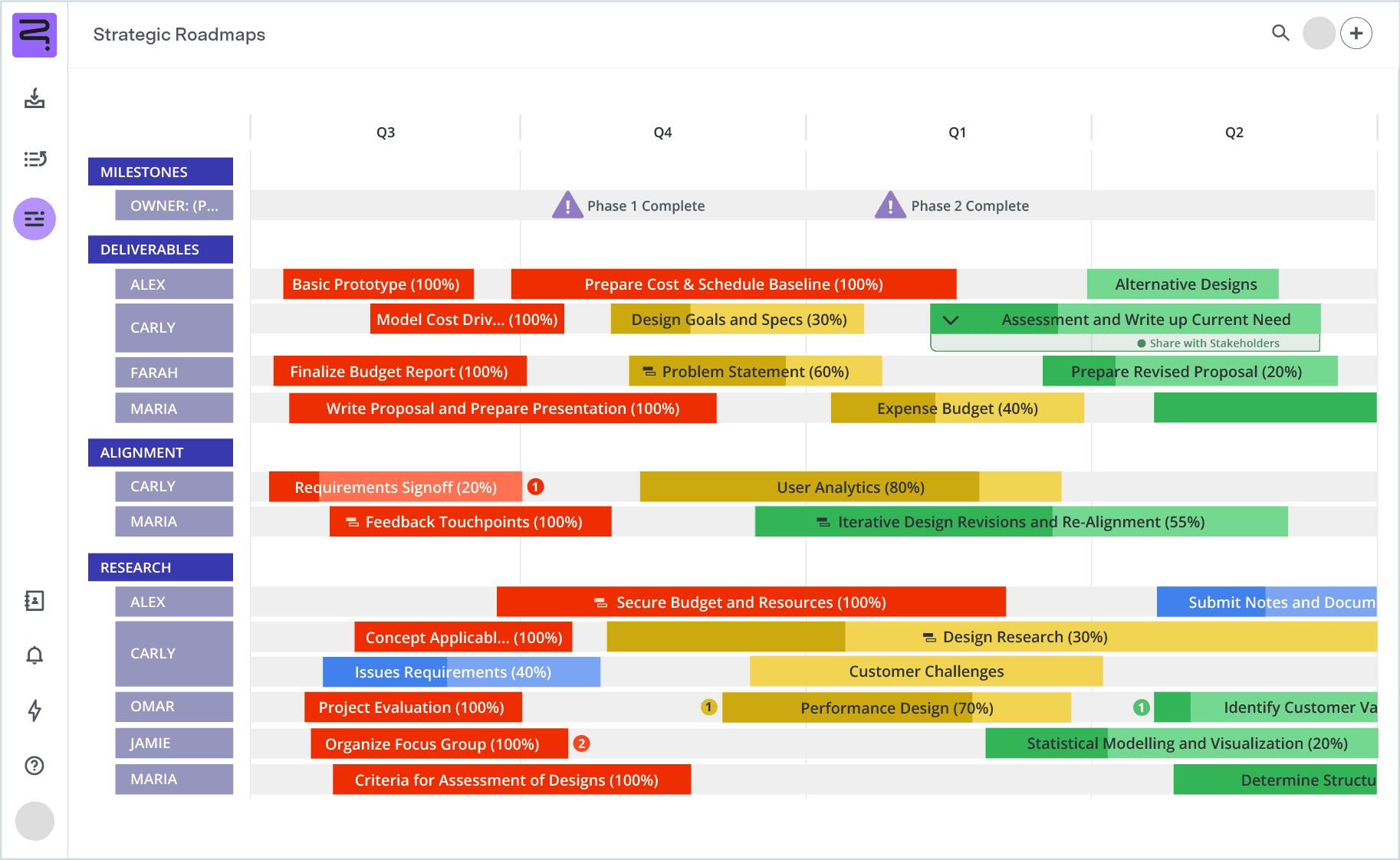
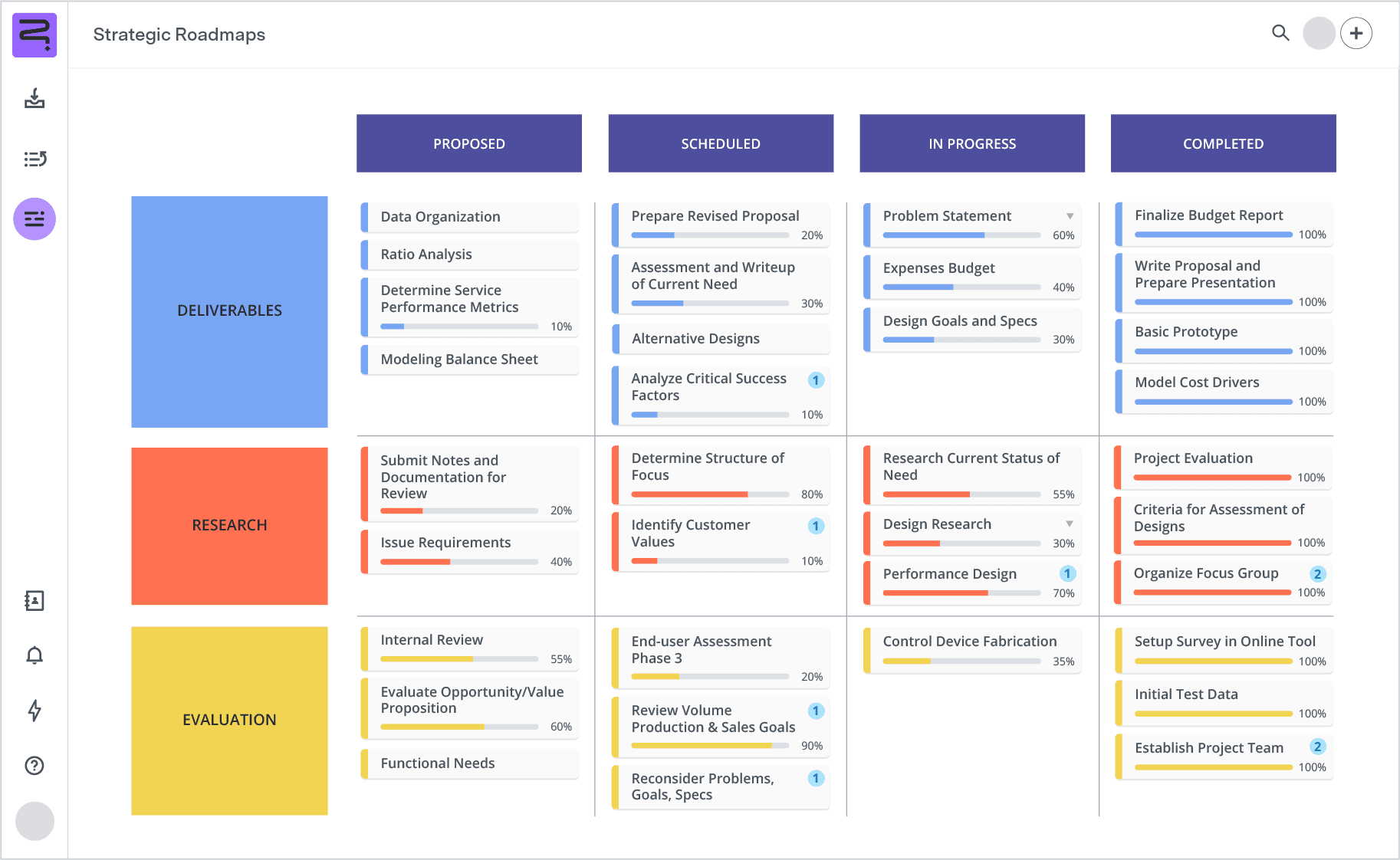
Use a product roadmap template to craft a dynamic infographic showcasing your product’s strategic timeline. This roadmap details upcoming features and technical plans, illustrating the product’s evolution through release cycles. It’s instrumental in aligning stakeholders with your vision and sparking market interest.
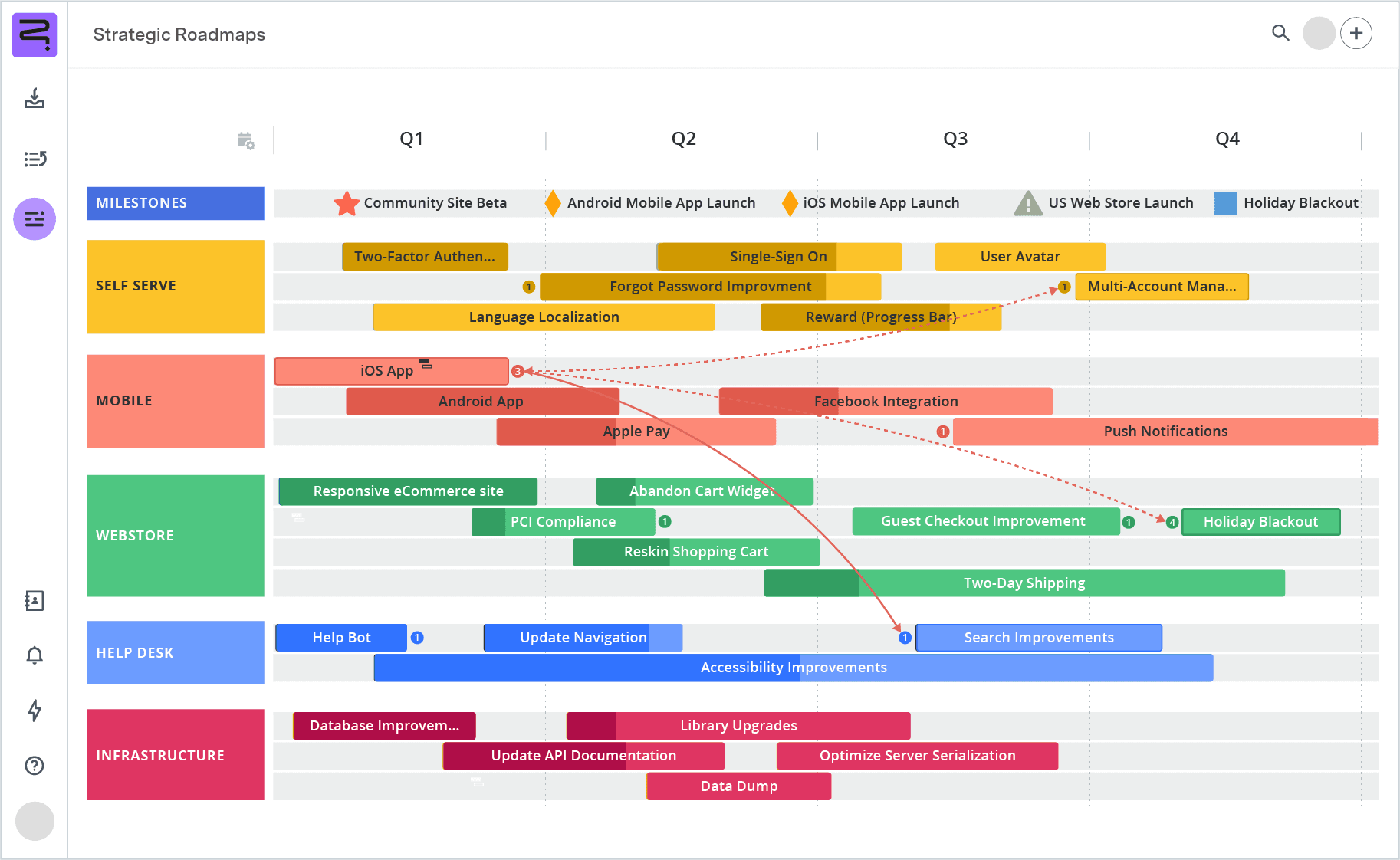
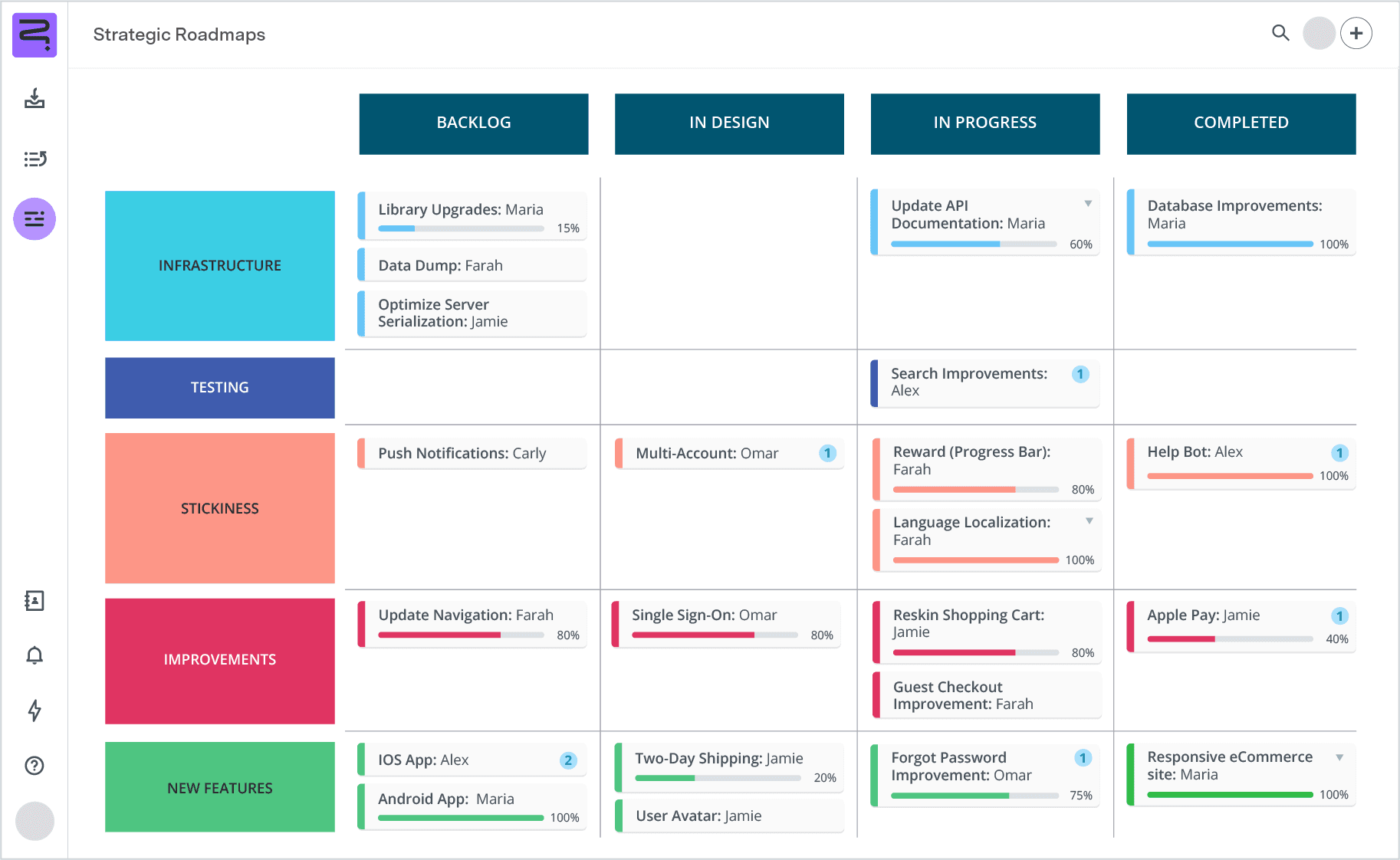
Conceptualize organizational objectives and strategies using a business roadmap. This template functions like a dynamic business plan, detailing company goals, methodologies, and timeframes. Business roadmaps also foster cross-departmental understanding, breaking down silos and offering a clear vision of the organization’s intended direction.
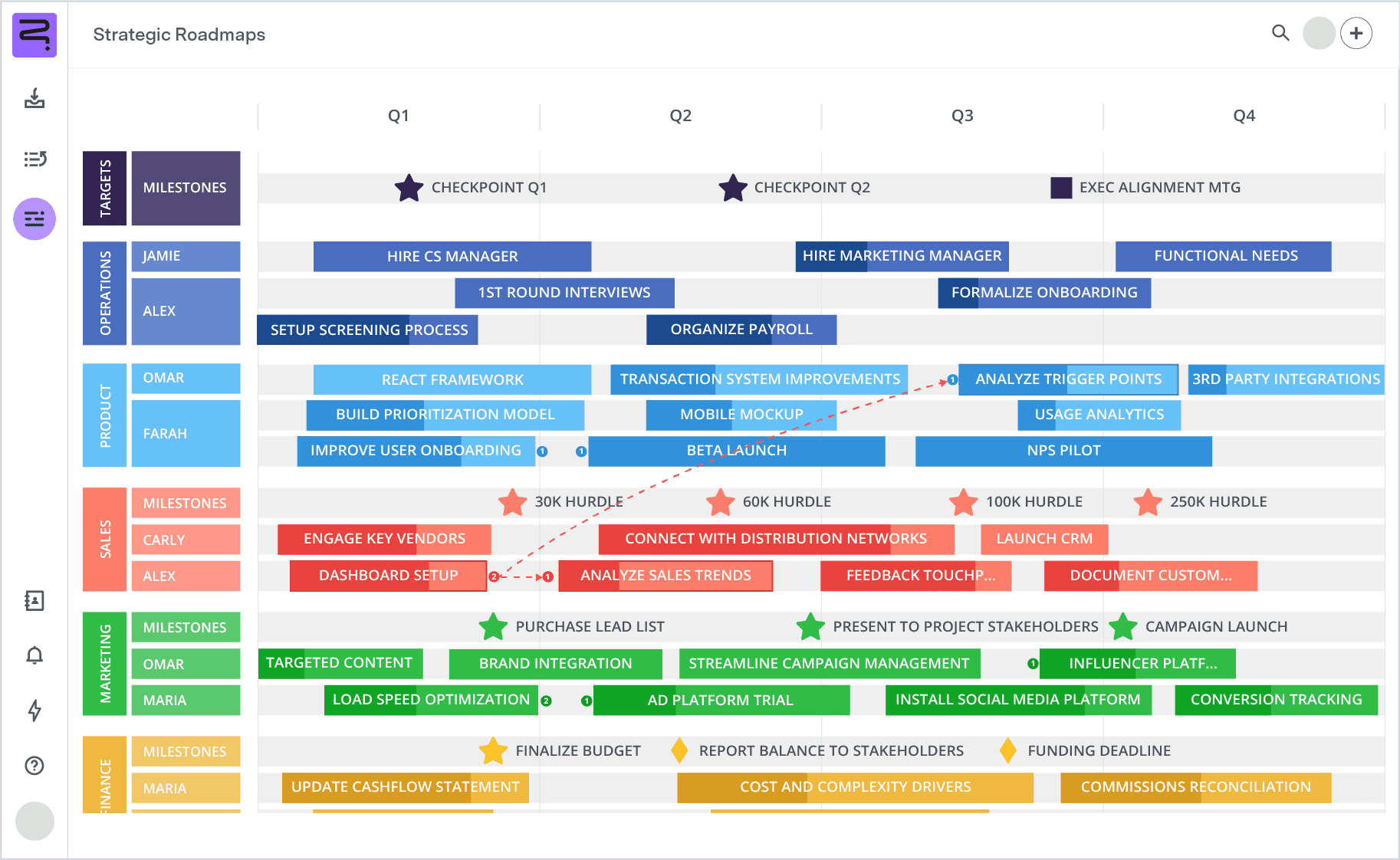
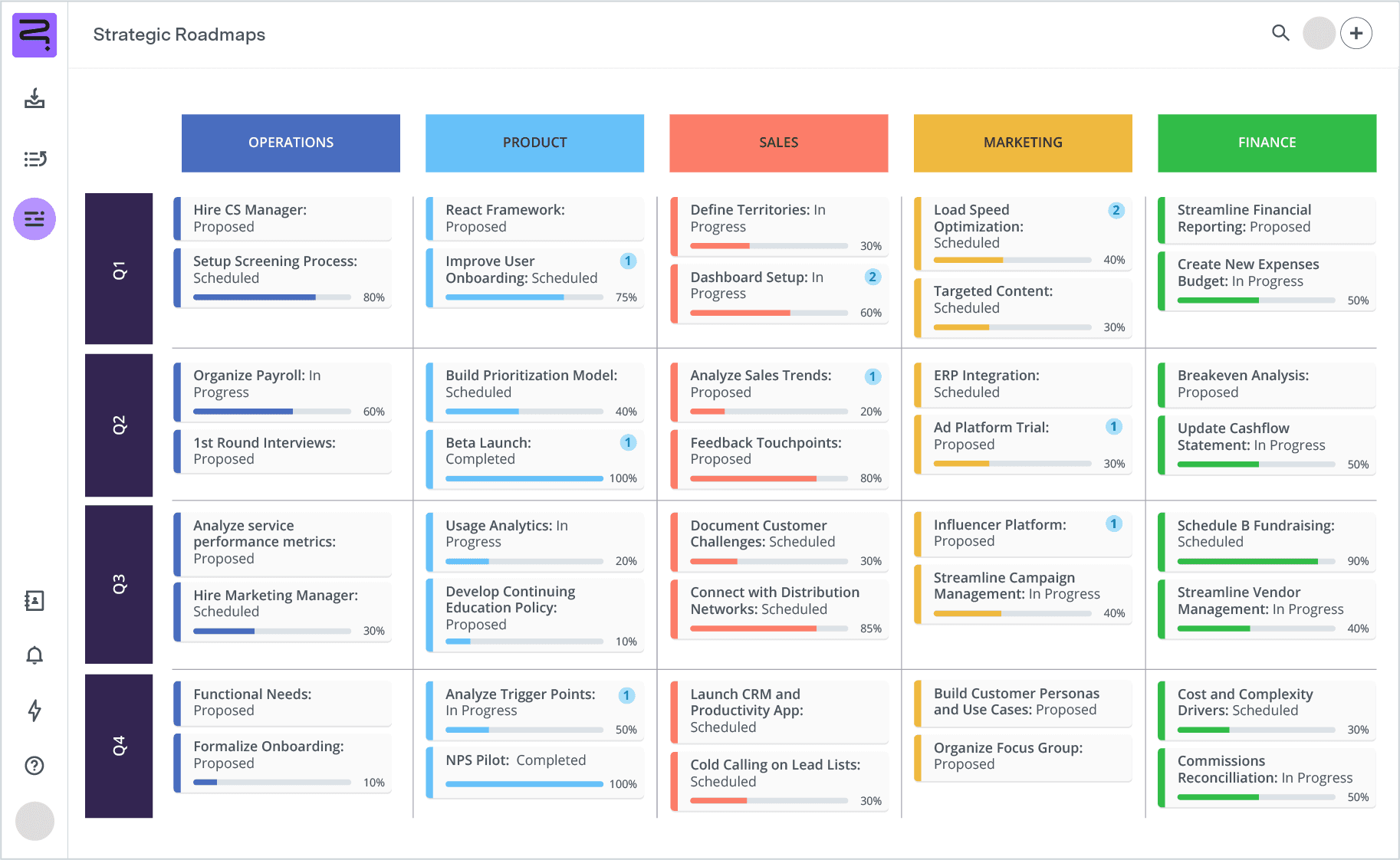
An IT roadmap aligns your information technology strategy with overarching business objectives. It outlines the organization’s plan for building and maintaining technological solutions, supporting the broader corporate vision. And with an IT roadmap, companies can chart long-term plans for change and innovation, guided by a statement of intent.
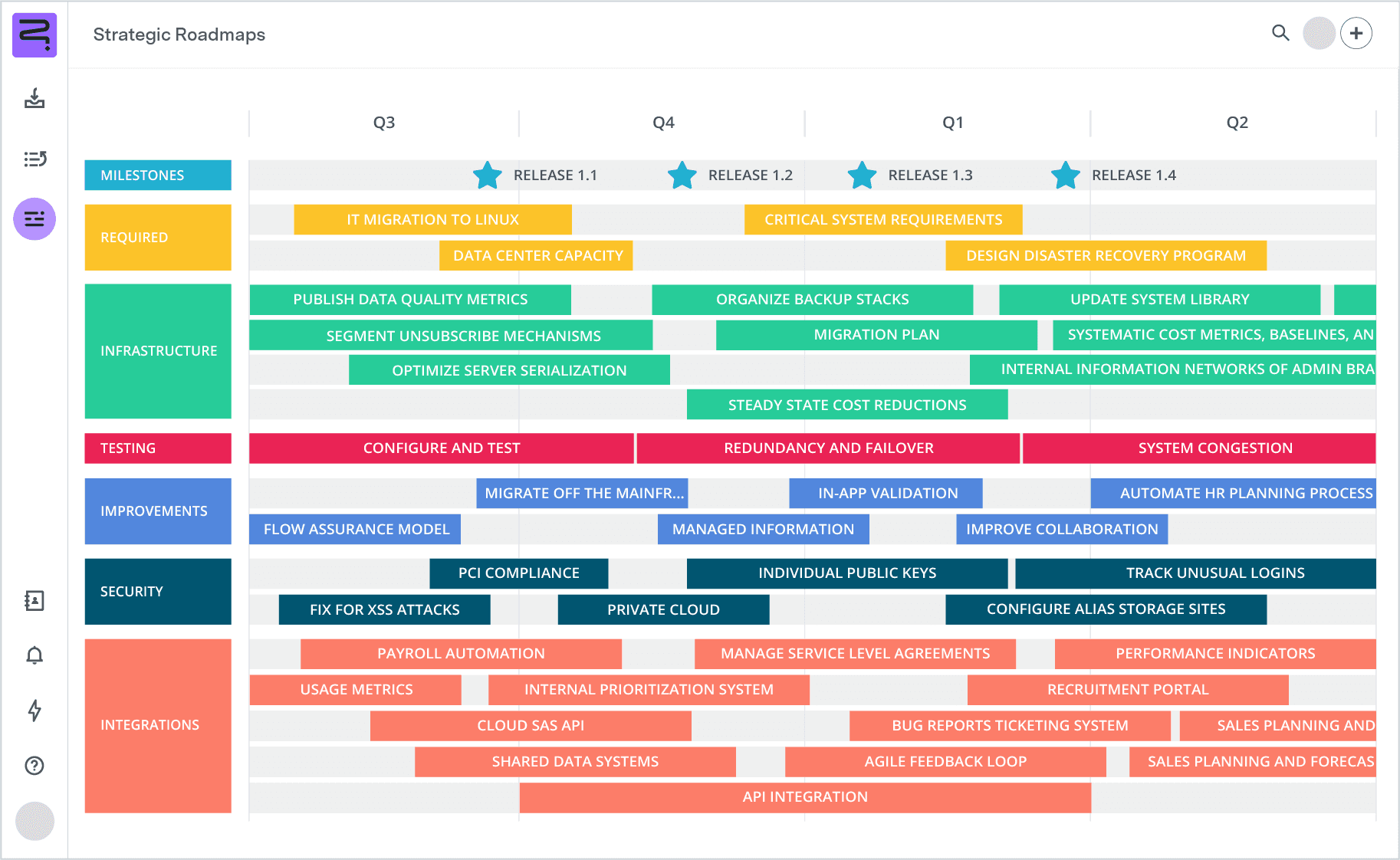
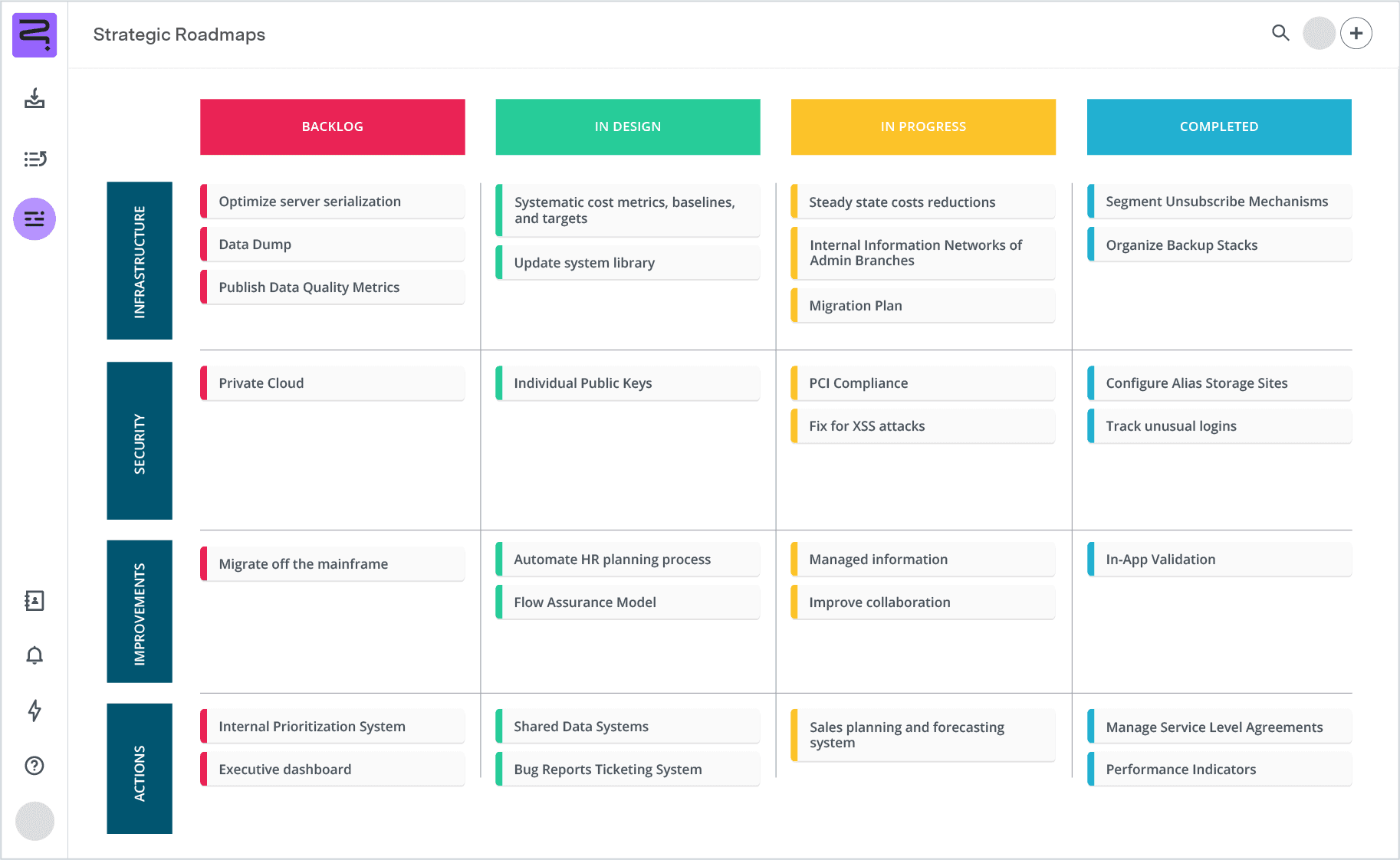
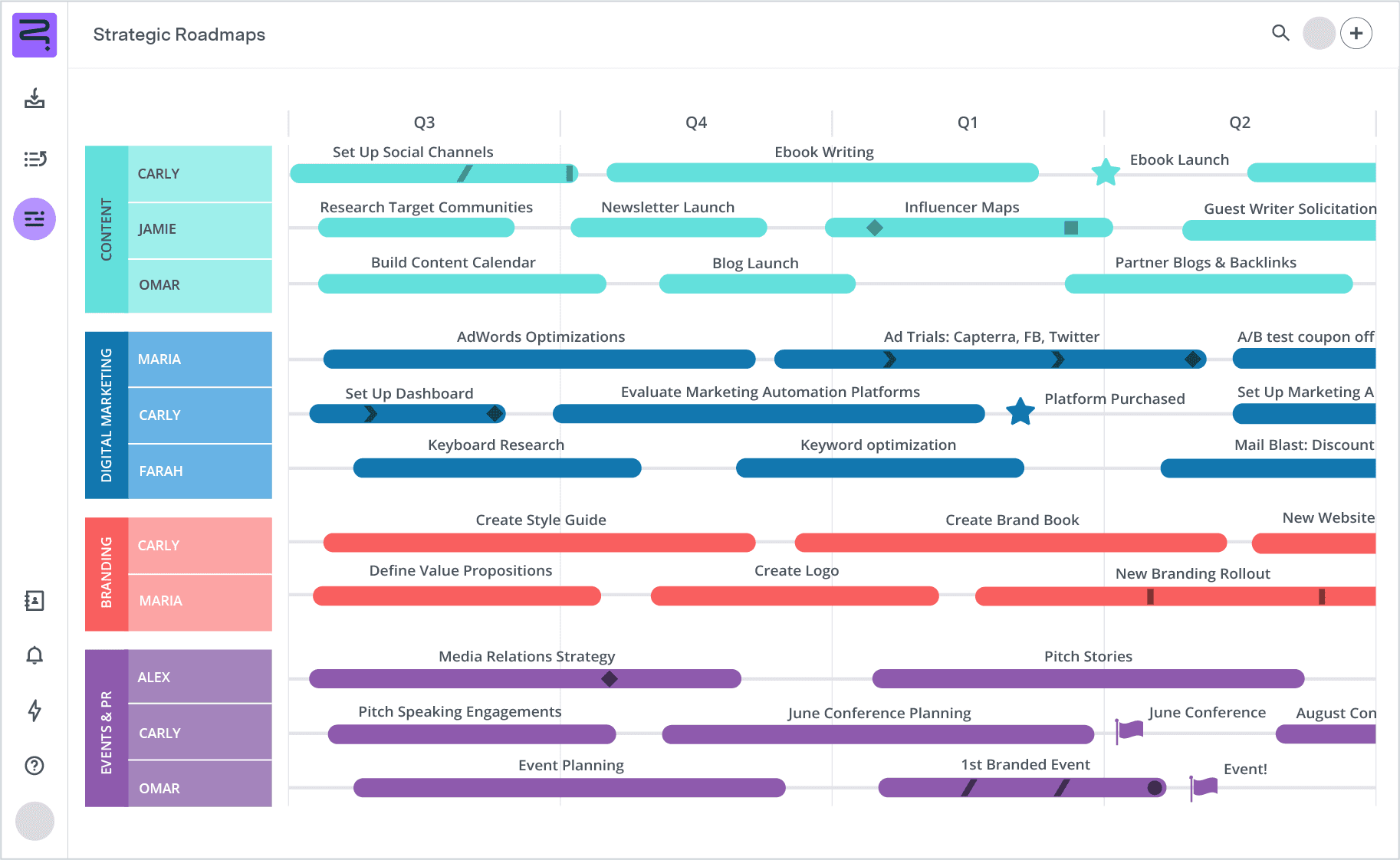
Marketing roadmaps help project-oriented promotion teams chart and prioritize demands across multiple channels, including content, advertising, and sales. It helps balance multiple projects and initiatives, establishing order and ensuring team members stay focused.

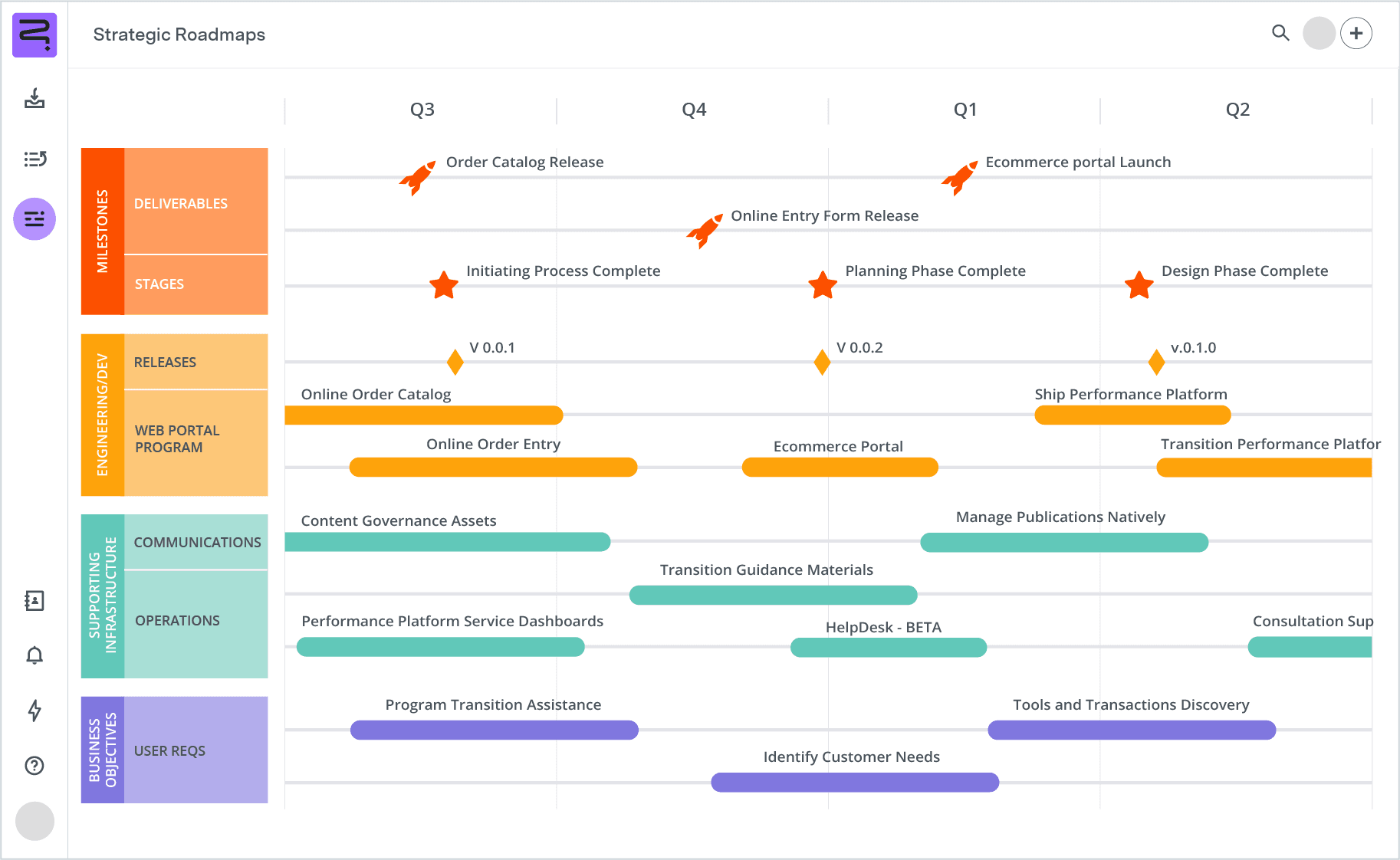
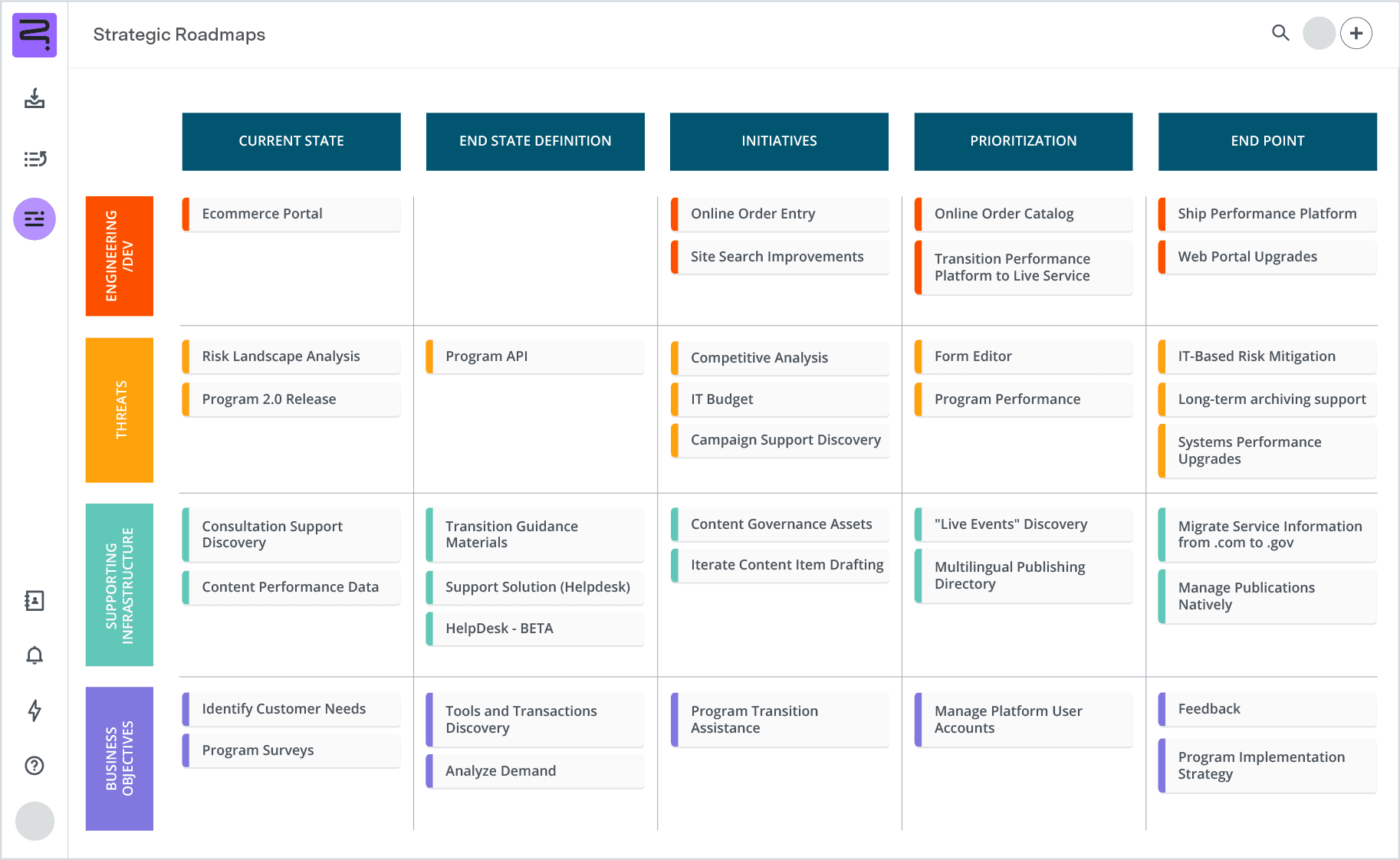
Crafted by a program manager, a program roadmap visually represents an initiative’s trajectory. It highlights the relationship between business strategy, service development, and milestones, and typically spans a business year. This roadmap is key for communicating high-level goals and the program’s evolution.
Transform your project management with Jira-enabled Strategic Roadmaps. By offering a range of project and timeline planning templates, Strategic Roadmaps helps you easily prioritize tasks, overcome roadblocks, and collaborate.
Further enhance your process by integrating Tempo’s Timesheets for effortless time tracking and resource management, equipping your team with all the essentials for unparalleled success.
Strategic Roadmaps
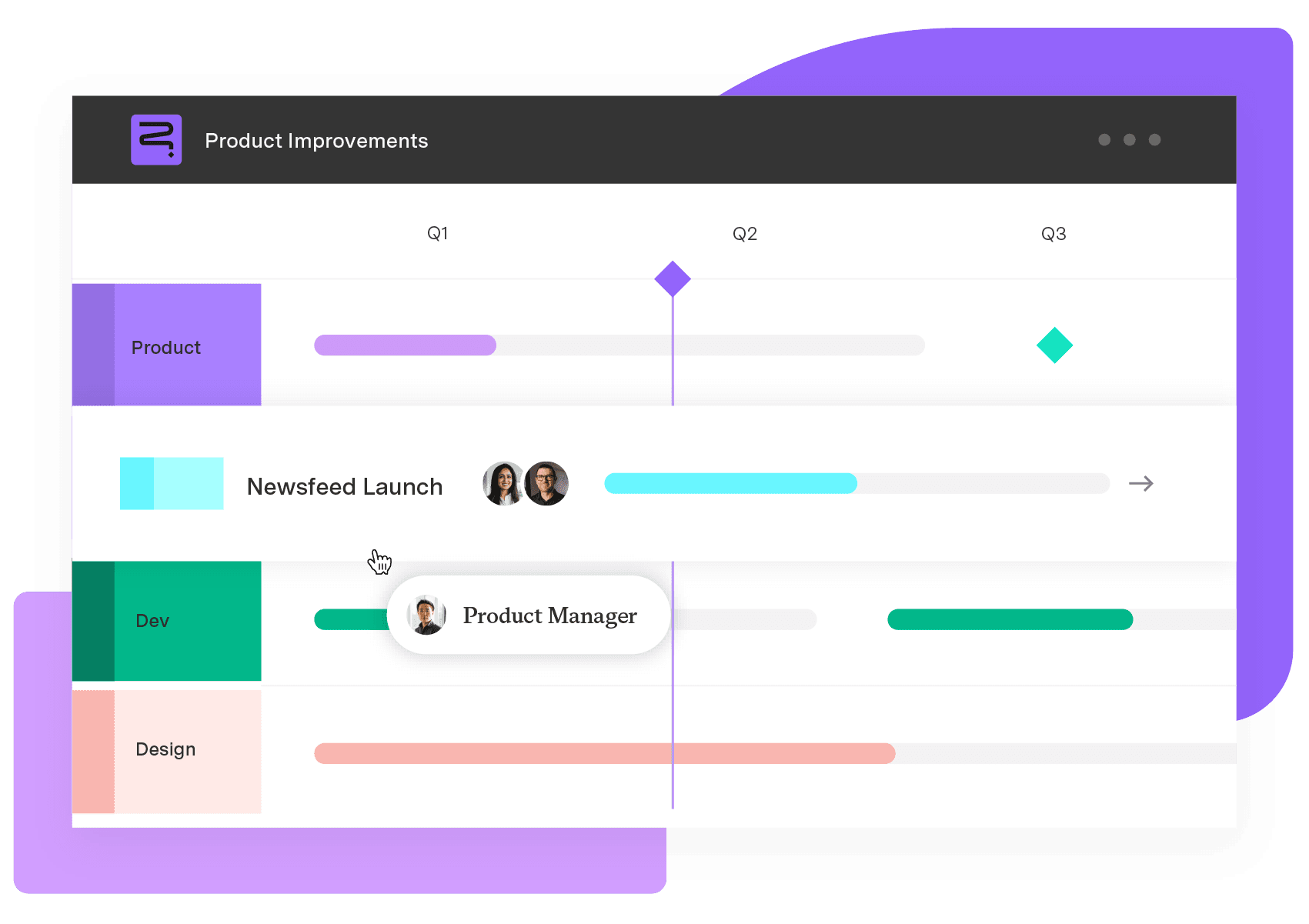
Build your portfolio vision with Strategic Roadmaps. With powerful visualization capabilities, you can communicate strategy to the entire organization and gain alignment around strategic objectives, product goals, and milestones.
Start a Free TrialLearn how scheduled floats in project management can increase team efficiency and productivity while ensuring you never miss a client deadline.

Integrate project management templates into your practice for help streamlining and organizing management tasks while maintaining focus.

Learn how to create compelling visual project timeline roadmaps that outline milestones, track dependencies, and keep your team aligned.

Discover how roadmapping your project management with workflow templates builds efficiency into your processes and consistency into your results.

Establishing a plan for a project can be challenging. Use these project plan templates to create a roadmap of your vision for your team to follow.

Agile templates are great additions to any project manager’s toolbox. Learn how roadmap, project planning, & other templates improve project outcomes
The critical path method is a project management approach that lets you monitor and control project timelines, resources, and budgets with ease.
Simplify your product management practice by incorporating some easy-to-use product management templates to roadmap your projects.
Write better briefs with clear steps and creative brief templates. Learn how to align strategy and content to elevate your creative output.




















