Lean portfolio management explained for portfolio leaders: The three dimensions, who owns it, how to measure it, and where it fails at scale.

Power BI, Microsoft's interactive data visualization and analytics tool, offers varied data connection types to facilitate diverse business needs. These Power BI data connection types — Live Connection, Direct Query, and Import - each have unique features and capacities that cater to different operational requirements and preferences. In this article, we will delve deeply into the nuances of each Power BI connection type, examining their unique properties and capacities.
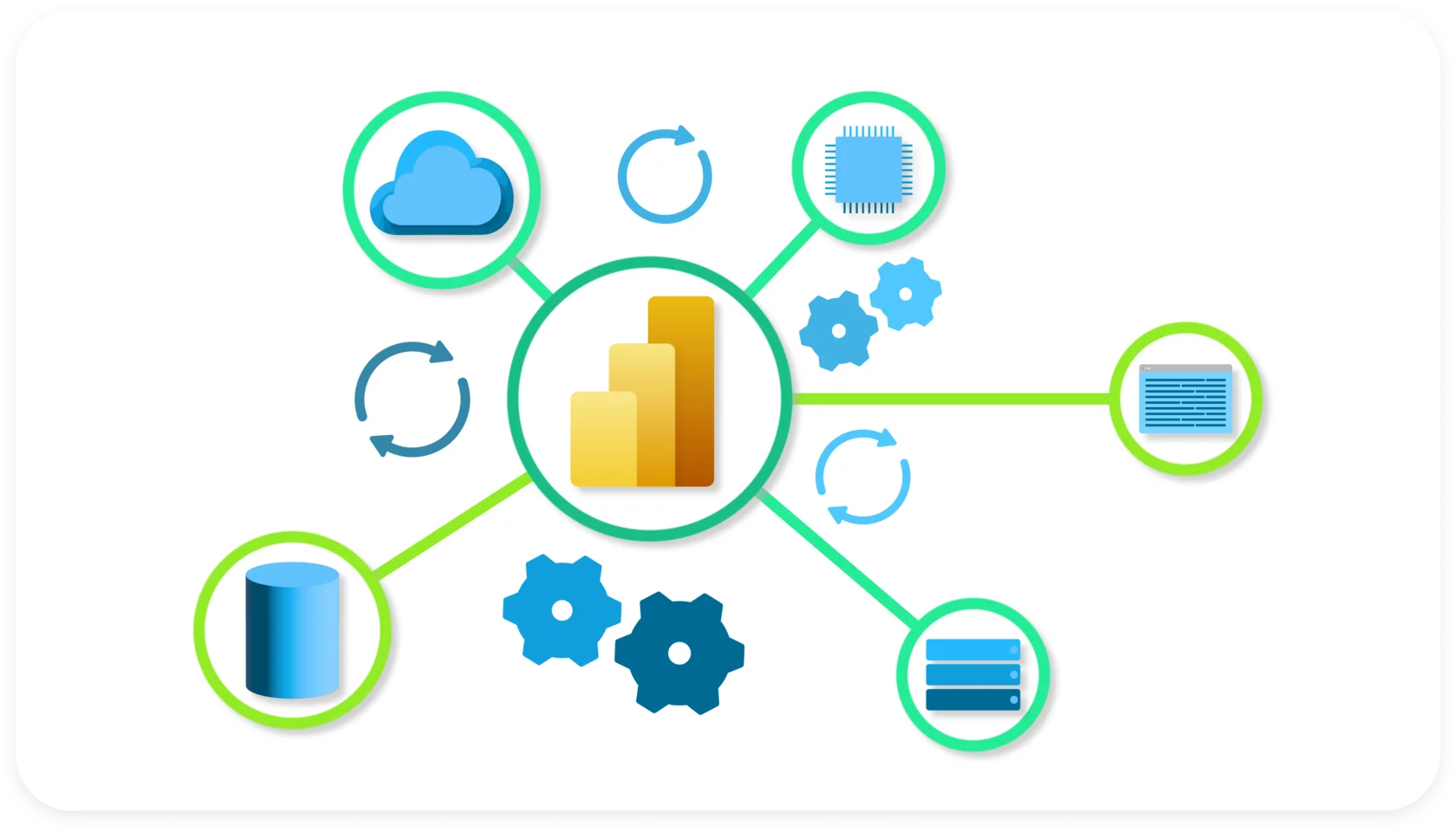
Data connection in Power BI is the essential process of establishing a bridge between the Power BI platform and various data sources. This step is vital for unlocking the potential of Power BI's analytical capabilities. Through data connection, Power BI can access and integrate data from a wide range of sources, including databases, files, cloud services, and more.
When initiating a data connection, users define the source of their data, whether it's a local file, a cloud-based database, an API, or another data repository. Power BI provides a seamless interface for users to authenticate and connect to these sources securely. Once connected, the platform allows for data ingestion, transformation, and modeling, ensuring that the data is structured optimally for analysis and visualization.
The data connection process often involves leveraging Power Query, a powerful tool within Power BI, which enables users to clean, transform, and shape the data to meet their specific analytical needs. Through a user-friendly interface, individuals can perform a range of data transformations, such as merging, filtering, and aggregating, to prepare the data for meaningful insights and visualizations. By mastering the art of data connection, users can efficiently leverage Power BI's capabilities to turn raw data into actionable business intelligence.

Power BI presents users with 3 connection types, each with its unique set of attributes, merits, and limitations. The principal Power BI data connection types are:
Import
DirectQuery
Live Connection

Selecting the appropriate connection method in Power BI is a critical decision that significantly impacts the performance, functionality, and manageability of your Power BI reports and dashboards. The right choice depends on several factors, including data size, real-time requirements, security considerations, and data refresh needs. Here's an exploration of why making an informed decision on the Power BI connection method is crucial:
Choosing the right connection method directly influences the performance of your Power BI reports. "Import" allows for faster data retrieval and rendering since the data is stored within the Power BI file. On the other hand, "DirectQuery" and "Live Connection" provide real-time access to the data source, which is crucial when dealing with large datasets or when immediate updates are necessary. Balancing performance requirements with the need for real-time or offline access is key to a seamless user experience.
The need for up-to-date data varies based on the nature of your analysis and decision-making processes. "Import" provides a snapshot of the data at the time of import and requires manual refreshes to stay current. "DirectQuery" and "Live Connection," however, offer real-time access to the latest data in the source system. For applications where timeliness is crucial, such as financial or operational dashboards, real-time data access is vital.
Considerations around data security and compliance are paramount in any data analytics environment. "DirectQuery" and "Live Connection" methods ensure that sensitive data remains within the source system, minimizing data exposure. However, if regulatory compliance requires data residency or specific security measures, the "Import" method allows you to control and secure the data within the Power BI environment.
For large datasets, efficient data handling is crucial to maintain report performance and responsiveness. "Import" allows for data compression and optimization within Power BI, enhancing performance for analysis. "DirectQuery" and "Live Connection" methods are suitable for large datasets that may be impractical to import entirely. The right choice depends on striking the right balance between data size and performance.
For optimizing data loading, especially with larger datasets, consider leveraging the Incremental Refresh feature in Power BI. Learn more in Power BI Incremental Refresh: The Ultimate Guide.
The "Import" method allows for complete offline access since the data is stored within the Power BI file. This is beneficial when users need to access and work with the report without an active internet connection. It also facilitates portability, enabling the sharing of Power BI files containing all required data. "DirectQuery" and "Live Connection" methods are dependent on real-time connectivity to the data source and may limit offline access.
So, selecting the right Power BI connection method is a strategic decision that requires considering the specific needs of your analytics project. Evaluating factors such as performance requirements, data freshness, security, scalability, and offline access will ensure that you make an informed choice, ultimately optimizing the effectiveness and usability of your Power BI solution.

In this section, we will conduct a thorough analysis of Power BI's key data connection methods and modeling techniques. Understanding the intricacies of each approach is fundamental to maximizing Power BI's potential and tailoring your analytical strategy to specific requirements. We will delve into three primary data connection methods: Import Method, DirectQuery, and Live Connection, each with its unique characteristics, advantages, limitations, and optimal use cases. Additionally, we will explore the Composite Model, a versatile modeling technique within Power BI that enhances data integration and analysis, discussing its functionality and best use cases.
The Import Method in Power BI involves importing and storing a copy of the data within the Power BI file. This method is particularly useful when you need a snapshot of the data at a specific point in time.
Benefits:
Enhanced Performance: Data stored within the Power BI file is optimized for performance, allowing for faster data retrieval and visualization rendering.
Offline Access: Since the data is imported, reports and dashboards can be viewed offline, providing flexibility in accessing critical information even without an active internet connection.
Data Transformation Flexibility: Imported data can be extensively transformed within Power BI using Power Query, providing the ability to shape the data to suit specific analytical needs.
Data Privacy and Security: Importing data into Power BI allows for enhanced control over data privacy and security within the Power BI environment.
Limitations:
Data Refresh: The data snapshot needs manual refreshes to stay current. It does not automatically reflect changes in the source data unless a refresh is initiated.
Data Size Limitations: Large datasets may result in increased file sizes, affecting portability and performance.
Use Cases:
Static Reports: Reports that do not require real-time data updates, such as historical trend analysis or one-time data snapshots, are suitable for the Import Method.
Data Transformation: When comprehensive data transformation or cleanup is needed before analysis, importing the data allows for extensive transformation within Power BI.
Data Privacy Requirements: Situations where data privacy policies or compliance requirements necessitate storing data locally within the Power BI file.
Moving to Direct Query, this method doesn’t store data within Power BI. Instead, it establishes a connection to the data source and retrieves only the schema of the data. This means users interact with a reflection of the data, allowing them to manage massive data volumes, overcoming the limitations experienced with the Import method. As the actual data remains in the source, users have the advantage of accessing real-time or near-real-time data, crucial for numerous business scenarios.
Using Custom Power BI Connectors:
In addition to the standard Direct Query functionality, Power BI allows for the use of custom connectors that can enhance this method further. For instance, Power BI connectors from Alpha Serve enable connectivity through ODataFeed, offering specialized options for specific data sources like Jira, ServiceNow, Zendesk, monday.com and Shopify.
Benefits:
Real-Time Data Access: Direct Query allows for real-time access to the most up-to-date data available in the source system, ensuring the information is always current.
Reduced Data Redundancy: Data remains in the source system, reducing redundancy and ensuring that analyses are performed on the latest dataset.
Large Data Handling: Ideal for handling large datasets that are impractical to import into Power BI due to size constraints.
Limitations:
Performance Considerations: Query performance is dependent on the data source and may vary, potentially affecting visualization responsiveness.
Limited Data Transformation: Data transformation options within Power BI are limited compared to the "Import" method due to the direct connection to the source.
Use Cases:
Real-Time Monitoring: Applications that require real-time monitoring and immediate access to the most current data, such as financial transactions or operational metrics.
Large Datasets: Working with large datasets where importing is not feasible due to size limitations, ensuring real-time data access.
Data Source with Frequent Updates: Data sources that experience frequent updates and where importing data at intervals may result in outdated analyses.
Live Connection is another valuable method in Power BI’s suite, predominantly used when connecting to Analysis Services or a Power BI dataset. In contrast to Direct Query, it keeps everything on the model itself and only utilizes a connection string. It facilitates seamless connection to Power BI datasets, Azure Analysis Services, and on-premises Analysis Services, maintaining the external source model's integrity. This means alterations from the Power BI Desktop’s end are prohibited, offering a precise and clean data interaction environment.
Benefits:
Real-Time Data Access: Live Connection ensures access to real-time, live data directly from the source, allowing for accurate and immediate insights.
Reduced Data Redundancy: Eliminates the need to duplicate and store data within Power BI, reducing redundancy and ensuring data consistency.
Enhanced Data Governance: Ensures that users interact with and analyze the most current data, promoting better data governance and decision-making.
Limitations:
Performance Considerations: The performance of reports and dashboards may be affected by the responsiveness of the data source and network latency.
Dependency on Data Source: Relies on the stability and availability of the data source for seamless access to data.
Use Cases:
Real-Time Analytics: Applications that require real-time analytics, such as stock market monitoring or customer service dashboards where timely insights are critical.
Large Datasets with Real-Time Updates: Handling large datasets where real-time updates are necessary without duplicating data, improving performance, and reducing storage needs.
Data Source with High Volatility: Data sources with frequent updates or high volatility, where real-time data is essential for accurate decision-making.
The Composite Model in Power BI is an advanced feature that allows users to combine multiple connection types within a single data model. This feature provides the flexibility to mix and match different connection methods like DirectQuery, import, and live connections. It enables seamless integration and analysis of data from various sources in a unified Power BI model.
Benefits:
Integration Flexibility: Allows integration of different data sources with varying connectivity options, enhancing flexibility in data modeling.
Optimized Performance: Enables optimized performance by utilizing the appropriate connection method for each data source, balancing real-time access and data import efficiency.
Data Unification: Facilitates the consolidation of data from disparate sources into a cohesive data model, improving data consistency and analysis capabilities.
Limitations:
Complexity: The Composite Model involves a more intricate setup compared to single connection models, potentially requiring a higher level of expertise.
Resource Utilization: Depending on the complexity of the model, it may require more system resources and careful consideration of performance optimizations.
Use Cases:
Combining Data Sources: When needing to analyze data from multiple sources using different connection types within a single report.
Balancing Performance and Real-Time Data: For scenarios where both real-time data access and data import efficiency are essential.
Optimizing Data Modeling: When aiming to create a comprehensive data model by unifying data from various sources to derive meaningful insights.
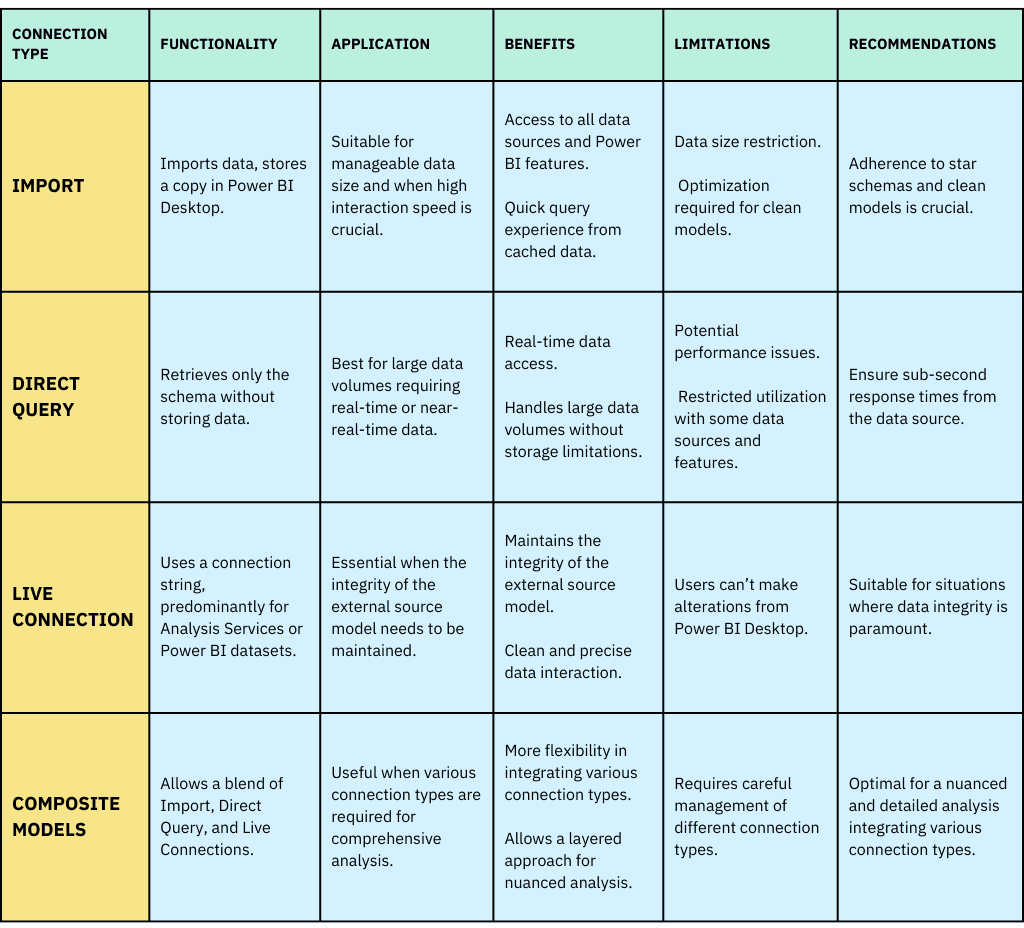
In conclusion, each Power BI data connection type is designed to serve specific needs and scenarios. The Import mode offers versatility and full access to Power BI’s capabilities but is limited by data size. Direct Query enables interaction with large data sets and provides real-time data but faces limitations in features and performance. Live Connection maintains model integrity and offers precise data interaction, essential for connecting to Analysis Services or Power BI datasets. Lastly, Composite Models enrich user experience by blending the advantages of each connection type, allowing for a more nuanced and detailed analysis.
By understanding the nuances of these connection types and applying them effectively, users can fully leverage Power BI's capabilities, optimize data interaction, and draw insightful and accurate conclusions to drive informed business decisions. Keep exploring these evolving features and stay informed to make the most out of Power BI’s transformative data visualization capabilities!
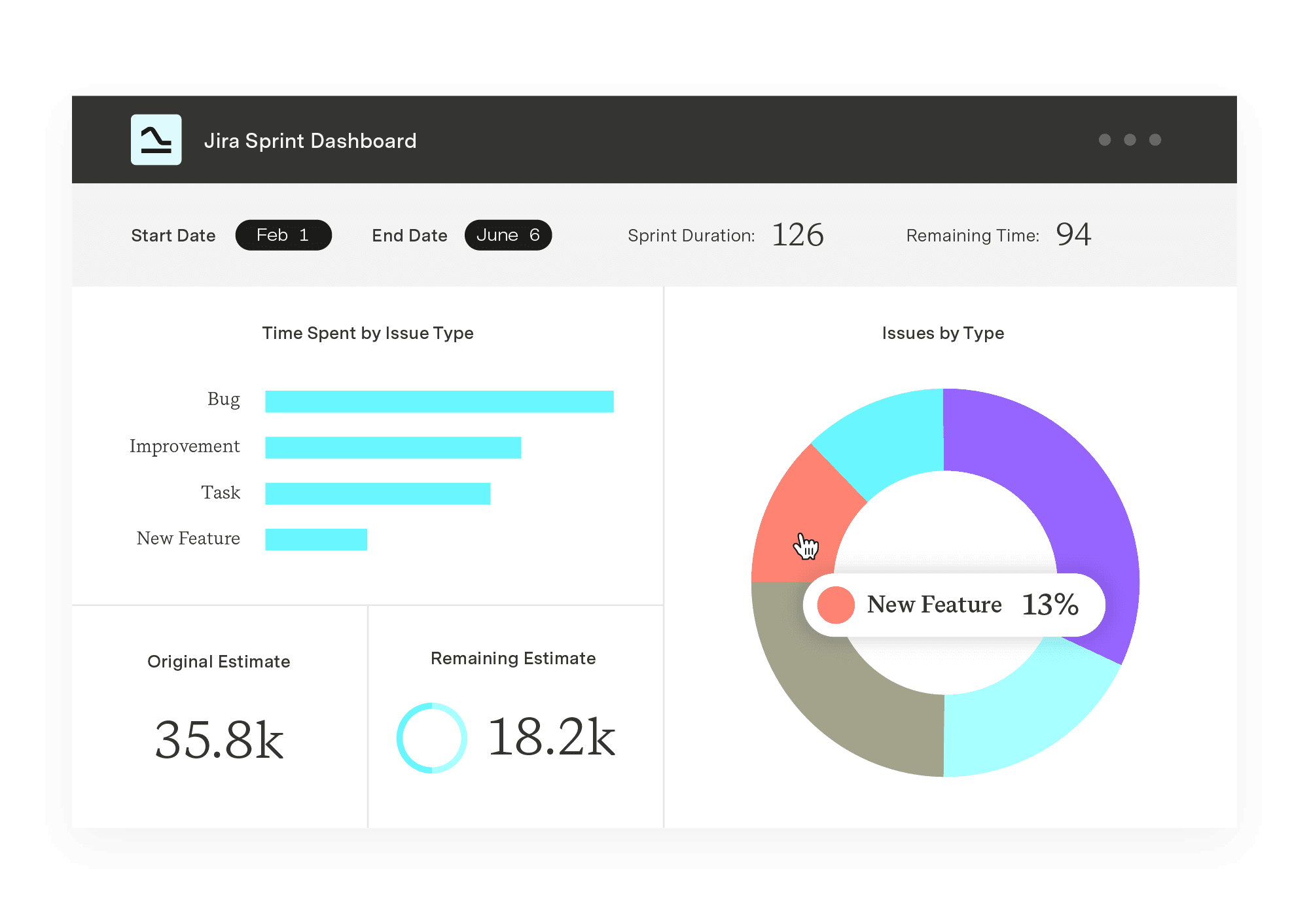
Power BI Connector for Jira
Experience a new standard in data integration and reporting. Enjoy quick setup, effortless data export from all Jira products and third-party apps, and instant access to pre-built templates.
Start a Free TrialLean portfolio management explained for portfolio leaders: The three dimensions, who owns it, how to measure it, and where it fails at scale.

Learn about Jira Software Cloud’s integration with Google Calendar to streamline your time management efforts and stay on top of your to-do list.

Every project involves decisions and tasks. Here are 10 essential best practices for making decisions and taking action in project management.

Learn how to use a fishbone diagram for cause and effect analysis and discover how it can uncover problems in your organization.

Maximize efficiency with six innovative project timeline templates. Learn how to improve team productivity while saving time and resources.
Explore essential tips for successfully adopting an online project management tool in your business to enhance collaboration and efficiency.

Businesses increasingly use workflow automation to reduce manual tasks, improve accuracy, and streamline processes. Try it yourself in 6 simple steps.

Compare 5 Planisware alternatives for portfolio leaders. See which one checks all the boxes on your requirements list.

Custom Charts templates make it easier to onboard new teams to Jira and get them up and running with ready-made charts and dashboards.