

Learn what project milestones are, why they matter, and how to create them to improve planning, visibility, and delivery.
Stay on track and hit every deadline with milestone tracking. Learn how to monitor and optimize project milestones for seamless execution with Tempo.

A milestone is a fixed checkpoint in a project timeline that marks the completion of a phase, a major deliverable, or an approval. Tracking those checkpoints is how project managers know whether a project is on schedule or drifting.
Milestone tracking helps teams spot delays early and make sharper decisions about scope, resources, and risk. Here's what milestones are, why you should track them, and how Tempo fits into the workflow.
A milestone is a critical event in a project's lifecycle: The completion of a phase, the sign-off on a design, a go-live date. Unlike daily tasks, which cover minor actions, milestones are the load-bearing markers on the timeline that let teams judge progress at each stage.
Milestone tracking is the practice of monitoring those checkpoints as work moves toward a major deliverable. Milestones give project managers a reference point for whether an initiative is advancing as planned. Gantt charts and milestone charts are the usual tools for visualizing project phases and keeping the work tied to strategic goals.
Milestone tracking supports project execution in five ways.
Well-defined milestones give managers a view of the full lifecycle. Teams stay focused on the overarching goal instead of getting lost in individual tasks.
When people see how their work feeds into a specific milestone, they own their piece more directly. Structured checkpoints ensure each phase closes cleanly before the next begins.
Milestones sit at the critical points where later work depends on earlier completion. Tracking them exposes delays early enough to react — reallocating resources or adjusting strategy before the slip compounds.
Milestone tracking lets teams make data-driven calls at pivotal moments. Managers can anticipate problems and act on them, rather than reacting after a deliverable slips.
Milestone tracking ties project goals to broader business strategy. Structured checkpoints give teams a chance to assess direction and course-correct before the deadline arrives.
A structured milestone tracking system produces gains in transparency, risk, coordination, resourcing, and success rates.
Milestone tracking presents progress to stakeholders in a form both executives and contributors can read at a glance. Large cross-team projects with complex stakeholder requirements need this structure to hold together.
Projects hit unpredictable problems that stretch timelines and inflate budgets. Careful milestone tracking surfaces those risks before they mature. If your tracking shows a deliverable slipping, you can investigate and act — adding capacity, cutting scope — while there's still room to move.
Interdepartmental initiatives have many moving parts, and phases often overlap in ways that hide dependencies. Without a shared milestone tracking system, cross-team coordination frays and operational efficiency drops.
Without a milestone view, teams tend to over-resource some tasks while others starve. Defined milestones let managers distribute budget, materials, and headcount to where each phase needs them.
Projects with clearly defined milestones hit fewer delays and match stakeholder requirements more reliably. Setting and tracking milestones gives teams benchmarks they can act on before a deadline forces the issue.
Four steps produce a workable milestone tracking practice:
1. Define relevant milestones: Set the checkpoints that mark transitions between project phases, and make sure each one ladders up to an overarching goal. 1. Set realistic deadlines: Build a project plan with deadlines that fit the timeline without overloading the team. 1. Utilize tracking tools: Project management tools visualize and monitor milestones — Gantt charts, for example, show progress and the dependencies between phases. 1. Conduct regular reviews: Periodic checks against a milestone chart let managers catch issues and refine workflows through the life of the project.
Tempo's project management tools bring structure to milestone tracking and make complex work easier to run.
Gantt Charts for Structure PPM uses real-time Jira data to show plans and milestones on a single chart. Custom Charts upgrades your Jira project dashboards with live views of milestone progress alongside resource allocation. Timesheets adds reporting depth for time tracking and resource management.
Strategic Roadmaps rounds it out with boardroom-ready views that align teams and keep priorities steady when resources shift and timelines move.
Try Tempo today and see what tighter milestone management looks like for your team.
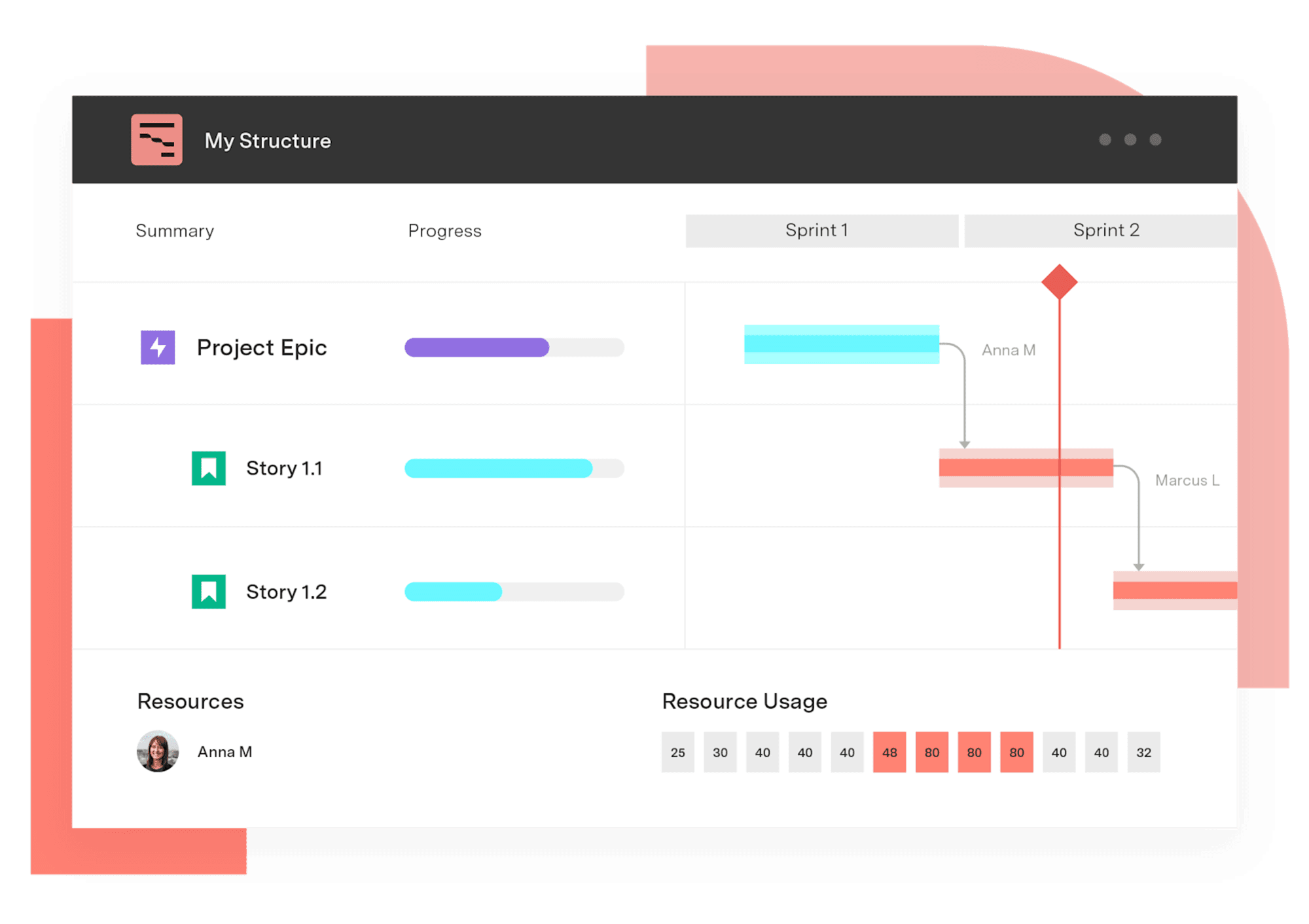
Gantt Charts for Structure PPM
Get visualization options for portfolio scheduling, quarterly planning work, capacity visualization, project retros, complex waterfall infrastructure projects, and more.
Start a Free TrialCouldn't find what you need?Go to our documentation
Effective project milestones are key checkpoints that indicate significant project developments. Every milestone must directly support the project’s goals while remaining achievable.
Project managers can use Gantt charts and other tracking tools to monitor milestones. Project management software like Tempo can also support timely progress.
Milestones indicate significant project advancements, whereas tasks represent small, short-term steps required to reach each milestone. Milestones provide checkpoints, and tasks drive progress toward these checkpoints.
Learn what project milestones are, why they matter, and how to create them to improve planning, visibility, and delivery.

Learn how revenue tracking and projection help your teams monitor project income and forecast financial performance – using Tempo Financial Manager.

Struggling to keep your project on track? A timeline roadmap helps you plan, visualize milestones, and stay aligned. Here’s how to create one.

Learn how project tracking in your management process can help effectively monitor timelines and deliverables, improve collaboration, and reduce risk.

Every successful project needs a well-thought-out and comprehensive project plan. This is your guide to creating the best one possible.
Learn how to create compelling visual project timeline roadmaps that outline milestones, track dependencies, and keep your team aligned.

When facing delays or tightening your project timeline, fast tracking sets you up to deliver. Learn more about this schedule compression technique.

Project controls standardize your team’s process for great outcomes every time. Here’s how to use them to your advantage.
Projects can stall for no reason. Read on to learn how to reengage in the project and finally finish it.



















