

Want a deeper level of detail about your tickets on Jira dashboards? Appfire's Jira Misc Custom Fields and Tempo's Custom Charts are the answer.

Visualize your Jira data faster than ever before
Jira is a powerful tool but, out of the box, it doesn’t provide you with many options for performing calculations with your data.
Three very popular add-ons for calculations and scripting are:
Power Custom Fields for Jira offers flexible, configurable custom fields to easily import and integrate external data in Jira.
ScriptRunner allows you to create scripted fields that can perform calculations with issue data.
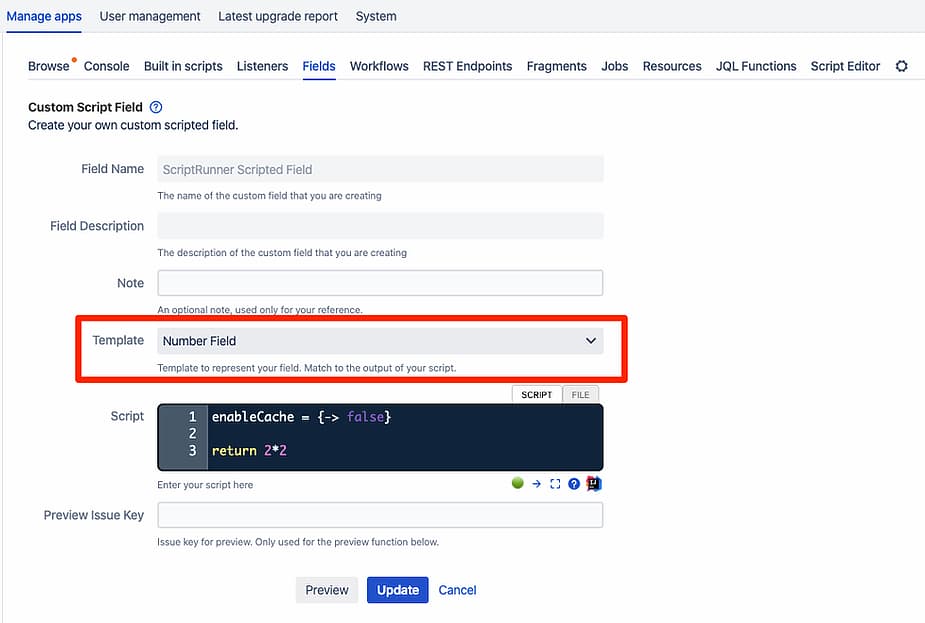
To enable a script field to work as a COUNT value in Custom Charts you must ensure the “Template” is a Number Field and that the custom field is using a Number Searcher search template.
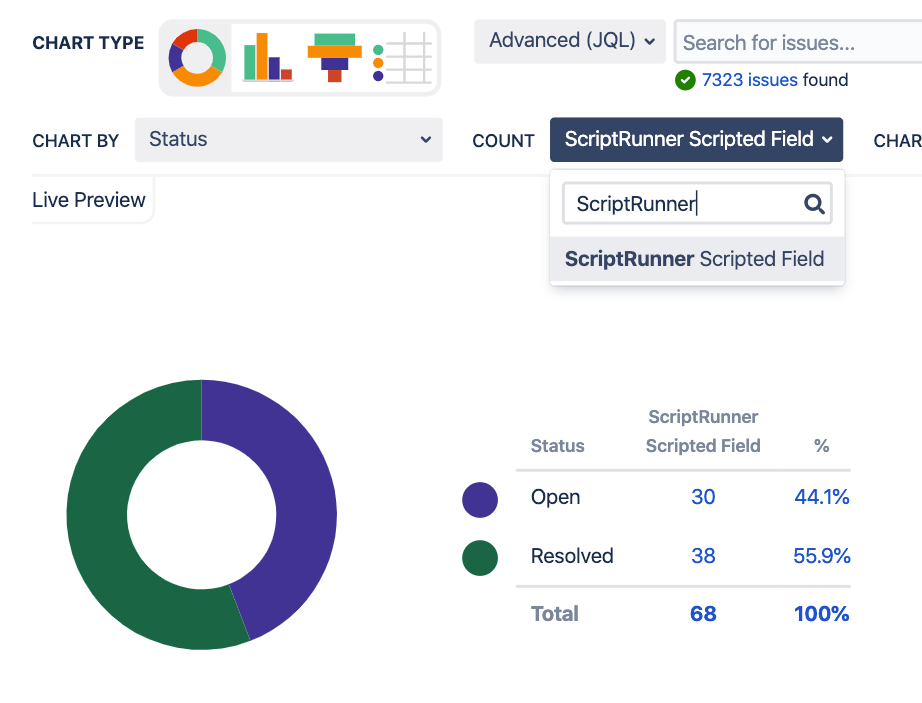
Then to add it to a Jira Chart, simply select ScriptRunner Scripted Field as an option to Count by, as you see below:
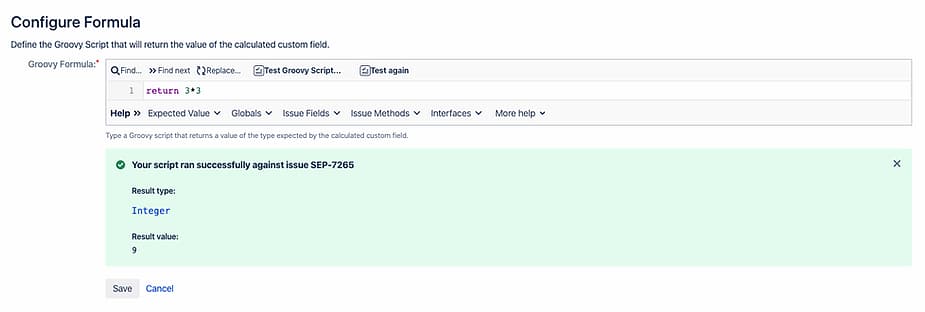
JMCF allows you to create scripted fields that can perform calculations with issue data.
To enable a script field to work as a COUNT value in Custom Charts you must ensure the “Type” is a Calculated (Scripted) Number Field.
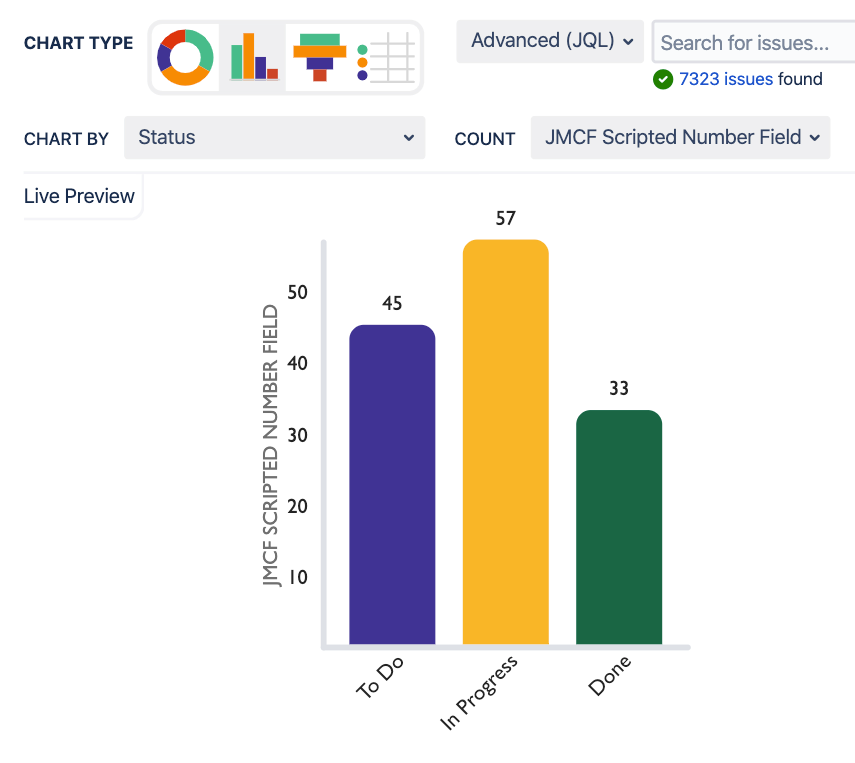
Now you can add it as a field to count by in your Custom Charts.
If either of these integrations would help you get more out of your Jira Dashboard reports, or Jira Reporting on Confluence Pages, you can start an evaluation on the Atlassian Marketplace now.
Sign up for a demo
Request Demo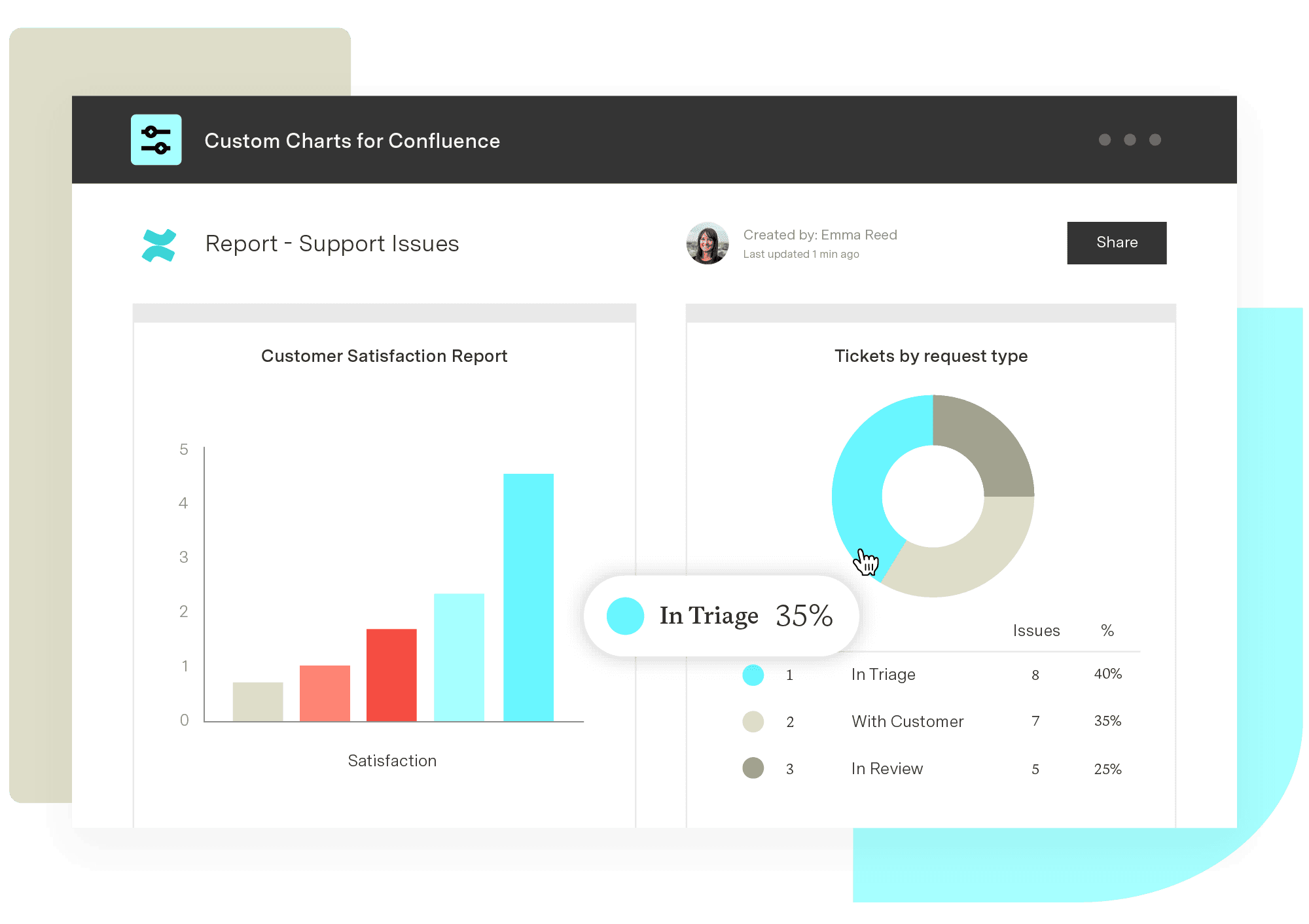
Custom Charts for Confluence
Get visualizations for dozens of different custom fields to understand your team’s work and communicate bottlenecks and successes without saying a single word.
Start a Free TrialWant a deeper level of detail about your tickets on Jira dashboards? Appfire's Jira Misc Custom Fields and Tempo's Custom Charts are the answer.

Jira's customizable Built-in Fields offer an easy way to organize and filter projects across your organization

See how Custom Charts for Jira renders bar graphs, grouped bars, and stacked bars from any JQL, filter, board, or project.

Custom Charts for Jira and Custom Jira Charts for Confluence now have the ability to display multiple calculations in a single chart.

Using Tempo Planner to streamline the management of teams and resources to find available team members and maximize your resource utilization.

Group issues by version fields (including custom fields) and keep items with the same version name together, even across different projects.

What's the best way to represent and track PIs? Creating a "PI" Jira issue, fixVersion, custom fields, components, or labels? Decide which fits best.

Synergy Learning approached New Verve for a solution that could display information from BambooHR in Jira, and needed the app to integrate with Tempo.

Explore the essential connection between project management and budgeting. Effective planning ensures successful project budgets from the start.


















