

Streamline your project management workload and get ahead on the planning process by adding these 5 top resource planning templates to your toolbox.

A project doesn't complete itself. It takes resources: time, finances, materials, and, above all, labor. Resource planning helps project managers assess the availability of company assets and deploy them to maximize efficiency and return on investment.
Resource planning can look daunting to anyone new to project management, but it's a systematic process. Once you learn the steps, you'll be on the path to managing project resources effectively and improving outcomes.
Resource planning in project management is the process of identifying, forecasting, and allocating a company's assets to deliver the desired outcomes. The resources typically include:
Money
Equipment
Technology
Materials
Time
Staff
The process is strategic. It determines the best use of assets based on capacity and availability to deliver the project on schedule and under budget.
During the estimation phase, the resource planner assesses the quantities of storable resources, such as money, and nonstorable assets, like machinery and labor. They also identify:
Staff with the proper skill set to complete the job
The employees available to work on the project
The best use of each team member's time
Compromises between competing priorities
The accuracy of this evaluation is critical for project scheduling and budgeting.
Resource planning is important because it directly protects a project from the most common failure modes. In a Project Management Institute (PMI) study, 23% of project failures were tied primarily to "inadequate resource forecasting," with similar numbers reported for "issues with resource dependency" and "limited/taxed resources."
A resource planning protocol mitigates these risks and delivers additional benefits, including the following:
**1. Facilitates long-term planning**
Queuing up multiple simultaneous projects sounds productive, but a lack of resources creates bottlenecks and delays. With resource planning, project managers review requirements across every project in the pipeline and optimize deployment and scheduling to minimize lag time.
**2. Proactively addresses the capacity gap**
By comparing resource demand against a company's existing capacity, resource planners identify shortages or excesses and take measures to bridge the gap. During a surplus, project managers adjust timelines, redeploy resources to other projects, or move up future tasks. During a shortfall, they practice resource leveling — redeploying assets based on project priority. If the shortage affects the workforce, planners can hire additional staff on a contract or full-time basis.
**3. Reduces project costs**
Asset unavailability leads to delays, and poorly estimated requirements drive costs up. A project manager ensures timely, on-budget delivery by evaluating and prioritizing resource allocation with real-time data. Teams can also review historical asset utilization to improve the accuracy of future resource estimates.
**4. Predicts and optimizes resource use**
Resource planning provides foresight into asset utilization. It lets the project manager reallocate resources from low- to high-value projects, increasing return on investment. It also prevents the overutilization of assets, improves productivity, and boosts employee satisfaction and engagement.
**5. Centralizes the resource pool**
Resource planning gathers all related information in a single location, including:
Skill sets
Location
Rates
Costs
Capacity
This streamlines sourcing. Project managers can locate and engage lower-cost or global resources and direct them to the right initiative while maintaining budget control. They can also review allocations to see how they affect other projects.
**6. Delivers projects without cost overruns**
While identifying and fulfilling project requirements, the resource planner targets the two benchmarks of a successful project: On-time and on-budget delivery.
This is not a one-and-done activity. Management must monitor resource deployment and usage throughout the project lifecycle. Techniques like forecast-vs-actual reports, resource utilization heatmaps, and Gantt charts help ensure the team has what it needs to deliver the most critical requirements.
Planners can build a resource plan in spreadsheets, but project management software streamlines the work and keeps the team updated on usage. Whether developed by hand or with software, a resource plan should include the following:
**1. Project pipeline plan**
With a project queue, the resource manager designates a probability stage that triggers the estimation and requisition process. Once launched, they estimate the required assets and compare that forecast against internal resource levels from multiple perspectives.
The evaluation surfaces shortages and excesses, allowing the manager to apply techniques like resource leveling and smoothing. They may also adjust project timelines to fit the available assets. If shortages can't be addressed internally, they begin sourcing from external vendors.
**2. Utilization forecast**
The resource utilization forecast compares estimates from the planning phase with actual consumption. Resource managers control the project budget by optimizing billable and strategic deployment. It's also a proactive check that detects under- and over-utilized resources.
If the team is consuming resources faster than the estimate, project management can apply smoothing or leveling techniques to prioritize high-value tasks and projects.
**3. Capacity plan**
Resource managers conduct forward planning for current and pipeline projects using their work breakdown structures (WBS) to avoid double-booking. They analyze the company's resource capacity against project demand to identify surpluses or shortcomings, then implement corrective measures to keep every active project resourced.
**4. Resource allocation**
A resource allocation plan outlines when and where project managers will deploy resources across a project's timeline. The plan considers project scope, critical path, and budget — among other factors — to determine scheduling and assignments. It also spells out ongoing monitoring and stakeholder reporting.
**5. Bench management plan**
Bench management helps resource planners avoid upsizing or downsizing the project team as activity levels shift. It lets project managers reallocate staff to new projects when an initiative wraps, keeping productivity steady.
Upgrading opportunities and job shadowing provide alternative uses of bench time. By reducing time between projects, resource managers improve the organization's bottom line and diversify each team member's skills.
**6. Real-time updates**
Resource planning software gives project managers real-time business intelligence and insights that speed and sharpen decision-making. Reports can be tailored to provide visibility into specific levels and boost the overall resource health index.
**7. What-if analysis**
Projects rarely go according to plan. A what-if analysis lets resource managers simulate different allocation scenarios across a multi-project environment. These insights help them compare outcomes, fine-tune the resource mix, identify the most profitable project, and maximize returns — even with limited assets.
Like project management itself, resource planning follows a lifecycle. Before launch, the resource manager estimates what's needed to produce the deliverables and return a profit. Then they acquire those assets, use them, and dispose of them once the project is complete. Here's the step-by-step breakdown:
**1. Review client and resource requirements**
Start by consulting with the client and other stakeholders. The management team should understand:
Project scope
Objectives
Timelines
Budget
Once these are set, the project manager reviews internal resources to assess workforce skills, competencies, resource types, and levels. If these don't align with the goals, resource management must take corrective steps to avoid scheduling conflicts and keep every initiative in the portfolio on track.
**2. Identify resources**
Once project management knows what's needed, they identify organizational resources — independently or in consultation with available resource managers.
They start by assessing capacity versus demand from multiple angles to determine any excess or shortage. That analysis lets the project team plan and allocate resources with foresight.
**3. Bridge resource gaps**
With capacity analyzed against demand, the project manager secures resources and gets sign-off from stakeholders. Depending on the project and budget, these can be long-term or short-term measures, but they should close the gap while giving the resource manager room for forward planning.
**4. Allocate resources**
The resource manager uses the centralized view from a resource management tool to strategically allocate materials, equipment, team members, and other assets based on project scheduling and requirements. These insights help control the budget and keep delivery on the established timeline.
Resource management should also plan for the risks or bottlenecks that could derail the project.
**5. Track project resources**
Project management software lets leadership monitor resource utilization and produce stakeholder reports. By tracking usage, the project manager can avoid depleting critical resources or overloading staff. When a risk shows up, the resource manager should have enough warning to address it before it hits project timelines.
**6. Close the project**
Project assets are released or disposed of after deliverables are complete. The project team runs a post-mortem to evaluate the resource plan and determine what worked and what didn't. They review whether allocation was efficient, whether the team met deadlines, and how unforeseen events shaped the outcome.
With these insights, planners refine resource management processes, minimize discrepancies, and improve project success rates.
Doing this well is easier with the right tools. Tempo's Capacity Planner improves resource planning with tools to allocate resources, monitor staff availability, and automate team capacity planning:
Resource managers can find the people needed for current and future projects, even from other teams.
Executives can see where teams have time available — signaling business opportunities or staffing gaps.
Managers can make decisions based on comprehensive real-time data, not static calendars.
Teams stay organized through clear communication of priorities.
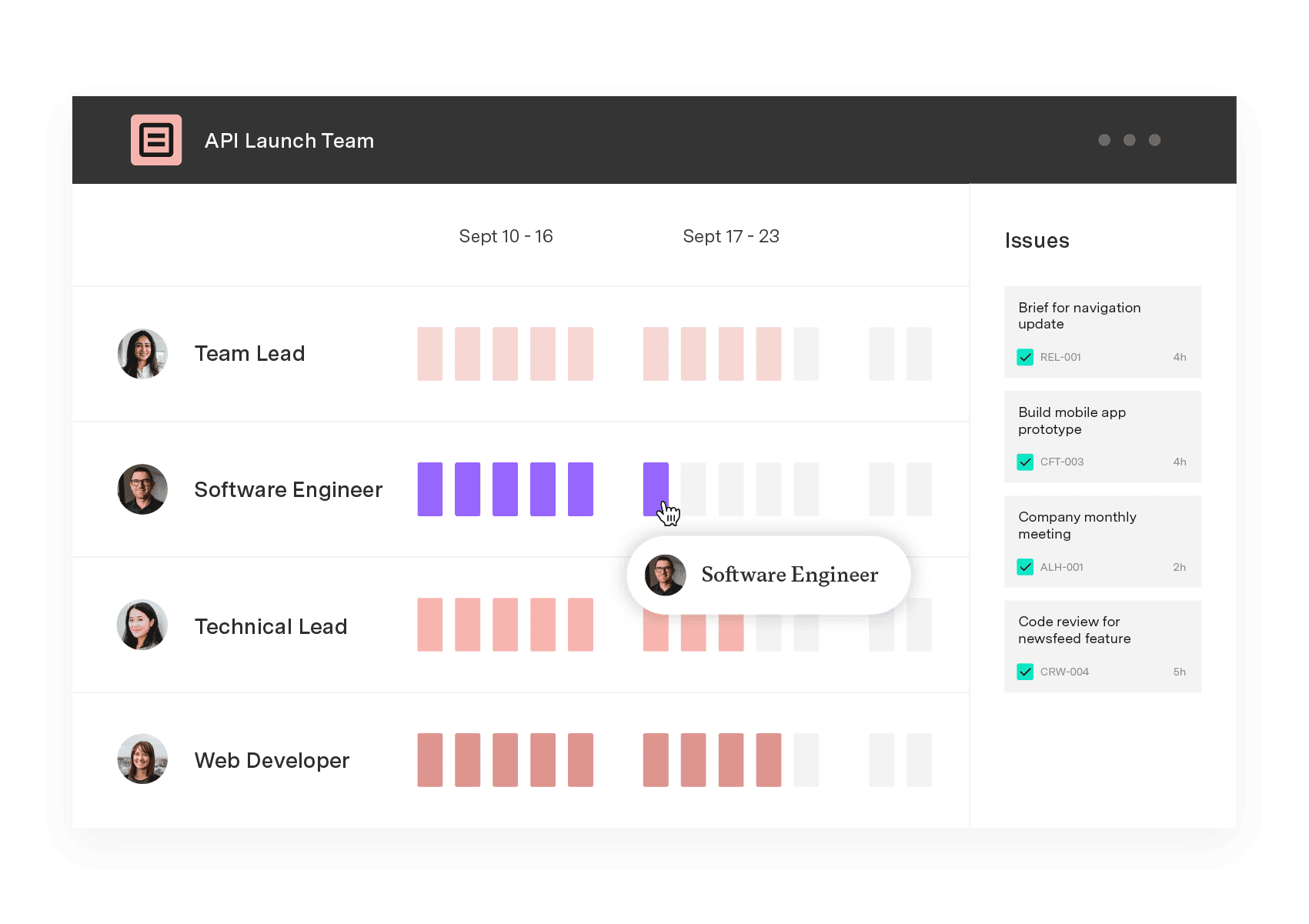
Capacity Planner works as a visualization tool, showing every resource alongside its time allocation. At a glance, you can see who has available hours and who is overbooked for the period.
Ready to transform how you track productivity? Start allocating your team members with confidence.
Capacity Planner
Capacity Planner is the only tool in the Atlassian Marketplace that allows planning for multiple resources on one issue. Users can customize the UI to include their existing Jira issues and projects.
Start a Free TrialCouldn't find what you need?Go to our documentation
Resource planning and management work together to balance scope, time, and costs, keeping the project on track to deliver quality outcomes on schedule and within budget.
Planners ensure adequate resources are available to avoid conflict, whereas managers allocate those resources, tracking capacity and monitoring progress to ensure they aren’t over- or underutilized.
Developing an organizational resource strategy requires the following:
- Thorough research of the company’s current and future needs
- Identifying staff talents and skills
- Listing available internal resources
- Uncovering resource gaps and developing a strategy to bridge them
- Sourcing third-party vendors who can fill outstanding gaps
- Developing and refining the engagement process to recruit external resources
Streamline your project management workload and get ahead on the planning process by adding these 5 top resource planning templates to your toolbox.

Discover how to navigate resource constraints in project management. Learn strategies to manage time and budget while keeping projects on track.

Financial oversight ensures you have the assets needed to successfully deliver project outcomes. Here’s how to establish a oversight methodology.

Build resiliency in your supply chain and keep customers happy by incorporating demand planning techniques into your inventory management practices.

Effective resource utilization will optimize your team’s productivity and efficiency. What’s more it will increase morale and improve your bottom line
Discover 13 project management tips and tricks to help you deliver desired outcomes on schedule and within budget without stressing your team.

Learn about team capacity planning. Discover the various types, strategies, and best practices for improved deliverables.

Explore Tempo’s guide to understanding resource loading, including how to calculate it to increase productivity and streamline workflows.

Learn how idea development turns concepts into validated solutions with a structured process that leads to stronger business outcomes.


















