

Discover the importance of productivity tools and how they can help your team work smarter, collaborate better, and achieve goals more efficiently.
Compare the best time tracking tools for Jira, with pricing, features, and integrations to help you pick the right option for your team.

Time tracking software records how your team spends work hours, in a market expected to reach USD 6.10 billion in 2025. For Jira teams, the best options integrate directly with your existing workflow so you can track time without switching between tools.
This guide compares the best time tracking software for Jira teams, covering native integrations, pricing, and key features to help you find the right fit for your workflow and budget.
Software | Best for | Starting price | Key differentiator | Jira integration |
Tempo Timesheets | Jira-native time tracking | $1.00/user/month | AI-powered automation, built for Jira | Native, minimal setup needed |
Clockify | Free time tracking at scale | Free | Unlimited users on free plan | Available via integrations |
Toggl Track | Freelancers and small teams | Free (up to 5 users) | Browser widget reduces app switching | Native integration |
Harvest | Professional services billing | $13.75/user/month | Invoicing and payments built-in | Available via integrations |
Hubstaff | Remote team monitoring | $4.99/user/month | Activity tracking and screenshots | Native integration |
Each tool serves different needs. Your choice depends on whether you prioritize Jira integration, budget, billing features, or team monitoring capabilities.
Tempo Timesheets is time tracking software built directly into Jira. This means you log hours inside the same workspace where you manage issues and projects. Your team never needs to leave Jira to track time.
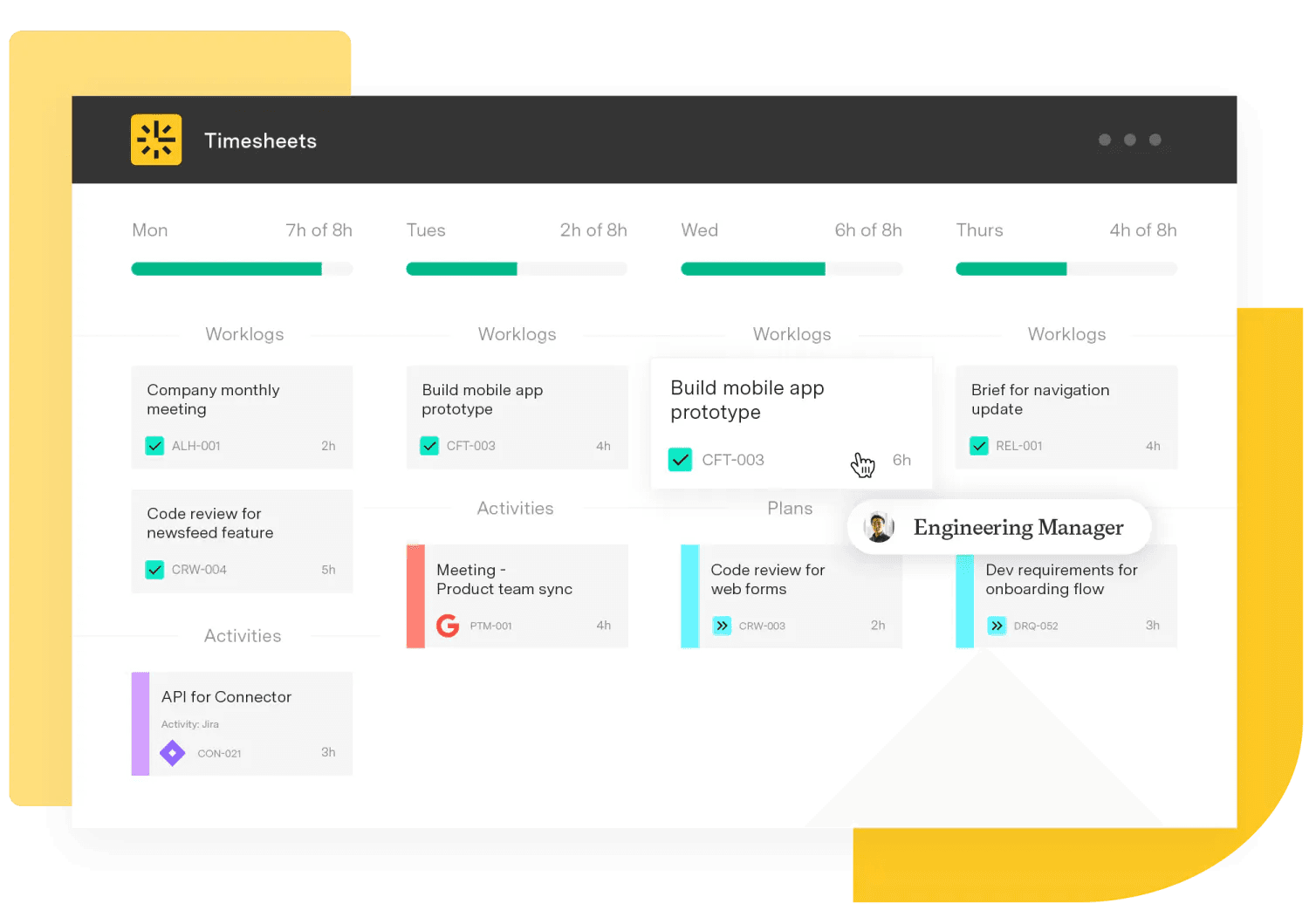
Timesheets serves over 30,000 customers worldwide, including one in three Fortune 500 companies. It connects time data to your Jira issues automatically, so you always know how long tasks actually take.
What makes Timesheets different:
AI-powered suggestions: The software pulls data from your calendar, GitHub commits, and code activity to suggest time entries you might have missed or make smart suggestions for you to confirm.
CapEx and OpEx tracking: Robust integration with Capacity Planner enables you to separate capital expenses from operating expenses for accurate financial reporting.
Custom reports: Build reports that match your billing cycles and compliance requirements.
Enterprise security and Cloud Fortified status: Atlassian's highest security certification means dedicated support and guaranteed uptime. Visit the Trust Center for more about Tempo's security posture.
Pricing: Timesheets starts at one dollar per user per month for teams with ten or fewer users. Larger teams receive volume discounts. You can try the product free before committing.
Where Timesheets fits best: If your team already uses Jira, Timesheets eliminates the friction of managing time in a separate tool. The native integration means higher adoption rates because tracking happens where work happens.
The product also connects with Tempo Capacity Planner for resource management and Tempo Financial Manager for project cost tracking. This modular approach lets you add capabilities as your needs grow.
Try Timesheets today
Learn moreClockify is a free time tracker that supports unlimited users. This means you can add your entire team without paying anything. The free plan includes features that many competitors charge for.
The product works across desktop, web, and mobile platforms. You can track time using a timer, enter hours manually, or use a kiosk for shared workstations.
What the free plan includes:
Timer and manual entry: Start a stopwatch or add time after the fact.
Project tracking: Organize time by client, project, and task.
Basic reporting: See where your team spends hours each week.
Unlimited users: No cap on team size.
What requires a paid plan:
Advanced reporting: Custom fields and detailed exports
GPS tracking: Location verification for field teams
Time off management: PTO requests and approvals
Priority support: Faster response times
Pricing: The free plan works forever with no user limits. Paid plans start at $3.99 per user per month when billed annually. You can try paid features for seven days without entering a credit card.
Where Clockify fits best: Teams evaluating time tracking for the first time benefit from Clockify's generous free tier. You can test whether time tracking works for your organization before spending money.
The Jira integration requires some setup since Clockify runs as a separate application. Your team will switch between tools to log time, which may reduce adoption compared to native solutions.
Toggl Track is time tracking software focused on reducing distractions. The product uses browser extensions that let you start timers without leaving the app you are working in. This means less context switching during your workday.
The interface emphasizes clarity. You see exactly where time goes across projects and clients. The product works well for individuals, freelancers, and teams up to a few dozen people.
Key features:
Browser widget: Track time from inside Chrome, Firefox, or Edge without opening a separate app.
Offline mode: Continue tracking even without internet access.
Profitability insights: See which clients and projects generate the most revenue.
Timesheet approvals: Managers review entries before billing.
Security and compliance: Toggl Track holds ISO 27001 certification and SOC 2 Type 1 compliance. Your data meets enterprise security standards.
Pricing: Free for up to five users. The Starter plan costs $9 per user per month when billed annually. Premium runs $18 per user per month. Enterprise pricing is custom. All paid plans include a 30-day free trial.
Where Toggl Track fits best: Freelancers and small agencies benefit most from the browser widget approach. If your team forgets to track time, the widget serves as a constant reminder without being intrusive.
The Jira integration works through browser extensions and native connections. You can link Toggl entries to Jira issues, though the experience is not as seamless as tools built directly into Jira.
Harvest is time tracking software designed for teams that bill clients by the hour. The product combines time tracking with invoicing and payment processing. This means you can go from tracked hours to paid invoice without switching tools.
Creative agencies, consulting firms, law offices, and engineering teams use Harvest to understand project profitability. You see not just how much time a project takes, but whether that time generates profit.
What sets Harvest apart:
Built-in invoicing: Generate invoices directly from tracked time entries.
Payment processing: Accept credit cards and online payments through the platform.
Profitability reporting: Compare actual hours against estimates to spot problem projects early.
Capacity forecasting: The companion product Forecast helps balance workloads across your team.
Pricing: A free plan supports one user and two projects forever. The Pro plan costs $13.75 per user per month. Premium runs $17.50 per user per month. Annual billing saves you money, and a 30-day free trial lets you test all features.
Where Harvest fits best: Professional services teams that need to invoice clients benefit most from Harvest. The direct connection between time tracking and billing reduces administrative work and speeds up payment cycles.
Harvest integrates with Jira through its app marketplace. The integration syncs projects and lets you log time against Jira issues, though you will work in the Harvest interface rather than inside Jira itself.
Hubstaff is time tracking software with built-in activity monitoring. The product tracks not just hours worked, but how actively your team uses their computers during those hours. This means managers get visibility into remote work patterns.
The platform serves remote, hybrid, and field teams across multiple industries. Beyond time tracking, Hubstaff includes scheduling, payroll, and GPS features.
Monitoring capabilities:
Activity levels: Keyboard and mouse tracking shows engagement without requiring manual input.
Optional screenshots: Capture periodic screenshots to verify work activity.
GPS and geofencing: Field workers clock in only when they reach designated job sites.
AI-powered insights: The Insights add-on analyzes meeting time, focus periods, and engagement scores.
Privacy considerations: Activity monitoring raises legitimate concerns. Be transparent with your team about what data you collect and why. Some organizations find that monitoring damages trust, while others see improved accountability.
Pricing: A free plan supports one user with limited features. Starter costs $4.99 per user per month when billed annually. Grow runs $7.50 per user per month. Team costs $10 per user per month. Enterprise pricing starts at $25 per user per month. Add-ons like Insights and Locations cost extra.
Where Hubstaff fits best: Organizations managing distributed teams across multiple locations benefit from Hubstaff's visibility features. The product works especially well for field service companies and remote-first organizations.
Hubstaff offers native Jira integration. You can link time entries to Jira issues and sync project data between platforms.

Your choice depends on what matters most to your organization. Consider these factors as you evaluate options.
Jira integration depth: Native tools like Tempo Timesheets live inside Jira. External tools require switching between applications. Native integration typically drives higher adoption because tracking happens where work happens.
Team size and budget: Small teams may find free plans sufficient. Clockify offers unlimited free users. Toggl Track supports five free users. Larger teams need paid plans with features like approvals and custom reporting.
Billing requirements: If you invoice clients for time, look for software that connects tracking to invoicing, as improving billable time by just one hour weekly can increase annual revenue by $1M for a 100-person services team. Harvest excels here. Tempo Timesheets handles billable versus non-billable tracking with detailed reporting.
Remote work visibility: Distributed teams may need activity monitoring, especially with remote work associated with a 0.05 percentage-point increase in productivity growth according to U.S. Bureau of Labor Statistics research. Hubstaff provides this, though you should weigh productivity gains against potential trust issues.
Compliance needs: Regulated industries require specific security certifications. Look for SOC 2, ISO 27001, or GDPR compliance depending on your requirements.
Sign up for a demo
Request DemoTimesheets
The #1 time-tracking app for Jira. Timesheets seamlessly integrates with Jira and your existing workflows to help you track time for accounting, CapEx tracking, client billing, compliance, and more.
Start a Free TrialCouldn't find what you need?Go to our documentation
Tempo Timesheets offers the deepest Jira integration because it is built directly into the platform. You track time without leaving Jira, and time data connects automatically to issues and projects.
Free plans work well for evaluating time tracking or supporting small teams. Enterprise organizations typically need paid features like timesheet approvals, custom reporting, role-based permissions, and dedicated support.
Activity monitoring provides visibility into work patterns, but results vary. Some teams become more accountable while others feel surveilled. Consider your team culture before implementing monitoring features.
Discover the importance of productivity tools and how they can help your team work smarter, collaborate better, and achieve goals more efficiently.

Compare the 8 best project portfolio management tools for 2026, with verified pricing and honest pros and cons.

Learn how project management and time-tracking techniques work together to monitor and improve team performance, resource estimate accuracy, and more.

A digital billable hours tracker helps ensure you maintain accurate records of your team’s hard work.

A guide for Tempo users weighing a switch. See which reasons to leave point to a lighter tracker, and which are better solved by adding to the suite.
Compare eight AI project management tools for enterprise portfolios and choose the right solution for real-time tracking in 2026.

Compare the 6 best resource scheduling tools for engineering teams, ranked by Jira integration depth and cross-project visibility.

Support your team by using the best project planning tools out there, and discover how Tempo’s products can enhance your workflow.
Jira started purely as an issue tracking software targeting software developers, and quickly evolved into one of today’s biggest productivity tools.



















