Project Management Speak, Decoded. Read about these common project management questions and what they actually mean.

Data holds value nowadays only if you know how to analyze and manage it, and the best Jira apps have become a powerful tool in today's reality. These versatile add-ons provide problem-monitoring and project-management solutions for teams and organizations. By integrating various helpful tools, these apps have significantly heightened their effectiveness. This article will showcase the best Jira apps in 2023 on the Atlassian Marketplace and their key features that can help enhance overall project management efficiency.


Timesheets by Tempo is one of the best Jira apps that provides a time-tracking and reporting solution that helps teams and administrators track time for accounting, payroll, billing, streamlining, and forecasting. Measuring the time spent on tasks facilitates the management process and also helps to increase the professionals' productivity.
Available for: Cloud / Data Center / Server
Report accurately on CAPEX and OPEX.
Track productivity levels across projects and teams by adapting to the company's workflow and analyzing the necessary time for successful teamwork.
Excellent time-tracking categorizes hours to examine how to invest time better.
Fill timesheets with data from Google / Microsoft.

Jira Workflow Toolbox is one of the most used Atlassian apps that offers tools to facilitate the implementation and automation of routine processes, extending Jira Cloud's limited workflow capabilities such as conditions, validators, and publishing functions. This new plugin helps to optimize workflows and increase productivity.
Available for: Cloud / Data Center / Server
Faster migration of issues and comments to teams by updating fields and creating sub-tasks.
Precise management of fields, validation data, workflow execution, and changes.
Seamless integration with Jira Cloud, allowing you to continue working with data without interruption.
Fully custom-made content to send emails.

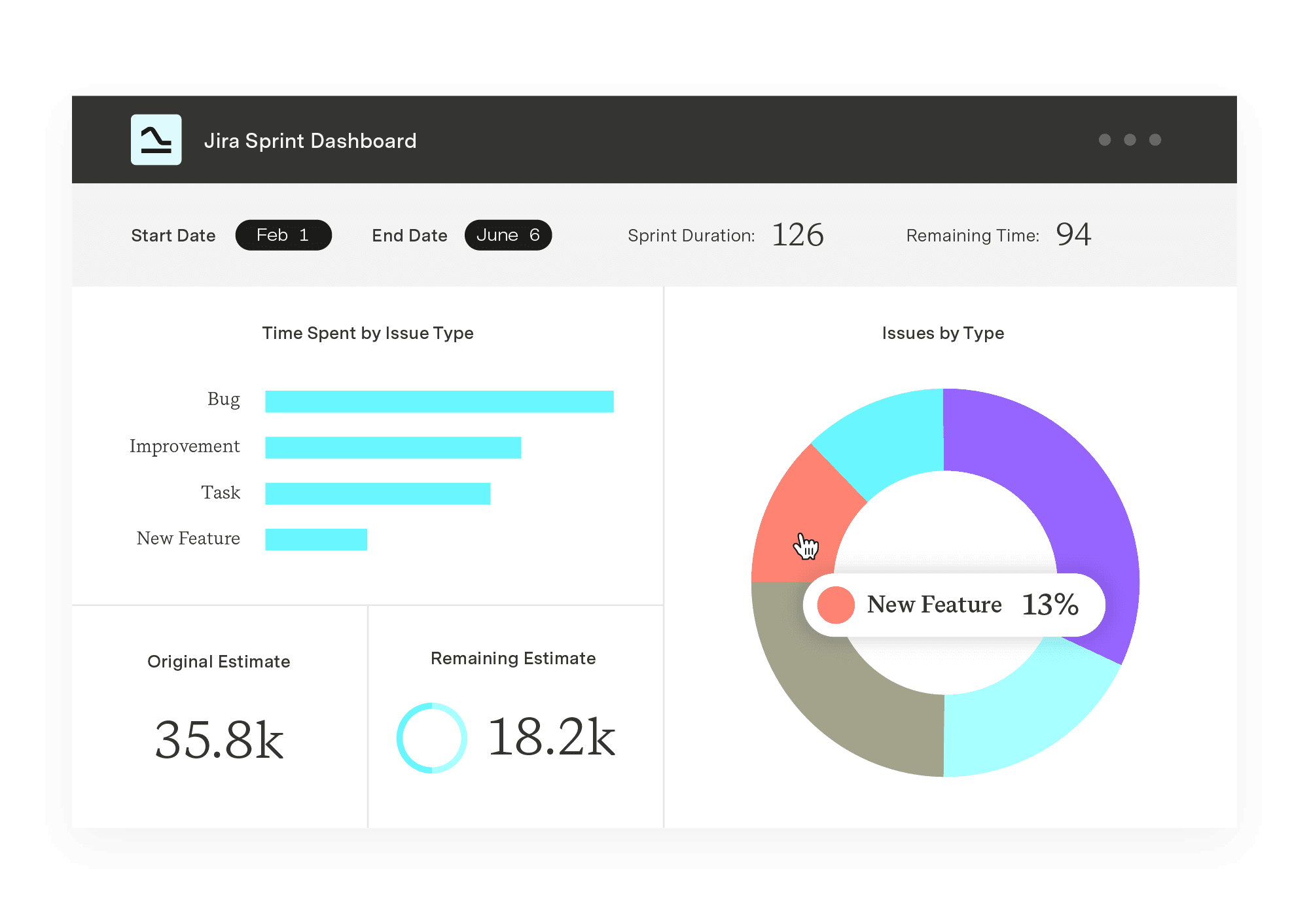
Power BI Connector for Jira is one of the best Jira apps that allows the import of data quickly and without coding. It's possible to immediately get a custom Jira report or interactive dashboard to analyze workload and track issue resolution times. It helps to use unstructured Jira data effectively and build complex graphs in Power BI with proven scalability and world-class support.
Available for: Cloud / Data Center / Server Effortlessly transferring data from Jira to other data sources is made possible with the help of various connectors that require no coding, as well as Power BI Connector for Jira. These connectors, including the Tableau Connector for Jira, SQL Connector for Jira, BigQuery Connector for Jira, Oracle Analytics Connector for Jira, and SAP Analytics Cloud Connector for Jira, ensure data consistency and allow for a seamless transfer of information.
Scheduled updates for reporting and data extraction based on actual data.
Custom Data Export form Tempo, Xray, Time in Status and other supported Jira add-ons.
ApplyJira Software Filters, including Basic or JQL, for custom Jira data export.
Create Jira dashboards and reports by selecting the relevant pre-built templates: Jira Sprint Report, Jira Project Report, Jira Work Log Report.
Automatically build connections between tables, including custom Jira fields and compatible add-ins: Custom fields, History, Agile.

One of the best apps for Jira is Zephyr Scale - Test Management for Jira, a test management platform that can deliver a more structured way of planning, managing, and evaluating tests. It is designed to support large test libraries and growing teams, offering multi-project integration, traceability, and a structure suitable for large environments. Available for: Cloud / Data Center / Server
Handle large data sets using folders and test suites.
Track test cases across projects to meet the needs of complex organizations.
Boost reports by end-to-end traceability between test cases, requirements, and defects.
Use folders to organize tools and frameworks.
Integrate with other servers (Jenkins, Bamboo).

Exalate Jira Issue Sync & more is a fully customizable Jira add-on used for data synchronization across several platforms, including Jira, ServiceNow, Zendesk, Salesforce, Azure DevOps, and GitHub. It provides granular control over synchronization and automates the execution of information workflows based on the native query language of the platform being used. Available for: Cloud / Data Center / Server
Synchronization of sprints, epics, Tempo work logs, and subtasks between Jira instances.
Sync of issue types and dropdown between Jira On-premise and Jira Cloud.
Synchronization between several projects, teams, and even different companies.
Sync of sensitive data.

Deep Clone for Jira is the number one cloning app among Jira add-ons. It supports all Jira project types, including company-managed, team-managed, and Service Management projects. It's an advanced solution for cloning and moving clones. Available for: Cloud
Clone issue status, attachments, forms, comments, tasks and subtasks, checklists, and company-managed projects like components, versions, and issues.
Clone thousands of tickets, ticket hierarchies, or entire projects at once.
Move clones between projects and cloud instances.
Automate the cloning process by adding a post function to the company's workflow.
Create presets to accelerate cloning.

Draw.io Diagrams for Jira is a comprehensive tool with an extensive library of shapes and templates for various diagrams. It's very versatile and makes sure that no data leaves your instance. It's a unique tool among Jira apps that lets you insert draw.io diagrams directly into an issue. Available for: Cloud / Data Center / Server
Create safety-focused diagrams and visualize Administration (Infographics, Mindmaps), Process Modeling, and Relationships (Flowcharts, Swimlane diagrams).
Support case flowcharts and use all-driven Smart Templates for all the diagrams.
Import a diagram from a Confluence Cloud, Google Drive, or OneDrive.
Save the diagram file in the Issue itself.

Rich Filters for Jira Dashboard extends the Jira native filter wrapper used for extra filtering capabilities. It transforms dashboards from static to truly dynamic, highly interactive, and personalized using issue highlighting, multiple views for the results, and computed fields. Available for: Cloud / Data Center / Server
Dynamic modification of the data displayed by the dashboard.
Different options for showing and customization of statistics and charts.
Get data information with calculated fields and formulas.
Collection, defining, and revealing multiple custom views for a group of issues.
Manage permission and edit rights.

Email This Issue extends Jira with advanced features for sending emails. It simplifies email collaboration and service management by sending/receiving emails supporting external users. It helps to communicate with all stakeholders inside and outside your company and email them questions without switching to an email client. Available for: Cloud / Data Center / Server
Send emails manually via the "Email" button in the issue view.
Process and filter incoming mail easily with Mail Handler.
Use the built-in rich text editor to create emails and templates.
Create custom templates, use quick scripts, and prepare answers.
Send customized email notifications when events and issues occur (build, update, etc.).

Vault Password Manager is an enterprise-class application amid Atlassian apps that protect corporate passwords and other credentials, helping companies store, manage, and track confidential information. Being one of the best apps for Jira, it allows users to choose the types of records they want to create - usernames, passwords, secure documents, software licenses, credit cards, and API credentials. Available for: Cloud
Protect from hacking by use of an embedded password generator to create strong, random passwords.
Protect each user account with a personal vault password.
Create an unlimited amount of credential types to share and save.
Private Vaults: personalized, individually accessible storage for each employee.
Shared Vaults: create and share Vaults with the right users or teams.
Multiple security layers for enhanced safety and reliability.
Vault Password Manager
is always free for small teams, ensuring accessibility and affordability.

Custom Charts for Jira Reports and Time in Status is a robust visualization and reporting Atlassian app that allows the creation of all kinds of different charts using a single gadget. It offers high custom reporting directly inside a Jira dashboard and controls that Jira Service Management data is always up-to-date. Available for: Cloud / Data Center / Server
More than a dozen possible types of 1D or 2D diagrams: pie, column, line, or table for extensive customization.
Assistance for third-party applications (Xray, Advanced Roadmap, Jira Mobile), JSM application types, organizations, and channels.
View the most important statistics and share the Jira dashboard and control panel with internal/external Jira Cloud users.
Customized JQL, filter storage, and active search options for advanced users.

Planner by Tempo - Resource Planning & Capacity Planning is a powerful solution amid the best Jira apps that centralizes and speeds up the scheduling process and provides helpful information about your workforce. It optimizes capacity planning and project management by efficiently stopping overloading teams and planning. Available for: Cloud / Data Center / Server
Oversee plans and resources in one view.
Filter Resource Planning views.
Show events from Google and Office 365.
Optimized workforce approves work plans to balance holidays and workloads.
Determine the availability of geographically dispersed or remote resources.

Xporter - Export issues from Jira is a Jira add-on that allows the creation of different documents like customized change management documents, template-based issue sheets, or software documentation using data from Jira issues. It makes it easy to export issues like fields (Native and Custom), links (Linked Issues), comments, work logs, sub-tasks, components, status transitions, attached images, and attachments. Available for: Cloud / Data Center / Server
Adjust the template shape using the format that best suits your reporting needs: DOCM, DOCX, DOTM, ODT, RTF, XLSX, XLSM, CSV, and TXT using Jira Administration.
Export documents created in various formats: DOCX, ODT, RTF, PDF, PNG, SVG, XLSX, CSV, TXT, HTML, XML, and JSON.
Export from the Jira Service Desk Customer Portal or issue screen and search results.
Use templates configured per project, objective, project roles, and users for single and multiple-issue export.

Microsoft 365 for Jira - Outlook Emails, Tems, Calendar is an integration app between Jira and Microsoft 365 used to optimize teamwork, improve communication in real-time, be transparent, and make information available to everyone. It allows teams working on different tools to communicate seamlessly while staying on various platforms. Available for: Cloud / Data Center / Server
From Jira:
View emails about an issue, send them, and reply.
Start a chat or conversation in a channel and see all discussions related to the issue, check the availability of meetings, and schedule them in Outlook or Teams.
Sync issues and add tasks to your personal to-do list.
From Teams:
Create, search, share, and discuss Jira issues based on conversations in a channel.
Generate support tickets (JSM only).
Participate in issue-related conversations without being a Jira user.
From Outlook:
Produce new Jira issues from emails and view issues related to emails.

Checklist for Jira On-the-Fly allows the creation of checklists as part of issue solving or tasks to keep tabs on the tasks' completion, the acceptance criteria, or the description of completed tasks. It tracks the progress of complex problems or tasks, managing repetitive processes and organizing an efficient workload. Available for: Cloud / Data Center / Server
Create personalized checklists for internal processes.
Track and share issue-solving progress (ToDo, Acceptance, or Definition of Done).
Divide complex tasks into clear steps.
Create useful checklist templates for easy management of different projects.

Structure by Tempo - Jira Portfolio Management & PPM is an Atlassian app that allows one to view multiple Jira projects, programs, and portfolios in one place to align strategy and execution. It can be used for project planning, reporting, sprint planning, and release management. Available for: Cloud / Data Center / Server
Get the data you need to generate useful PPM reports in seconds.
Track the progress of all financial information in real-time with various customizable reports.
Plan project resources, PI, and portfolio by assigning users and linking Jira boards and projects to teams.
Schedule management to ensure projects are ready to meet demand.

ScriptRunner for Jira is a new Jira add-on that enables new capabilities for Jira Software and Jira Service Desk by harnessing the power of Groovy scripting. From automating bulk actions and creating script fields to creating custom workflows and third-party integrations, ScriptRunner empowers every Jira admin. Available for: Cloud / Data Center / Server
Update issues using advanced large-scale multi-step automation with Groovy Scripts.
Schedule repetitive tasks: run scripts on a schedule, on-demand, or in response to an event in Jira.
Customize each Jira element with direct access to the Jira Java API (servers and data centers) and REST API (cloud).
Use JQL scripting features to extend the basic capabilities of JQL (linkedIssuesOf, subtasksOf, numberOfComments).

OKR for Jira is an easy-to-use plugin amid Jira apps that helps to implement and organize OKRs in one place. It allows you to work with the framework directly in Jira without additional applications or components outside the Atlassian ecosystem, and job progress is updated automatically. Available for: Cloud / Data Center
Organize OKRs across the company and monitor their progress.
Use an unlimited number of OKRs to extend functionality without implementing additional tools.
Create teams, track performance, and manage permissions for viewing and editing.
Add tags for easy identification and filter by department product.
Export OKR data via API.

BigPicture - Project Management & PPM is one of Atlassian Jira's leading Portfolio, Product, and Project Management applications, used by executives to deliver precise information, picture initiatives, and align strategy with execution at all levels. It helps to improve teams' work, boost results and save time. Available for: Cloud / Data Center / Server
Plan, manage, and track initiatives in one place.
Supervise execution and track progress.
Make repetitive tasks automatic.
Easy and smartly distribute people, teams, skills, and resources.
Ensure all the data are reliable at all management levels and easily detect risk.

The last among the best Jira apps in our article is Cost Tracker by Tempo, which uses Tempo's timesheet features to provide a financial overview of all projects at all levels. It enables the tracking of costs quickly and monitors the financial health of any project. It's defined by a single Jira filter that can include multiple Jira projects. Available for: Cloud
Monitor financial situation by setting cost and billing rates and fixing rates with effective dates.
Keep track of labor costs and billing rates.
Define the project's scope, filter it by owner and status, and report on its results.
Use custom JQL filters.
Track and compare CAPEX and OPEX.
Visualize labor costs by role assigned per project and set global rates by roles.
Working on leading a team with effective communication or improving an organization's information management is a challenging task. Still, Jira add-ons have made it easier with their powerful artificial intelligence algorithms and flexible mechanisms. They are excellent tools that can significantly facilitate the cooperation of both small and large teams. Try using the best Jira apps to improve team management, time tracking, productivity, and effective error control.
Power BI Connector for Jira
Experience a new standard in data integration and reporting. Enjoy quick setup, effortless data export from all Jira products and third-party apps, and instant access to pre-built templates.
Start a Free TrialProject Management Speak, Decoded. Read about these common project management questions and what they actually mean.

Improve your team’s productivity and work-life balance by learning to balance workloads with the help of Tempo.

Forecast project costs in Jira with Tempo Financial Manager. Combine actual and planned data to prevent overruns and improve budgeting.

Do you love your project plans? Look for these 5 signs that your project plans are receiving the attention they deserve for long-term health.

A folio can be created for many more initiatives and track financials in Jira other than specific projects

Learn what a subject matter expert (SME) is, what they do, how to become one, and how they help projects and teams succeed across industries.
If you find yourself transitioning or inheriting a new project, use this project manager Knowledge Transfer cheatsheet for a smooth transition.
Boost your project's success with quality management. Discover its benefits, key elements, and top tools for effective implementation.

Learn what lean-agile is and how it can improve team productivity and product quality. Find out how Tempo’s tools can help you become more agile.