Building a dynamic roadmap from real-time Jira data [checklist]
Convert live project data into a dynamic, boardroom ready roadmap


Key Takeaways
A roadmap loses credibility the moment it stops matching what Jira already shows, and manual updates guarantee that mismatch keeps reopening.
Building the roadmap on a Structure PPM saved view with Gantt Charts turned on keeps it a live read of Jira data instead of a periodic export.
Dependency tracking turns a slipped date into a visible portfolio risk instead of a surprise someone has to explain after the fact.
Two days before a portfolio review, the roadmap slide still shows a feature shipping in June. It shipped in April. Nobody caught the error, because updating the slide meant opening a project file, cross-checking three Jira boards, and redrawing a timeline by hand. By the time someone noticed, the meeting was already over.
That gap between what the roadmap says and what Jira already shows is strategic drift with a due date attached, and it starts long before anyone notices the slide is wrong. Updating the slide faster doesn't close it. Read the roadmap straight off live Jira data instead, and the screen in the review matches Jira that morning, with no redraw, no reconciliation, and no argument about whose copy is current.
Your Jira data should feed a roadmap that updates itself as work progresses, not one that someone has to notice is wrong and go fix.
Build your roadmap from live Jira data!
Get the checklistHere's how to build that roadmap directly on your live Jira data using Tempo Structure PPM, with no separate roadmapping tool, no export, and no slide to maintain.
What changes when the roadmap stops being a snapshot
A static roadmap is an export: A picture of Jira on the day someone built the slide, not a live view of it. Three things shift once the roadmap is live instead of static:
It reads fields directly from Jira, so a status change or a slipped date shows up without anyone re-exporting anything.
The hierarchy and rollups come from a saved view built with Structure PPM's own formula engine, so the roadmap reflects the same structure your team already reports against, not a stock export reshaped to fit a slide.
Different audiences see different levels of detail from the same live source, so nobody is maintaining three separate decks that can each say something different by Friday.
That gap is bigger than it looks from inside one team. Atlassian's State of Teams 2025 report found that only 7% of executives feel confident they know how each team's work supports the company's biggest goals, which is the same confidence gap that shows up in a stale roadmap: Leadership isn't unconvinced by the plan; they're unconvinced the plan is still true.
When Jira's built-in timeline is enough, and when it isn't
Live sync fixes the accuracy problem. It doesn't answer the question a skeptical CPO asks before adopting anything new: Why not use the roadmap view already sitting inside Jira?
Jira's native timeline holds up fine inside a single project with a handful of epics. It starts to strain the moment a roadmap needs to span multiple projects, multiple teams, or a hierarchy Jira doesn't natively support, which describes most roadmaps a CPO has to defend in a portfolio review.
If your roadmap needs to... | Use... |
|---|---|
Track epics inside one project | Jira's native timeline, no extra tool needed |
Roll up work across multiple projects or teams into one hierarchy | Structure PPM saved views, with Gantt Charts for Structure PPM as the timeline layer |
Show dependencies across teams, not only within one board | Gantt Charts for Structure PPM's dependency tracking |
Stay legible when the org runs agile, waterfall, and hybrid delivery side by side | Structure PPM's configurable hierarchy, instead of a single fixed template |
If you're still deciding, Structure versus Jira's built-in roadmapping walks through the tradeoff in more depth before you commit either way.
Setting up Structure PPM
Once native Jira stops being enough, the roadmap has to come from somewhere that already knows your portfolio hierarchy, which is what the next few steps build.
Structure organizes your Jira data into the hierarchy the roadmap will read from. Start here even if you already like your Jira boards: A board is built to run work, not to represent strategy to people outside the team.
Sign up for a free trial of Structure PPM if you haven't already, then create a structure.
Open the structure you want to use for the roadmap.
Add the fields and formulas you want visible, the same rollups your team already reports against, not a new set invented for this one view.
Save the view once it matches what you want visible on the roadmap.
Turn on Gantt Charts for Structure PPM for that structure. This is what renders the saved view as a timeline instead of a spreadsheet-style list.
Turning the structure into a roadmap view
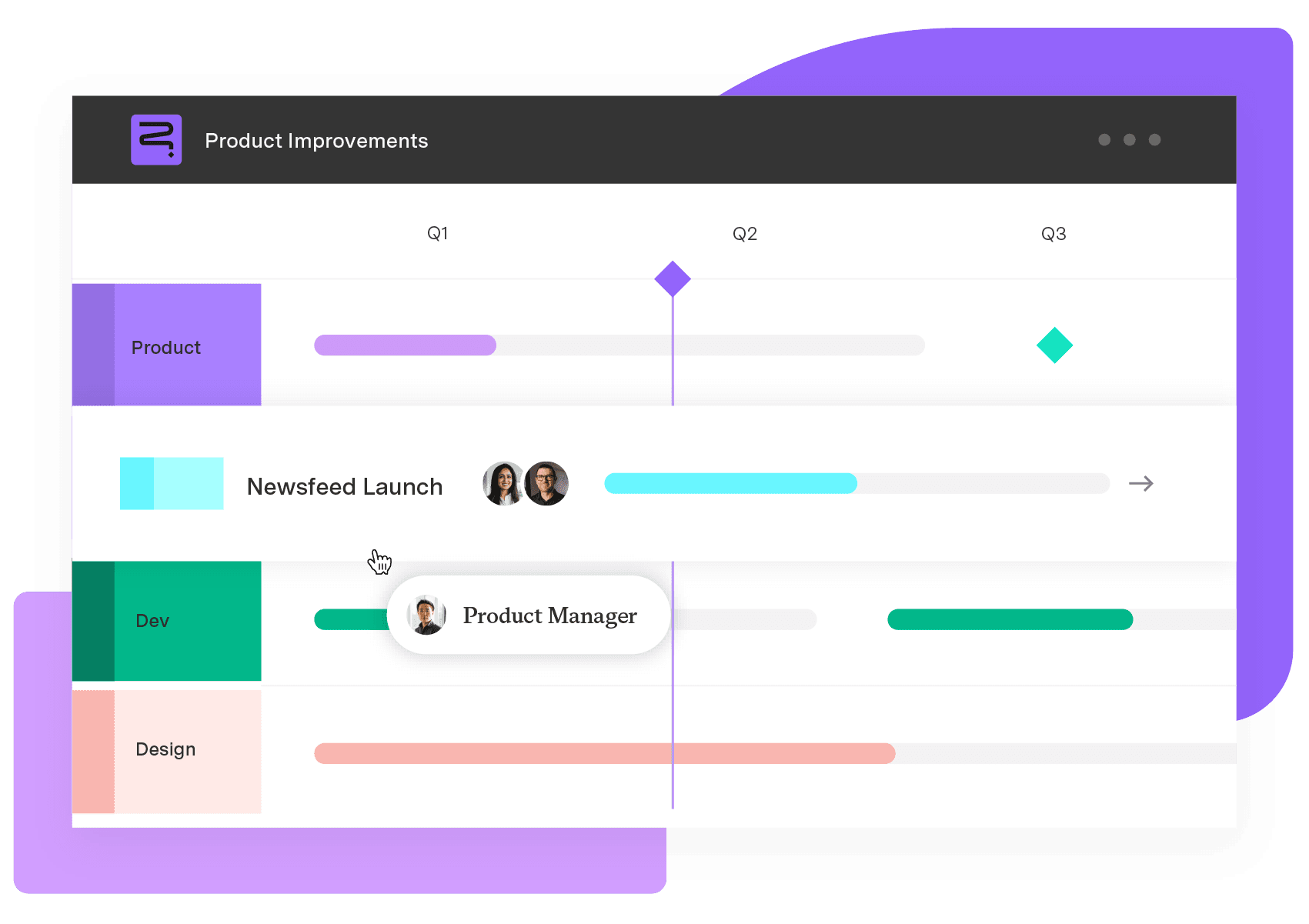
With Gantt Charts turned on, the saved view stops being a table and starts being the roadmap itself. There's no second tool to point at it and no integration step to configure.
Open the structure in Gantt view.
Set the fields that drive the timeline: Start and finish dates, at minimum.
Add dependency links between items that block or are blocked by each other, so the Gantt layer can draw them.
Set a baseline once the plan is one you're willing to be measured against, so later drift is visible against that baseline instead of against nothing.
Customizing the view for the room you're presenting to
The Gantt view that works for a delivery stand-up isn't the one to put in front of the board, even though it's built from identical data.
Build a swimlane or timeline view depending on whether the audience cares more about ownership or sequence, and choose how much hierarchy to expose:
Audience | What to show |
|---|---|
Leadership and the board | Collapse to initiatives and themes; swimlanes grouped by team or strategic theme |
Delivery teams | Expand to epics and stories; timeline view sequenced by dependency |
Set the fields for start and finish dates, so a slip shows up on the timeline automatically.
Customize row and column headers per audience without duplicating the underlying data.
Turn on progress visualization so status reads at a glance: A bar filling in, not a column of percentages nobody double-checks.
Show what a slipped date does downstream
The view is only honest if it shows more than one team's dates, which is exactly where dependency tracking earns its place.
A slipped date is a data point. When that date pushes four other teams' work off schedule, it's a portfolio risk, and most roadmaps only ever show the first one. Gantt Charts for Structure PPM's dependency tracking draws those links directly from the Jira issue links you already set, so a delay shows its blast radius on the roadmap instead of in a status meeting.
Let people see the roadmap without opening Jira
Dependency risk matters most to the people who never open Jira to see it, which raises the next problem: How do they see it at all?
Roadmap credibility dies fastest with the people who only ever see it as a screenshot forwarded three layers down. They're trusting a static image of a dynamic thing, which is the exact problem this whole approach exists to fix. Publish the saved view to a Confluence space leadership already reads, or pipe it into the BI tool your board already trusts for other numbers. Either way, nobody should need a Jira seat to see whether the plan is still on track.
Test a change before it hits the roadmap everyone sees
Not every change belongs on the live version the moment someone proposes it, which is the one place a live-synced roadmap can get you in trouble if you're not careful.
On Jira Data Center, Gantt Charts for Structure PPM's Sandbox Mode lets you model a schedule change (pulling a release forward, moving a team's capacity, re-sequencing a dependency) in an isolated copy of the plan, then publish it to the shared roadmap only once it holds up. Sandbox Mode isn't available on Jira Cloud yet. The Cloud equivalent is duplicating the saved view, testing the change in the copy, and swapping it in once you're confident, rather than editing the live view in front of an audience watching it update in real time.
Once the roadmap updates itself, stop presenting a slide. Present the sync, and let the board's questions land on the plan instead of on whether the deck is still accurate.
Strategic Roadmaps
Strategic roadmapping
Build your portfolio vision with Strategic Roadmaps. With powerful visualization capabilities, you can communicate strategy to the entire organization and gain alignment around strategic objectives, product goals, and milestones.
Start a Free TrialFrequently Asked Questions
Couldn't find what you need?Go to our documentation
Structure PPM's saved views can drive the roadmap on their own once Gantt Charts for Structure PPM is turned on for that structure. There's no separate roadmapping product required, and no second license or integration to maintain. A dedicated standalone roadmapping tool only becomes worth adding if you need presentation features Structure doesn't offer, such as a fully designed, publish-anywhere marketing-style roadmap page rather than a working portfolio view.
Not entirely. A roadmap answers “where do things stand and what's next,” while a status report answers “what happened and why.” A live roadmap removes the need to manually reconcile the two, since the roadmap's dates and progress already reflect what the status report would otherwise have to explain.
Live sync improves accuracy going forward but doesn't automatically preserve a record of what the plan looked like last quarter. If you need to show how a roadmap has shifted over time, useful for explaining strategic drift to a board, export or snapshot the view on a schedule you control, separate from the live sync itself.
Yes, as long as the hierarchy in Structure PPM accounts for those differences before the roadmap reads from it. Structure is where inconsistent Jira setups across teams get reconciled into one coherent structure; the Gantt view downstream simply renders whatever hierarchy it's handed, so fixing inconsistency happens once, upstream, rather than every time someone builds a new view.