

Explore Scrum ceremonies and their purpose. Learn how to run them to keep agile teams aligned, productive, and delivering real results.
How teams run the core Scrum ceremonies and how PMO leaders connect them to SAFeⒸ and a hybrid portfolio view

Key Takeaways
Teams use sprint planning and the daily standup to set the sprint goal and adjust the delivery plan
Teams use sprint reviews to gather stakeholder feedback and retrospectives to improve how they work
Organizations use SAFe to extend the cadence across teams, while a shared portfolio view helps PMO leaders compare agile and phase-based work
Teams use agile ceremonies as a recurring cadence for planning work and reviewing delivery. If you’ve been in these ceremonies, you know how sprint planning is used to set the next sprint goal, while daily standups help the team adjust the plan.
During the sprint review, the team shows completed work and collects stakeholder feedback. The retrospective ends with an agreed improvement, while backlog refinement prepares upcoming work.
A PMO Director can use the outputs from these ceremonies to keep the portfolio view current. Sprint goals show what teams plan to deliver, while sprint reviews confirm what they completed. Repeated blockers and cross-team dependencies should move into scaled planning so leaders can adjust wider commitments.
Organizations using the Scaled Agile Framework (SAFe) extend the same cadence across several agile teams. SAFe calls a sprint an iteration. An Agile Release Train (ART - a group of agile teams) coordinates those teams through shared planning events.
This guide explains the five core agile ceremonies and how organizations use SAFe to extend the cadence across teams.
Agile is the broader way of working, while scrum is one framework teams use to organize that work into a recurring cadence. In this article, agile ceremonies refers to the Scrum events readers commonly associate with the term: Sprint planning, the daily scrum, sprint review, and sprint retrospective.
Teams also refine the product backlog throughout the sprint so upcoming work is ready for planning. Many practitioners call backlog refinement a fifth ceremony, although Scrum treats refinement as an ongoing activity rather than a formal event.
Each ceremony has a specific role:
Sprint planning: Sets the sprint goal and confirms the work the team expects to complete
Daily scrum: Helps the team review progress and adjust its plan
Sprint review: Gives stakeholders a chance to assess completed work and shape upcoming priorities
Sprint retrospective: Helps the team agree on improvements to how it works
SAFe uses the term iteration for sprint. The team-level purpose stays the same: Set a goal and review progress. The team then adjusts the plan as new information emerges.
For PMO leaders, the useful output is a clear connection between the sprint goal and completed work. Repeated blockers and cross-team dependencies should move into scaled coordination and portfolio review.
The first five rows cover the ceremonies teams use within a sprint. The table then moves to SAFe events that coordinate work across several agile teams and connect delivery to portfolio planning.
SAFe groups those teams into an Agile Release Train (ART). Each ART plans around a Planning Interval (PI), an 8-to-12-week cycle used to align objectives and dependencies.
Ceremony | Level | Cadence | Main purpose |
Sprint planning | Team | Start of each sprint | Set the sprint goal and select realistic work from the product backlog |
Daily standup or daily scrum | Team | Daily | Review progress toward the sprint goal and adjust the day’s plan |
Sprint review | Team | End of each sprint | Show completed work and use stakeholder feedback to update priorities |
Sprint retrospective | Team | End of each sprint | Agree on improvements to how the team works |
Backlog refinement | Team | Ongoing during the sprint | Clarify upcoming backlog items and split work that is still too large |
PI planning | Agile Release Train | Every 8–12 weeks | Align the ART on PI objectives and cross-team dependencies |
ART sync | Agile Release Train | Regularly through the PI | Coordinate progress between teams and escalate blockers |
System demo | Agile Release Train | Usually each iteration | Show integrated work and review progress against PI objectives |
Inspect and adapt | Agile Release Train | End of each PI | Review PI results and turn major issues into improvement work |
Portfolio sync | Portfolio | Monthly | Review funded epics and address portfolio-level blockers |
Strategic portfolio review | Portfolio | Quarterly | Align strategy and budget before the next PI planning cycle |
Strategic investment planning | Portfolio | About twice a year | Allocate portfolio budget across value streams |
The five team ceremonies establish the delivery cadence. SAFe extends that cadence across teams and into portfolio review.
Teams use five recurring ceremonies to plan work and review delivery.
Sprint planning opens the sprint. The team agrees on a sprint goal and selects backlog items that support it.
Purpose: Create a realistic plan for the sprint
Cadence: At the start of each sprint
Who attends: The product owner and developers attend. The scrum master facilitates
How to run it well: Bring a prioritized backlog and current capacity. End with one clear sprint goal
The daily standup, also called the daily scrum, checks progress toward the sprint goal.
Purpose: Adjust the team’s plan and identify work that needs follow-up
Cadence: Daily, usually for 15 minutes
Who attends: Developers attend. Other participants join when they contribute directly to the sprint work
How to run it well: Keep the discussion tied to the sprint goal. Move detailed problem-solving into a separate conversation
The sprint review gives the team and stakeholders a shared view of completed work.
Purpose: Review the outcome and update upcoming priorities
Cadence: At the end of each sprint
Who attends: The Scrum team and relevant stakeholders attend
How to run it well: Show working outcomes and compare them with the sprint goal. Record decisions that affect upcoming work
The sprint retrospective reviews how the team worked during the sprint.
Purpose: Agree on practical improvements for the next sprint
Cadence: After the sprint review
Who attends: The Scrum team attends
How to run it well: Choose one or two improvements. Assign an owner and review progress during the next retrospective
Backlog refinement clarifies future backlog items before sprint planning.
Purpose: Make upcoming work clear and manageable
Cadence: Throughout the sprint
Who attends: The product owner and developers attend. Subject-matter experts join when needed
How to run it well: Focus on work closest to delivery. Split items that are still too large
PMO leaders can use the outputs without joining each ceremony. Sprint goals show planned outcomes, while sprint reviews confirm completed work.
Repeated blockers and cross-team dependencies should move into scaled coordination and portfolio review.
SAFe adds events for decisions that involve several teams or require portfolio input. These events turn team-level outputs into cross-team commitments and funding decisions.
PI planning brings the Agile Release Train together to agree on what it can deliver during the next Planning Interval.
The main outputs are PI objectives and cross-team dependencies. The objectives show what the ART plans to achieve, while the dependencies identify work that relies on another team.
For PMO leaders, PI planning creates a view of upcoming delivery commitments before work begins.
ART sync brings scrum masters, product owners, and the Release Train Engineer together during the Planning Interval.
Participants review progress and raise issues that affect more than one team. The meeting also identifies changes that could affect the PI objectives.
For PMO leaders, the ART sync shows which commitments need attention before the next planning event.
The system demo presents the combined work produced by the ART.
Stakeholders assess the integrated outcome against the PI objectives. The demo provides stronger delivery evidence than separate team status updates.
Inspect and adapt closes the Planning Interval. The ART reviews delivery results and examines the causes of recurring issues.
The event should produce specific improvement work for the next PI.
ART events coordinate delivery across teams. Portfolio events decide which work receives funding and when priorities change.
Portfolio sync usually happens monthly. Leaders review active epics and address blockers that require portfolio-level decisions.
The meeting keeps funded work visible between larger strategy reviews. Leaders can adjust an epic when its progress or expected outcome changes.
The strategic portfolio review usually happens quarterly. Leaders review strategy and budget before ARTs plan their next cycle.
The decisions from this meeting should shape the next PI planning event. Changes to funding or expected outcomes should appear clearly in the ART’s next commitments.
Strategic investment planning usually happens about twice a year. Leaders assign budgets across value streams.
A value stream is the flow of work that delivers value to a customer or business area. The funding decisions from this event set the limits ARTs will plan within during the next Planning Interval.
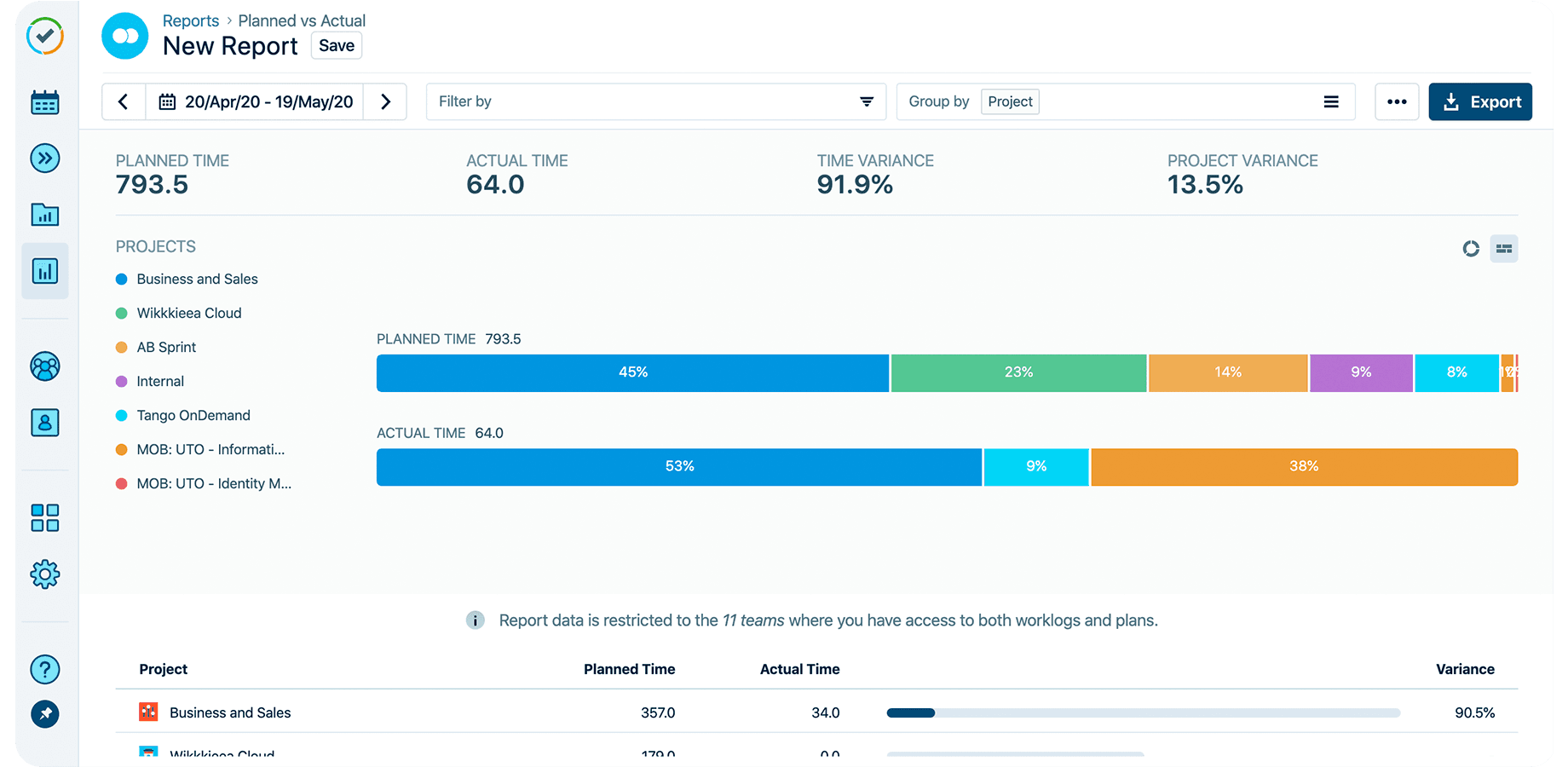
At a small scale, ART ceremonies help a few teams stay coordinated. At enterprise scale, the major concern is how to keep many trains visible to the same portfolio office and also connect the work to regular reports at the end of every meeting.
For example, TransUnion runs about 460 teams across 57 agile release trains globally. The dev team was already using Jira, but they tracked time in a separate system. That made their team’s worklogs harder to produce because they had to connect capitalized hours back to requirements, user stories, testing work, and production releases. The reporting work was more manual than it needed to be.
After moving time tracking into Jira with Tempo Timesheets, TransUnion reduced annual time-tracking system costs from $1 million to $62,000. It also reduced its approval workflow from 17 approvers to four levels.
The portfolio lesson here is that SAFe ceremonies are easier to act on when the delivery record is connected to the financial record. When Jira work and time data are tracked together, leaders can see which strategic goals are taking the most effort and whether that effort/work matches the plan.
Most enterprise portfolios are not just made up of SAFe ceremonies. Agile release trains may plan around PI objectives, while traditional projects may still report through milestones and phase gates.
The PMO's work is to make both delivery models readable in the same portfolio review. You don’t need every team to use the same method. You just need every initiative to roll up in a way leaders can compare.
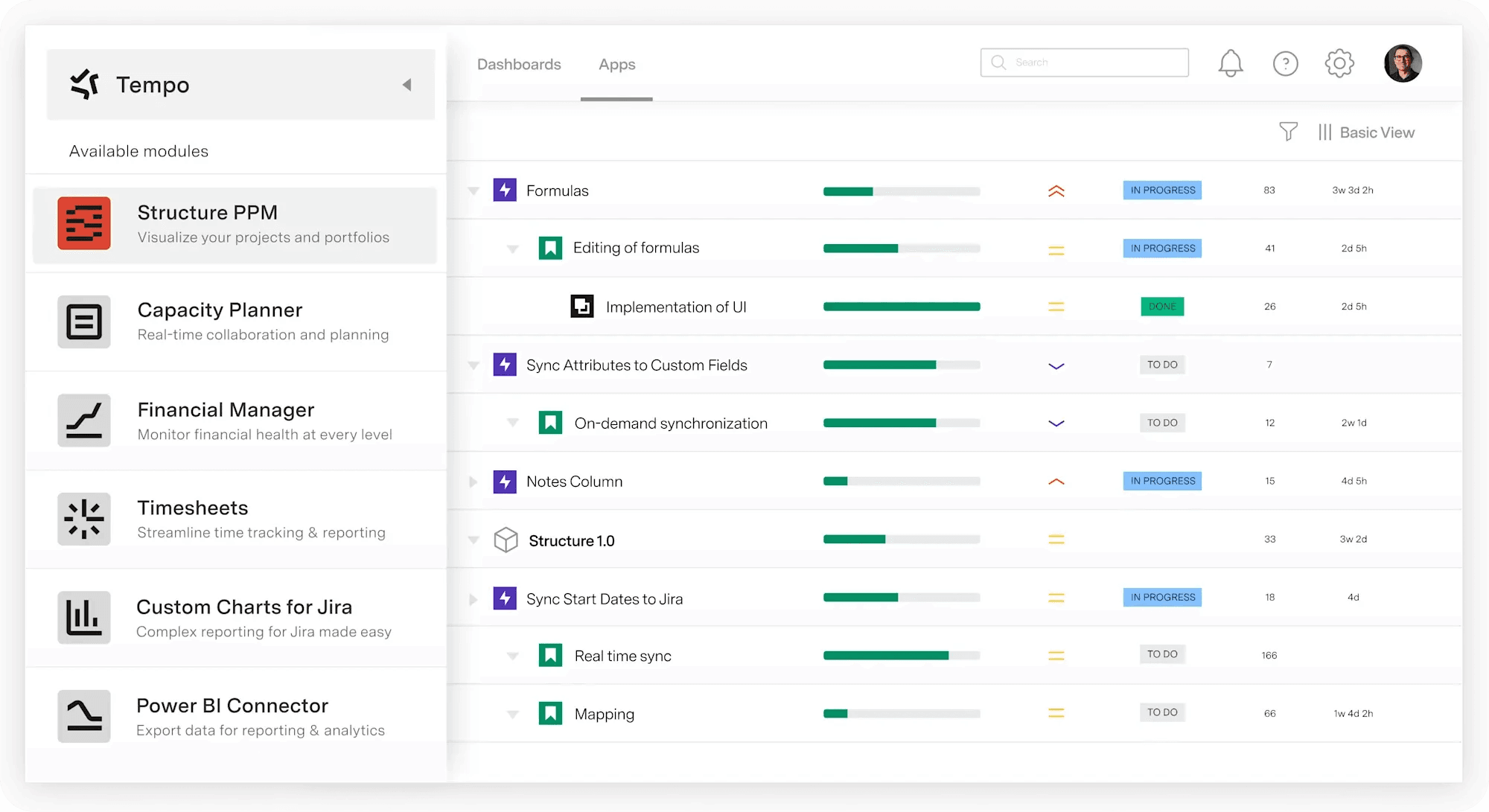
Leaders can see which initiatives connect to ARTs and which ones sit outside a train, so they can review both delivery models in the same portfolio meeting without forcing every team to work the same way.
This also gives your portfolio sync a clearer job: Compare progress, surface risks, and make decisions from one shared view of work.
Agile ceremony outputs are easier to use when teams connect them to the portfolio view. Core ceremonies produce sprint goals and delivery evidence. SAFe events add ART commitments and funding decisions.
To keep the portfolio view useful between ceremonies:
ART-level commitments should roll up to the initiatives leaders review
Traditional projects should use a format leaders can compare with agile work
This creates a clearer operating model. Portfolio sync can focus on decisions, while strategic portfolio review uses current delivery evidence instead of a manually rebuilt deck.
For Jira teams, Tempo Structure PPM brings agile and traditional work into one portfolio view. Leaders can see how ARTs connect to initiatives. They can also compare that work with projects outside the train.
Try Tempo Structure PPM for free to connect agile ceremony outputs to one portfolio view in Jira.

Structure PPM
Manage products, projects, and programs in a single spreadsheet-like view. By providing a clear, real-time view of project progress and resource allocation, Structure helps teams meet deadlines and adapt swiftly to changing priorities.
Start a Free TrialCouldn't find what you need?Go to our documentation
The meeting should be long enough to reach its required outcome. The daily scrum has a 15-minute timebox. Sprint planning, reviews, and retrospectives usually need more time based on the sprint length and team size.
Teams can schedule ceremonies close together, but each event should keep a distinct purpose. For example, the sprint review includes stakeholders and focuses on the product outcome. The retrospective stays within the Scrum team and focuses on how the team works.
Kanban does not prescribe the same events as Scrum. Kanban teams often use recurring meetings for daily coordination and work replenishment. They may also hold delivery reviews based on how work moves through the system.
Use a shared board that shows the current work. Record decisions where the whole team can find them. When teams span time zones, rotate meeting times or agree on a consistent overlap window.
Explore Scrum ceremonies and their purpose. Learn how to run them to keep agile teams aligned, productive, and delivering real results.

Agile PI planning is an integral part of the SAFe project management framework. Learn about contributors, inputs & outcomes of a productive session

Find out if SAFe agile is right for your organization. Discover its principles and benefits and see how it compares to other Agile at Scale frameworks

Program increment (PI) planning is a vital event that builds alignment among agile release trains, prioritizing backlogs & uncovering dependencies.

Hybrid project management combines agile and waterfall. A portfolio guide to the models, when to use each, and governing them in one view.

Try these six Custom Charts reports to measure competency, flow, and outcomes in the Scaled Agile Framework (SAFe).

All you need to know about SAFe reporting in Jira, the three main areas you need to be tracking, and what an agile release train (ART) is.

Optimize agile workflows with Structure’s sprint planner. Boost team alignment, productivity, and Jira task management for seamless sprint success.

Group issues by version fields (including custom fields) and keep items with the same version name together, even across different projects.















