It’s not just for IT. Learn how Jira benefits teams across your entire organization, thanks to its customization, flexibility, scalability, and more.

ServiceNow is a cloud-based business application used by organizations across various industries to manage their digital workflows and boost the productivity of their team. This platform is used by IT teams, Human resources, sales, and customer service to handle their day-to-day operations. Since ServiceNow is plugged into many core operations across an enterprise, it generates a lot of valuable data that can be useful to generate reports and for enterprise decision-making.
One way to use ServiceNow data more effectively is by connecting it to the analytics and reporting tools you already use. With a Business intelligence solution like Power BI, for instance, you can carry out advanced data transformation and visualize your ServiceNow data more effectively.
In this article, we will discuss how to connect ServiceNow to Power BI and compare two common methods of integrating both platforms. First, we’ll explain how to use the REST API to export your ServiceNow data to Power BI. Then we’ll discuss an alternative way to connect these two platforms and seamlessly export your data without complex coding. Finally, we’ll compare these two options so you can decide which of them will work best for you based on your specific situation.


One of the most common methods you can use to export data from ServiceNow to Power BI is the ServiceNow API. This method involves using the Representational State Transfer protocol (otherwise known as REST API). This is a set of protocols that makes it possible to access the interrelated objects and collections in an application’s data.
It is important to note that the ServiceNow API is not exactly a tool for exporting data. However, the API allows you to build custom solutions for ServiceNow using any coding language. Anyone with advanced coding knowledge can connect ServiceNow to Power BI using this protocol. Of course, this would mean that you need to have advanced coding experience or hire a professional to connect ServiceNow to Power BI using REST API. The process of exporting data is in two steps, the first involves building the REST call after which you can now connect both platforms.
Fortunately, ServiceNow already has a REST API tool for this purpose. This means you won’t have to invent a new way to build a ServiceNow REST call. All you have to do is create a ServiceNow user account and assign the “rest_api_explorer” role. Next, select the ServiceNow table you intend to export and click the “Sent” button. It is also possible to narrow down the data to be exported by setting specific values or applying filters.
Once all of these steps have been completed and the call is ready, you can now proceed to connect Power BI Desktop to ServiceNow. This step will require you to create a new data source in Power BI and configure the Endpoint.
With this method, you get to export data from ServiceNow to Power BI free of charge with no additional plugins or applications. Also, if you’re skilled at using the REST API functionality, you get real control over your data. However, since the method requires some advanced knowledge, you might have to pay someone to develop the solution you need.

Another method you can use to export ServiceNow data to Power BI is to use a third-party connector built for that purpose such as Alpha Serve’s Power BI Connector for ServiceNow. This is a standalone plugin that makes it possible for anyone to link Power BI to ServiceNow without complex coding.
This alternative saves you a lot of time and is a lot easier to use compared to the REST API method. The plugin has an advanced data filtering option that allows you to select the specific data set you want to include in your data export.
The Power BI Connector for ServiceNow is a ready-made solution, which means it works right out of the box. At the point of purchase, you can pay for the connector right away or sign up for a free 30 days trial to get a feel of how it works.

Anyone can export data with the Power BI connector for ServiceNow, as long as you have been assigned the PBI ADMIN or PBI EDITOR role by the ServiceNow System Admin. To get started, you need to create a data source and assign a name to your connector. Next, the connector allows you to determine who has access to the data you intend to export. You also get to set filters to determine the data sets and fields to export or organize the data based on parameters such as date, issue type, projects, status, etc.
Once you have selected the fields you wish to export from ServiceNow, click “Create” to generate a data source link. Copy this link and paste it into the "OData feed" field on your ServiceNow desktop application. In the new window that opens, enter your ServiceNow credentials and click “Connect” to start the data export.

To connect ServiceNow to Power BI, you can either use ServiceNow API to create your own custom solution or simply get a ready-made connector tool such as Alpha Serve’s Power BI ServiceNow connector. Both options are viable and there’s no single way to go about it. Your choice depends on what you intend to do and which method works best for you.
Using the ServiceNow API to develop a custom solution to connect ServiceNow to Power BI works great as a long-term solution. It is free and gives you full control over your data. However, how great this option works for you depends on whether you have the skills and additional knowledge required to execute it.
Integration through the REST API method also takes some time and there’s a limit of 50K records you can transfer within the 2 minutes retrieval time limit. However, you may be able to export more records if you modify the transaction quota rule. Using a ready-made connector is a quick and easy way to export data to Power BI. With this method, you can start exporting data within minutes of installing the app. This makes it the perfect solution if you want to get started with the Servicenow Power BI integration right away.
Additionally, this option is easy-to-use for everyone. This makes it an ideal alternative for you if you have no coding experience and can’t afford to hire a professional. The app interface is intuitive and you also get access to various filtering options whether you want to narrow down your data or export multiple tables at a time. There’s no limit to the amount of data you can export at once with this option. While Incremental refresh feature supported by Power BI Connector for ServiceNow ensures that only relevant data is updated, which can lead to faster load times and improved performance. Here you can learn how to configure Incremental refresh.
Using Alpha Serve’s Power BI Connector for ServiceNow isn’t free. However, you can sign up for a free trial to get started.
Exporting your ServiceNow data to Power BI allows you to leverage Microsoft Power BI’s advanced data transformation and visualization capabilities. This way, you can carry out advanced ServiceNow Data analytics and generate insightful ServiceNow reports more effectively. You can use either of the two methods highlighted in this post to integrate these two platforms and do more with your data. You just need to weigh the pros and cons of each option and determine which one would work best for you.
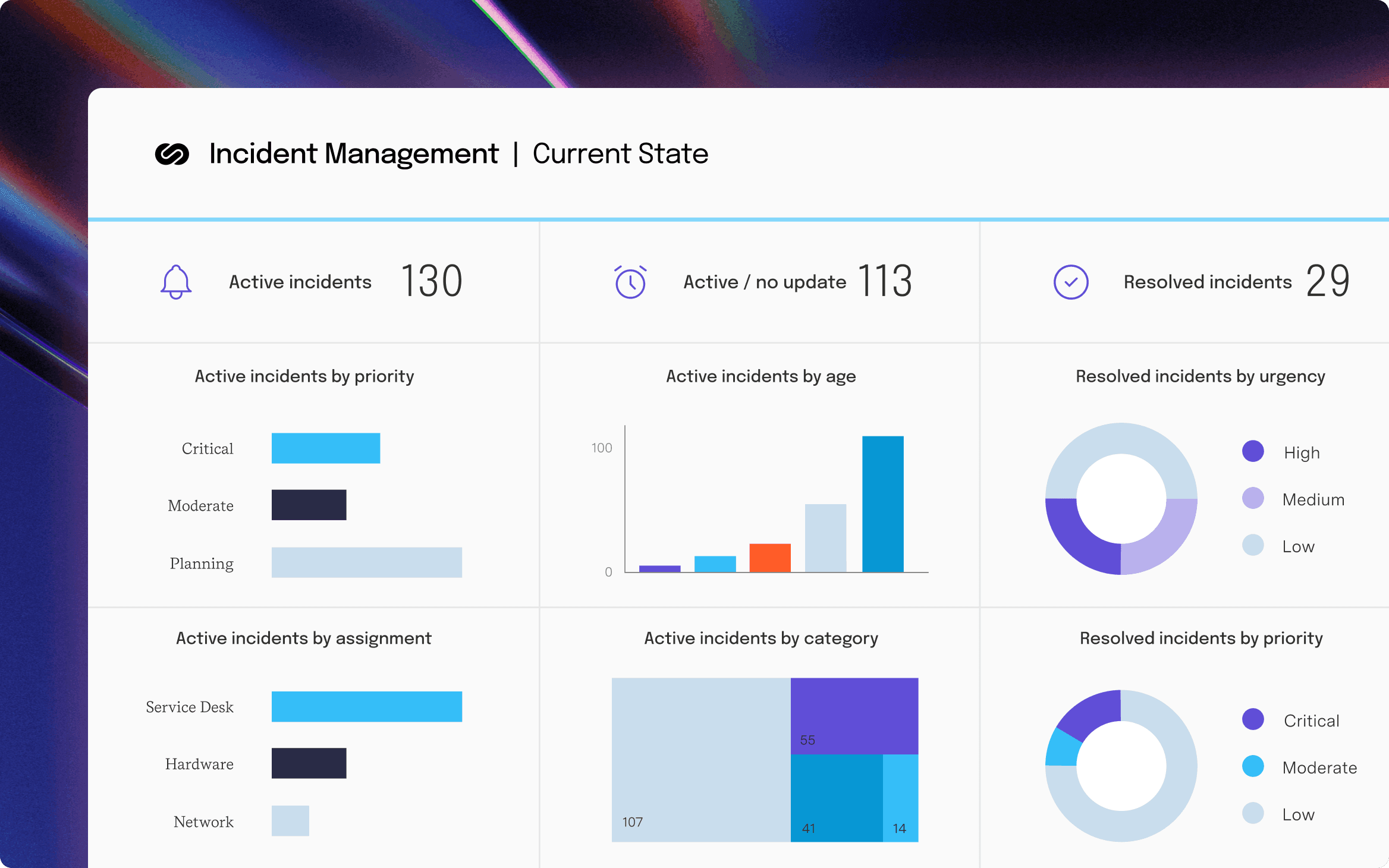
Power BI Connector for ServiceNow
Connect ServiceNow to Microsoft Power BI for advanced insights and streamlined integration, enabling comprehensive data analysis and improved decision-making.
Start a Free TrialIt’s not just for IT. Learn how Jira benefits teams across your entire organization, thanks to its customization, flexibility, scalability, and more.

Learn to love paperwork. Discover how project documentation benefits team members and stakeholders while promoting successful outcomes.

Learn how incorporating a decision log into your project management process can smooth communication and build alignment behind your choices.

Project tracking and portfolio governance aren't the same problem. We review eight tools for PMOs governing portfolios in Jira.
Facing leadership challenges head-on is a part of being a good leader. No matter the challenge, there’s always a solution waiting to be discovered.

Avoid resistance and lead your team through a business transition by mastering the secrets of effective organizational change management.

Synergy Learning approached New Verve for a solution that could display information from BambooHR in Jira, and needed the app to integrate with Tempo.

I have an interview coming up. What questions should I be asking as a project manager to ensure that job is going to be a good fit for me?

Learn the fundamentals and the importance of continuous integration and delivery (CI/CD), a mainstay of the DevOps development pipeline.