
What is solution train coordination?
A solution train, in SAFe terms, is the construct that aligns multiple agile release trains and supplier teams around a large solution – a banking platform, an aircraft subsystem, a connected vehicle program. Solution train coordination is the practice of synchronizing those ARTs on cadence, scope, and capacity so they deliver an integrated outcome rather than a stack of disconnected increments.
The discipline covers four things: a shared solution backlog and intent, aligned PI cadences across ARTs, visible and managed cross-train dependencies, and capacity planning that respects how teams are actually loaded. When any of those break, integration slips, demos miss the mark, and the program incurs rework that no individual ART can solve.
Why solution train coordination matters
Most enterprise programs aren't bottlenecked by a single team's velocity – they're bottlenecked by the seams between teams. A platform team blocks two product ARTs. A supplier ART misses a feature commitment that three downstream ARTs depend on. A capacity reshuffle in one train invalidates the PI plan of another. Without a coordination layer above the individual trains, these collisions only become visible at integration, when the cost to fix is highest.
The cost is amplified in regulated and safety-critical solutions. Aerospace, automotive, medtech, and financial platforms can't ship the next increment until the integration evidence holds together. Coordination failures don't just delay – they expose the program to audit, certification, and contractual risk.
There is also a leadership angle. Solution train engineers, RTEs, and program managers need a single, current view of cross-ART progress to lead. Building that view by hand from each ART's Jira board does not scale. A coordination layer that rolls up automatically lets the program leadership team spend their time deciding, not aggregating.
Benefits of solution train coordination with Tempo
One hierarchy across every ART. Roll up epics, features, and stories from multiple Jira projects into a single solution-level structure so program leaders see the whole train, not slices.
Cross-train dependencies in the open. Surface dependencies that span ARTs in the same view as the work, so the solution train engineer can manage them, not just track them.
Capacity that reflects reality. See committed work and available capacity across all teams in the solution train, and rebalance before a PI is in trouble.
Program reporting on tap. Status, scope changes, and progress charts pulled from live Jira data, ready for solution demos and inspect-and-adapt without manual prep.
Stays Jira-native. No second source of truth for the ARTs to maintain, and no governance tax on the people doing the work.
How Tempo enables solution train coordination
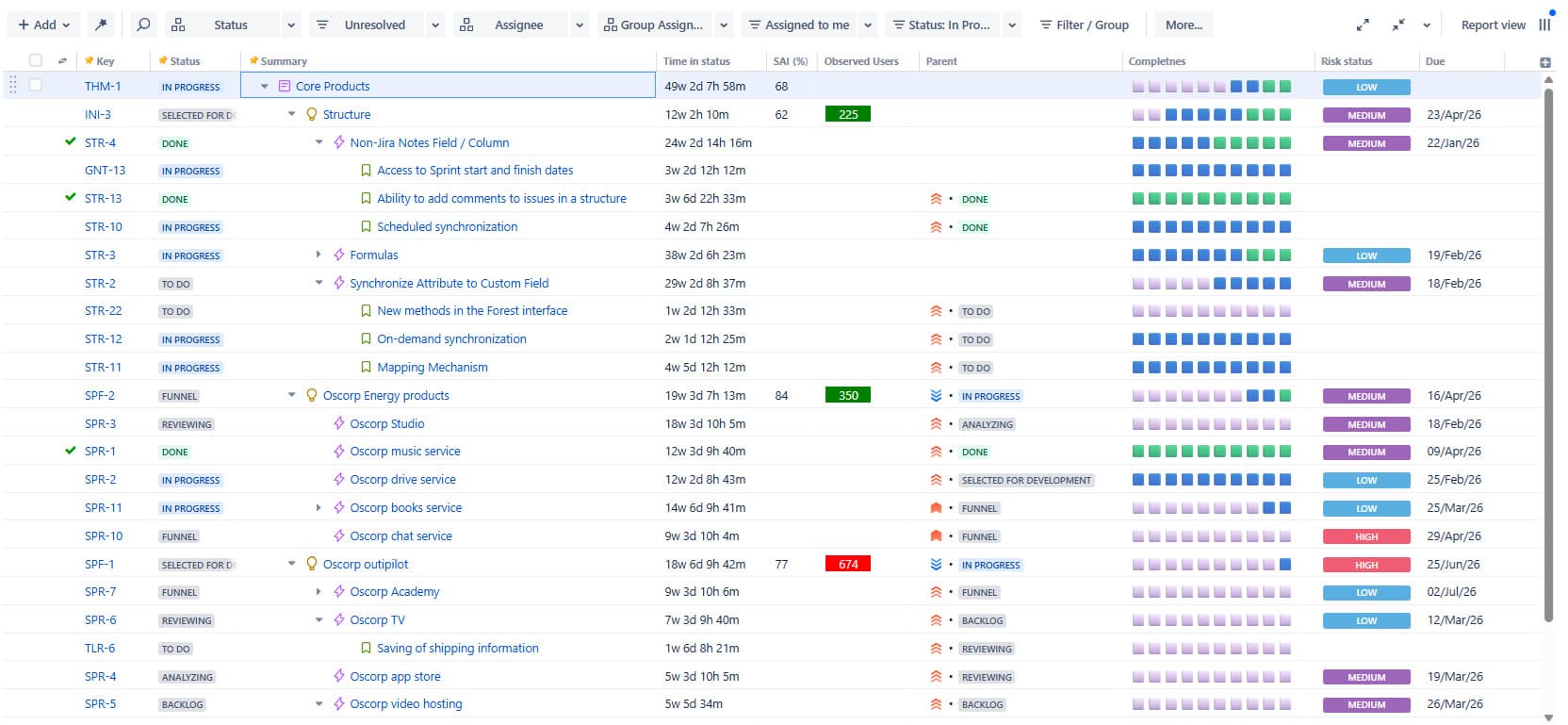
Structure PPM is the spine of solution train coordination. Structures roll up Jira issues from every ART in the solution train into a single hierarchy – solution intent, capabilities, features, stories – with live aggregation of progress, story points, dates, and custom fields. Solution train engineers can pivot the same data by ART, by capability, by team, or by PI without rebuilding the view. Generators pull issues in via JQL, so adding a new ART or scope area is configuration, not migration.
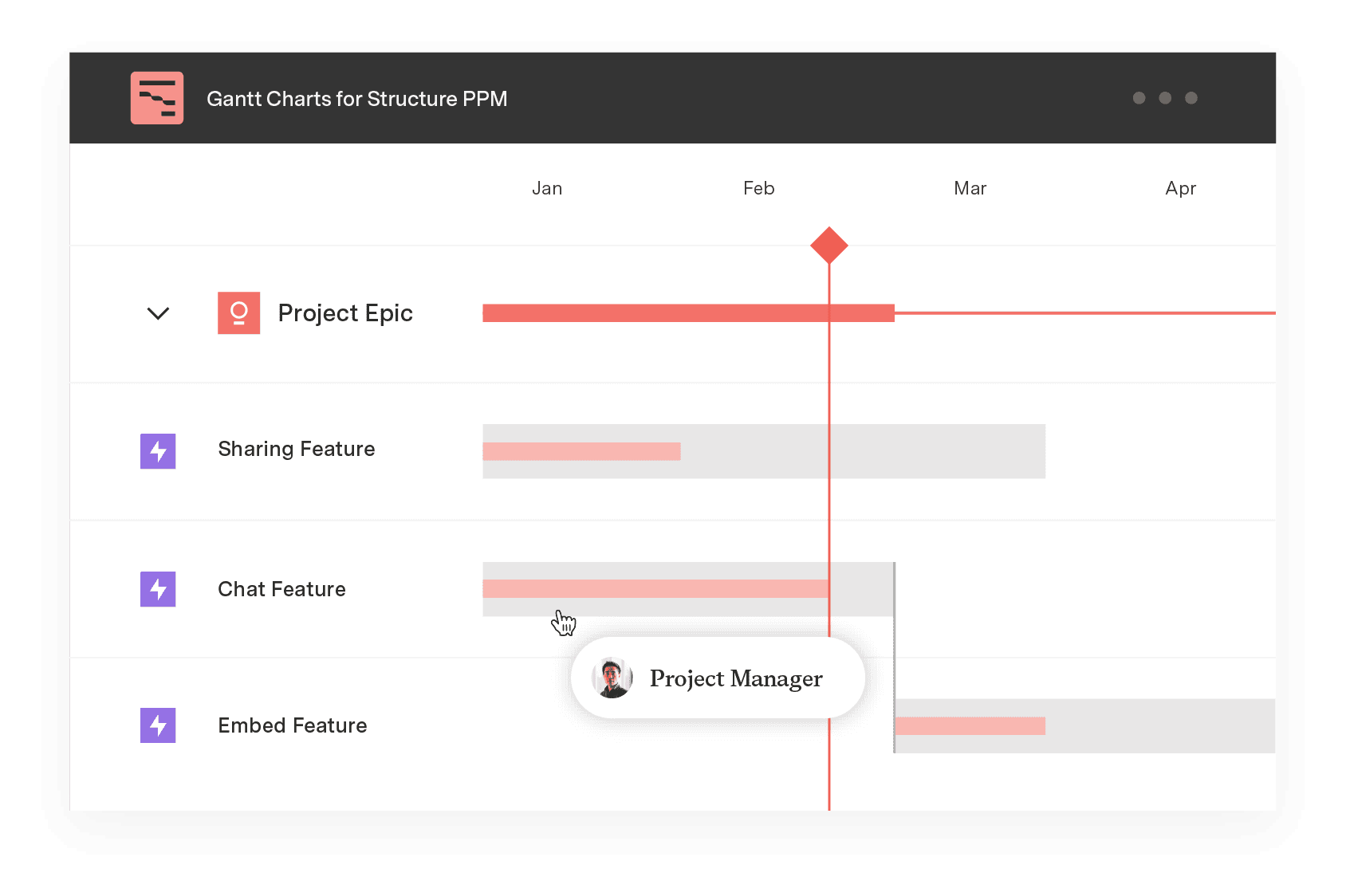
Gantt Charts for Structure PPM lays a timeline over that same hierarchy. Program leaders see PI boundaries, feature plans, milestones, and dependencies on a critical-path view that respects the underlying Jira data. When a date slips on one ART, the downstream impact across the solution train is visible immediately, not at the next sync.
Capacity Planner addresses cross-train capacity. It models committed work, allocations, and availability across teams and individuals in every ART, so the solution train engineer can spot overcommitment before PI planning rather than after.
Custom Charts for Jira turns the rolled-up data into program reporting. Solution-level burnups, feature completion by ART, dependency status, and PI objective progress all run off live Jira queries, so solution demos and inspect-and-adapt sessions open with current numbers, not last week's slides.
The combination keeps the solution train inside Jira while giving program leaders the cross-cutting view that individual ART boards can't deliver on their own.
Sign up for a demo
Request Demo


