Why a roadmap tool is better than a Microsoft Office roadmap
Excel and PowerPoint roadmaps cost product managers hours in formatting and version chaos – here’s what a dedicated roadmap tool fixes.


Key Takeaways
Excel and PowerPoint roadmaps break down at scale because every update means manual reformatting and a new version of the file for stakeholders to chase.
A dedicated roadmap tool stays connected to the work in Jira; an Office roadmap is a static file that goes stale the moment it is saved.
Cloud roadmapping tools sync with Jira and share a single live view, so the plan stakeholders see is the plan the team is actually executing.
Can the plan still be trusted a week after you built it?
That's the one practical question at the heart of any comparison between a dedicated roadmap vs Microsoft Office roadmaps. Excel and PowerPoint can hold rows and rectangles, but a product roadmap is a statement of intent.
And intent doesn't survive inside a file that instantly goes out of date.
Slides and spreadsheets stay static while the underlying work moves on. A roadmap is only a roadmap if it's connected to the work.
Building a Microsoft Office roadmap takes too long
Spreadsheets and presentations require a painful amount of manual formatting. Every cell has to be designed, populated, and updated by hand (or by prompt, but – has that ever actually worked for you?).
Adding a new item means copying and pasting cells, carving out new rows and columns, and checking that nothing else broke. Moving things in PowerPoint can feel actively hostile.

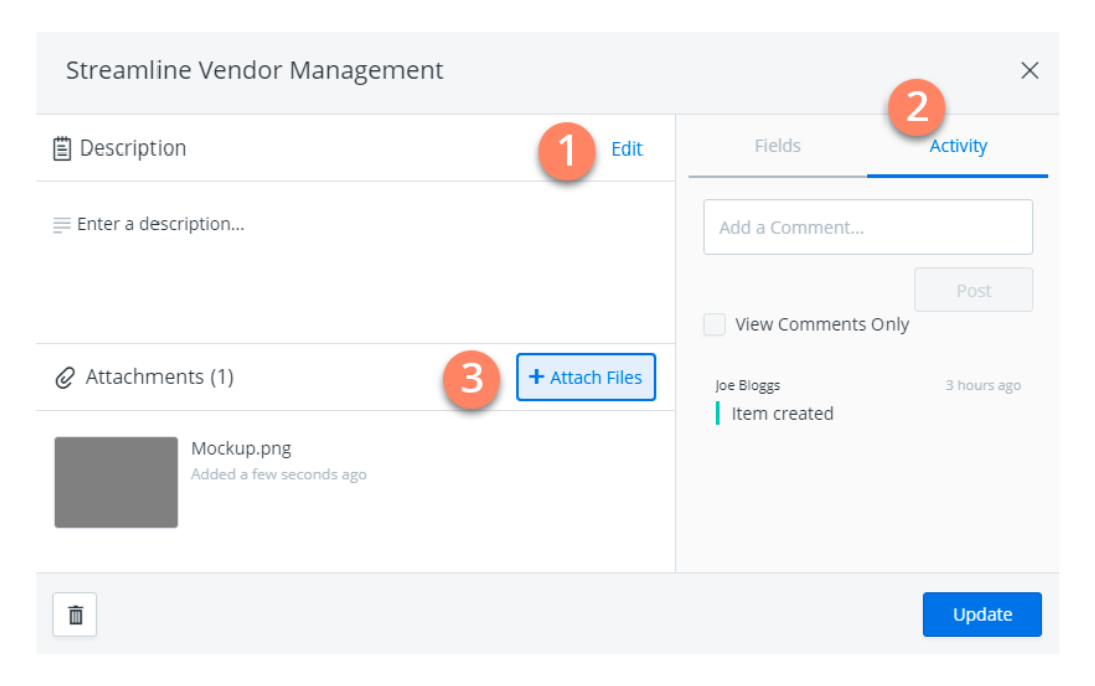
A dedicated roadmap tool, by comparison, gives you drag-and-drop items – often called cards – so you can turn raw data into a clear visual plan in minutes.
Most modern platforms let you import Jira issues or a CSV file and automatically translate that data into a timeline that stays in sync with your development tools.
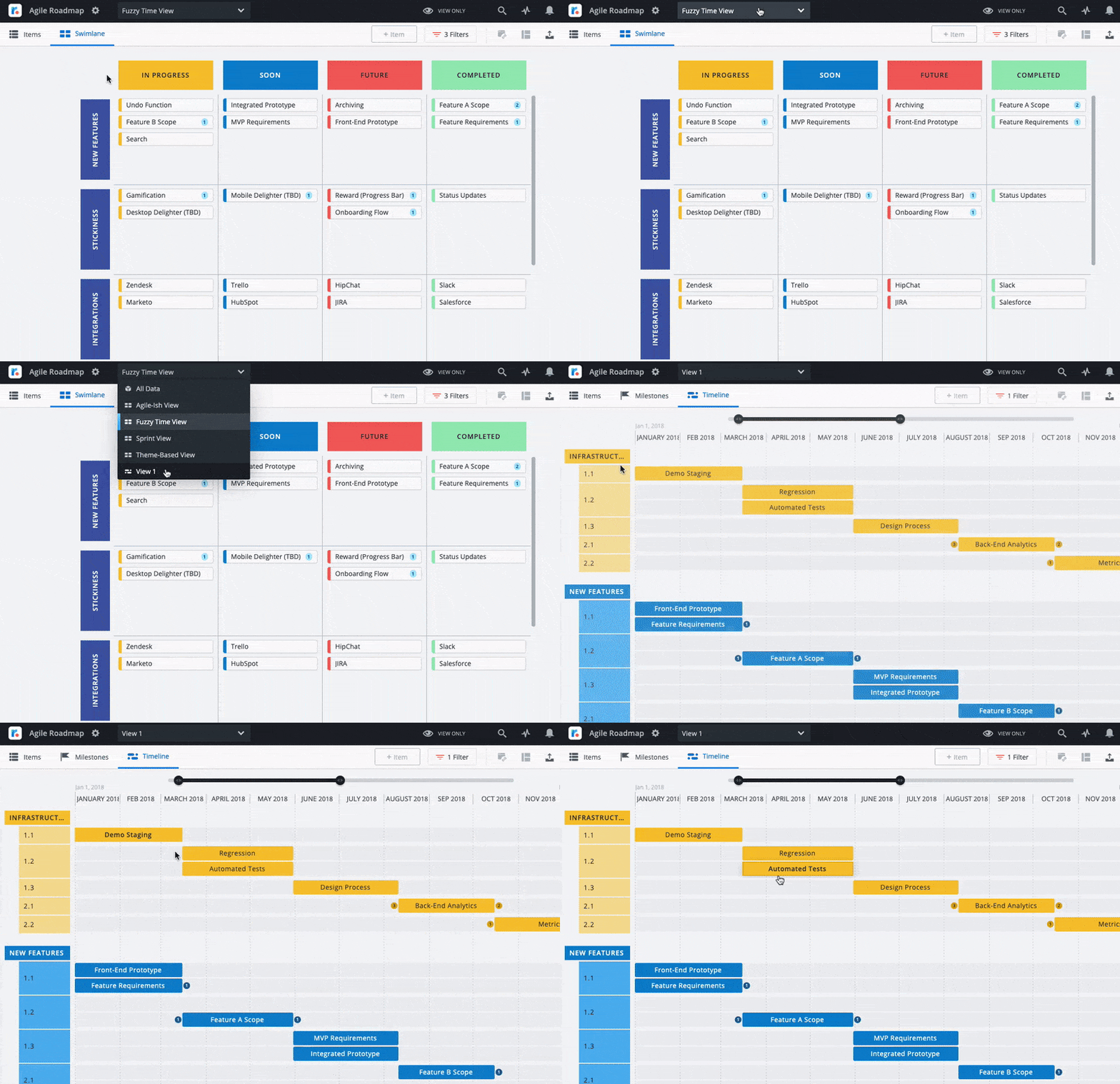
The limitations don't stop there. Want to leave a comment on a specific initiative? Attach a file? Flag that something changed? Your options in Excel are limited at best. Yellow sticky-note comments get buried. There's no notification system. To tell someone about an update, you email or Slack them – and they may not see it for two days.
Look for a roadmap tool that treats each item like a mini command center. Team members can comment, attach files, and tag colleagues so everyone stays in the loop without long email chains.
Spreadsheets and PowerPoint roadmaps lack visual appeal
Microsoft Office roadmaps aren't built to communicate strategy. Blocks of text in a grid, constrained slide dimensions, clunky dependencies – they're hard to read and harder to present.
A messy roadmap undermines the stakeholder buy-in process before you've even started the meeting. When the audience's eyes get lost in a spreadsheet, your strategy gets lost with them.
With an Excel or PowerPoint roadmap, it's hard to depict strategic priorities when they're buried in text. Comments on cells get cluttered fast. Showing dependencies between items ranges from complicated to impossible. And slides are constrained – rarely designed with stakeholder clarity in mind.
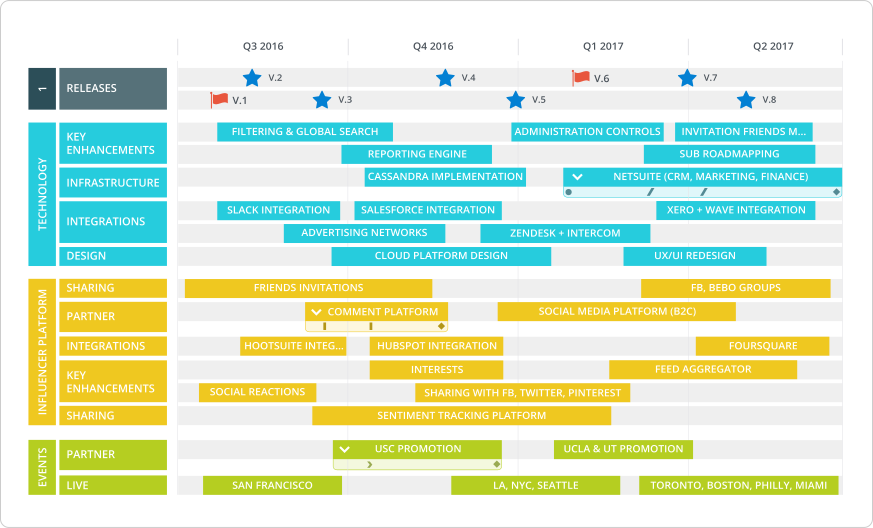
Roadmapping is an exercise in information design. A visual roadmap relies on well-chosen elements – color, hierarchy, clear structure – to turn a product vision into a plan people can actually act on.
The Project Group's analysis of MS Project roadmap features and limitations is a useful reference if you're weighing whether to migrate off Microsoft tools – it covers where the constraints show up in practice.
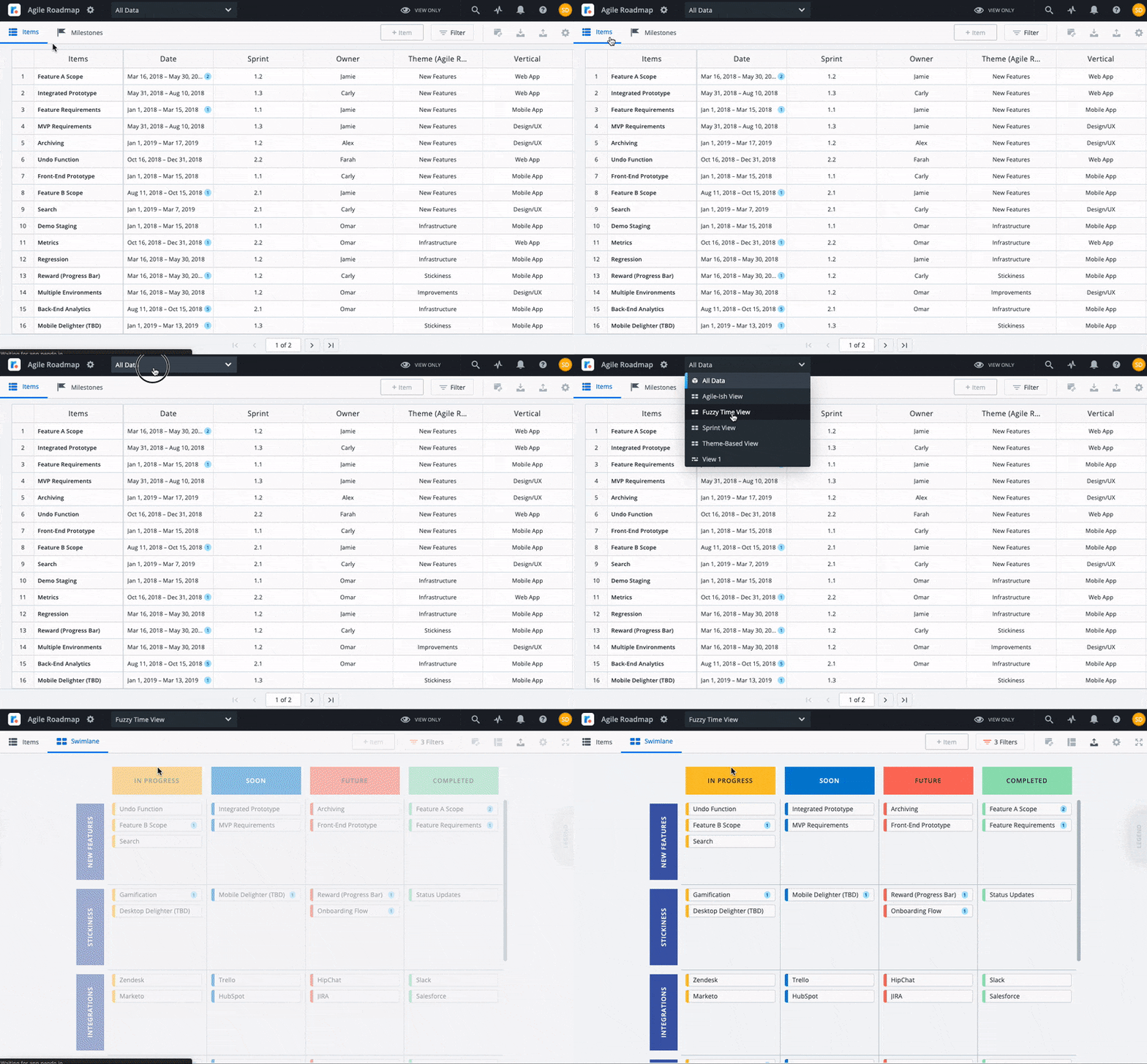
With Tempo's Strategic Roadmaps, you get the tools to build something that works in a boardroom. Use a timeline view to show how long tasks, projects, and initiatives will take, with exact dates and milestones visible. Use a swimlane view when hard deadlines aren't relevant – organize by in-progress, soon, future, or by quarter and sprint.
Milestones and key dates act as visual anchors that guide the audience's attention to what matters most. And color coding shows relationships between items and makes the roadmap easier to scan at a glance.
For more on building presentations that land, see our guide on creating a boardroom-ready roadmap.
Excel vs. PowerPoint vs. dedicated roadmap tool
Capability | Excel | PowerPoint | Dedicated roadmap tool |
|---|---|---|---|
Real-time collaboration | Co-editing works, but comments are clunky and there's no change notification | Essentially useless – simultaneous editing breaks formatting | Tagged comments, instant notifications, permission controls |
Multiple views from the same data | Separate tabs, each manually duplicated | A new slide deck per audience | Timeline, swimlane, and filtered views from one data set |
Jira and dev tool integration | CSV export only – a one-way snapshot that goes stale | None | Native Jira sync – updates automatically as work progresses |
Version control | File naming conventions and shared drives | Same as Excel, plus slides are harder to diff | One live URL with full change history |
Dependency tracking | Conditional formatting and manual arrows – nothing enforces the relationship | No meaningful option | Built in, visible on the timeline, updates when dates shift |
Stakeholder-ready presentations | Grids don't communicate strategy | Decent for static snapshots, but disconnected from the plan | Shareable links, polished layouts, always-current data |
Across every dimension, Excel and PowerPoint require workarounds for things a dedicated tool does out of the box. That gap gets worse as teams grow and roadmaps get more complex.
Microsoft Office roadmaps derail your workflow at scale
Spreadsheet roadmaps can work for a very small team under very simple conditions. Three people, one person owns the spreadsheet completely – it might get you through the early stage.
But they break down quickly when you add scale. Larger teams and multiple product lines mean passing a spreadsheet around to different groups, and that creates version chaos. Which file is current – Mark's from last night or Kelly's from this morning? Did every person who needs the update actually get it? When you changed that one cell, did you account for all the dependent fields?
In the best case, everyone somehow stays coordinated. In the worst case, someone makes a decision based on an outdated file. That ripples through work that depends on it.
When communication breaks down at this level, team morale follows. People can't see how their work connects to the overall strategy, and organizational transparency disappears.
A cloud-based roadmap platform solves this. One live URL that updates automatically, even after it's been shared. Automated email notifications to anyone involved. Permission controls so the right people can view, edit, or comment. Different views for different audiences – engineering sees one cut, marketing sees another. And Tempo follows ISO 27001 standards to help keep roadmap data secure.
Microsoft Office roadmaps are not built for product teams
A dedicated roadmap tool solves pain points that Excel project management simply can't address. Over time, we've learned a lot about product managers and their needs when it comes to customer-centric roadmapping.
One of the biggest pain points: losing key customer insights before they reach a roadmap decision. When customer feedback is spread across dashboards, emails, and Slack threads, product managers miss important signals. Look for a roadmap solution that brings customer feedback and prioritization into the same workspace, so context stays attached to the decisions it informed.
No Microsoft Office application can do that. Strategic Roadmaps can.
Ready to see the difference? Check out our product roadmap templates and build your first roadmap today.
Sign up for a demo
Request demo
2026 State of SPM report
This is the data you've been looking for
This original research from almost 700 PMO leaders shows you what is working, what is wobbling, and what it all means for SPM in 2026.
Download the 2026 State of SPM reportFrequently Asked Questions
Couldn't find what you need?Go to our documentation
A roadmap tool is software that lets you plan, visualize, and share the work needed to reach a goal. You add items such as initiatives or tasks, choose a timeline or swimlane view, and track milestones. Because the roadmap stays linked to live data, it updates as plans change – no manual reformatting required.
You can build a basic roadmap in Excel by laying out tasks in rows and using shapes to mark dates. The problem is that Excel requires heavy manual formatting, and version control gets painful as soon as more than one person is involved. Tempo Strategic Roadmaps gives you ready-made views, live data, and shareable links so you spend time on strategy rather than formatting.
Tempo Strategic Roadmaps keeps one live roadmap online. Team members can leave tagged comments, attach files, and see updates instantly. You can set permissions, share different views for each audience, and send automated notifications when something changes. Everyone works from the same version.
Five essentials: multiple visual views (timeline and swimlane), imports and integrations with tools like Jira, item cards that hold context and files, real-time sharing with permission controls, and solid security (Tempo follows ISO 27001 standards). A good tool handles all of these out of the box.
Yes. Tempo Strategic Roadmaps has a native Jira integration. You can also upload a CSV file. Items pull in within minutes and are ready to organize on your roadmap.