

Understanding a project’s sponsor’s role and responsibilities ensures you build a productive relationship, leading to new levels of project success.
Learn everything you need to know about project planning: how it’s done, its purpose, and its role in securing your team’s success.

A project plan is the blueprint that turns an agreed-upon outcome into a sequence of steps, owners, and deadlines. Without one, even a well-aligned team drifts — the goal is visible, but the route to it isn't. Assembling furniture without instructions produces the same feeling: you can picture the finished piece, but you have no idea which parts go where.
Good planning removes that ambiguity before execution begins.
Before defining the planning process, project managers should understand where it sits in the broader lifecycle. From inception to completion, projects follow the five-stage lifecycle defined by the Project Management Institute's Project Management Book of Knowledge.
Initiation marks the start of an initiative. Key stakeholders gather to review the business case, established by a feasibility study, and define objectives and goals from there.
This phase determines how the team approaches every stage that follows. Once leadership picks a methodology, the group addresses:
Defining and documenting scope
Estimating budget and required resources
Setting timelines and milestones
Outlining quality requirements for the principal deliverable
These items form the backbone of the plan.
Team members complete deliverables. The stage opens with a kick-off meeting to align everyone on goals, responsibilities, and outcomes. As work progresses, the team meets regularly to check progress, address roadblocks, and report status to stakeholders.
Work is measured against performance metrics as it happens, keeping milestone achievement in step with goals and timelines.
Once deliverables ship, the project manager releases resources and closes out contracts. The team then meets for a retrospective to review wins and lessons learned.
A project plan answers who, what, when, and where. It guides execution, defines controls, and sets the success parameters the team will be measured against.
Planning produces several documents that stakeholders reference to stay aligned:
The charter offers a general overview, including its:
Purpose
Goals and objectives
Constraints
Risks
Key stakeholders
A SOW defines a project's:
Scope
Schedule
Deliverables
Tasks
Milestones
Teams handle a project more effectively once it's broken into stages. A WBS summarizes:
Work phases
Subprojects
Work packages
Together, these produce the final deliverable.
A management plan outlines how leadership handles:
Scope and change management
Quality management
Risk assessment
Resource and time management
Stakeholder management
Once leadership and stakeholders approve the final plan, execution can begin.
A plan guides the team through the steps required to deliver, helps avoid predictable roadblocks, and keeps everyone on track. A strong plan also:
Ensures on-time, on-budget delivery to the client's quality standard
Fosters communication between team members and stakeholders
Surfaces risks before they hit timelines
Communicates objectives and vision
Focuses effort on a shared goal
Increases the odds of success
Planning is front-loaded work, but it pays back. A solid plan protects against missed deadlines, scope creep, and budget overruns.
If it's your first pass, or you're short on time, use a template. Whether you go DIY or start from a prototype, the outline should follow these steps:
A stakeholder is anyone with an interest in the outcome — end users, outside investors, company leadership. Each group needs buy-in. Once identified, tailor communication and planning to keep them engaged.
Every stakeholder has a role. For team members, that means specific responsibilities and accountabilities. Record decisions in a RACI chart or other responsibility matrix so roles stay unambiguous.
Clear goals during planning keep stakeholders aligned. Nail down:
Project scope
Quality baselines
Deliverables
Milestones
Success criteria
Requirements
Document them in the project charter, WBS, and SOW.
List every task needed to complete the project, then rank them by priority. Teams often visualize the workload with a Gantt chart, PERT diagram, or critical path document — each makes dependencies and delays easier to spot.
Review the task list with the team and estimate the effort for each item. Log estimates in a Gantt chart or project schedule template. This surfaces dependencies, builds the schedule, and locks in milestones and deadlines.
Complete a risk register to uncover and analyze potential threats, log mitigation plans, and name owners.
Identify what the team needs to deliver:
Materials
Technology
Personnel
Time
Information
Money
Track them in a resource management plan.
Uncontrolled scope creep pulls the team off goal-focused work. But a scope change isn't always bad — especially when market conditions shift. Set up change controls to evaluate requests and their impact on resources and timelines before approving them.
Some stakeholders need more frequent updates than others. A communication plan sets update cadence and defines the issues that require direct contact between stakeholders and the team.
With this many moving parts, planning can feel overwhelming. Take it one step at a time, and lean on templates or examples from your organization's archives.
Planning defines what the team needs to succeed. Once scope, objectives, and timelines are clear, stakeholders will understand these elements:
Tasks: Any activity the team must complete within a time limit. Leadership assigns tasks based on role and skill set.
People: The plan names personnel, roles, and responsibilities. Defined roles free managers to focus on their own work and build personal accountability across the team.
Milestones: Any point in the schedule that signals progress. They usually mark a completed deliverable or phase.
Documentation: Give team members access to planning artifacts so they can check goals, tasks, or methods on their own. This matters most for distributed teams across time zones.
Time: Schedules go beyond total duration. They set start and end dates for every task, phase, and milestone, which helps rank the project against competing work and secure resources when needed.
Plenty of tools help managers plan without drowning in paperwork. Some run on spreadsheets like Excel, but dedicated software is faster and automates most of the busywork.
Two common planning artifacts:
Gantt charts: Visualize tasks, their sequence, and their expected duration. Build one by hand or use software like Tempo's Gantt Chart for Structure PPM to do the heavy lifting.
Risk register: Track potential threats, their likelihood, their impact, and the mitigation plan for each.
Popular planning software includes:
Jira: Project planning and management for both waterfall and agile frameworks. Reporting and tracking capabilities make it as flexible as it is powerful.
Wrike: Manage work across the full lifecycle with an intuitive interface, time tracking, and resource management.
Tempo builds Jira-native software for delivering projects on time. Capacity Planner optimizes capacity and team management to raise organizational efficiency. Strategic Roadmaps helps you build roadmaps that prioritize the work that moves goals forward.
Whatever the planning challenge, Tempo has a solution.
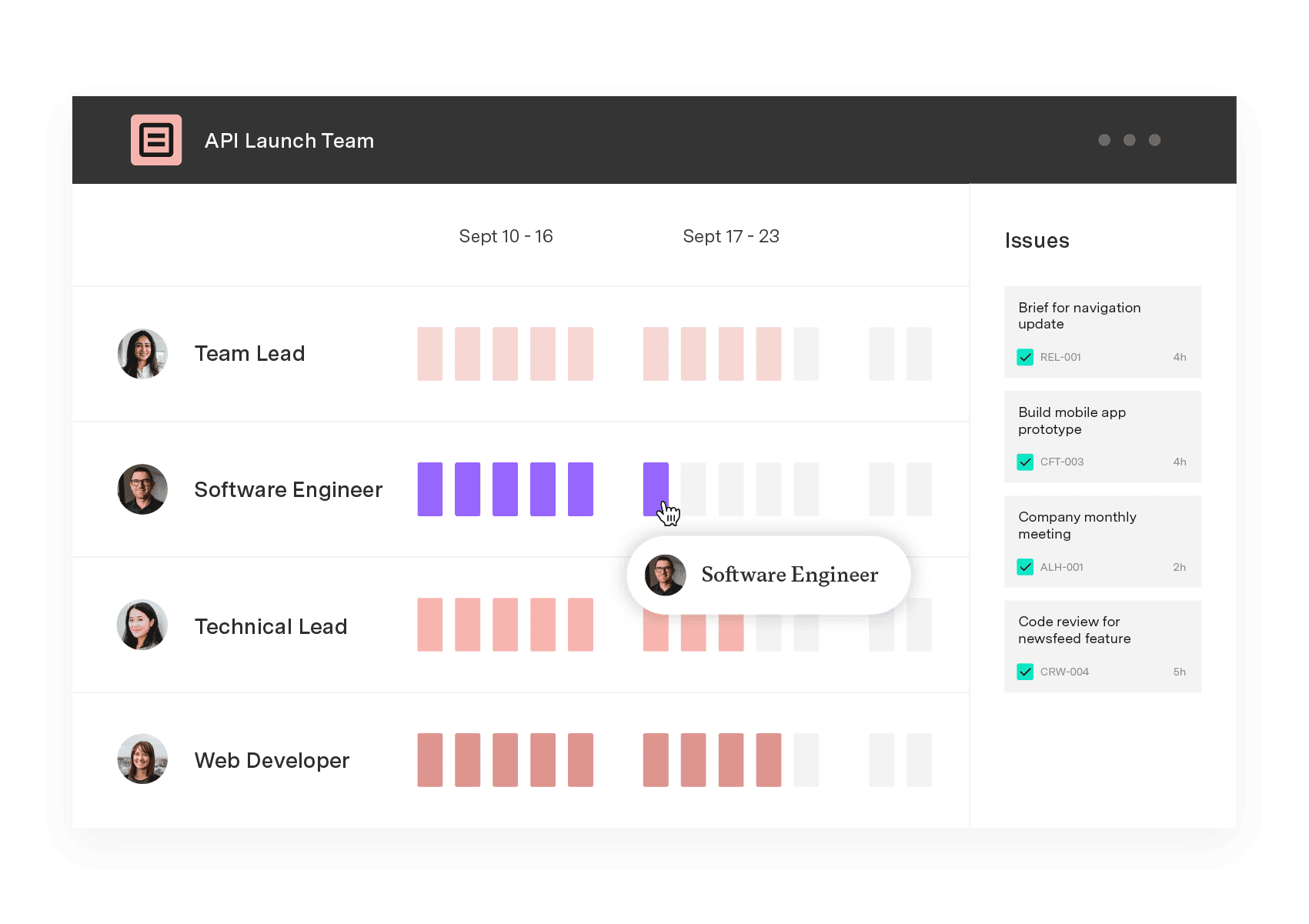
Capacity Planner
Capacity Planner is the only tool in the Atlassian Marketplace that allows planning for multiple resources on one issue. Users can customize the UI to include their existing Jira issues and projects.
Start a Free TrialCouldn't find what you need?Go to our documentation
A good project plan features clearly defined objectives, a comprehensive timeline with key milestones, and a budget that allocates resources effectively. It outlines roles and responsibilities so everyone understands their contributions. It also includes risk assessment and mitigation strategies in case the plan starts going sideways.
Tempo brings project planning and execution together with Capacity Planner and Strategic Roadmaps.
Capacity Planner offers advanced resource management, predictive planning, and risk mitigation alerts, while Strategic Roadmaps makes it simple to visualize strategy, align teams, and provide portfolio-wide insights. With these tools, organizations can optimize resources, focus on priorities, and ensure projects deliver value efficiently.
A Gantt chart is a visual project management tool that outlines tasks over time. To use it:
- Identify all tasks required for the project.
- Estimate the duration for each task.
- Sequence tasks in order of dependencies.
- Create a timeline and place tasks on it, indicating start and end dates.
- Assign resources to each task.
- Monitor progress by updating the chart as tasks are completed.
This helps in tracking deadlines, identifying bottlenecks, and ensuring efficient resource allocation. To map out your project, try Gantt Charts for Structure PPM.
Tempo's suite of products help bring plans to life through project execution:
Strategic Roadmaps for visualizing and aligning long-term goals
Timesheets for accurate tracking of work time
Capacity Planner for optimizing resource allocation
Structure for organizing and visualizing project data hierarchically
Portfolio Manager for flexible planning that allows for dynamic adjustments to project portfolios
Custom Charts for insightful and tailored reporting
Understanding a project’s sponsor’s role and responsibilities ensures you build a productive relationship, leading to new levels of project success.

Learn to love paperwork. Discover how project documentation benefits team members and stakeholders while promoting successful outcomes.
Establish alignment between stakeholders and team members with an essential source of informational truth. Learn to write an effective project brief.

A practical guide to the project management lifecycle: five phases, seven planning steps, and the skills and tools that move plans to delivery.

Learn what the iterative process is and how it can benefit your project management. Here’s everything you need to know about this agile method.

Learn everything you need to know about implementing Agile at Scale. Discover strategies to overcome resistance and ensure your success.

Establishing and managing project scope is essential to the success of any initiative. Learn the basics and start your next project on the right foot.

Learn about the seven factors that go into a project plan to set you up for success. Plus, explore project plan examples to guide your process.
Vague goals and poorly defined requirements won’t hold you back once you incorporate rolling wave planning into your project management toolkit.


















