

Search and filter Jira data without JQL. The Custom Charts simple search gadget lets any team member self-serve reports from a dashboard.

Dashboards were where data went to die… let’s bring them back to life!
Have you ever read a job listing advertise a company as static, never changing, and set-in-stone? Even if these descriptions are clichéd half-truths, at least we know that everyone is striving to work for an agile and dynamic business!
So why do most companies, neglect the data they base business decisions on as static, and never-changing?
Jira dashboards have always been an oddity. They provide insights into the vast amounts of data buried deep inside Jira, but make it as difficult as possible to actually create useful reports.
Spreading your data across 10, 20 maybe even 100 different dashboards means you might as well be printing out Excel Spreadsheets and building a paper fort around your desk. This would be about as useful but a lot more fun!
You want to view the progress of multiple projects and multiple teams.
So in Jira, you create a dashboard that looks something like this for Team Alpha:
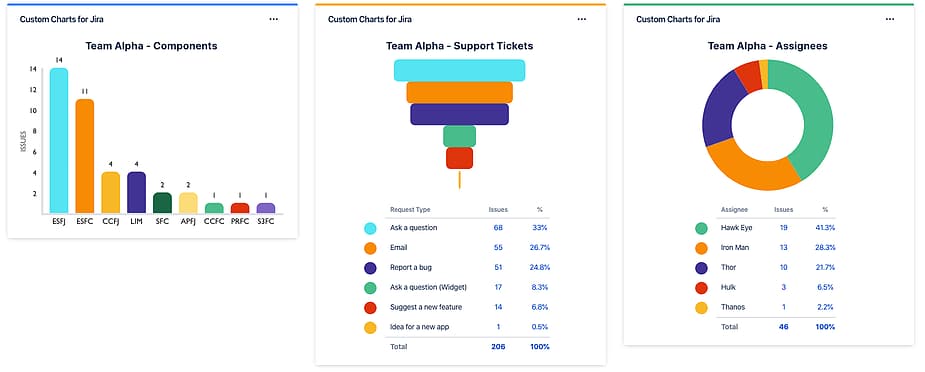
Then you copy that dashboard and create a whole new set of filters for Team Delta:
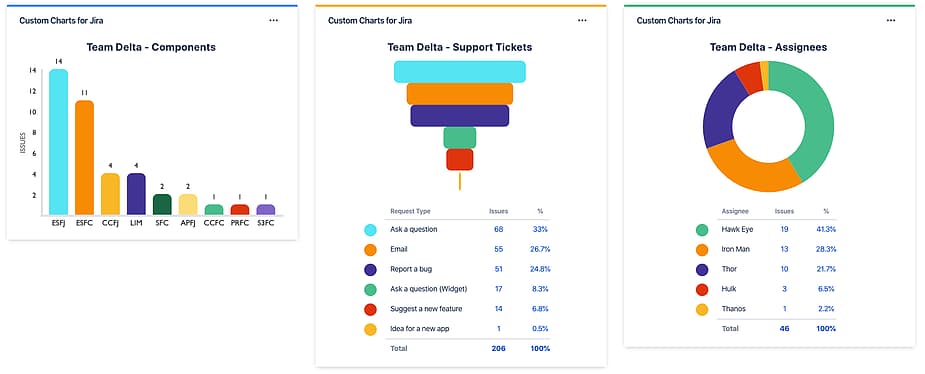
Then you copy that dashboard and create a whole new set of filters for Team Tango… you see where this is going. And what if you want to make a change or add a new gadget to one of those dashboards? You’re going to need to hire a lot of interns for all that manual clicking or you’ll waste your entire life.
There must be a better way.
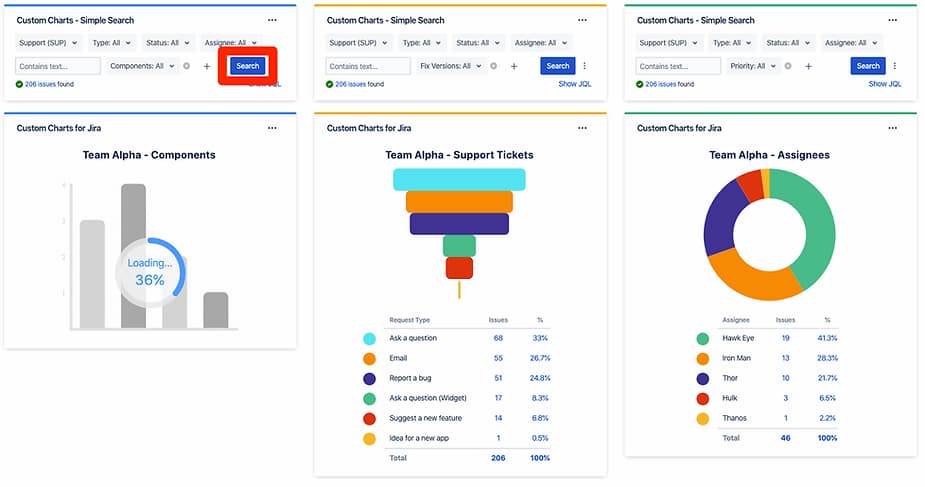
Let’s create a new dashboard and use the Custom Charts Simple Search gadget to dynamically change the data displayed.
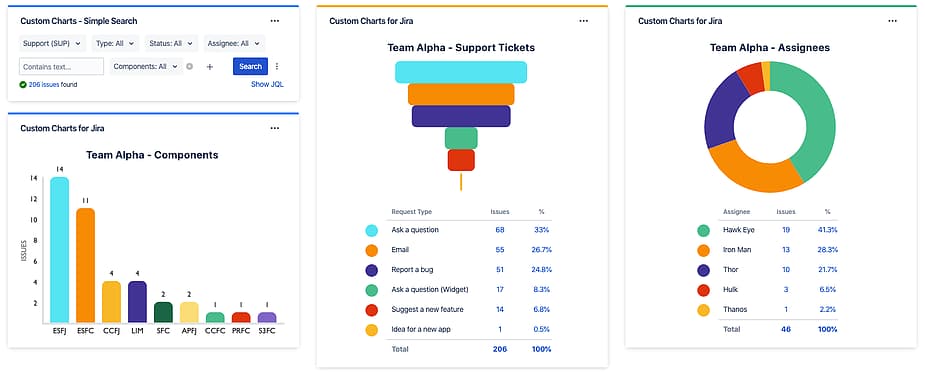
With the Simple Search gadget, you can build a customizable interactive searcher directly on a dashboard.

View the JQL query used in the search with the “Show JQL” button.

Use the actions menu to reset the search back to defaults as well as see the Simple Search Unique ID used to connect to Custom Charts.

Clicking the “Search” button on the Simple Search gadget updates all linked charts with the new results.
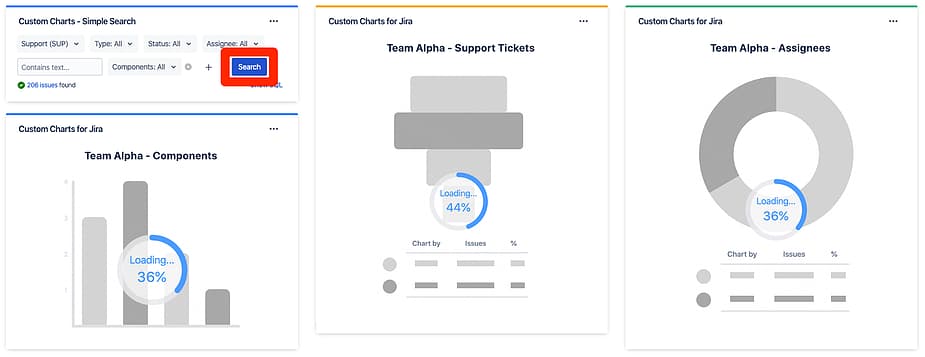
Each Custom Chart can use a different Simple Search gadget, allowing you to build completely customized dashboards.
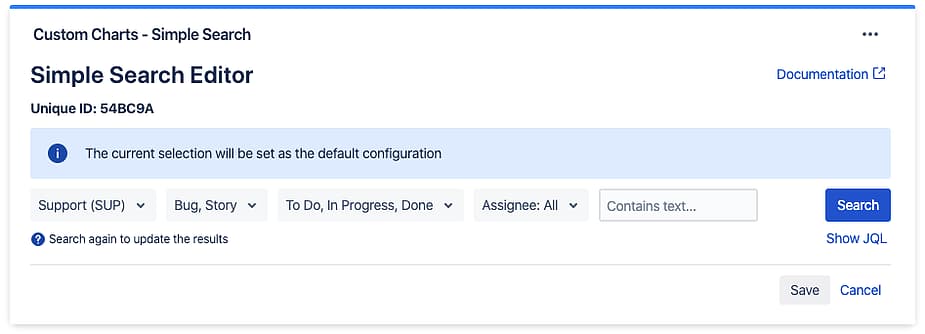
In the Simple Search editor, you can set the default values for the main search fields.
To connect a Simple Search gadget to a Custom Chart select “Simple Search Gadget” from search dropdown selector and choose the Unique ID from the list.
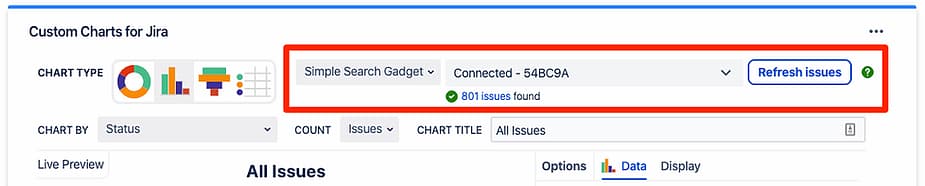
And that’s all you need to do!
Custom Charts Simple Search gadget is currently available on Jira Cloud and will be being released on Jira Server & Data Center and Confluence Cloud, Server & Data Center.
Install Custom Charts for Jira from the Atlassian Marketplace and make your Jira reports dynamic, for everyone, today.
Custom Charts for Jira
Build charts and dashboards to evaluate delivery, capacity, and speed for all teams with Jira's most flexible custom reporting app
Start a Free TrialSearch and filter Jira data without JQL. The Custom Charts simple search gadget lets any team member self-serve reports from a dashboard.

How to easily tailor your Custom Charts for Jira & Confluence to different audiences using the accompanying gadget/macro, Simple Search.

Seeking deeper insights from your Jira data? Compare Rich Filters for Jira Dashboard and Custom Charts for Jira to find the best product for you.

Improve Jira search efficiency and accuracy by using JQL to create custom queries. Then, save and distribute them for repeated use.

Learn how to use Rich Filters for Jira Dashboards to be able to quickly filter your dashboards by Tempo Accounts and Tempo Teams.

Learn how to generate Jira reports in Confluence to help build transparency, informed decision-making, and facilitate organizational collaboration.

A new gadget now comes with Custom Charts for Jira. Called Issue List, it’s similar to native Jira’s Filter Results, but better. Check it out.
Build a workload management dashboard in Jira with Custom Charts. See assignee load, WIP, and time in status on one screen to rebalance work fast.



















