

What is strategic drift, and why is a theory from 1988 suddenly urgent again? AI adoption is universal, but why doesn't it show an advantage yet?

Your team just pointed an AI agent at your Jira instance. It writes automation rules, bulk-edits hundreds of issues in a single pass, and reorganizes entire projects while you sleep. It promises faster delivery, less manual toil, and engineers freed up for real work.
But the same speed that clears your backlog overnight can also unwind it overnight. An AI agent doesn't make one careful change and then stop to check it. It makes thousands of changes in seconds, and if the logic is wrong, every one of them is wrong.
The blast radius of a mistake just got a lot bigger. And it raises a question most teams haven't answered yet: If an AI automation corrupts your Jira data, how fast could you actually recover it? This blog isn't an argument against using AI in Jira (far from it!). We're here to argue that when working with AI, you have to build your safety net first before letting it do its thing.
When human error causes a change in Jira, the damage is usually local. One issue, one board, one afternoon. You notice, you fix it, you move on.
AI automations don't fail locally. They fail at scale. A single bad rule or an overly broad prompt can bulk-transition issues into the wrong state, strip custom field values, delete versions, or restructure a project hierarchy across your entire instance before anyone opens Slack. This is the butterfly effect in its purest form: A small error in the logic, catastrophic consequences in the data.
Keep in mind that Jira is often the system of record that dozens of other tools read from and write back to. Consider time and cost tracking: Worklogs, budgets, and financial plans are all anchored to Jira issues and project structures.
When an AI automation bulk-deletes or re-parents the issues those logs hang off of, the downstream damage follows. Time entries are orphaned, budgets are misattributed, and forecasts are built on data that no longer exists. You didn't touch the time-tracking tool. You didn't have to.
That's the thing about high-velocity SaaS: The data is a relationship graph. Break one node, and you break everything connected to it.
Most teams assume that if an automation goes rogue, someone can simply put things back. Two assumptions are hiding in that sentence, and both are shaky.
Assumption one: The vendor will fix it.
They won't (and they've told you so). Under the SaaS Shared Responsibility Model, the vendor is responsible for the platform's global infrastructure, physical security, and 99.9% uptime. You are responsible for your data, your configurations, your permissions, and your business logic.
SaaS providers explicitly disclaim liability for lost data in their Terms of Service. If an AI agent operating inside your account wipes your project data, the platform was never down. There's nothing for their SLA to cover.
Assumption two: The native tools are enough.
Native recovery is built for uptime, not for recovery. Atlassian's own backup capability offers 30-day retention, all-or-nothing restores to an empty instance, and a 12-hour recovery target. To fix one team's corrupted board, you'd overwrite the last 24 hours of work for everyone else.
Additionally, backing up your Jira data inside Atlassian breaks the oldest rule in the book. The 3-2-1 rule says one copy should live independent of the platform it protects. Backing up your SaaS data with your SaaS provider is like backing up your hard drive to your hard drive.
An AI agent corrupting your Jira data isn't just an outage anymore. Depending on what it touched, it's a reportable incident or a failed control. GDPR Article 32 sets the bar: restore data availability "in a timely manner," or face fines up to €20M or 4% of global turnover. SOC 2 and ISO 27001 go further, requiring a named recovery control. Enterprise buyers check for it before they sign. Its absence stalls the deal.
Fast, independent recovery used to be a promise. Now it's a requirement you have to prove.
That's what Rewind gives you.
The uncomfortable math
69% of organizations say they need Jira recovery within one to four hours
Half of large enterprises with that mandate have no formal solution in place.
$9,000/minute is the estimated downstream cost of downtime for large companies
The gap between how fast you need to recover and how fast you actually can is where AI automation risk lives.
You don't shrink the blast radius by slowing down your AI adoption. You shrink it by making the damage reversible. A few principles separate the teams adopting AI confidently from the ones quietly hoping nothing breaks:
Independent, point-in-time recovery. You need to roll Jira back to the moment before the automation ran – not to a generic empty instance, and not stored inside the platform that just corrupted itself.
Surgical, non-destructive restore. Fix the issues, fields, or project structure the agent touched without wiping everyone else's last 24 hours. Item-level, not all-or-nothing.
Schema-aware recovery. Restoring a ticket isn't enough if the workflow, field contexts, and dependencies that make it usable are gone. The relationships have to come back too, including the issue structures that downstream tools like your time-tracking and budgeting apps depend on.
A recovery target you've actually defined. Only 40% of organizations have a defined RTO for Jira. If you're deploying agents into Jira, "how fast can we undo this?" is no longer a theoretical question.
No strategy can stop bad automation. Agents will misfire, prompts will be too broad, and someone will grant more privilege than they should. Resilience isn't about preventing every mistake. It's about making sure a mistake is a bad hour, not a bad quarter.
This is the job Rewind was built for. Rewind is a SaaS resilience platform that backs up your Jira data on an independent architecture, separate from Atlassian, so when an AI automation cascades through your instance, you have a clean, point-in-time copy to restore from.
Because Rewind is schema-aware, it reconstructs the issues, workflows, field contexts, and project relationships that your team – and every tool reading from Jira – depend on. And with surgical, non-destructive restore, you fix exactly what the agent broke without rolling back everyone else's work.
That's what turns Rewind from a safety net into an accelerator. When you know you can hit undo on your Jira instance, you can let your team deploy AI agents and large-scale automations with confidence instead of caution.
The market is already moving here: Gartner forecasts that 75% of enterprises will prioritize backup of SaaS applications by 2028, up from 15% in 2024. The teams getting ahead of it are the ones adopting AI fastest.
Faster delivery is worth having. Just make sure the blast radius has a limit.
Before you widen an AI agent's access to Jira, ask:
If an automation corrupted our instance tonight, could we restore it to the exact point before it ran?
Do we have a defined recovery time target for Jira? Have we tested it?
Is our backup stored independently of Atlassian, or inside the platform we're trying to protect?
Can we restore a single team's damaged data without overwriting everyone else's work?
Do we know which downstream tools – time tracking, budgeting, reporting – depend on the Jira data an agent could touch?
If more than one answer is "no" or "not sure," the blast radius is bigger than your recovery plan.
Ready to adopt AI in Jira without widening your blast radius? Talk to a SaaS resilience expert at Rewind about protecting and rapidly restoring your Jira data.
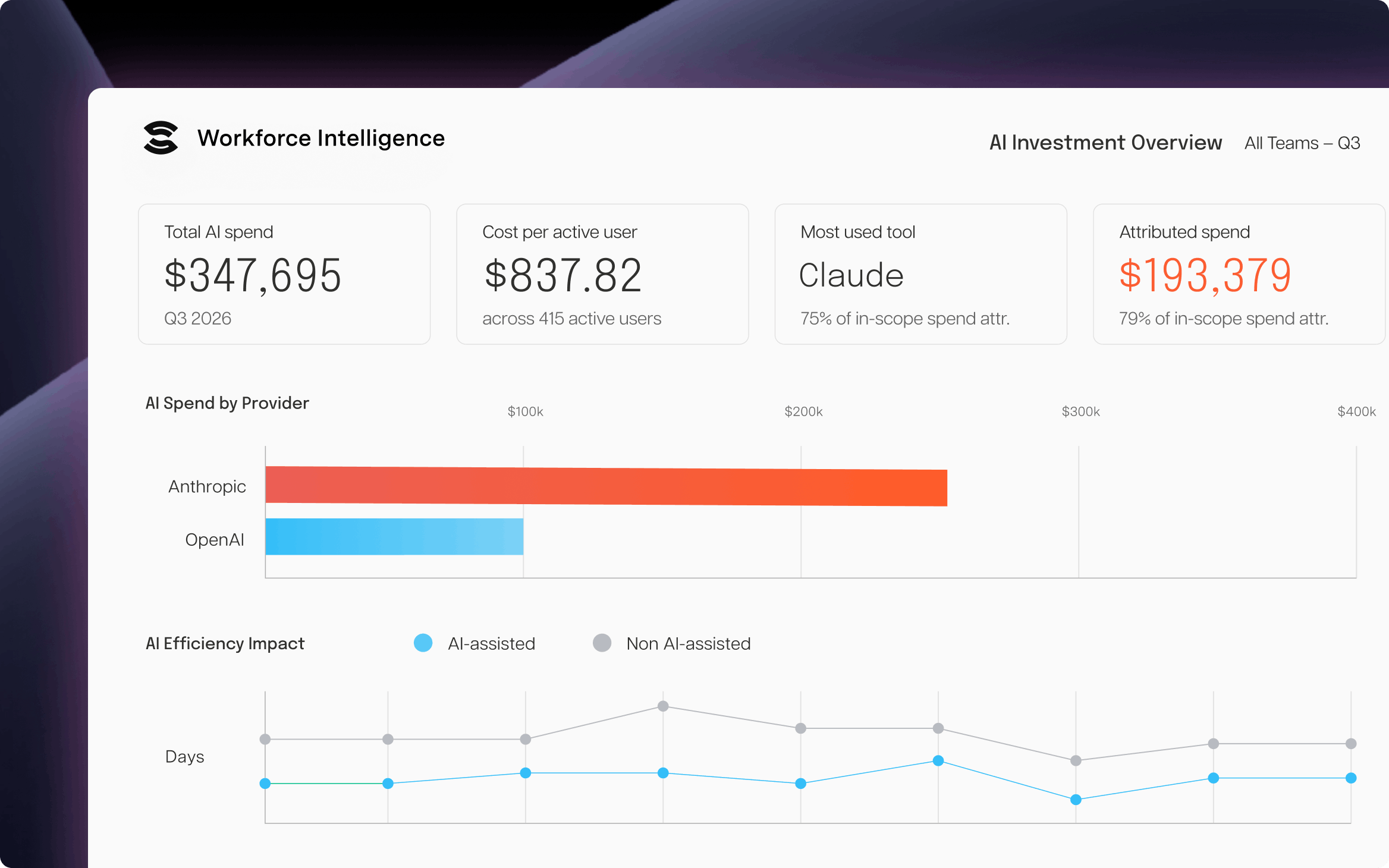
Workforce Intelligence
The only solution that ties AI vendor spend to the teams, epics, and Jira issues it supported.
Start a Free TrialWhat is strategic drift, and why is a theory from 1988 suddenly urgent again? AI adoption is universal, but why doesn't it show an advantage yet?

Loop is a new product launch from Tempo – a continuous decision intelligence layer for the AI-enabled enterprise

The AI revolution is here. Learn about AI in project management and how machine learning and predictive analytics will shape the industry’s future.

Not every delayed dependency is a program risk. Learn the 4 conditions that trigger escalation, and spot exposure before it reaches leadership.

Why Intelligent Portfolio Orchestration (IPO) has become a category, why traditional SPM isn’t the answer, and why you should care.
All you need to know about ServiceNow and Tempo’s connectors, why you should connect these tools together, and the use cases

Agentic AI governance means securing your agents and proving their ROI. Get the framework CIOs use to govern the AI-agent workforce end to end.

Introducing two new tools built on Atlassian’s AI platform, Rovo: the Structure Formula Assistant and the Sprint Performance Assistant.

Did you know Tempo offers 7 Rovo Agents? Try them for free today and stay tuned for more announcements soon.



















