

We're introducing OKRs for Structure Advanced, a new capability for setting and tracking goals alongside the work that delivers them.
You can now set “goals” at every level, linking to your structures and work items, and get a more detailed view of how all of your work contributes to the big picture.
What’s new
With OKRs, you can:
Set goals at every level: Create company, department and team goals, and nest them in a cascade
Plan in cycles: Track goals over a quarter, a year or both
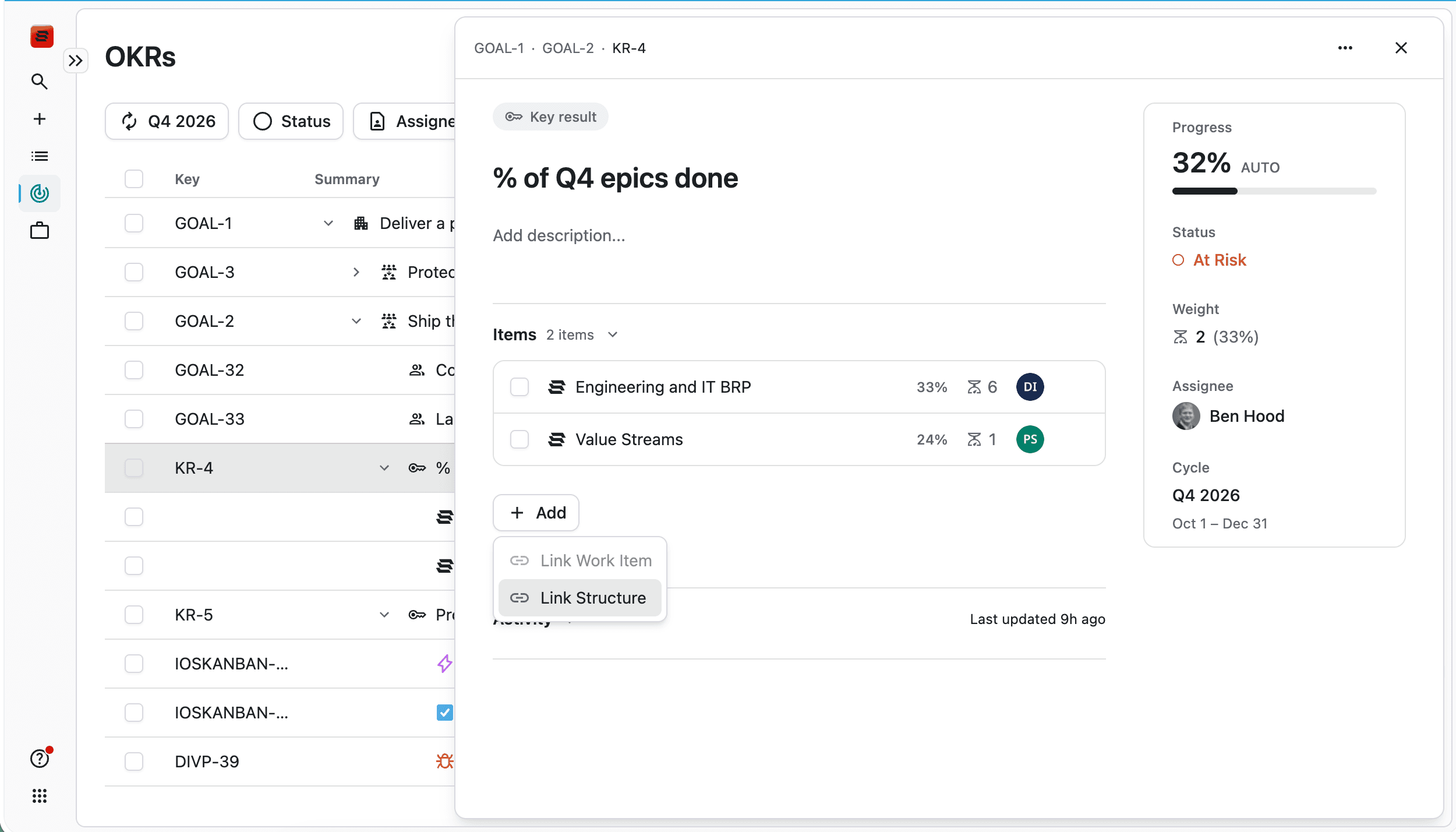
Link “Key Results” to work: Connect a key result to Structures or Jira work items. Progress updates as that work completes.
Track outcome metrics: Measure results like revenue, adoption or NPS as a percentage, a number, or yes or no
Weight what matters most: Give more weight to the key results and nested goals with the greatest impact
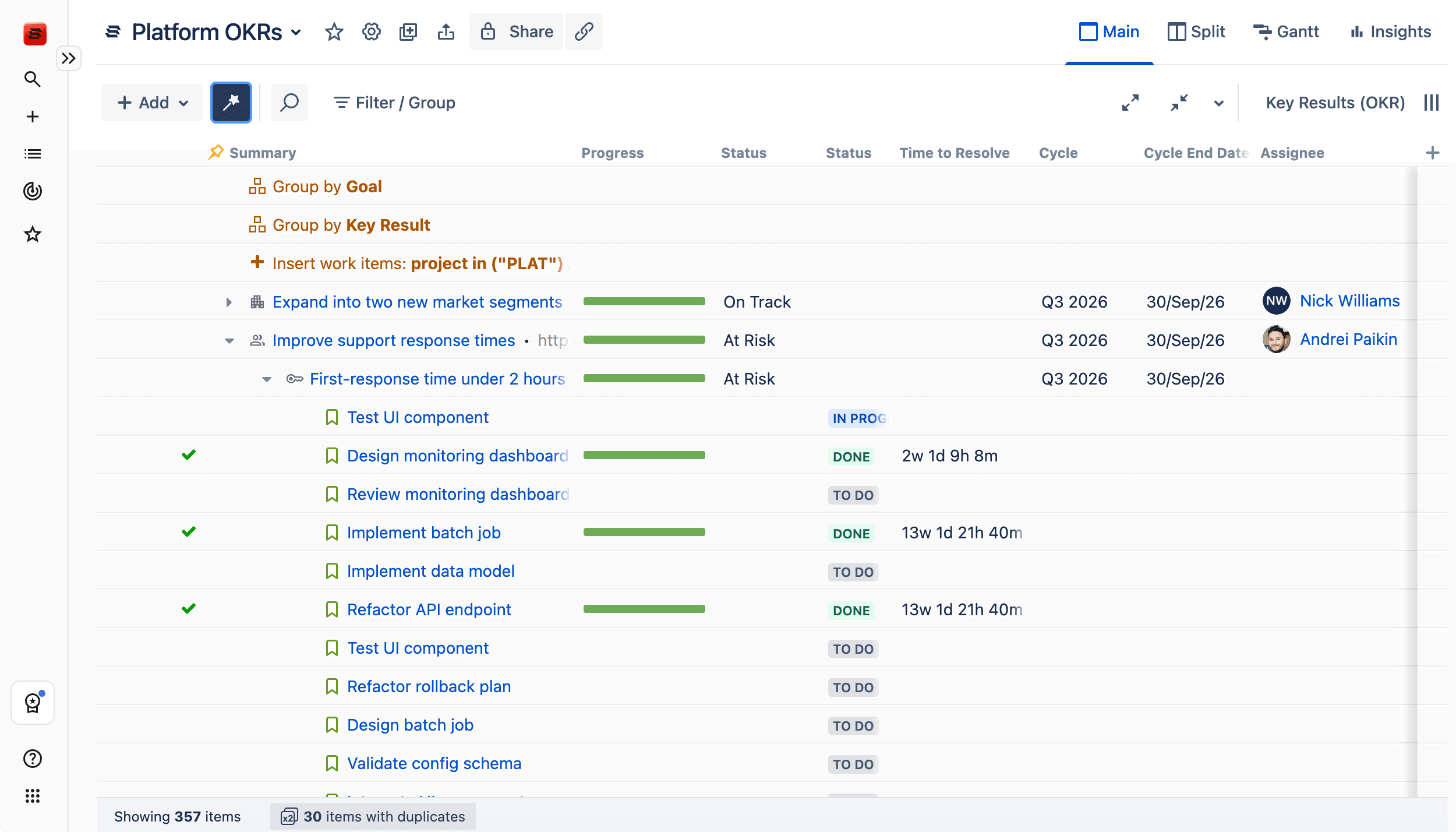
View goals alongside work: Add goal and key result columns to any Structure, or group work by key result. Jira work items show the key result they count toward.
Why it matters
With the release of OKRs, your big-picture planning lives where the work happens, not in a forgotten spreadsheet or slide deck.
Progress then has to be copied across by hand before each review. Linked Key Results remove copying over any developments from Jira to the plan, because progress comes from the work itself.
Outcomes and delivery in one view
Key results measure outcomes, and delivery often determines whether those outcomes are reached. A single goal can hold both linked and manual key results, weighted by importance.
Clear alignment across the portfolio
When you group a Structure by key result, work with no linked goal appears in its own group. Teams and leaders can see which work supports a goal and which needs a closer look.
Getting started
A Jira admin opens Structure, selects OKRs and follows the guided setup to create the first cycle. Teams can then create goals and link key results to the Structures they already use.

Structure PPM
Align your entire organization
Manage products, projects, and programs in a single spreadsheet-like view. By providing a clear, real-time view of project progress and resource allocation, Structure helps teams meet deadlines and adapt swiftly to changing priorities.
Start a Free Trial