
Leading global insurer scales portfolio visibility with Structure and Custom Charts

The visibility challenge
This leading insurance company – serving millions of customers globally – faced a problem almost all enterprise organizations eventually run into: How do you maintain visibility across thousands of projects spanning diverse teams – from engineering to marketing?
We spoke with their technical product lead about their issues and how Tempo helped – and the exact company will be anonymous. We’ll call them White Mesa. What's important is what the real problems they were facing that Tempo helped to solve.
They needed to find solutions that could:
Provide cross-project visibility across their entire Jira instance
Break down silos between different business units
Enable teams to calculate and visualize complex metrics
Deliver executive-level reporting that out-of-the-box Jira couldn't provide
Scale adoption organically through power users
The product lead, whom we’ll call Jane Ira, highlighted their issues: "Our organization spans multiple business units with completely different workflows, but everyone relies on the same Atlassian stack. We needed visibility tools that could work for both technical teams and business functions."
However – Jira’s native functionality forced them to export data to Excel spreadsheets and rely on email chains – the nightmare scenario for any large organization trying to maintain data integrity and real-time visibility.
The solution
White Mesa implemented Tempo's Structure PPM and Custom Charts for Jira to transform how their enterprise-wide user base manages and reports on portfolio work.
Structure: The portfolio visibility engine
Structure became the organization's go-to solution for gaining visibility across multiple Jira instances, portfolios, and projects.
Ira explains: "The real value comes from connecting work across projects and instances. Now we can track dozens of concurrent initiatives across different releases and get that strategic view that native Jira just doesn't offer."
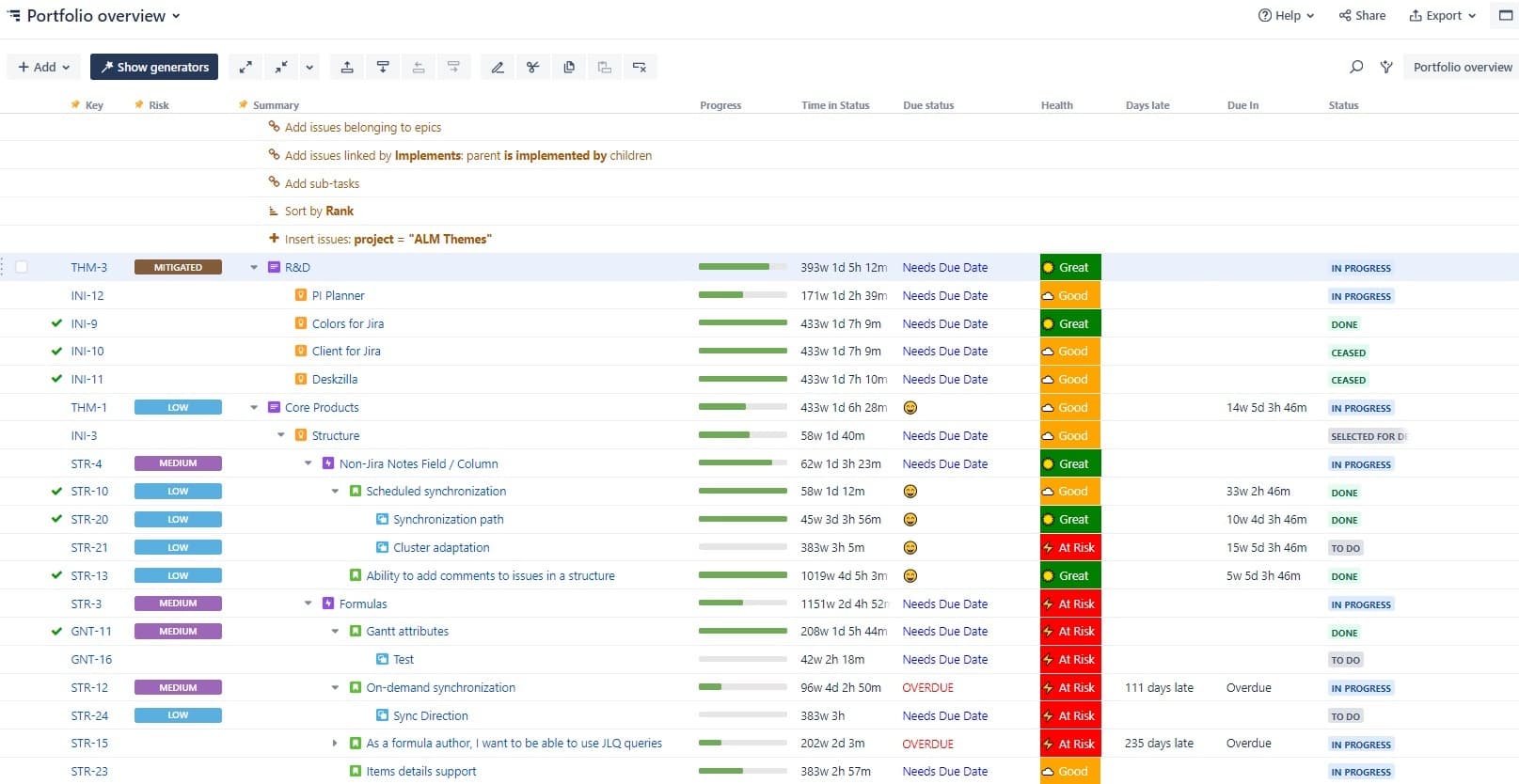
Daily users rely on Structure for:
Advanced calculations for prioritization
One of Structure's prime features is its flexibility. The team at White Mesa found an interesting use for prioritizing large projects of work with tangible data by adding additional fields.
"Teams are combining traditional metrics like story points with business impact data – revenue projections, affected user counts, strategic alignment scores," Ira explains.
"Structure lets them build custom calculations across these fields to generate weighted priority scores. It's transformed how we approach quarterly planning." Atlassian product lead
Cycle time analysis
Structure emerged as the superior solution for cycle time reporting. Cycle time analysis explores the typical time it takes to complete an issue and is useful to identify trends and bottlenecks.
"We procured a dedicated solution for cycle time analysis but found most of our users simply use Structure to do it instead," Ira notes.
Release information across projects
"It's very difficult in out-of-the-box Jira to view release information across multiple projects," the team notes. Structure solves this by providing clear visibility into version and release data across the entire portfolio.
Custom Charts: Executive storytelling with data
The Atlassian product team at White Mesa kept hearing that, despite doing great work, it was time-consuming and stressful for users to try to convey the stories behind that work to their managers and executives.
Ira explains: "In Jira, yes, you can use dashboards, but anybody who has spent any time in Jira knows dashboards leave you wanting."
Teaming up alongside Structure came another one of Tempo's tools: Custom Charts for Jira.
Here is what is delivered to their teams:
Simplified access management
Unlike Jira dashboards, where filter permissions can break visibility, Custom Charts allows teams to set charts as visible to anyone. "The user clicks the link, they can always see it – you don't have to worry about it," Ira says.
Flexible data visualization
It won't surprise you that, as a leading financial institution, White Mesa’s teams need to express their data in a way that actually engages and interests people – not just plain old spreadsheets that will send their meetings to sleep. Custom Charts does exactly that – providing maximum aesthetic and ease-of-use to anyone looking to create engaging dashboards and reports from their Jira workflows – from whatever custom fields you deem necessary.
For White Mesa, Custom Charts became essential for daily, weekly, and monthly reporting for teams across the organization. That became clear during the recent migration from server/DC to the cloud.
Ira said: "When we were exploring which apps were critical to maintain as part of our cloud migration, several teams insisted Custom Charts be on that list."
Implementation approach: Empowering power users
The insurer's adoption strategy centered on enabling champions rather than top-down mandates.
"We really encourage people who are actually using the tools to share their experiences and teach others," Ira explains. "We're teaching people how to fish instead of giving them the fish."
The team provides:
Open training sessions for all users
Documentation in Confluence
Internal community channels for peer learning
Direct support when teams submit tickets with specific use cases
White Mesa’s teams working in Atlassian keep Tempo solutions "in our back pocket" for when users come with challenges.
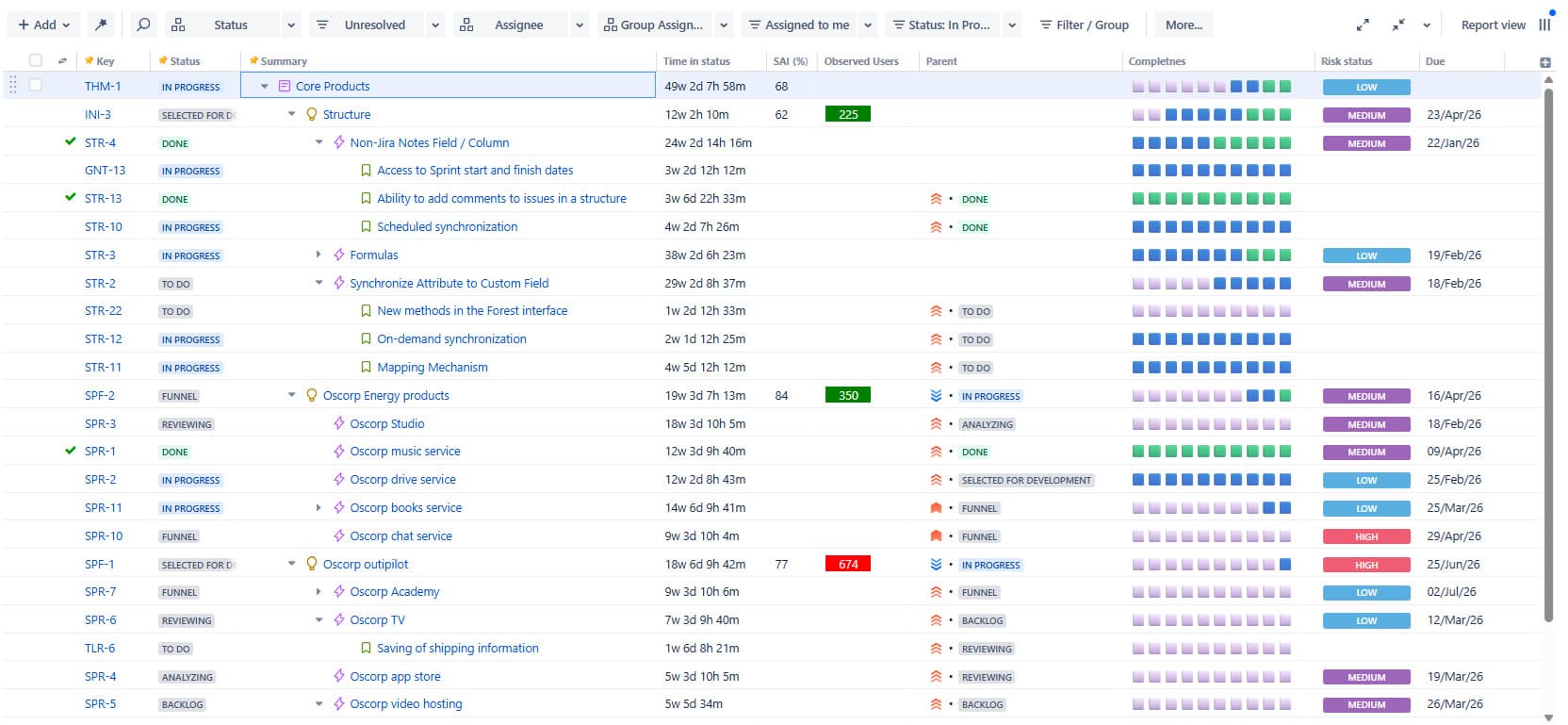
They told us: "If someone comes to us and says, 'I can't figure out how to do X, Y, Z,' it's nice for us to go, 'Oh, have you heard of Structure?' That way they're empowered to build things and solve their own problems."
Looking forward
As the team and their peers continue to expand their Atlassian footprint and explore AI capabilities like Atlassian Rovo, they see Tempo solutions growing in parallel.
"By nature, as our Atlassian tools grow and as more people come on board, these tools are going to naturally grow," Ira notes. "The use case for all three of these Tempo apps is visibility across the entire instance – visibility across multiple projects. That's the underlying theme."
For large enterprises facing similar portfolio visibility challenges, their advice is clear: "Structure and Custom Charts make our lives easier. It allows us to solve for our users' problems in a way that's sustainable as we continue to grow."