

In a professional services firm, your people are your inventory. When the right consultant is on the bench while another is double-booked across three engagements, margin disappears and good work suffers. Resource management is how services leaders solve that – matching the right skills to the right billable work, at the right time, with enough foresight to hire before a deal lands rather than after. For firms running delivery in Jira, that work too often happens in side spreadsheets, leaving managers blind to what's actually achievable.
What is professional services resource management?
Professional services resource management is the discipline of planning, allocating, and rebalancing people across client engagements so utilization, billable mix, and delivery commitments all hold together. It covers who is available, who is overallocated, who is on the bench, and which skills are about to become a bottleneck.
For consultancies, agencies, and IT services firms, the practice sits at the intersection of sales, delivery, and finance. Sales needs a credible answer on staffing before a contract closes. Delivery needs to honor the staffing assumptions baked into the statement of work. Finance needs utilization that supports the firm's target margin. Resource management is what holds those three views in the same picture.
Why resource management matters for professional services firms
Utilization is the metric that defines a services business. A few points of billable utilization across a delivery org translate directly into revenue and into whether the firm hires, holds, or cuts. Most firms know their target utilization rate. Far fewer can tell you, today, who is over it and who is under it without a manual roll-up.
Resource management also drives client outcomes. When a senior architect is quietly overallocated across four projects, every one of those projects slips. When a junior consultant is on the bench longer than intended, both their development and the firm's training investment stall. The cost of getting this wrong shows up as scope creep, write-offs, attrition, and renewals that quietly do not happen.
Hiring is the third stake. Services leaders who can see capacity by skill months out hire on time. Leaders who cannot, hire reactively – paying premiums, onboarding under pressure, and absorbing margin hits while new staff ramp.
Benefits of resource management with Tempo
Skill-based staffing. Assign work based on skills and availability rather than whoever responds first in Slack.
Plan-vs-actual visibility. Compare what you planned against what people actually delivered, then sharpen the next forecast.
Multi-team coordination. See who is committed where across teams, surface multi-teaming, and rebalance before deadlines slip.
Hiring foresight. Spot capacity gaps by skill and role months out, so hiring decisions support pipeline rather than chase it.
How Tempo enables professional services resource management
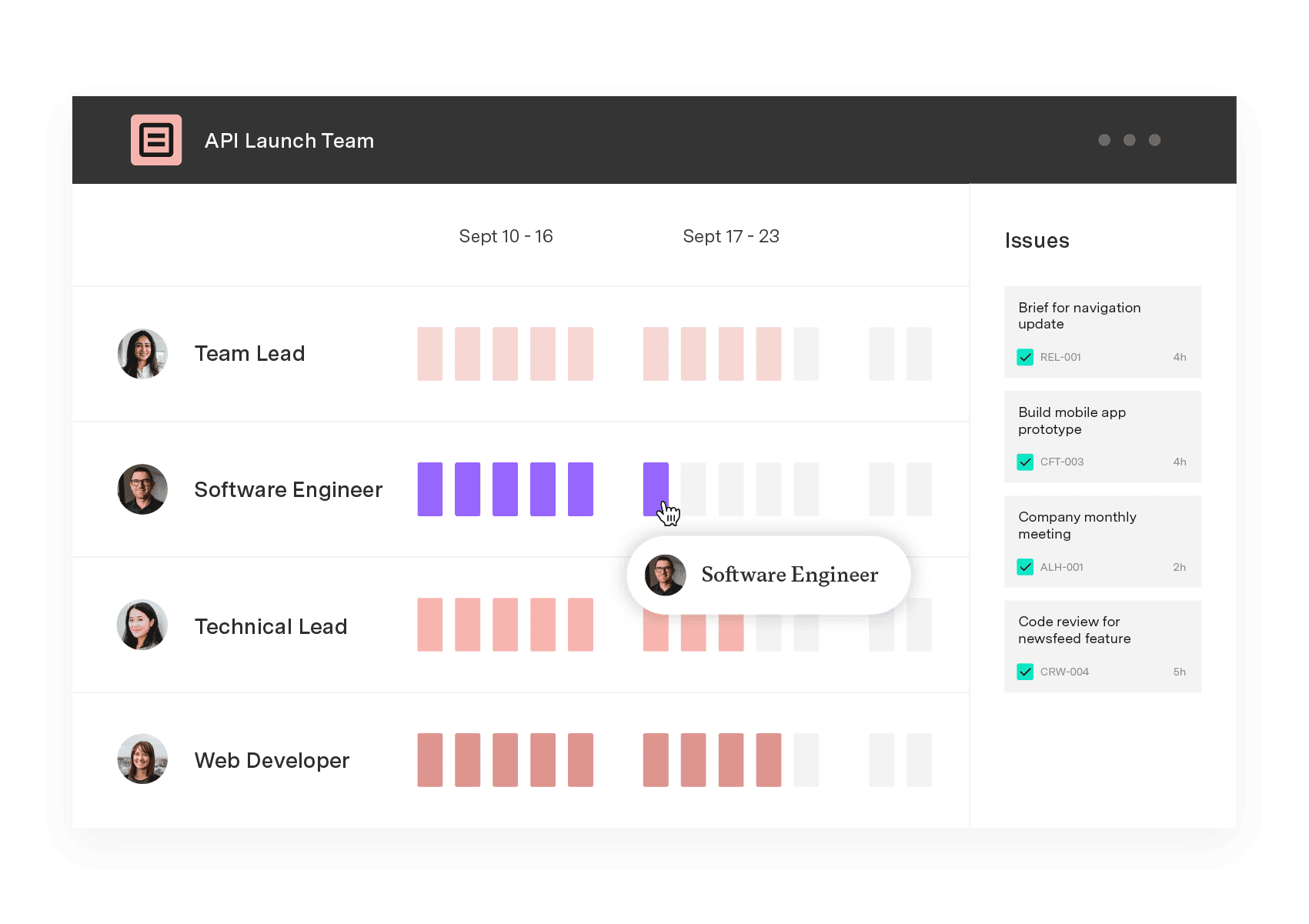
Tempo orchestrates resource management for services firms through two products working in concert inside Jira. Capacity Planner is the planning surface – a flexible scheduler where managers staff projects, assign skills, and balance workloads across individuals and teams. Plans live next to the Jira work they support, so capacity is never decoupled from delivery.
Timesheets closes the loop. As consultants log time against Jira issues, that data flows back as actuals – the truth of how the work landed. Capacity Planner's plan-vs-actual reporting then turns each engagement into a feedback signal: where estimates were soft, which roles consistently get overcommitted, and which clients consume more senior time than scoped.
Together, these products give services leaders one system of record for both intent and reality. Capacity Planner answers "who should be on this project and when?" Timesheets answers "what did we actually deliver, and at what cost?" The combination is what makes utilization, forecasting, and hiring planning trustworthy at scale – without exporting Jira data into a separate PSA tool.
Professional Services Automation (PSA) Demo 2023
Resource management in practice
A mid-sized digital consultancy uses Capacity Planner to staff dozens of simultaneous client engagements. Practice leads catch senior designers booked well above capacity weeks out and pull engagements forward into the following sprint. The reshuffle preserves margin on a fixed-price program that would otherwise have run over.
A managed services provider tracks billable utilization by team in Capacity Planner, with Timesheets feeding actuals each week. When a regional team's utilization sags below its target for two months running, the leadership team rebalances accounts rather than waiting for the quarterly review. The bench shrinks before the bonus pool does.
A boutique IT advisory firm uses skills tagging in Capacity Planner to staff a Salesforce migration. The system surfaces that the firm has only one certified architect available – which becomes the trigger to hire a second before the next deal closes, not after.
Frequently asked questions
How is Tempo's PSA approach different from a standalone PSA platform?
Tempo runs natively inside Jira, where delivery work already lives. A standalone PSA forces consultants to track time and status in a separate system, then reconcile it back to Jira. Tempo eliminates the second system entirely – capacity, time, and project work share one source of truth.
Do we need every Tempo product to run resource management well?
No. Capacity Planner is the entry point for resource management on its own. Most services firms add Timesheets quickly to get plan-vs-actual reporting, and Financial Manager when they want to tie utilization to project margin.
Can Capacity Planner handle skills-based staffing for large practice groups?
Yes. You can assign skills and skill sets to team members and use those attributes when scheduling, so a project manager staffing an engagement can filter by skill and availability rather than scrolling through every consultant in the firm.
How does Tempo handle consultants who split time across multiple clients?
Capacity Planner is built for multi-teaming. A single consultant can be allocated across multiple projects and teams simultaneously, with workload visible in one view so managers can spot overallocation before it becomes burnout or a missed deadline.
Sign up for a demo
Request Demo



