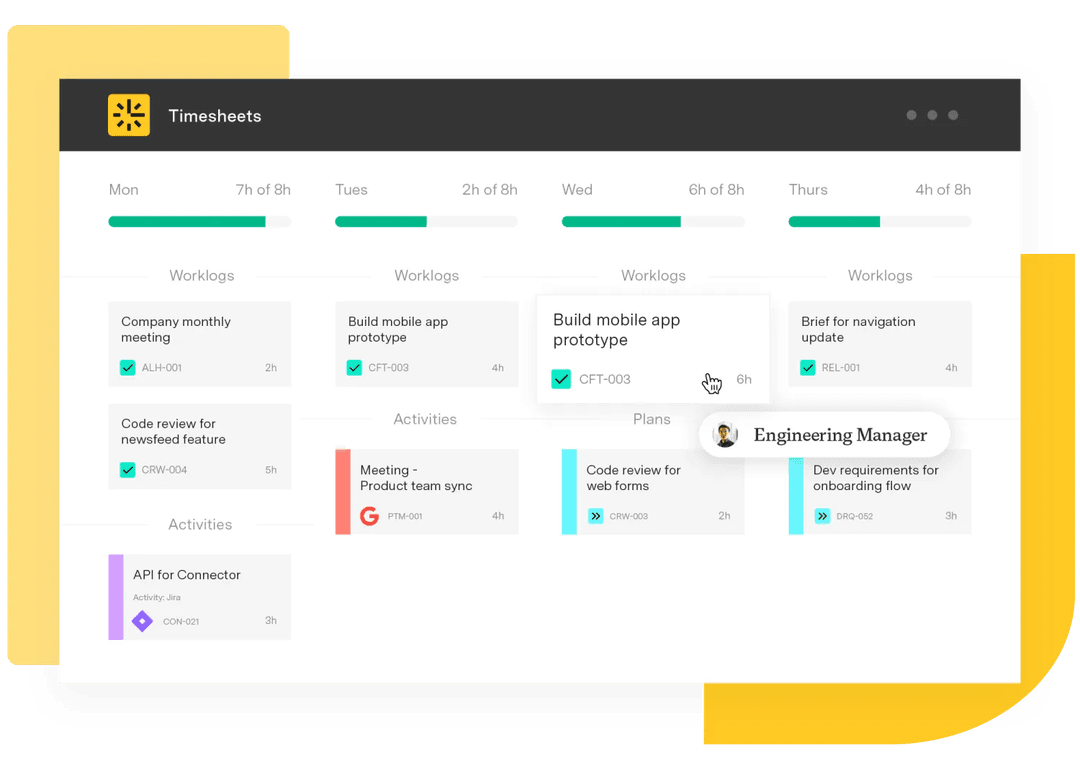

Automated time tracking

Capturing how people spend their working hours without making them stop and log it themselves is the point of automation here. Instead of typing entries into a timesheet at the end of the week, software watches signals from the tools people already use – calendars, chat, code commits, Jira activity – and proposes worklogs that the person can confirm in seconds.
The goal is accuracy. People are bad at remembering what they did three days ago, and the numbers a finance team relies on are only as good as the memory behind them. Automation fixes that.
In a Jira context, automated tracking ties effort directly to issues, so every hour has a project, an account, and a billable status attached.
What are the benefits of automating time tracking?
Four benefits show up first:
Cleaner data. Worklogs reflect what happened, not what people half-remember on Friday afternoon.
Hours saved every week. Engineers and consultants stop spending 30 to 60 minutes a week reconstructing their week.
Better invoicing and CapEx reporting. Billable, non-billable, capitalized, and operational hours separate cleanly because the data underneath them is reliable.
Less manager nagging. Approvers chase fewer missing entries, and the timesheet becomes a review step instead of a fire drill.
How do you roll out automated time tracking?
A practical rollout has four steps:
1. Connect the source systems your team already lives in – calendar, Slack, IDE, and Jira. 1. Let the system observe a normal week and generate suggested entries against Jira issues. 1. Each team member reviews the suggestions, edits anything wrong, and confirms the day or week in a single pass. 1. Managers approve the resulting timesheets, and the data flows into reports for billing, capitalization, and capacity planning.
The first two weeks are the calibration period. After that, most teams find their confirmation step takes a few minutes a week instead of an hour.
Managing automated time tracking with Timesheets
Timesheets is built for teams that need their time data to hold up under scrutiny – auditors, clients, finance partners, or all three. It captures effort against Jira issues and pulls signals from calendar, Slack, and IDE activity to suggest entries, so people are confirming work rather than reconstructing it.
Because Timesheets ties every worklog to a Jira issue and a Tempo Account, the same entry that closes out a sprint task also feeds billable-versus-non-billable reporting and CapEx-versus-OpEx classification. There is no second system to reconcile.
For Jira-native teams, that consolidation is the point. The data lives where the work lives, and the reports it produces are anchored to the same issues leadership is already tracking.